TR7600 SIII_Operation_en_v_2_0_2.pdf - 第19页
Test Research, Inc . TR7600 SIII Series User Gu ide – Operat ion 11 2.7 Other Se ttings 2.7.1 Enable Barcode Reader 1) Checking [Inspect/Parameters/Input/ Output/Enable B arcode] enables the f ixed barcode to scan barcod…

Test Research, Inc.
10 TR7600 SIII Series User Guide – Operation
2.5 Inspect the Same Module on other Same Type Machine
1) Copy the following files to other systems.
The folder that the project file (*.rcp) locates.
[C:\AOI\Packagelibrary] folder
[C:\AOI\Imagelibrary] folder.
[C:\TR7600\Model Name] folder.
2) Open the software and load the project.
3) Click [Test] on HCI (Human Computer Interface) to let board in.
4) Click [Inspect] to inspect.
2.6 End Inspection
1) Click [Esc] on the keyboard to stop the current project.
2) Press or select [File/Exit] to close the main program. The system will ask if you want
to save the project.
3) Click [Start/Shut Down] to shut off the computer.
4) Turn the power switch counterclockwise to turn off the power.
5) Close the breaker of the machine.
Test Research, Inc.
TR7600 SIII Series User Guide – Operation 11
2.7 Other Settings
2.7.1 Enable Barcode Reader
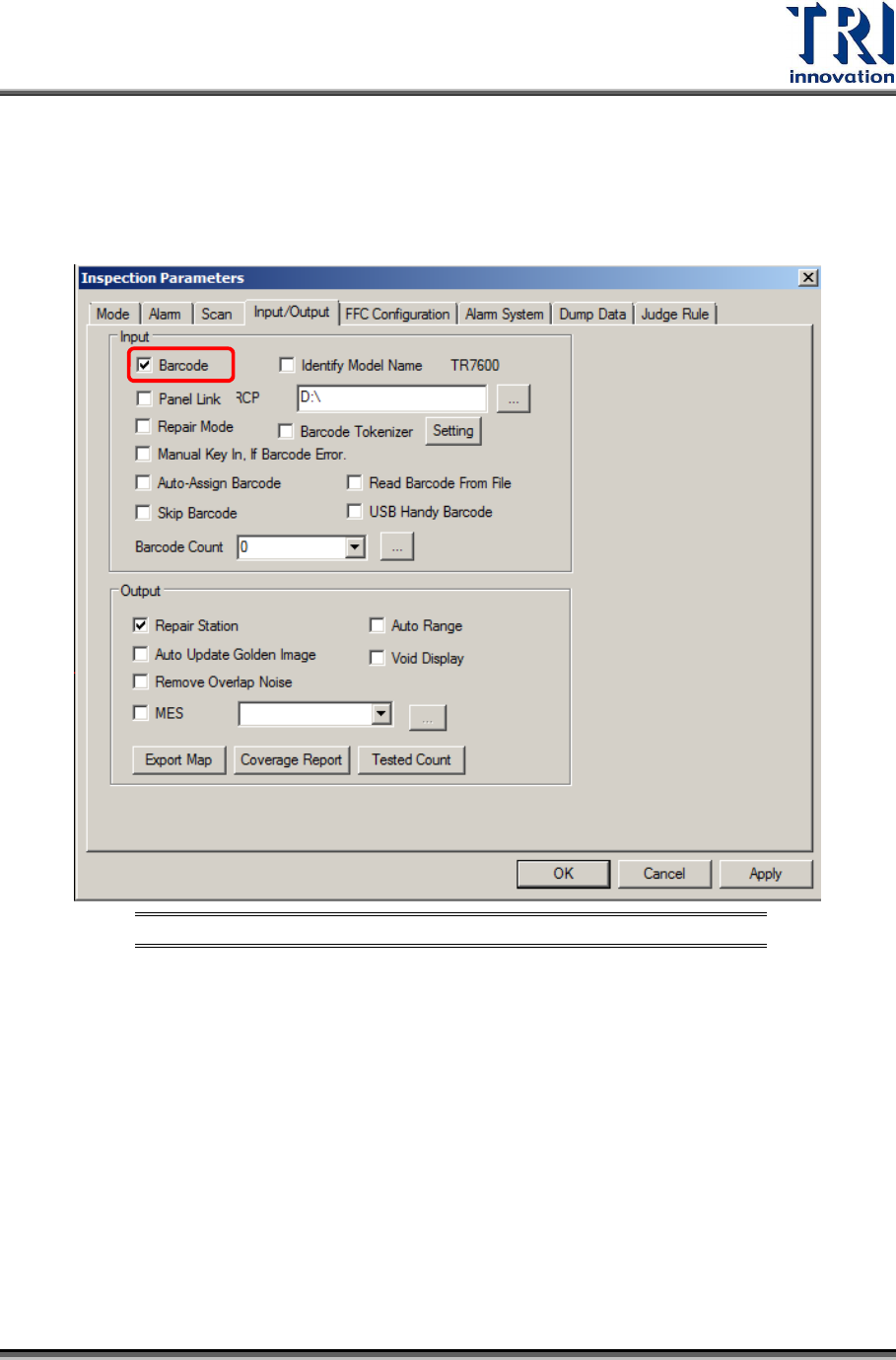
1) Checking [Inspect/Parameters/Input/Output/Enable Barcode] enables the fixed barcode
to scan barcodes.
Figure 17: Enable Barcode
Test Research, Inc.
12 TR7600 SIII Series User Guide – Operation
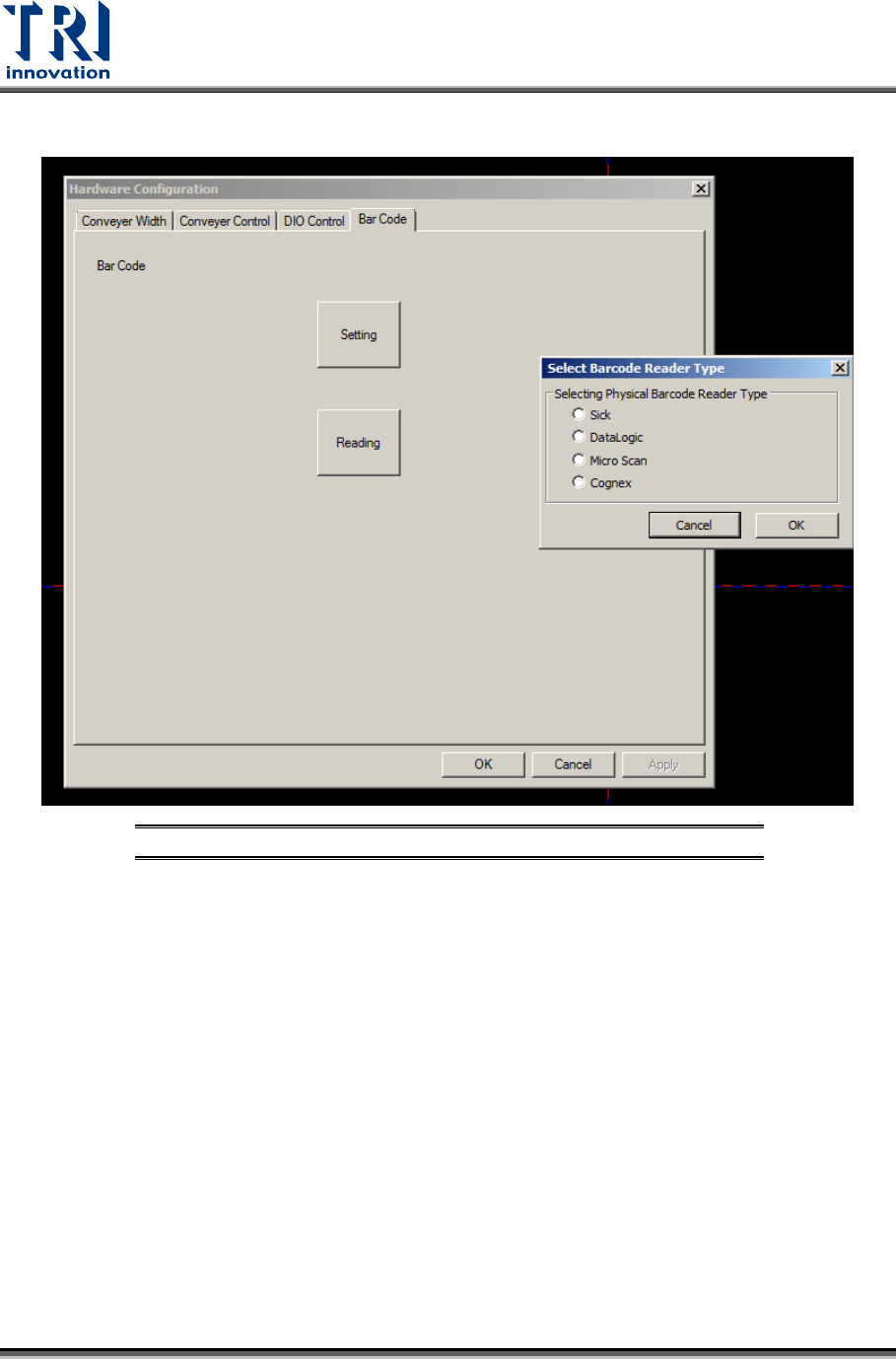
2) Barcode scanner parameters can be set in [Utility/Hardware Configuration/Barcode].
Figure 18: Barcode Setting