TR7600 SIII_Operation_en_v_2_0_2.pdf - 第21页
Test Research, Inc . TR7600 SIII Series User Gu ide – Operat ion 13 2.7.2 Link to Repair Station and MES 1) Check [Inspect/Parameters/Input/Out put/Enable Repair S tation] , and then click [Ex port map] to transfer the g…
Test Research, Inc.
12 TR7600 SIII Series User Guide – Operation
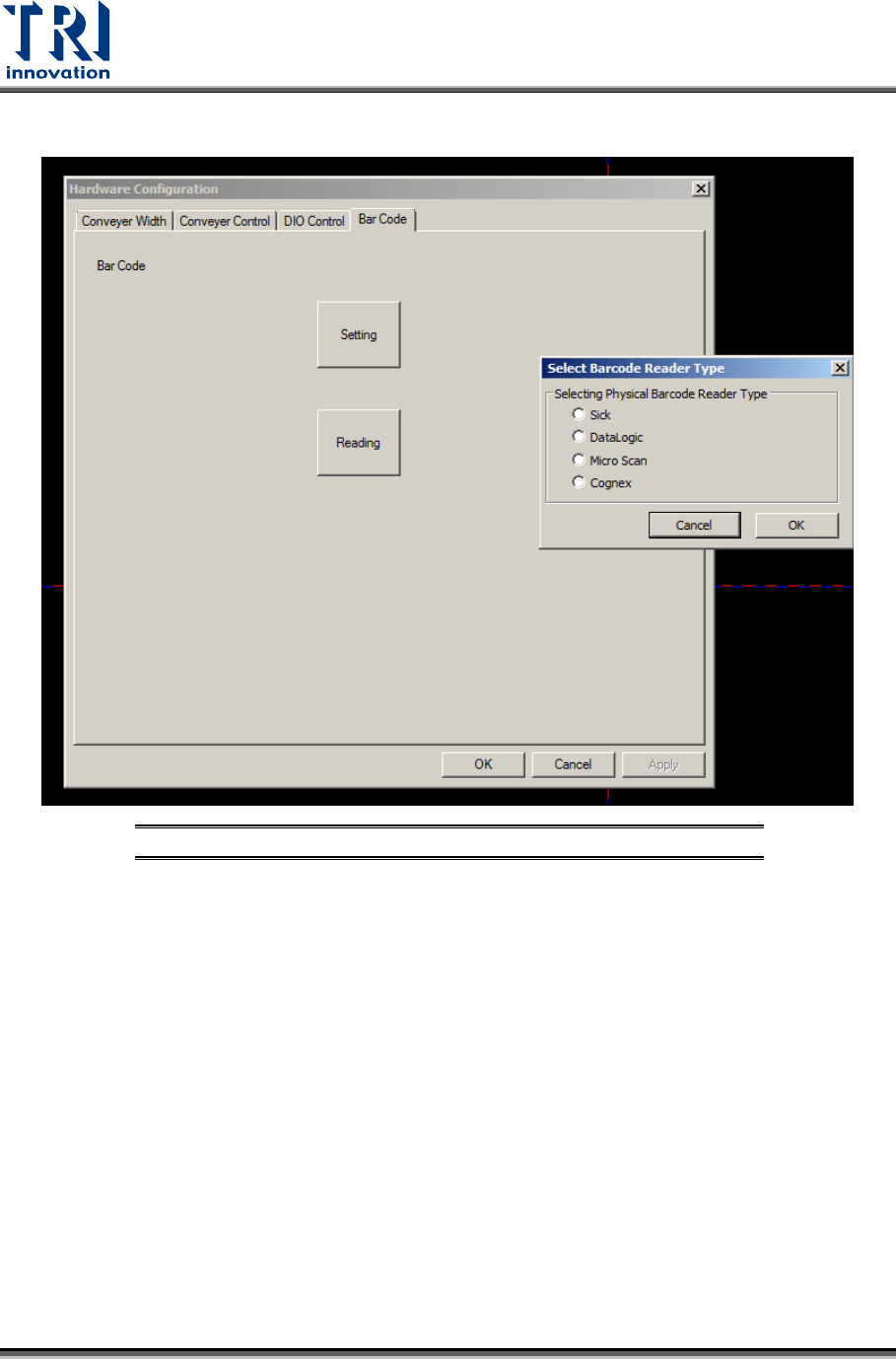
2) Barcode scanner parameters can be set in [Utility/Hardware Configuration/Barcode].
Figure 18: Barcode Setting
Test Research, Inc.
TR7600 SIII Series User Guide – Operation 13
2.7.2 Link to Repair Station and MES
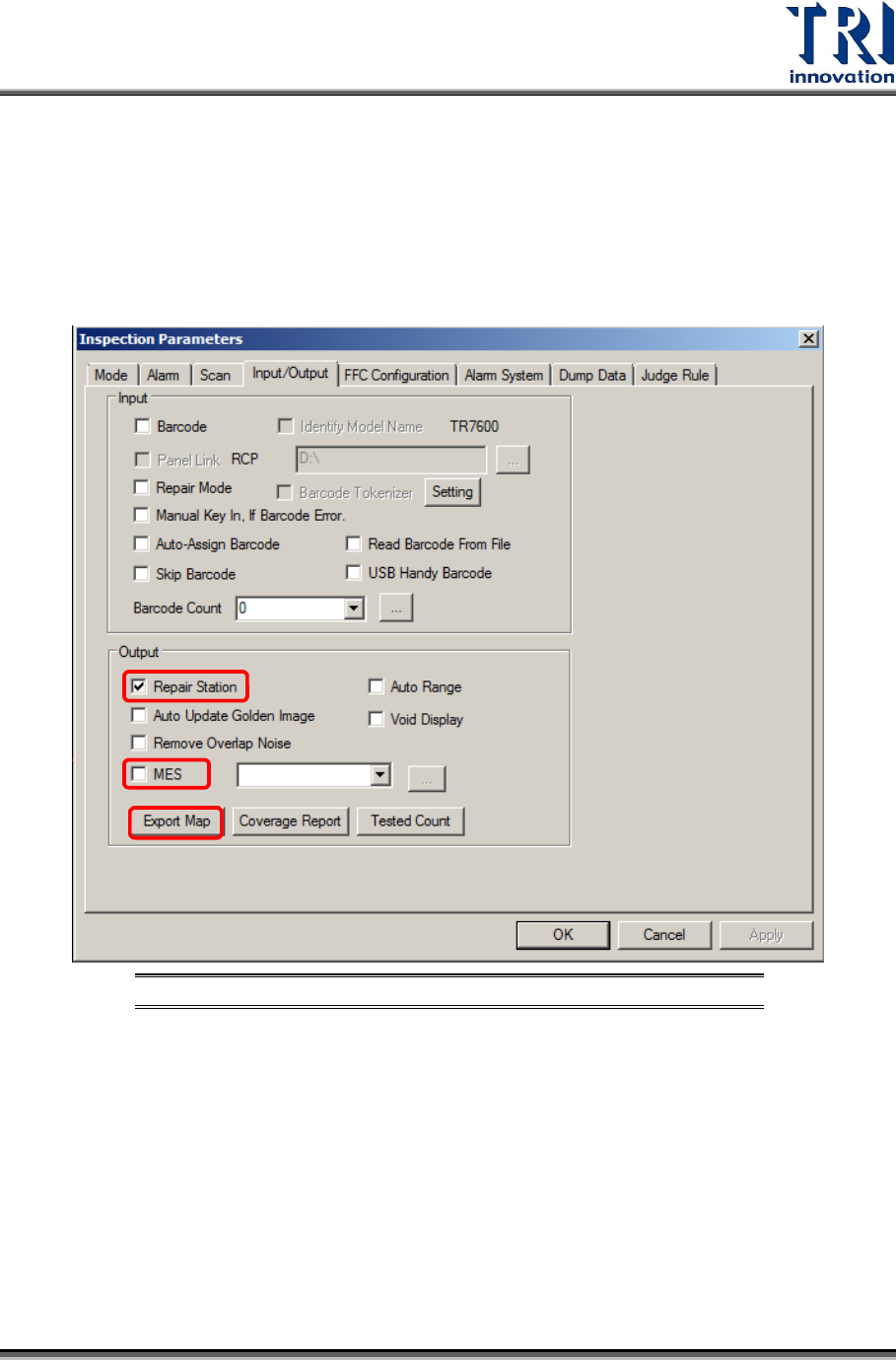
1) Check [Inspect/Parameters/Input/Output/Enable Repair Station], and then click [Export
map] to transfer the golden images to the Repair Station.
i. Repair Station Setting: Machine will export inspection result to RS through the “file
path” you set and buy-off by repair station.
ii. MES Setting: Machine is able to export MES file to the position you want.
Figure 19: Enable Repair Station and MES
Test Research, Inc.
14 TR7600 SIII Series User Guide – Operation
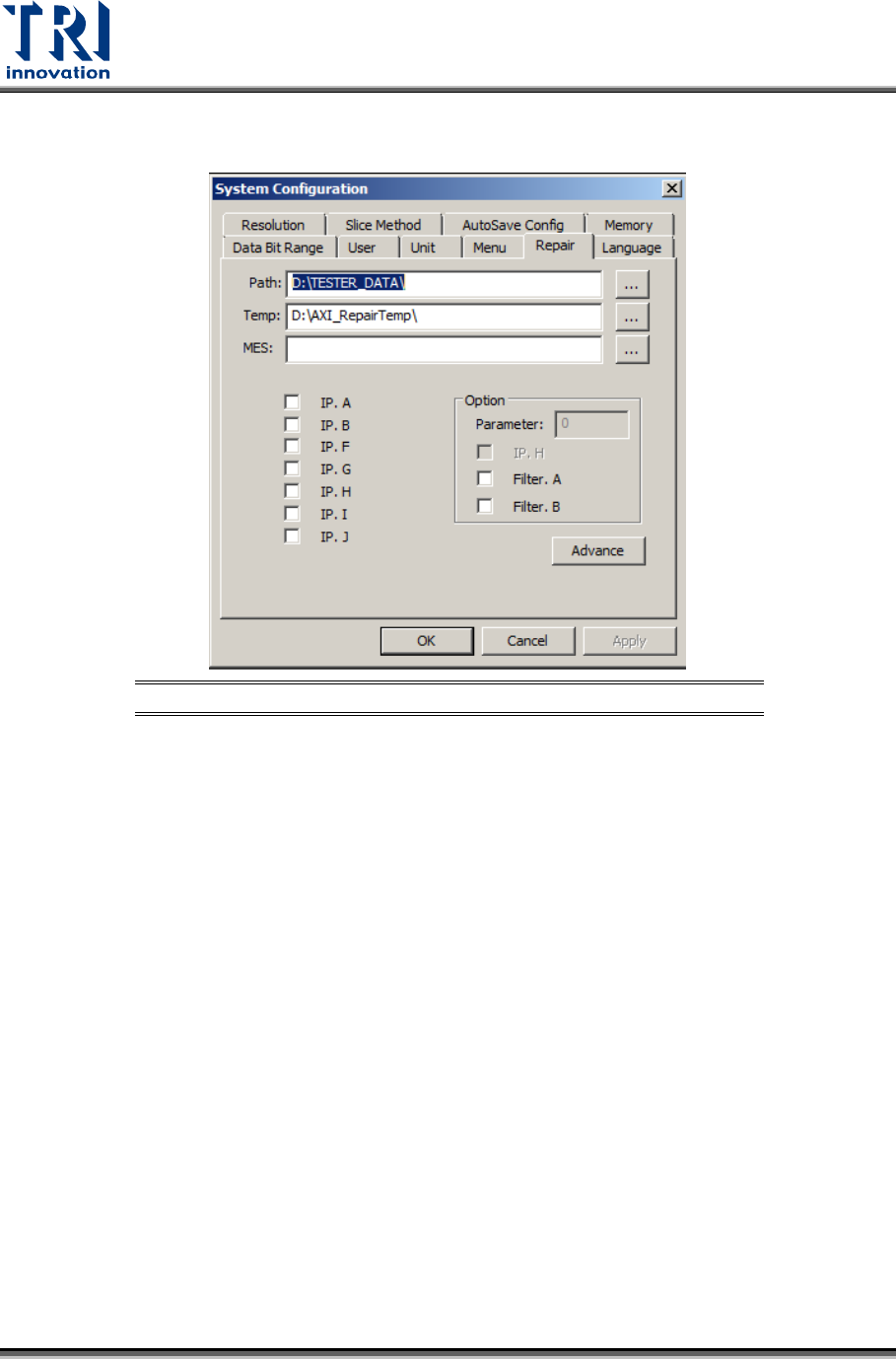
2) Set [Utility/System Configuration/Repair/Path] to [\\RepairPC\tester_data] and ensure the
network has been linked properly.
Figure 20: Set Repair Station Path