SECS GEM Manual.pdf - 第31页
GEM Manual for DEK Printers Capabilities Issue 1.6 January 22, 2018 Page 31 of 171 Scenarios: Send alarm report: (Alarm state change detected by equipme nt) Comments Host Equipment Co mments <-- S5F1 [IF] ALIDn enable…
GEM Manual for DEK Printers Capabilities
Issue 1.6 January 22, 2018 Page 30 of 171
4.3 Alarm Management
The alarm management capability enables the following functionality for host control of alarm
activity:
The host can enable, or disable, specific alarm notification.
The host can request a list of alarm texts.
The host can request a list of alarms set and enabled on the equipment.
The equipment reports both set and clear alarm events with times of alarm changes.
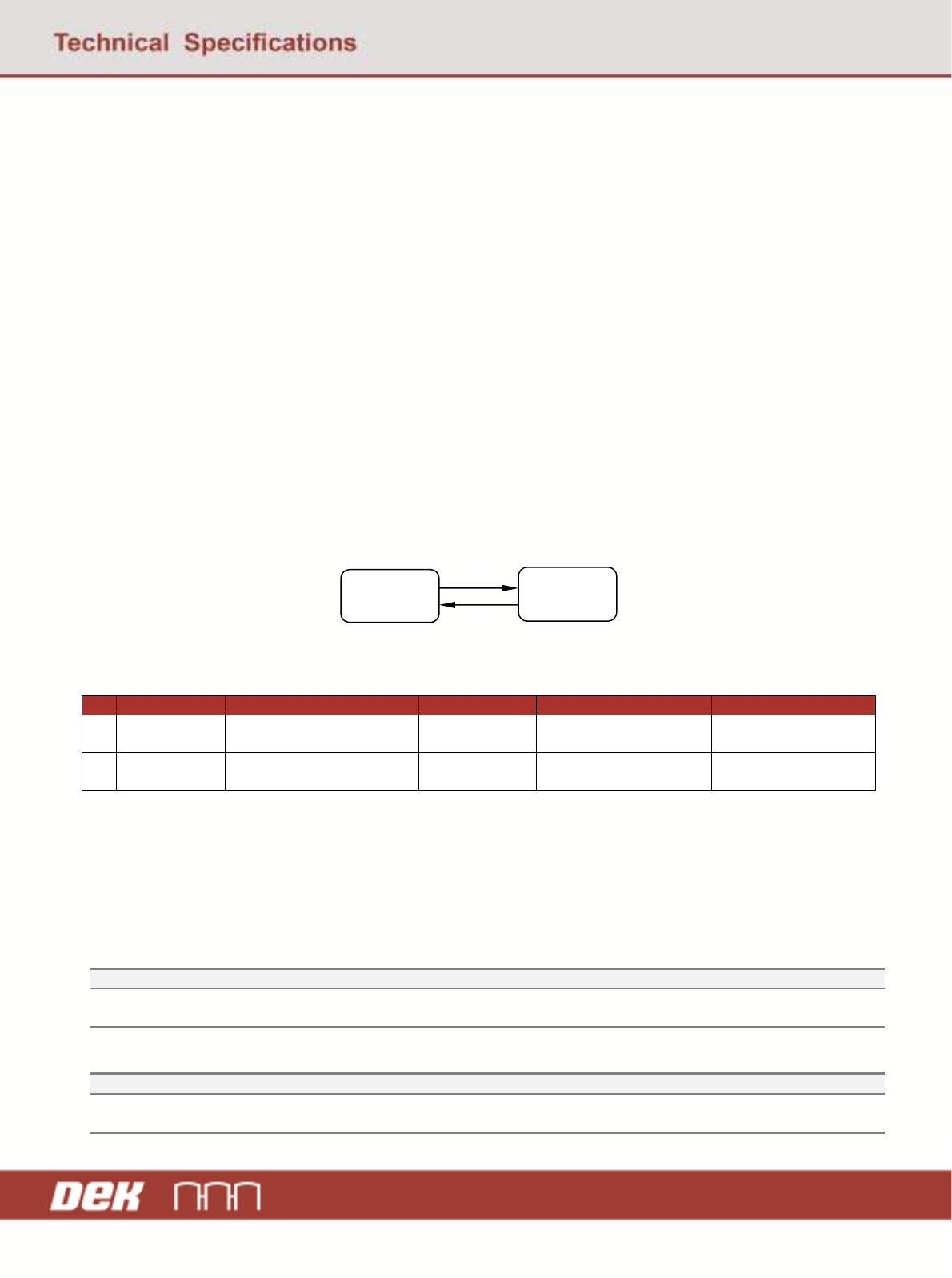
Each alarm has an identity (ALID), which may be in one of two states; SET or CLEAR. Each
ALID can also be ENABLED or DISABLED. The following state model determines alarm
behaviour.
The alarms implemented on the DEK printer are listed in chapter 6.
4.3.1 Alarm Management State Model
State Diagram:
Transition Table:
# Current State Trigger New State Action Comment
1 ALARMn
CLEAR
Alarm is detected on
equipment
ALARMn SET Send report if enabled. Wait for operator
intervention.
2 ALARMn
SET
Alarm condition no longer
detected
ALARMn
CLEAR
Send report if enabled. Operator has corrected
error.
State Definitions:
ALARMn CLEAR - The alarm ALID is in safe condition.
ALARMn SET - The alarm is active and operator intervention is required.
Scenarios:
Enable / disable alarms:
Comments Host Equipment Comments
Enable / Disable alarm ALID S5F3 -->
<-- S5F4 Equipment acknowledges change(s).
Upload alarm information:
Comments Host Equipment Comments
Request alarm data / text S5F5 -->
<-- S5F6 Equipment sends alarm data / text.
ALARMn
CLEAR
ALARMn
SET
1
2
GEM Manual for DEK Printers Capabilities
Issue 1.6 January 22, 2018 Page 31 of 171
Scenarios:
Send alarm report: (Alarm state change detected by equipment)
Comments Host Equipment Comments
<-- S5F1 [IF] ALIDn enabled, send report.
Host Acknowledges S5F2 -->
<-- S6F11 [IF] CEIDm enabled, send associated event
report.
Host Acknowledges S6F12 -->
GEM Manual for DEK Printers Capabilities
Issue 1.6 January 22, 2018 Page 32 of 171
4.4 Control
4.4.1 Control (operator initiated)
The operator of the equipment can control the communications between the equipment and
Host. This is done using the function keys on the operators Host Comms screen and allows for:
On-Line / Off-Line Control.
Local / Remote Control.
Control State Definitions:
Off-Line - During the Off-Line state, the SECS-II link is severely restricted. The equipment
operator console controls all operations. With the exception of the messages used for connect
and On-Line, the equipment sends no primary SECS-II messages to the Host, and refuses
primary SECS-II messages from the Host. This state is active until the operator enables Host
communications on the equipment.
On-Line: Local - In the local state, the SECS-II link operates normally. The equipment
imposes restrictions on the level of communications with the Host. This state is active for as
long as the operator requires, until the equipment is powered down or a fault occurs.
On-Line: Remote - In the remote state, the SECS-II link operates normally. The equipment
imposes no restrictions on the level of communications with the Host. This state is active for
the as long as the operator requires, until the equipment is powered down or a fault occurs.
4.4.2 Remote Control
The remote control capability provides the host with the ability to initiate processing and to
modify process parameters during operation. The ability to modify operating parameters
permits the use of feed-forward process control.
The host can exercise control by sending a remote command RCMD and parameter data
CPNAM and CPVAL. For details of available commands and parameters, see appendix A.
Command completion’s are notified to the host by event reports.
The ability, of the host to exert control depends upon the equipment control state. See control
(operator initiated) section 3.4.1.