00198486-01_Programming_Training_E_by_DEK_EN.pdf - 第17页
3 Create from Default or copy from existing 3.2 Loading a saved product file Programming Training E by DEK 12/2017 17 3.2 Loading a saved product file 1. To load a product file, select Load Product. 1. Select which Produ…
3 Create from Default or copy from existing
3.1 Creating a new product file
16 Programming Training E by DEK 12/2017
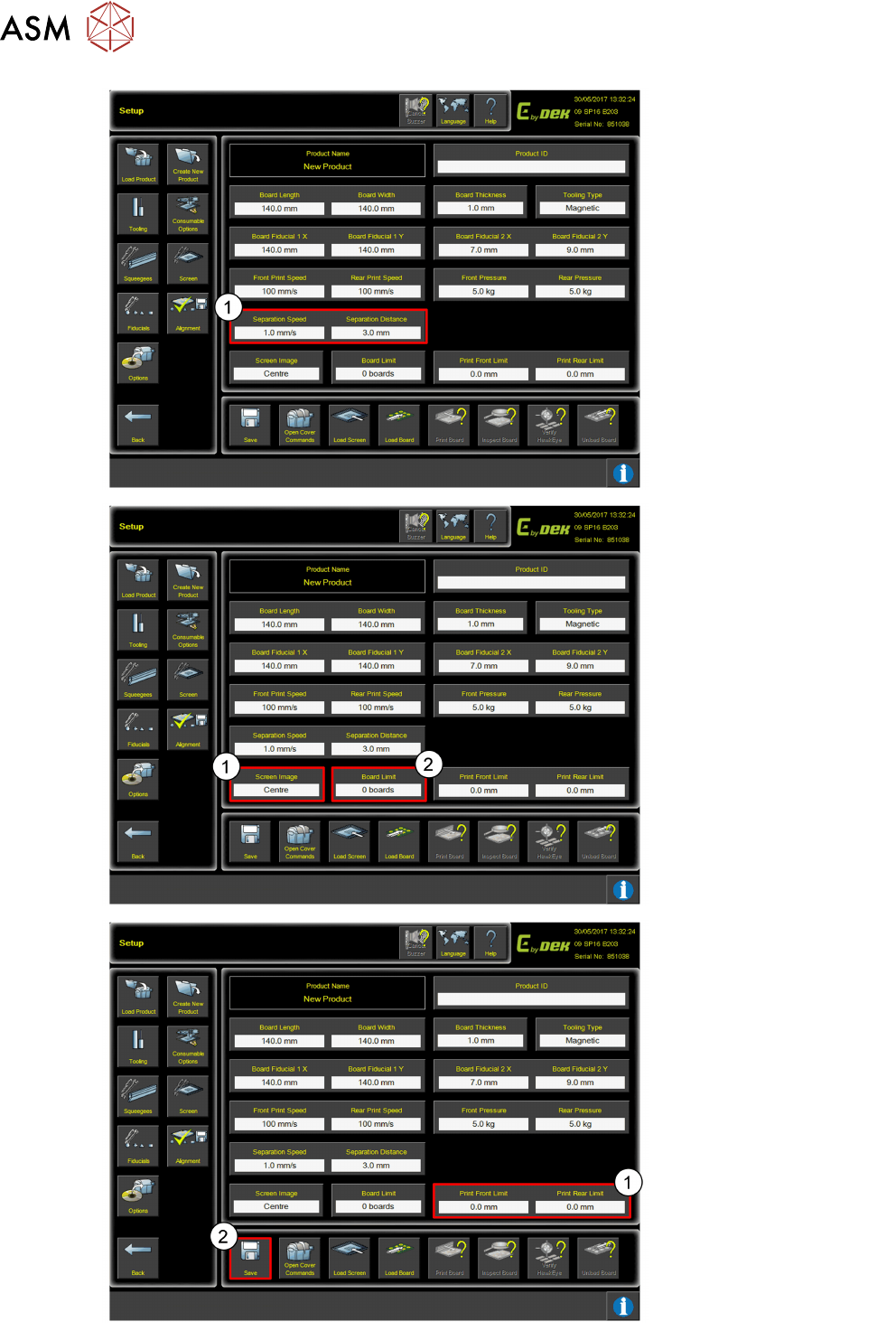
1. Set Separation Speed
and Separation
Distance.
1. Select Screen Image
location settings.
2. Add Board Limit.
1. Set Print Limits.
2. Click Save when
complete.
3 Create from Default or copy from existing
3.2 Loading a saved product file
Programming Training E by DEK 12/2017 17
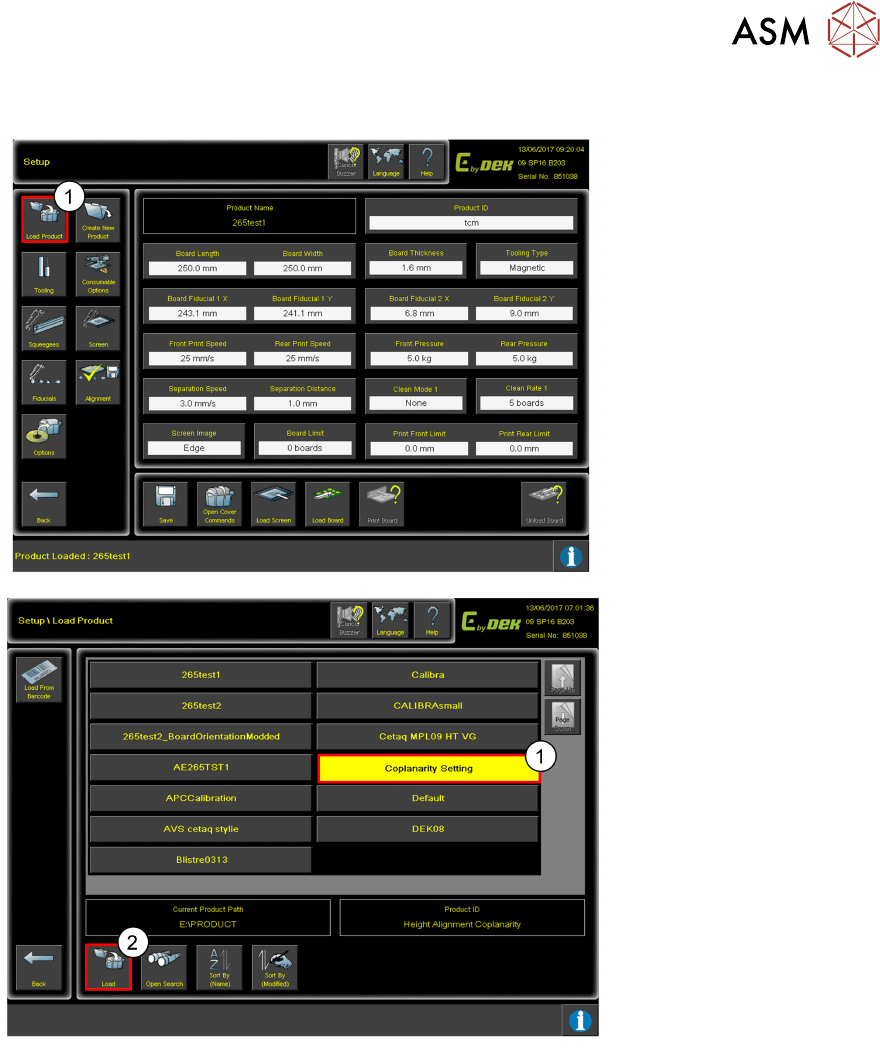
3.2 Loading a saved product file
1. To load a product file,
select Load Product.
1. Select which Product file
you wish to load.
2. Click Load.
3 Create from Default or copy from existing
Room for Your Sketches and Notes
18 Programming Training E by DEK 12/2017
Room for Your Sketches and Notes