00198486-01_Programming_Training_E_by_DEK_EN.pdf - 第36页
10 Fiducial Setup 10.3 Auto 36 Programming Training E by DEK 12/2017 The Fiducials Global Settings can be changed to either 2 Fiducials, 3 Fiducials or Non Vision – which means there is no Fiducial alignment. 10.3 Auto 1…
10 Fiducial Setup
10.1 How to access Fiducial Setup
Programming Training E by DEK 12/2017 35
10 Fiducial Setup
10.1 How to access Fiducial Setup
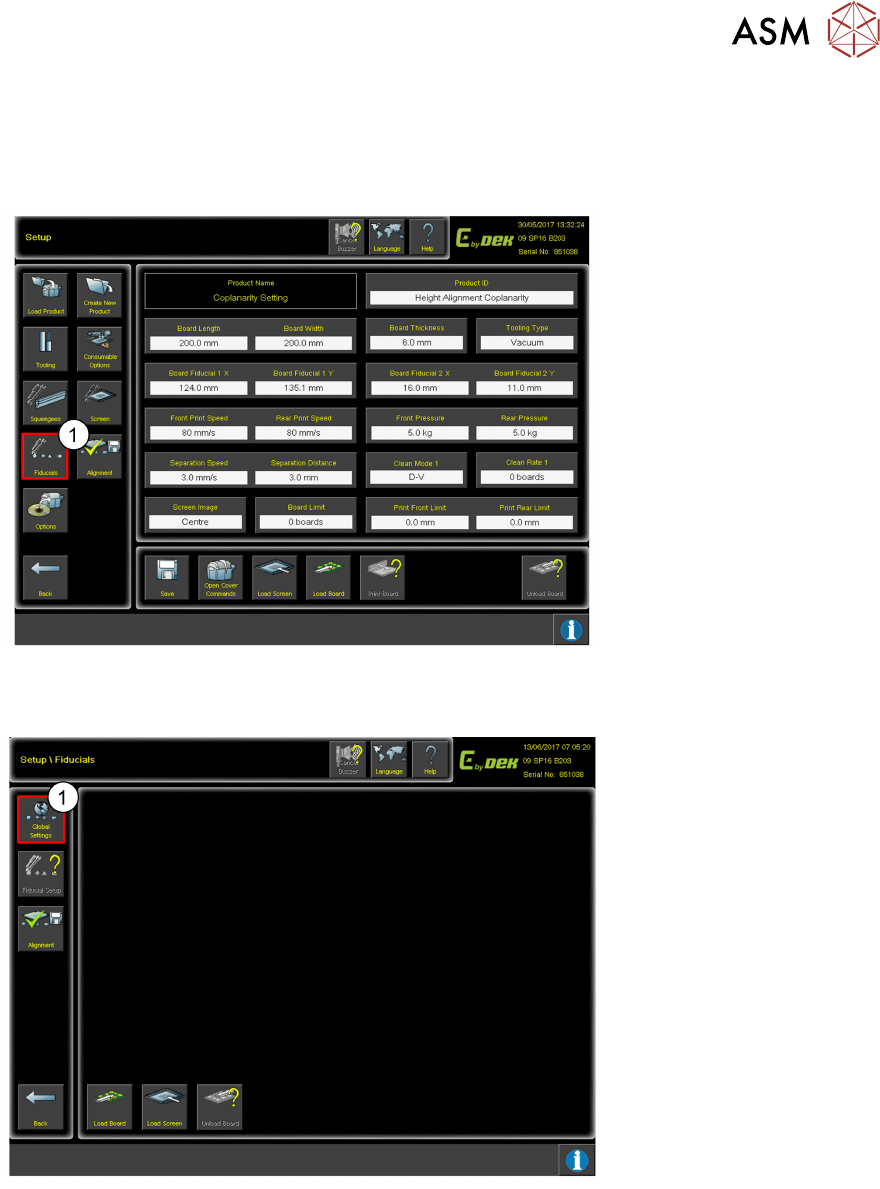
1. Click Fiducials.
10.2 Number of Fiducials
1. Click Global Settings.
10 Fiducial Setup
10.3 Auto
36 Programming Training E by DEK 12/2017
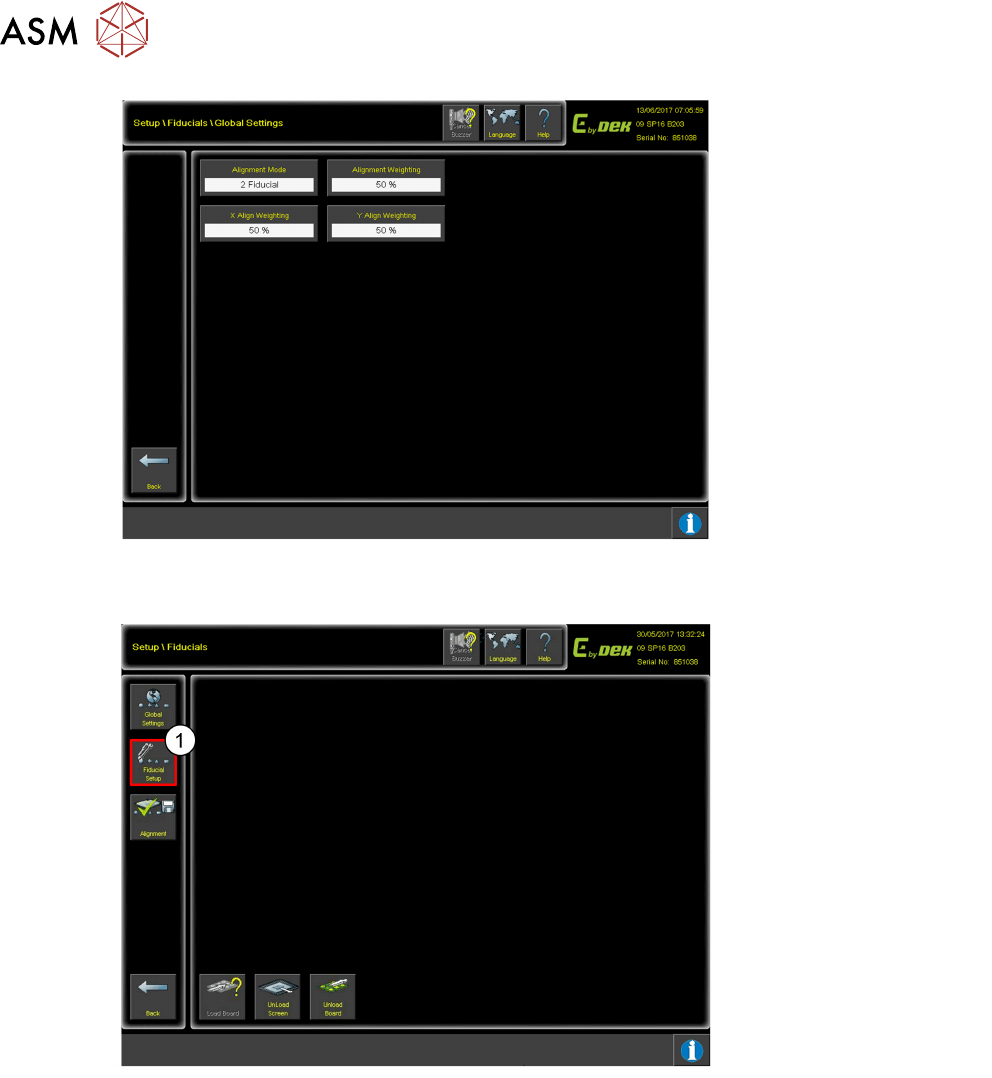
The Fiducials Global
Settings can be changed to
either 2 Fiducials, 3
Fiducials or Non Vision –
which means there is no
Fiducial alignment.
10.3 Auto
1. Click Fiducial Setup.
10 Fiducial Setup
10.3 Auto
Programming Training E by DEK 12/2017 37
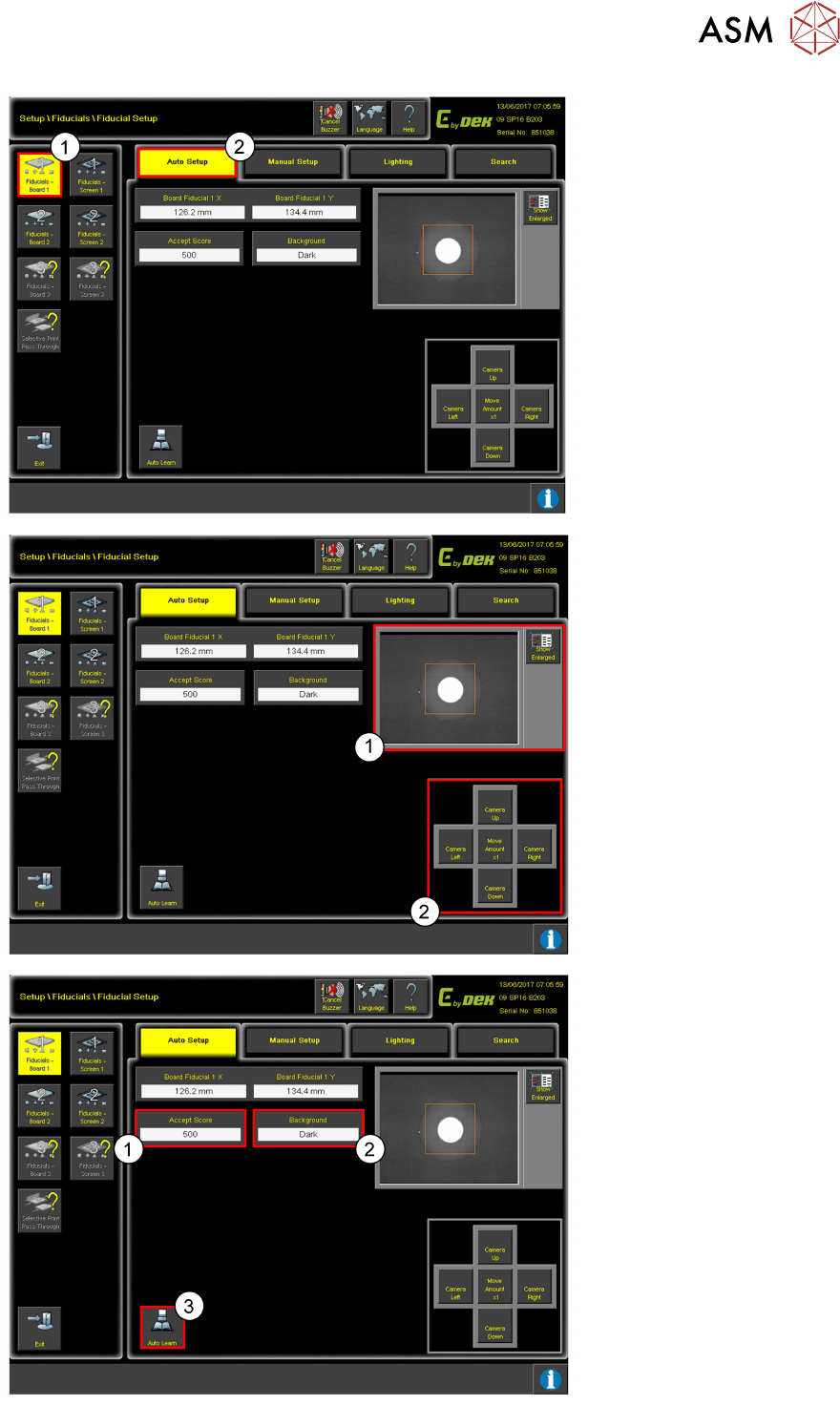
1. Click on Fiducial–
Board.
2. Click Auto Setup.
Use the controls (2) to move
the camera so the fiducial is
in the centre of the orange
box (1).
1. Add the value for the
Accept Score.
If the accept score is set
to high, the fiducial may
not be found.
2. Set the Background
colour to either Light or
Dark.
3. Click Auto Learn to
locate the fiducial.