00198486-01_Programming_Training_E_by_DEK_EN.pdf - 第19页
4 Board Dimensions Programming Training E by DEK 12/2017 19 4 Board Dimensions Transport Direction (1) – The Board Length is measured to locate where the Board Stop will stop the board in the rails. This is done automa…
3 Create from Default or copy from existing
Room for Your Sketches and Notes
18 Programming Training E by DEK 12/2017
Room for Your Sketches and Notes
4 Board Dimensions
Programming Training E by DEK 12/2017 19
4 Board Dimensions
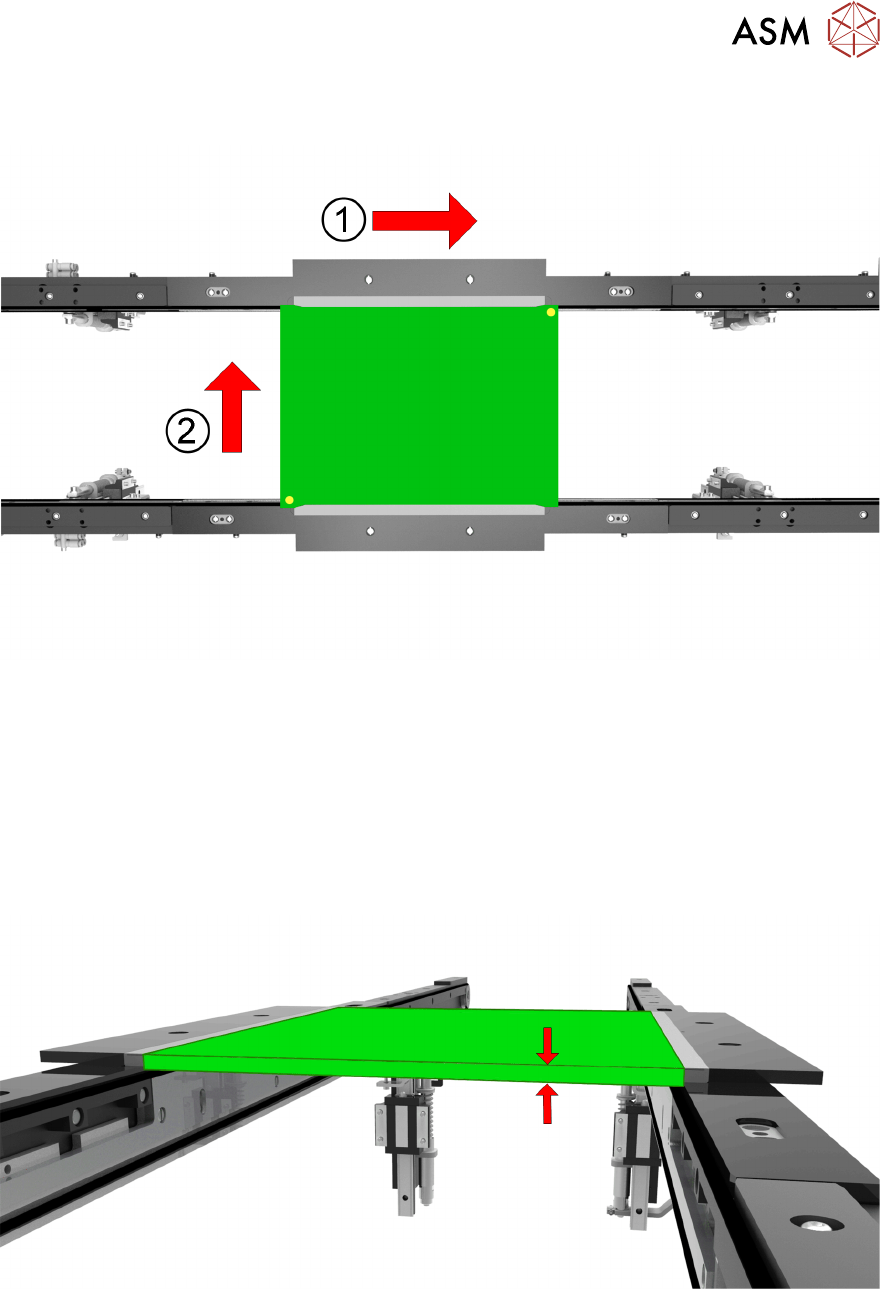
Transport Direction (1) – The Board Length is measured to locate where the Board Stop will stop
the board in the rails. This is done automatically by the software calculating half of the board’s
length and using this measurement to determine how far the Board stop needs to be from the
centre of the Rails. This can be manually adjusted in the Setup Tooling menu to avoid cut outs etc.
Print Direction (2) – The Board Width is measured to calculate the length of the Print Stroke and
the width of which the Rails need to be set to ensure the board is not loose or too tight and gets
stuck. The Board Stop automatically uses the Board Width to calculate the location for the board
stop to be positioned so that it is around 66% of the board length so there is some control over any
twisting in the Rails. This can be manually adjusted in the Setup Tooling menu to avoid cut outs
etc.
Board Thickness - The board thickness needs to be measured accurately as it is used to calculate
an accurate Visions Height and Print Height automatically.
4 Board Dimensions
4.1 Related Parameters Exercise
20 Programming Training E by DEK 12/2017
4.1 Related Parameters Exercise
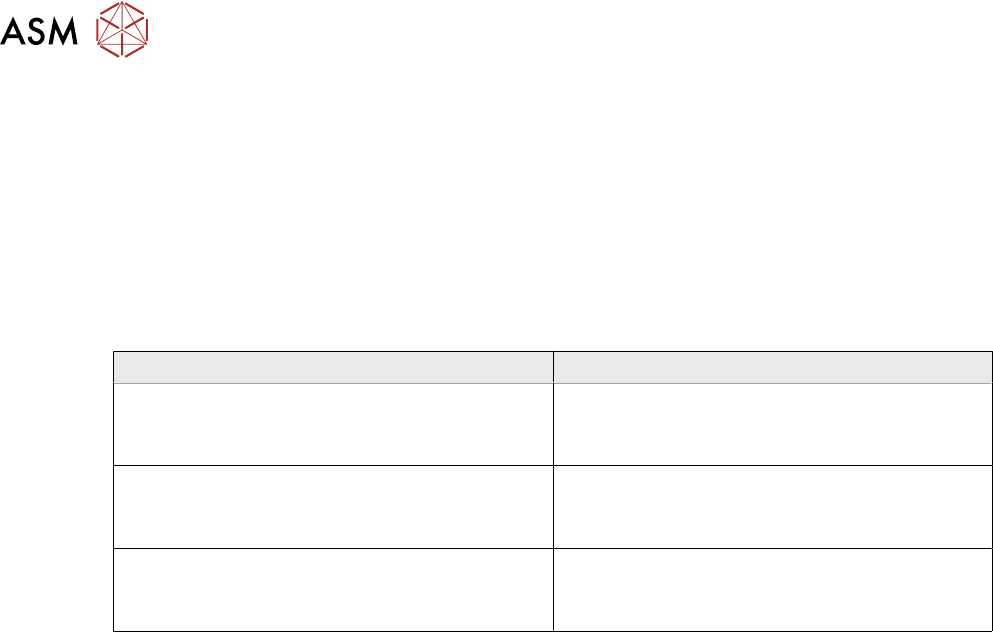
Write in which Parameters would be affected when the Board Width, Board Length and Board
Thickness is adjusted.
●
USC Stroke
●
Print Stroke
●
Rail Width
●
Print Height
●
Vision Height
Board Parameter Related Parameters
Board Width
Board Length
Board Thickness