00198486-01_Programming_Training_E_by_DEK_EN.pdf - 第42页
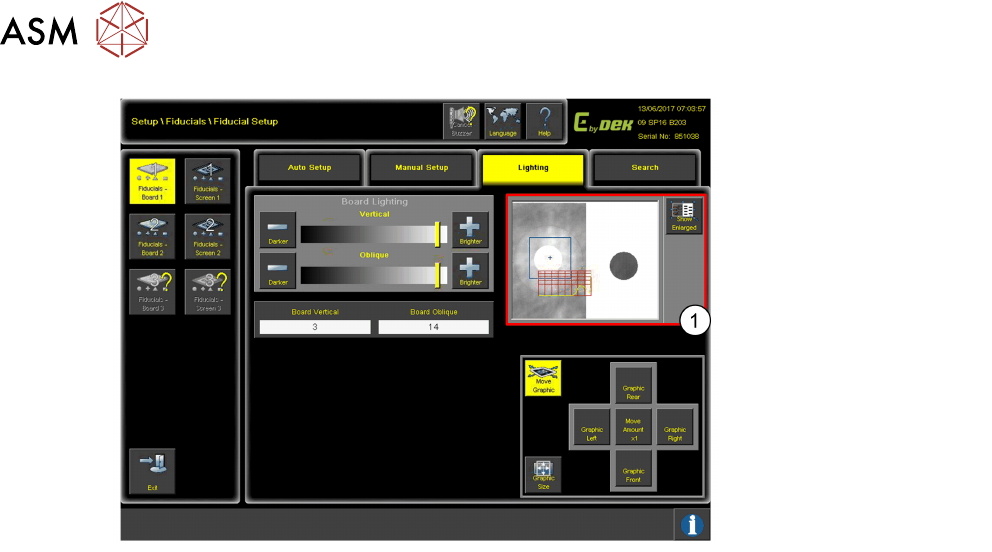
10 Fiducial Setup 10.5 Lighting 42 Programming Training E by DEK 12/2017 This is an example of bad lighting as the Fiducial is not easily recognisable.
10 Fiducial Setup
10.5 Lighting
Programming Training E by DEK 12/2017 41
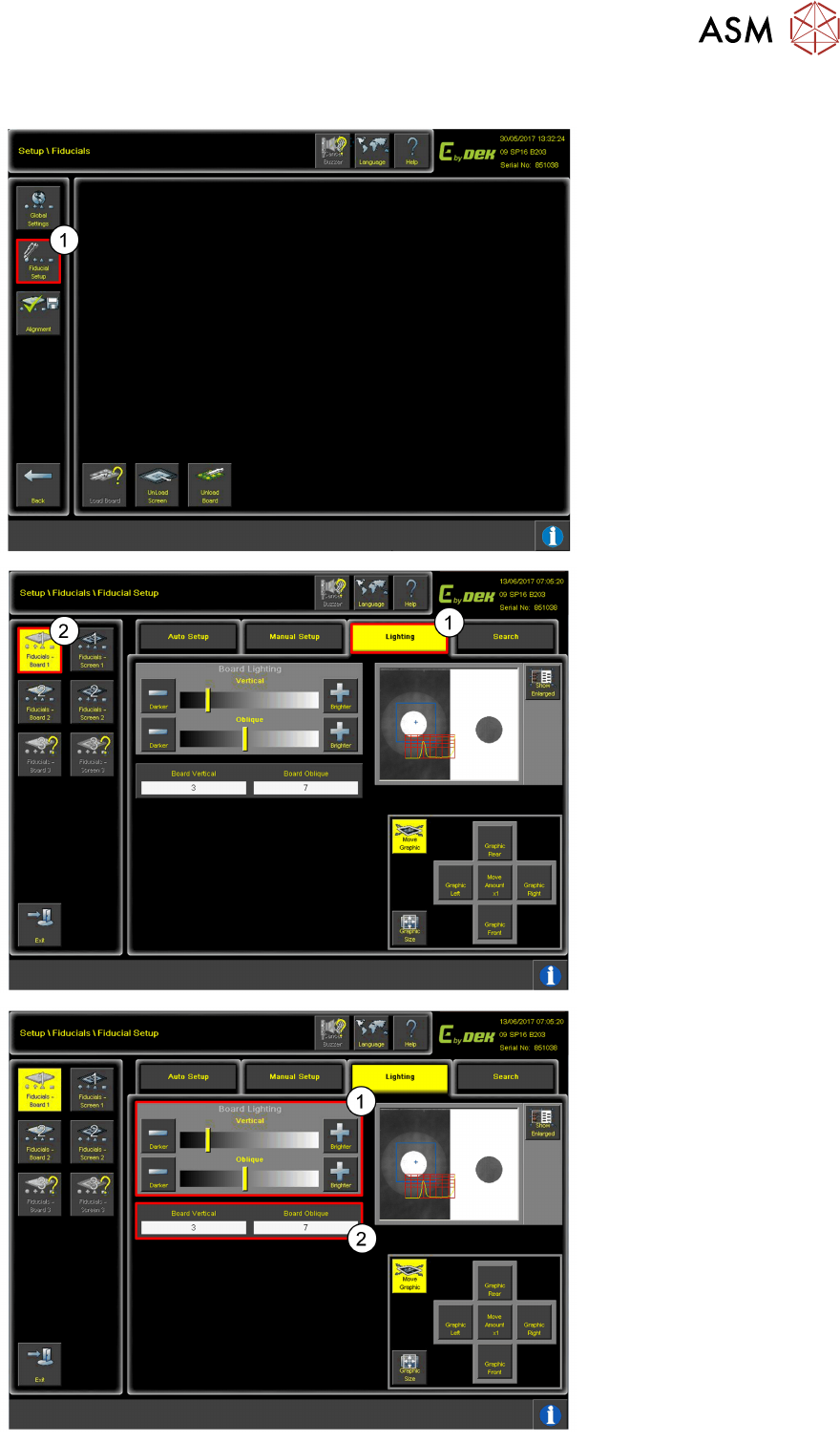
10.5 Lighting
1. Click on Fiducial Setup.
1. Click Lightening.
2. Click Fiducials–
Board1.
1. Use the toggles or
2. click Board Vertical and
Board Oblique on the
screen settings. This is
good example of correct
lighting for finding
Fiducials.
10 Fiducial Setup
10.5 Lighting
42 Programming Training E by DEK 12/2017
This is an example of bad
lighting as the Fiducial is not
easily recognisable.
10 Fiducial Setup
10.6 Video Model
Programming Training E by DEK 12/2017 43
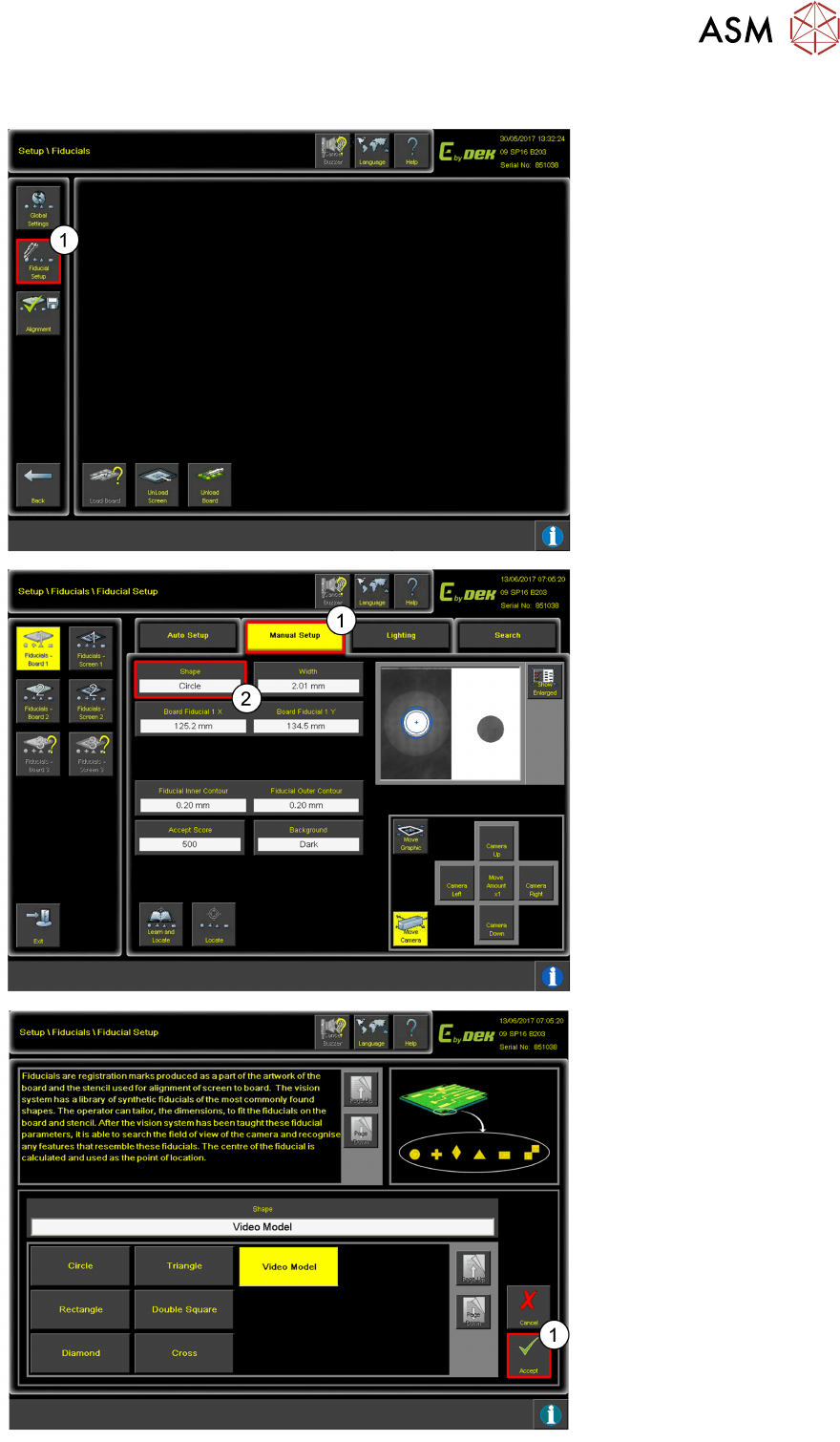
10.6 Video Model
1. Click on Fiducial Setup.
1. Click Manual Setup.
2. Click Shape.
1. Change the shape to
Video Model.
2. Click Accept.