00198486-01_Programming_Training_E_by_DEK_EN.pdf - 第43页
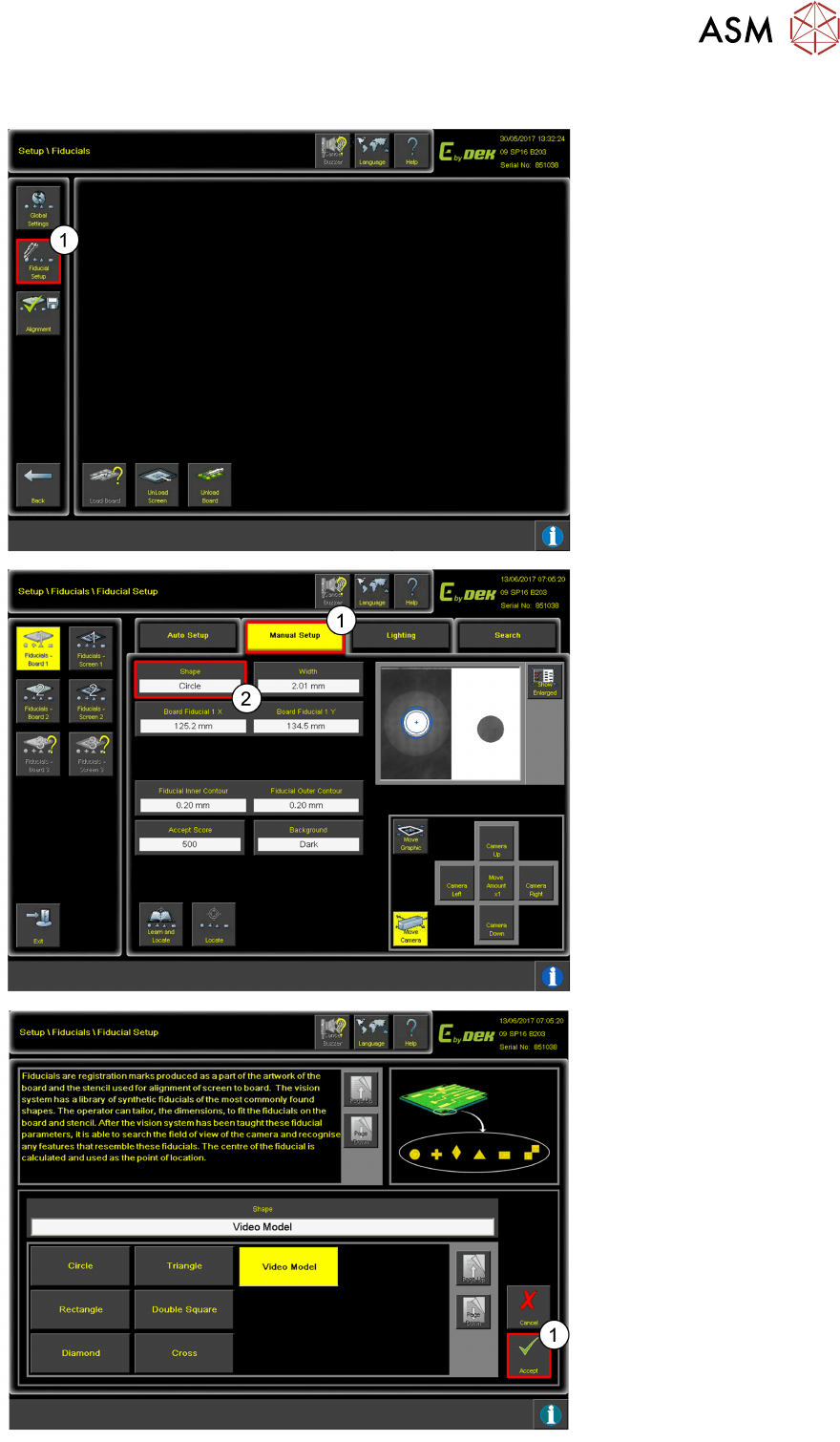
10 Fiducial Setup 10.6 Video Model Programming Training E by DEK 12/2017 43 10.6 Video Model 1. Click on Fiducial Setup . 1. Click Manual Setup . 2. Click Shape . 1. Change the shape to Video Model . 2. Click Accept .
10 Fiducial Setup
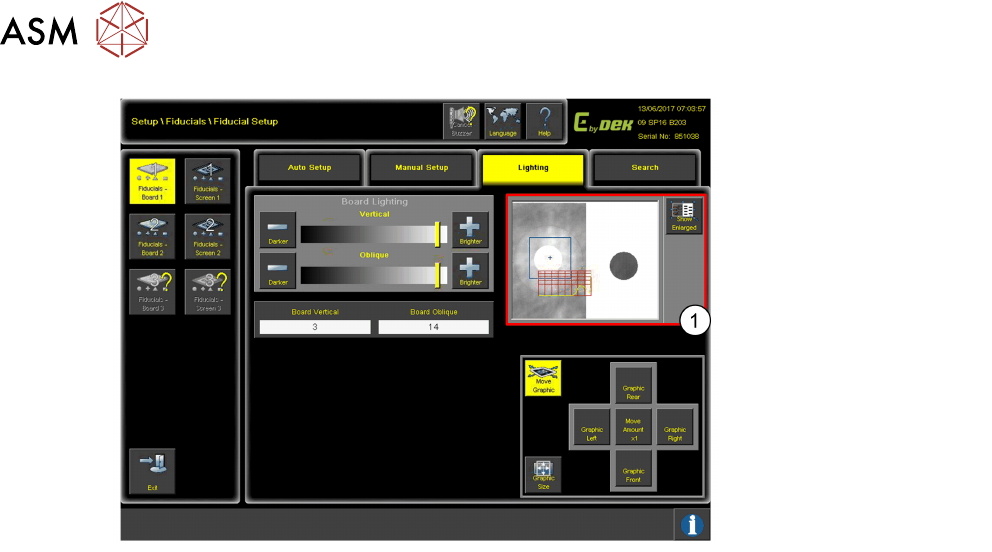
10.5 Lighting
42 Programming Training E by DEK 12/2017
This is an example of bad
lighting as the Fiducial is not
easily recognisable.
10 Fiducial Setup
10.6 Video Model
Programming Training E by DEK 12/2017 43
10.6 Video Model
1. Click on Fiducial Setup.
1. Click Manual Setup.
2. Click Shape.
1. Change the shape to
Video Model.
2. Click Accept.
10 Fiducial Setup
10.7 Fiducial Sweep Optimize
44 Programming Training E by DEK 12/2017
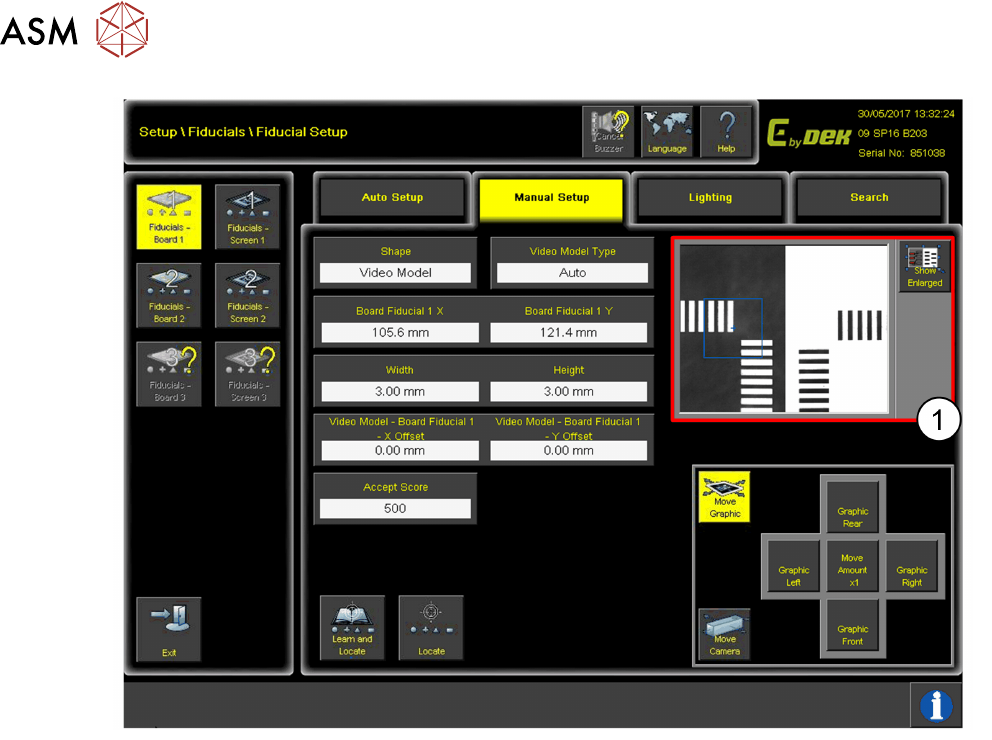
1. When using Video Model, it is recommended to use component/ device corners.
Try and get the selected pads/ areas as far apart as possible and on a diagonal line for the
best alignment results.
10.7 Fiducial Sweep Optimize
Consider fid positions when assigning fid 1 or fid 2 numbers to optimise the camera sweep.
Typically when using the camera board stop, fiducial 1 is set up in the rear-right corner, and fiducial
2 in the front left corner. This may vary depending on board stop type, board stop position, and
required fiducial position.