00198486-01_Programming_Training_E_by_DEK_EN.pdf - 第34页
9 Screen Room for Your Sketches and Notes 34 Programming Training E by DEK 12/2017 Room for Your Sketches and Notes
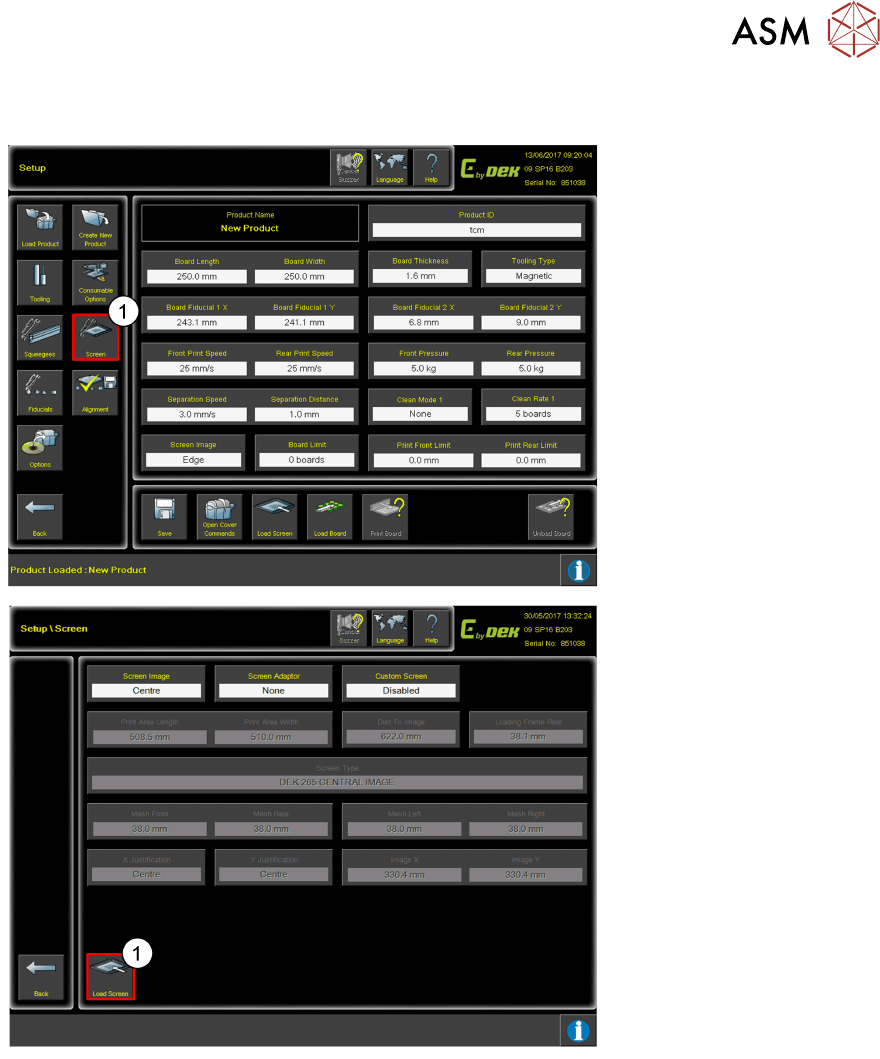
9 Screen
Programming Training E by DEK 12/2017 33
9 Screen
1. Click Screen.
The Screen settings can be
changed/ adjusted to suit
the process.
1. Once the parameters
have been set and the
Screen has been placed
in the machine, click
Load Screen.

9 Screen
Room for Your Sketches and Notes
34 Programming Training E by DEK 12/2017
Room for Your Sketches and Notes
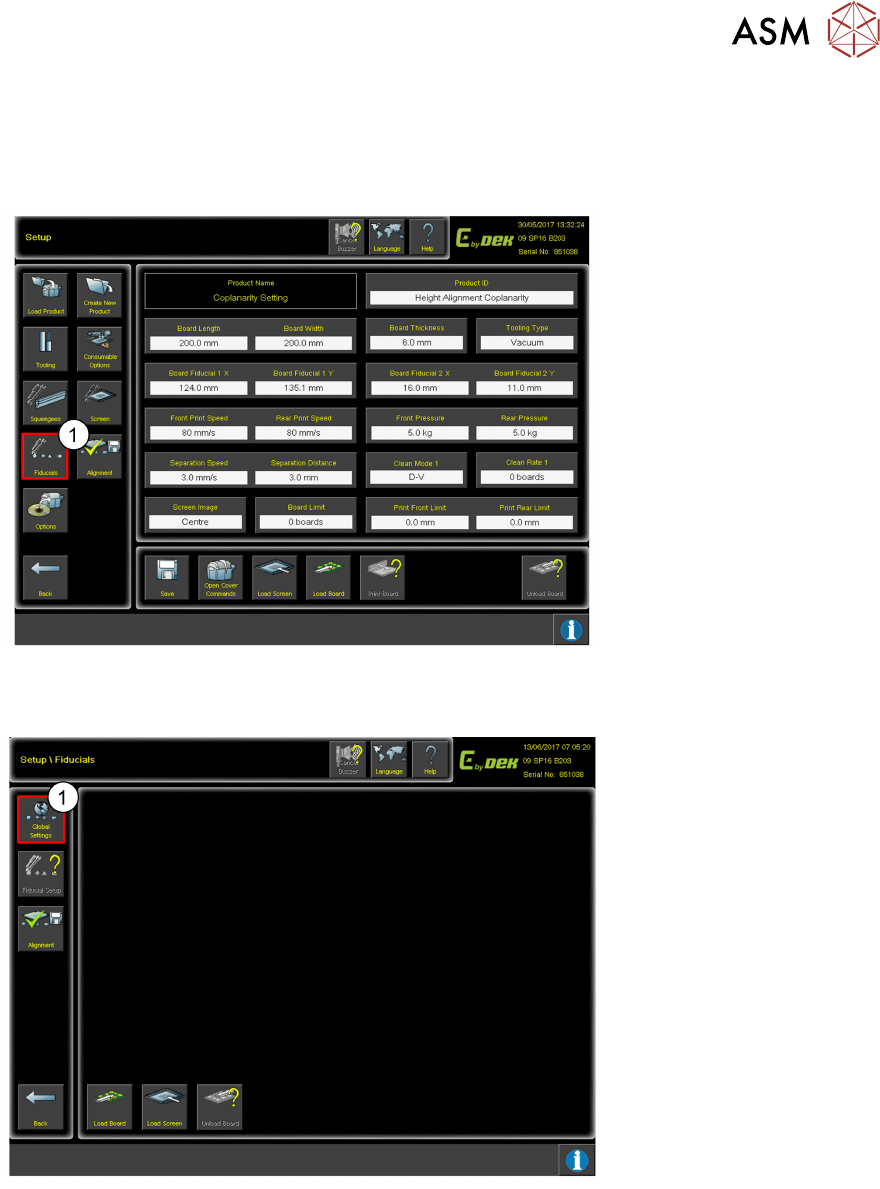
10 Fiducial Setup
10.1 How to access Fiducial Setup
Programming Training E by DEK 12/2017 35
10 Fiducial Setup
10.1 How to access Fiducial Setup
1. Click Fiducials.
10.2 Number of Fiducials
1. Click Global Settings.