YSi-V_Ope_E.pdf - 第59页
3-3 3 Daily operation 3. Selecting a board Select the board to be inspected from the list of created programs. 1 In the inspection progr am list, select the board to be inspected. Press the [Select] button to read out th…
3-2
3
Daily operation
2. Warm-up operation
After starting the YSi-V, perform warm-up (aging operation) of servo motor axes.
n
NOTE
A warm-up period of 15 minutes is sufficient.
Note that no warm-up operation is necessary if less than 2 hours have elapsed since the last operation.
1
Carry out the pre-operation check before starting the YSi-V.
For pre-operation checks and starting up the YSi-V, see "Chapter 2 Basic operation".
2
Start warm-up operation.
c
CAUTION
Check that there are no boards on the conveyor before beginning warm-up. If push-up pins are used, remove them.
If a problem occurs during warm-up, press the [Stop] button to stop the operation. Then check the cause of the
problem and eliminate it.
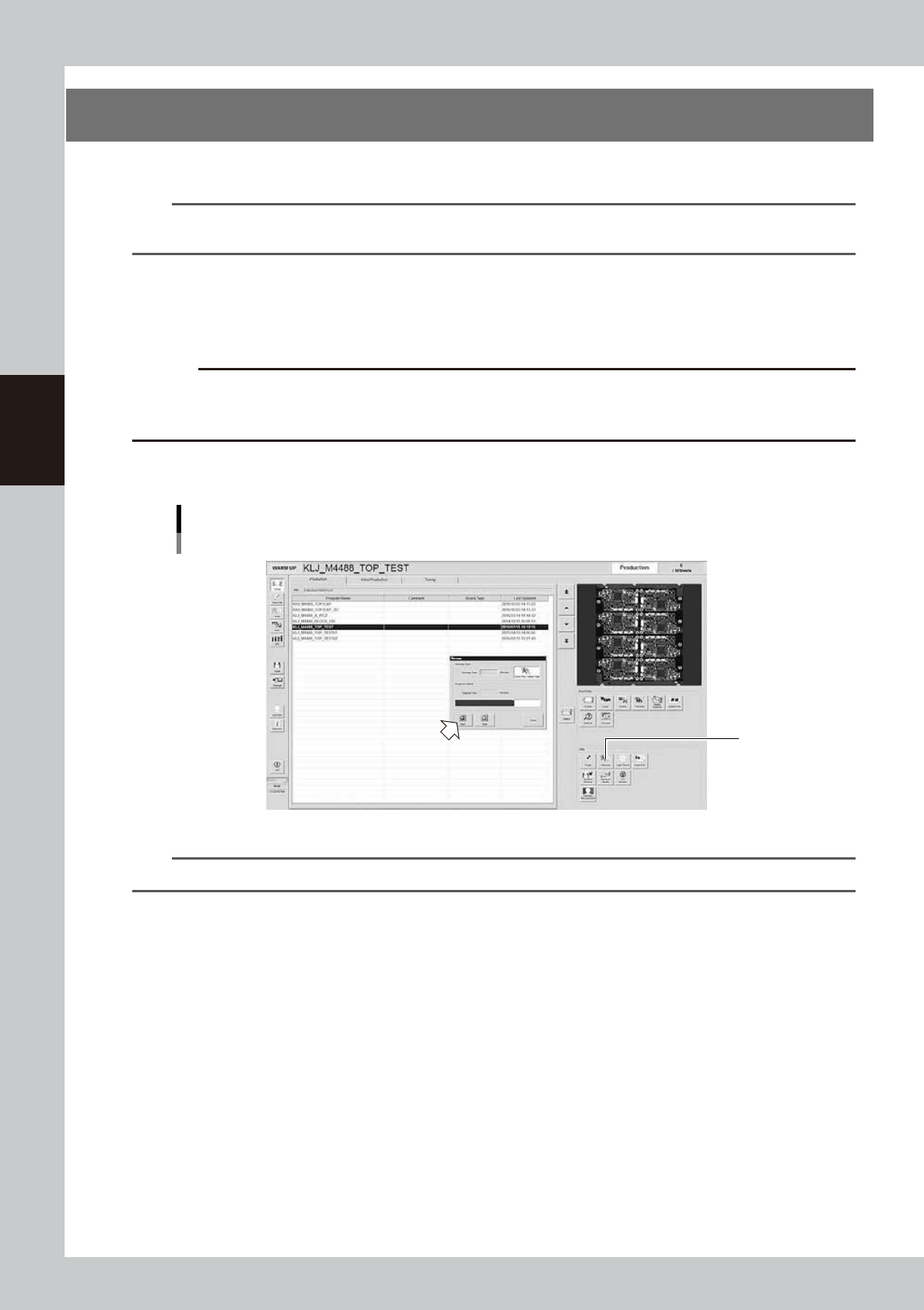
1. Press the [Warm-up] button to open the warm-up screen.
2. Press the [Start] button to start warm-up operation.
"Setup" screen
Warm-up
2
24300-M9-10
n
NOTE
If you want to specify the warm-up time, press the [Stop after time-over] button and enter the desired warm-up time.
3
End the warm-up operation.
Press the [Stop] button to end the warm-up operation. In most cases, a warm-up period of 15 minutes is
sufficient.
4
Press the [Close] button to return to the operation screen.
3-3
3
Daily operation
3. Selecting a board
Select the board to be inspected from the list of created programs.
1
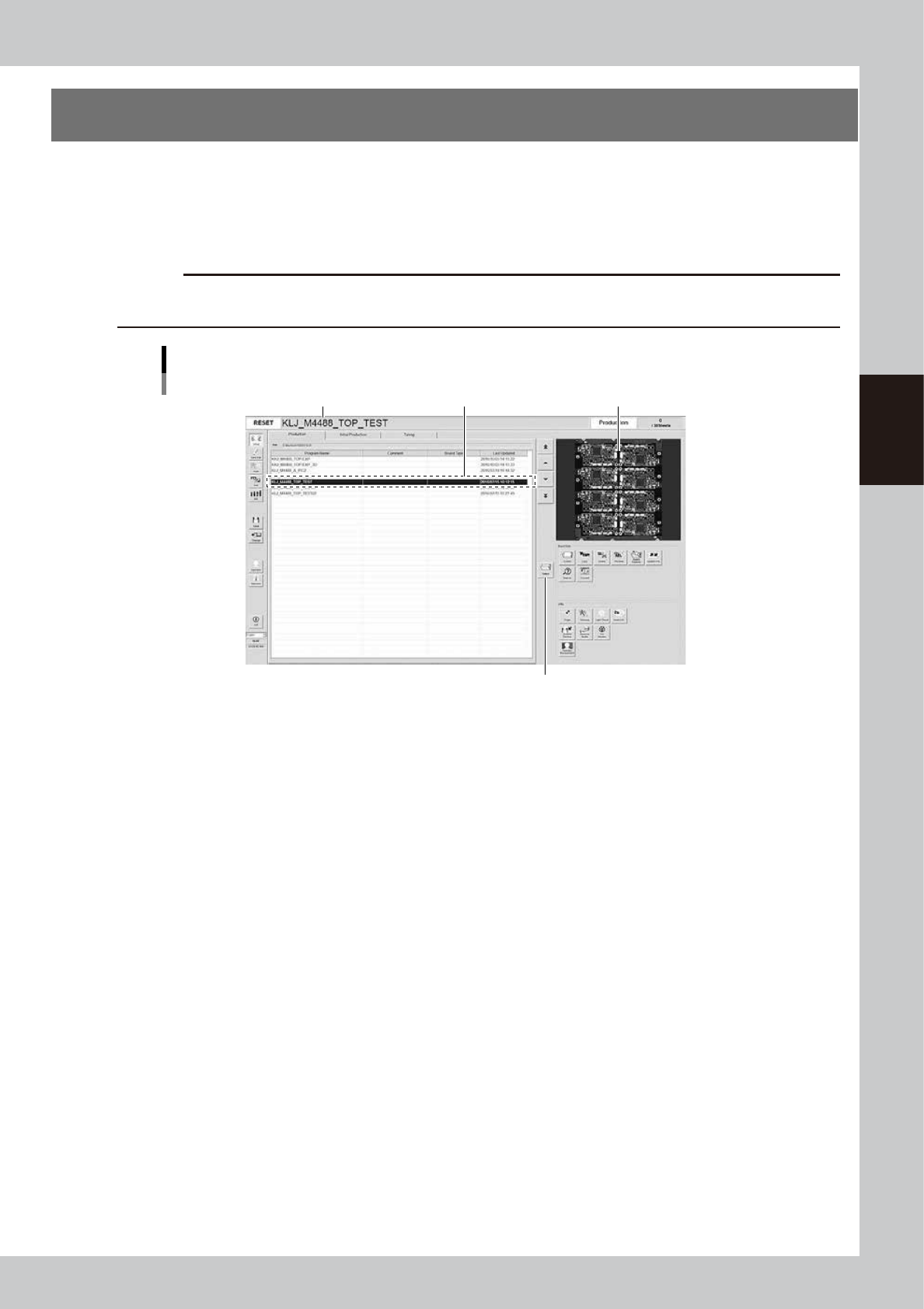
In the inspection program list, select the board to be inspected.
Press the [Select] button to read out the board in the list or directly double-click on the corresponding
row in the list to load the inspection program.
c
CAUTION
When the inspection program is loaded, the conveyor width will be automatically adjusted to the board width (board
size Y). Remove the push-up pins before selecting the board.
Selecting board
Select board.Name of inspection program loaded Image of board
[Select] button
24301-M9-10
2
Check the loaded inspection program.
The name of the loaded inspection program appears in the status area. Check that this particular name
agrees with the name of the selected board.
3-4
3
Daily operation
4. Conveyor unit setup
When push-up pins are used for board support and the board to be inspected is different from the previous
one, the conveyor unit requires setup.
The conveyor width is automatically adjusted when loading the inspection program.
Here, the manual explains the procedure for laying out the push-up pins and the method of confirming the
status of supporting the board.
n
NOTE
When using the push-up plate, press the [Inspection Data] button to set the "Use Push Up Unit" item of the [Board] tab
to “Standard Use” or “Fast Use”.
n
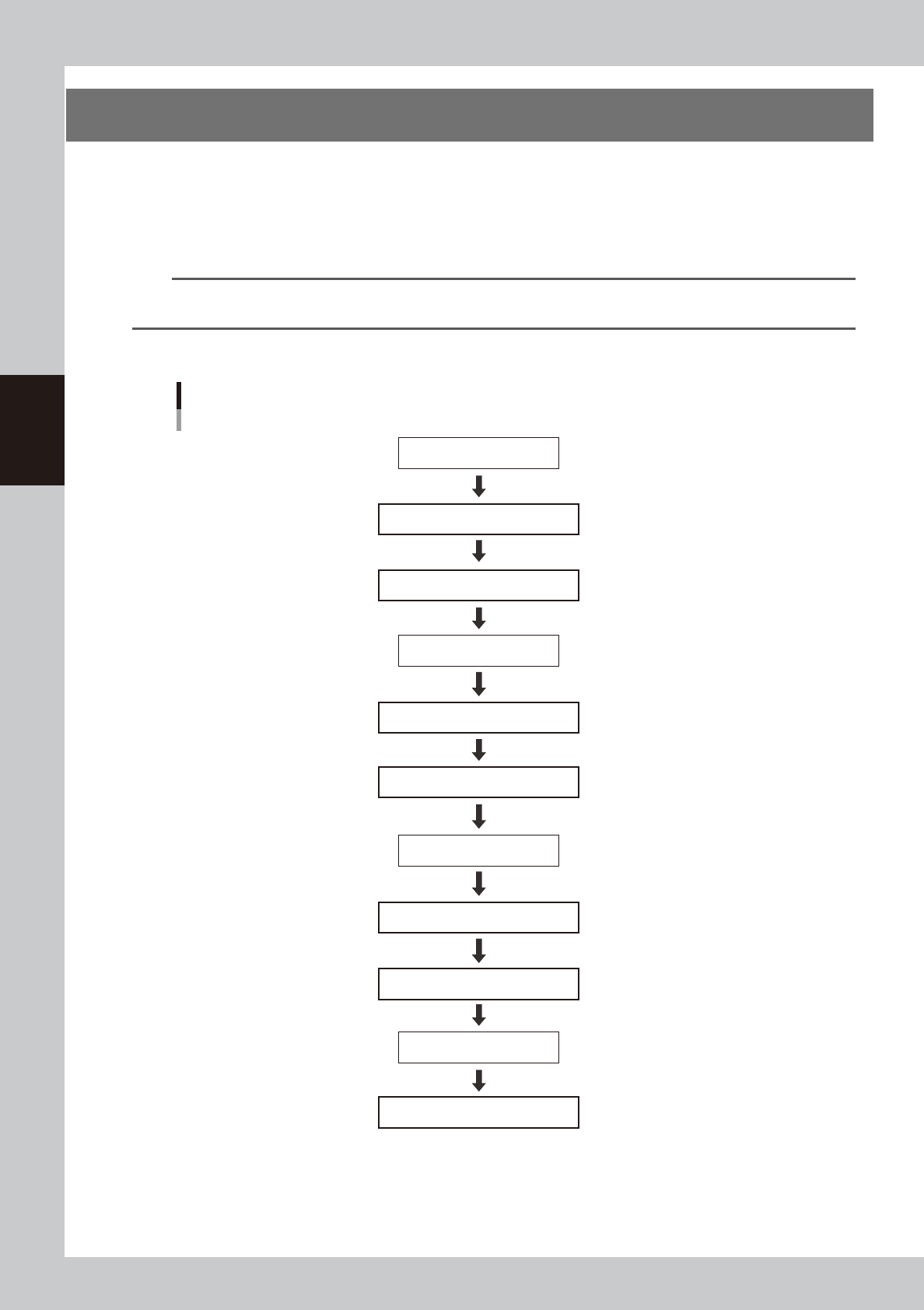
Setup process flow diagram
Load board.
Select board.
Remove push-up pins.
Align push-up pin heights.
Lay out push-up pins.
[Push Up] button OFF
[Push Up] button ON
[Change] button ON
Check that board is secured correctly.
[Change] button OFF
Unload board.
Enter state of emergency stop.
Enter state of emergency stop.
Reset state of emergency stop.
Reset state of emergency stop.
Setup process flow diagram
Push-up pin layout
23301-M9-00