Operating Instructions_VF366_en.pdf - 第183页
6|Function description ð The PCBs will only be fed into the module it the next module is empty. This way, the PCBs are prevented, for example, from remaining too long in the module due to a jam. However, this function …
6|Function description
user:
ersa
Soldering program editor General additional data
Program informations
Program name
Version:
Last modification by:
Infotext:
Conveyor
Conveyor width adjustment
Graphical data
Process time
General additional data
Park position
Empty module always
80
Process time
Fix horizontal permanently
Data source
Board deflection
Correction
Congestion position
Maintenance mode
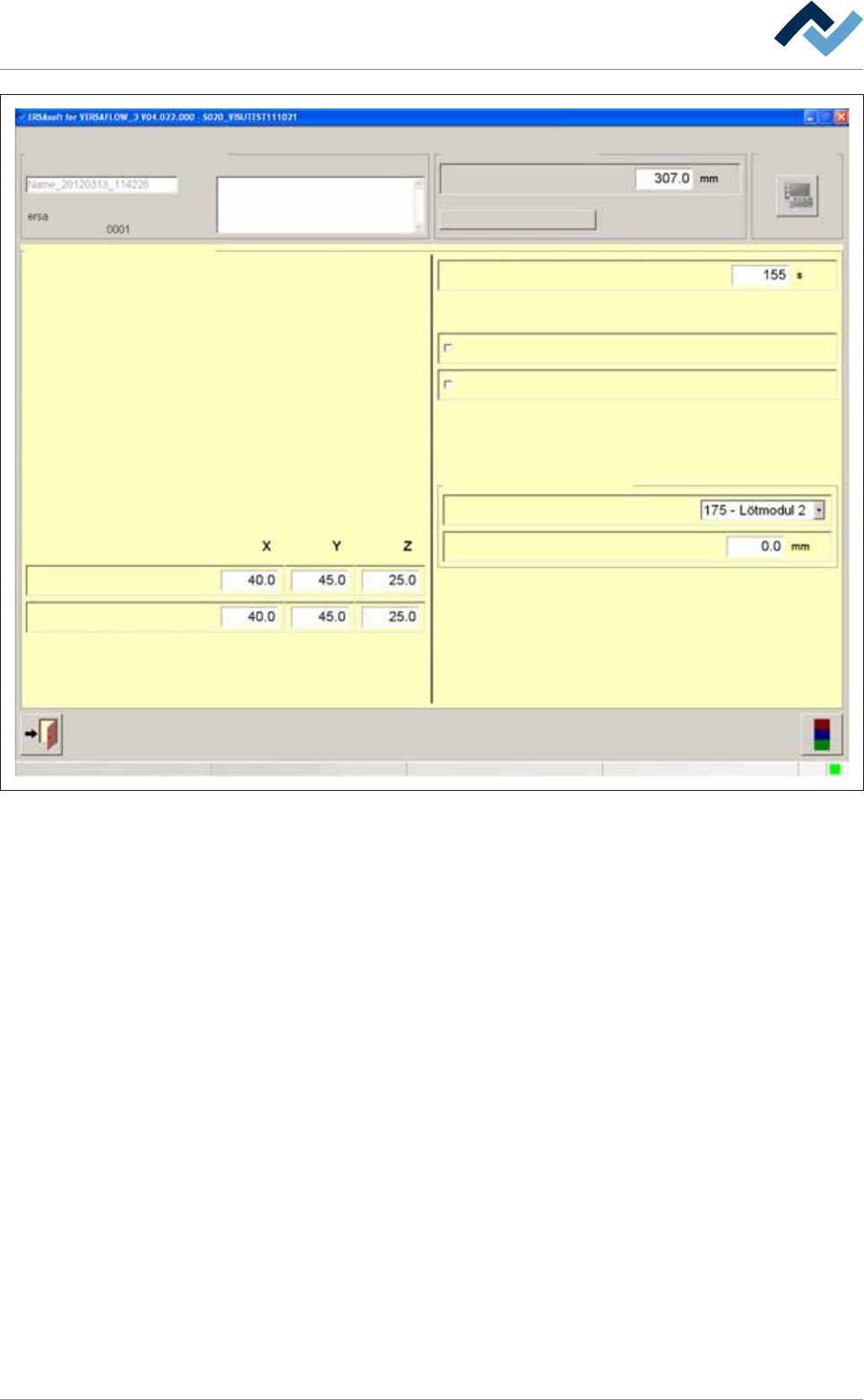
Fig.40: The [General additional data] dialog
Park position and jam position
In the [Park position] input fields, you can define a position for the nozzle, which is
always approached when the process step has been finished. In this position, the
module waits for the next board. You can also approach this position manually.
In the [Congestion position] input fields, you can define a position for the nozzle,
which is always approached when the machine is somewhere congested with
boards.
Adjusting the process time manually
ü To adjust the process time manually:
a) Click on the [Process time] input field and enter a process time.
ð The process time is adjusted, and the time calculated by the controller for this
module is overwritten. When clicking on [Process time], the controller recalcu-
lates all process times. The process time adjusted by you is overwritten.
First always empty the next module
ü The PCBs shall only be fed into the next module if this module is empty:
a) Activate the [Empty module always] checkbox.
Ersa GmbH Operating Instructions_VF366_en|Rev. 14|30/11/2017 182/551

6|Function description
ð The PCBs will only be fed into the module it the next module is empty. This
way, the PCBs are prevented, for example, from remaining too long in the
module due to a jam. However, this function can extend the cycle times.
Permanently fixing PCBs
ü To permanently fix PCBs during processing:
a) Activate the [Fix horizontal permanently] checkbox.
ð The PCBs are aligned in the module and then laterally fixed until processing is
completed. If the checkbox is not activated, the PCBs are only aligned and then
released again. You can activate this function separately for all available fluxer
and soldering modules
Manually compensating for the PCB deflection
Due to the heating and weight of the components, the PCBs get bent during pro-
cessing. Thereby, the distance [Z] from the solder nozzle to the soldering joint
changes. The machine corrects this error if an offset value is specified. The control-
ler takes into account the deflection and corrects the distances accordingly.
ü To compensate the [Board deflection] in machines without deflection measure-
ment:
a) Select the current soldering module from the [Data source] dropdown menu.
b) Determine the deflection of the board at the point of greatest deflection. This
is generally a point in the middle of the PCB.
c) Enter the deflection in [mm] into the [Correction] input field. Enter a positive
value if the board bends downwards. Enter a negative value if the board bends
upwards.
ð The deflection of the board is now taken into account by the controller and the
[Z] distances to the solder joints are corrected accordingly.
Click on
to close the dialog.
Ersa GmbH Operating Instructions_VF366_en|Rev. 14|30/11/2017 183/551

6|Function description
6.9.10 Working with deflection measurement
If your machine is equipped with deflection measurement, you can use this func-
tion to automatically compensate for the printed circuit board deflection. A sensor
reads the height [Z] in two pcb points. The controller uses said readings to calculate
the deflection and correct distances accordingly.
ü To set reference positions:
a) Enter a Reference position [X] and [Y] each time. The pcb should not deflect in
this position, and no component should be positioned on the lower side of the
pcb. This position should preferably be on the pcb edge.
b) Enter a Measuring position [X] and [Y] each time. In this position the pcb
should be deflecting at the most, no component should be positioned on the
lower side of the pcb.
c) Enable the [Use] checkbox.
ð Only the controller takes into account the pcb deflection. Before the actual sol-
dering process, the sensor compares the [Reference position] with the [Meas-
uring position] and determines the deflection. In this ways the machine cycle
time can be extended.
Click on
to close the dialog.
Ersa GmbH Operating Instructions_VF366_en|Rev. 14|30/11/2017 184/551