00193875-01.pdf - 第14页
2 Introduction and basic terms SIPLACE Software Guide Version 101.xx 2.2 Overview Issue 05/03 EN 14 2 Fig. 2.2 - 4 Overview of the SIPLACE CF without WPC Key to Fig. 2.2 - 2 (1) Collect & Place placement head on gant…
SIPLACE Software Guide Version 101.xx 2 Introduction and basic terms
Issue 05/03 EN 2.2 Overview
13
2.2.2 Overview of the SIPLACE CF
2
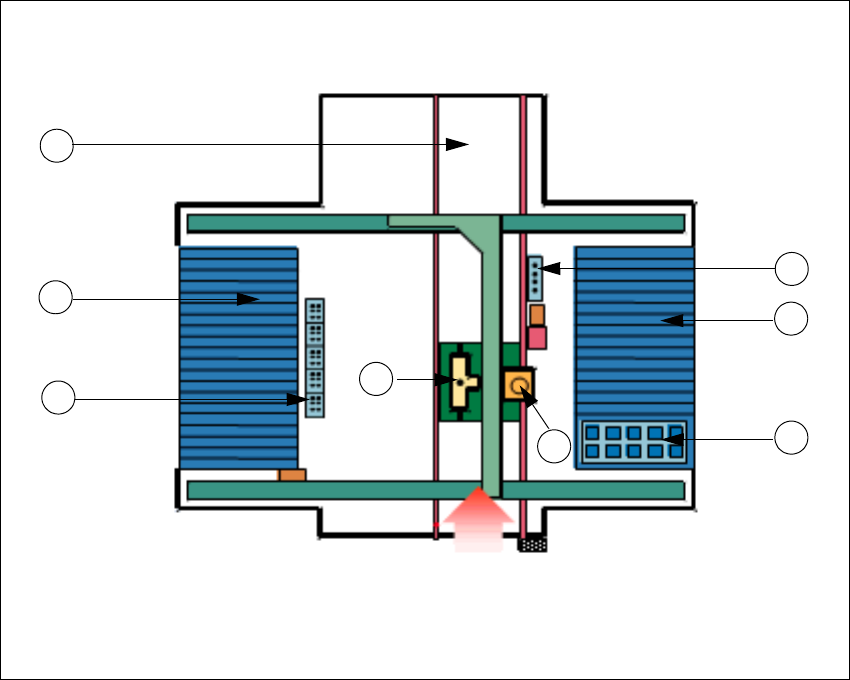
Fig. 2.2 - 3 Overview of the SIPLACE CF with WPC
Key to Fig. 2.2 - 2
(1) Collect & Place placement head on gantry 1
(2) Pick & Place placement head on gantry 1
(3) Nozzle changer for Collect & Place placement head
(4) Nozzle changer for Pick & Place placement head
(5) Location 1 (with WPC)
(6) Location 2 (with component table)
(7) Location 3 (with changeover table)
(8) PCB conveyor
Transport direction
5
2
8
3
7
4
1
6
2 Introduction and basic terms SIPLACE Software Guide Version 101.xx
2.2 Overview Issue 05/03 EN
14
2
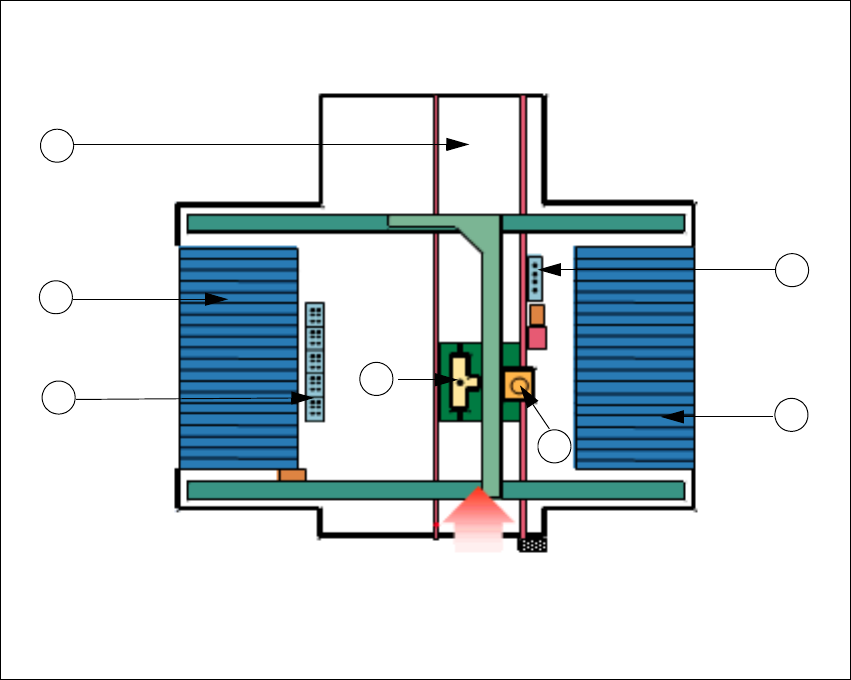
Fig. 2.2 - 4 Overview of the SIPLACE CF without WPC
Key to Fig. 2.2 - 2
(1) Collect & Place placement head on gantry 1
(2) Pick & Place placement head on gantry 1
(3) Nozzle changer for Collect & Place placement head
(4) Nozzle changer for Pick & Place placement head
(5) Location 1 (with changeover table)
(6) Location 3 (with changeover table)
(7) PCB conveyor
2
2
Transport direction
2
7
3
6
4
1
5
SIPLACE Software Guide Version 101.xx 2 Introduction and basic terms
Issue 05/03 EN 2.2 Overview
15
2.2.3 Overview of the system components that make up a SIPLACE line
2
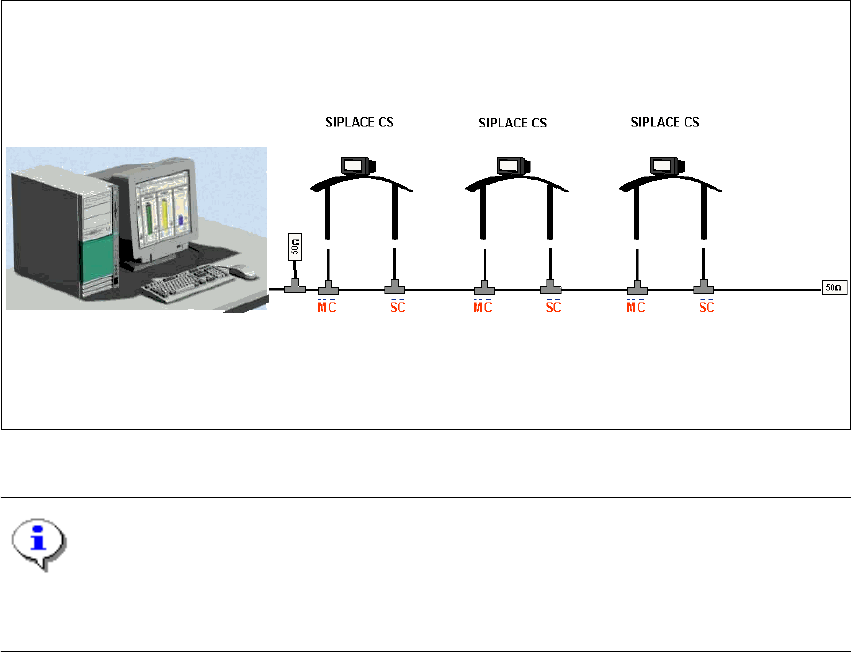
The individual stations obtain their placement data from a control computer (SIPLACE C Pro). 2
2
Fig. 2.2 - 5 Schematic diagram of the network in a SIPLACE line (example)
NOTE
A line with up to 5 stations (SIPLACE CS and CF) is supported by the SIPLACE C Pro pro-
gramming system. 2
The placement data is sent by the job control facility on the host computer to the various stations.2
2
Control computer
(SIPLACE C Pro)
Line