IT Feeder Manual-SM320(English V2.0)Ver1.pdf - 第36页
Samsung Intelligent Feeder System In the Mismatch Error Dialog box the error occurred slot is indicated. Figur e 1-26. Mismatc h Err or Scr een Reference Disable of Mismatch In the Mismatch Error dialog box in Fig. 1…
IT Feeder System
1-23
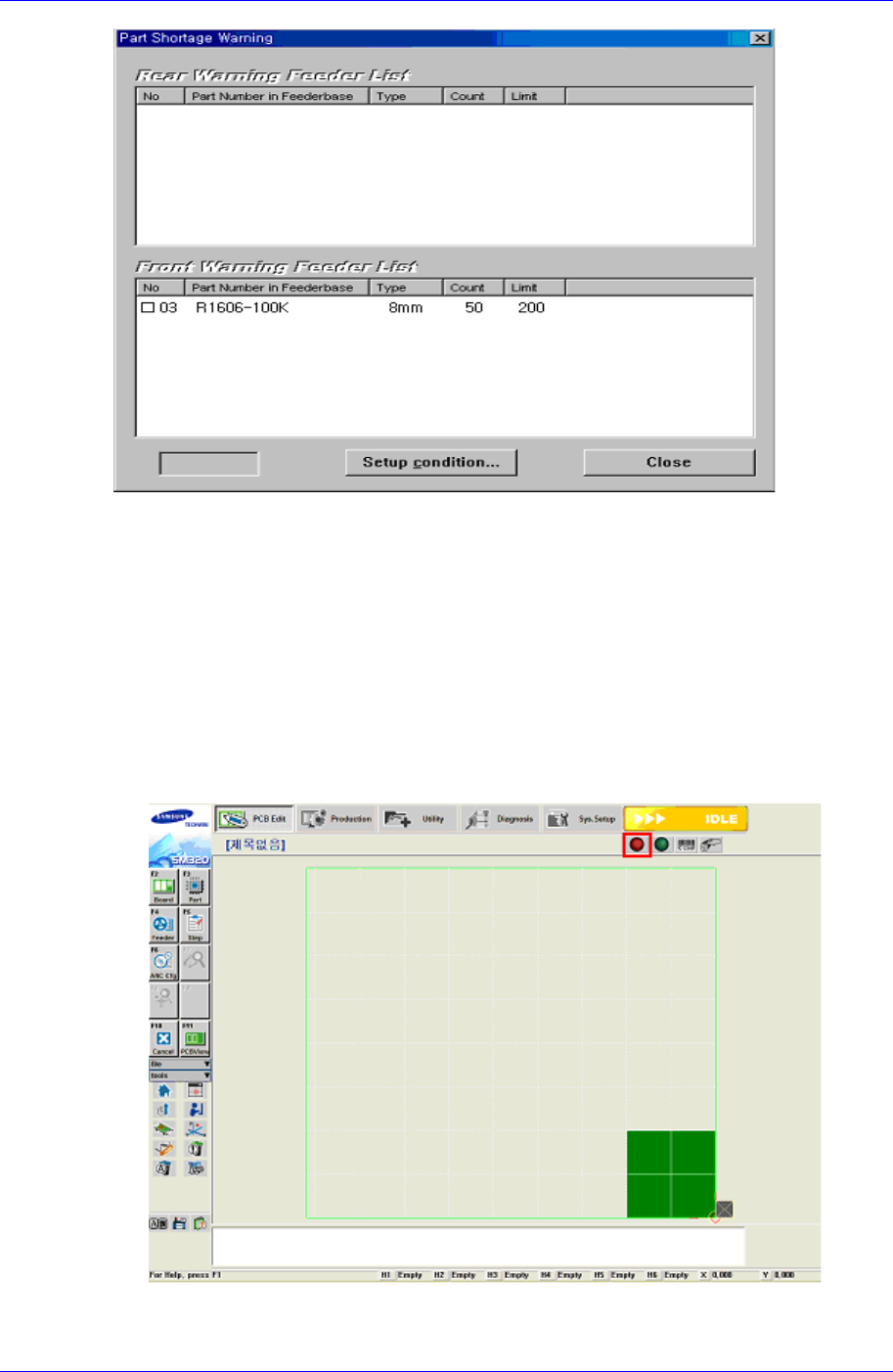
Figure 1-24. Shortage warning dialog
1.4.9. Mismatch Error
IFS provides two Mismatch Errors: Empty Feeder Error and Mismatch Feeder Error.
Empty Feeder Error
The Empty Feeder Error occurs when the feeder is not installed properly in the feeder
slot arranged by the PCB Program. Since this indicates that the corresponding slot is
empty, only the lamp turns on and it is not indicated in the IT Feeder Manager.
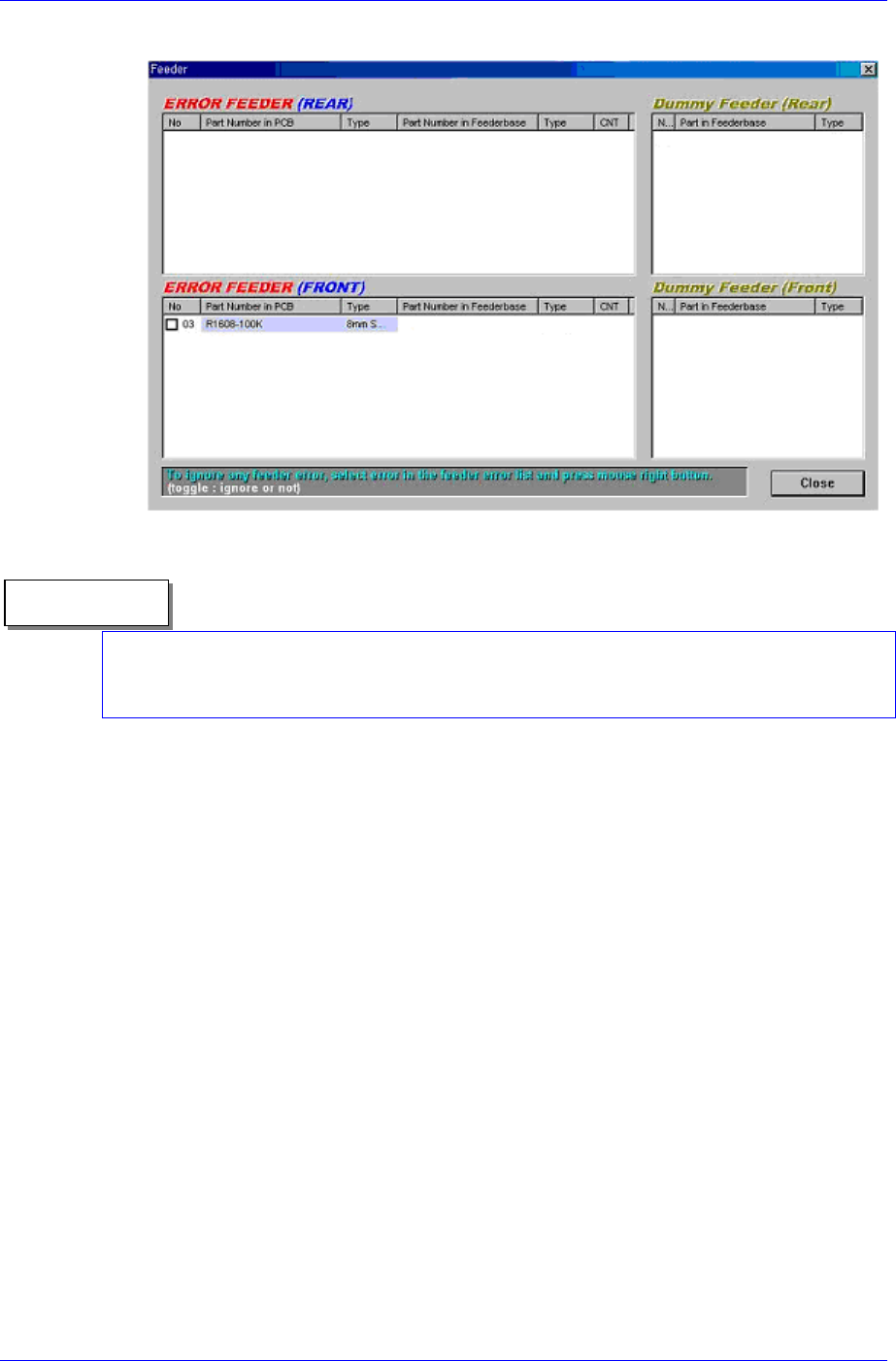
The red icon in the SM320 MMI screen and the red lamp of the machine are
flickering.
Figure 1-25. Mismatch indication in the SM320
Samsung Intelligent Feeder System
In the Mismatch Error Dialog box the error occurred slot is indicated.
Figure 1-26. Mismatch Error Screen
Reference
Disable of Mismatch
In the Mismatch Error dialog box in Fig. 1-26, select and check the Empty Feeder Error
occurred slot. For the check marked slot, the error is ignored and does not occur.
The procedure to restore the Empty Error is as follows.
If an Empty Feeder exists, locate it in the error list.
Locate the feeder having an identical part name from the dummy list.
If there is one, move the feeder in the dummy list to the corresponding empty slot
for installation.
Confirm that the corresponding Empty Error is cleared.
Confirm that the feeder in the dummy list is removed.
Confirm that no Feeder Error occurred.
Mismatch Feeder Error
The Mismatch Feeder Error occurs when the feeder having information different from
that of the PCB program is installed in the feeder slot assigned by the PCB Program.
When the feeder type is different
When a part with different part name is placed
The Mismatch Feeder Error occurs as follows.
① The red icon in the SM320 MMI screen and the red lamp of the machine are
flickering.
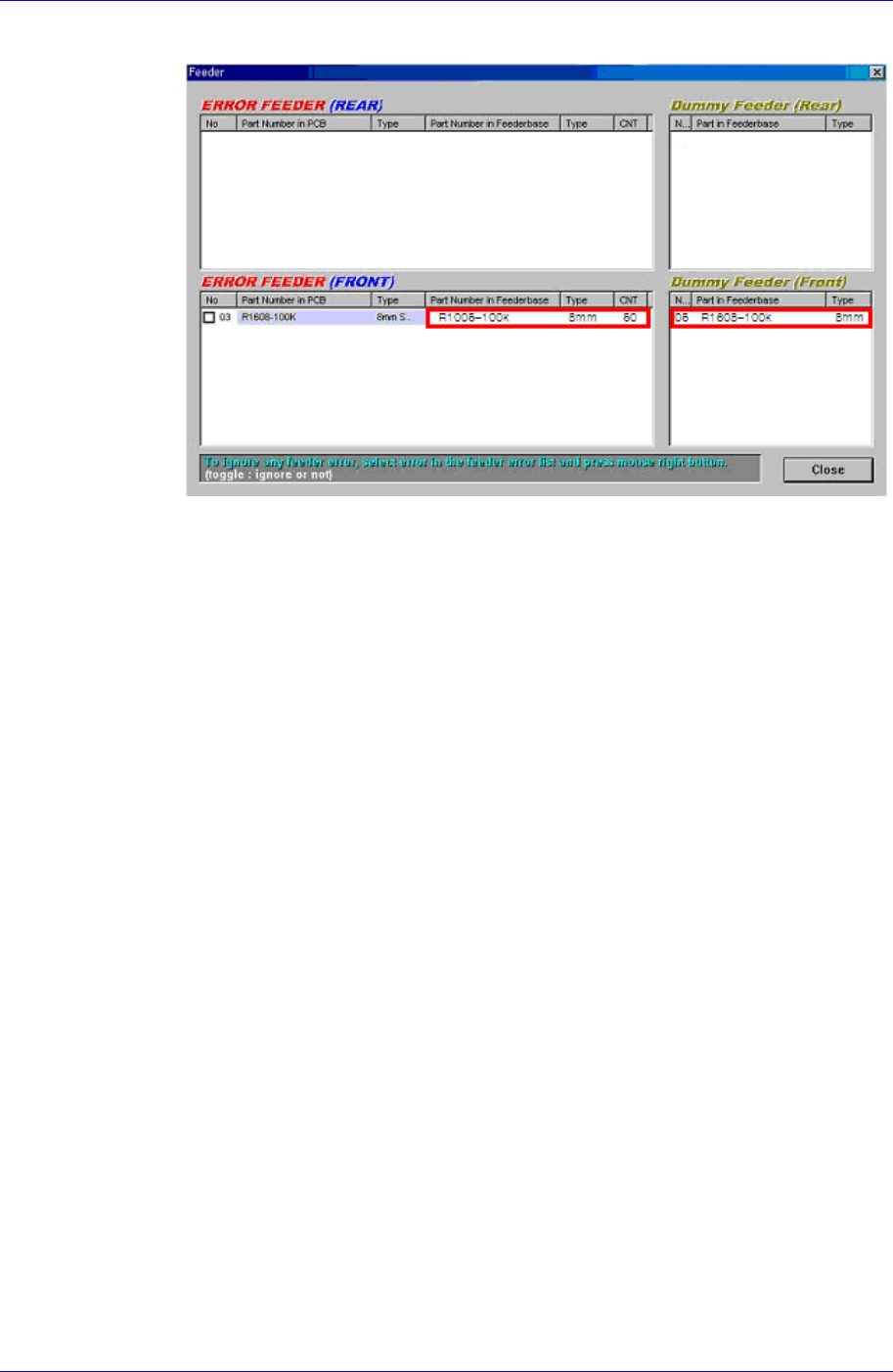
② The Mismatch Error dialog box in Figure. 1-28 shows the error occurred slot.
-①: The information on the part installed in the current feeder
1-24
IT Feeder System
1-25
-②: The feeder installed in the slot that is not assigned by the PCB Program
①②
Figure 1-27. Indication of Mismatch Error occurence
③ The procedure to restore the Mismatch Error is as follows.
Locate the feeder in which the error has occurred from the error list.
Move the feeder to the slot that does not use the mismatch error feeder and
install the feeder in it.
Confirm that the moved feeder is added to the dummy list.
Check if a feeder whose type and part name is identical to those of the feeder
in the slot where an error has occurred exists in the dummy list.
If it exists, move the feeder to the corresponding empty error slot and install
the feeder in the slot.
If it does not exist, install a new feeder.
1.4.10. Splicing Part Reel
Used in case the shortage warning occurs or when splicing reels is necessary.
Select the slot where the reels are to be spliced in the IT Feeder Manager screen.
Select the splicing function (Feeder-> Splicing) in the menu. Then the Splicing dialog
box is created as shown in Figure. 1-28, which displays the information of the feeder
slot currently selected.