IT Feeder Manual-SM320(English V2.0)Ver1.pdf - 第68页
Samsung Intelligent Feeder System 2. Select the Qu ery Condition with the reel code and enter the reel to be modified using the keyboard or barcode reader . 3. If the reel code to be entered exists, it is indicated in th…
Part Station
2-27
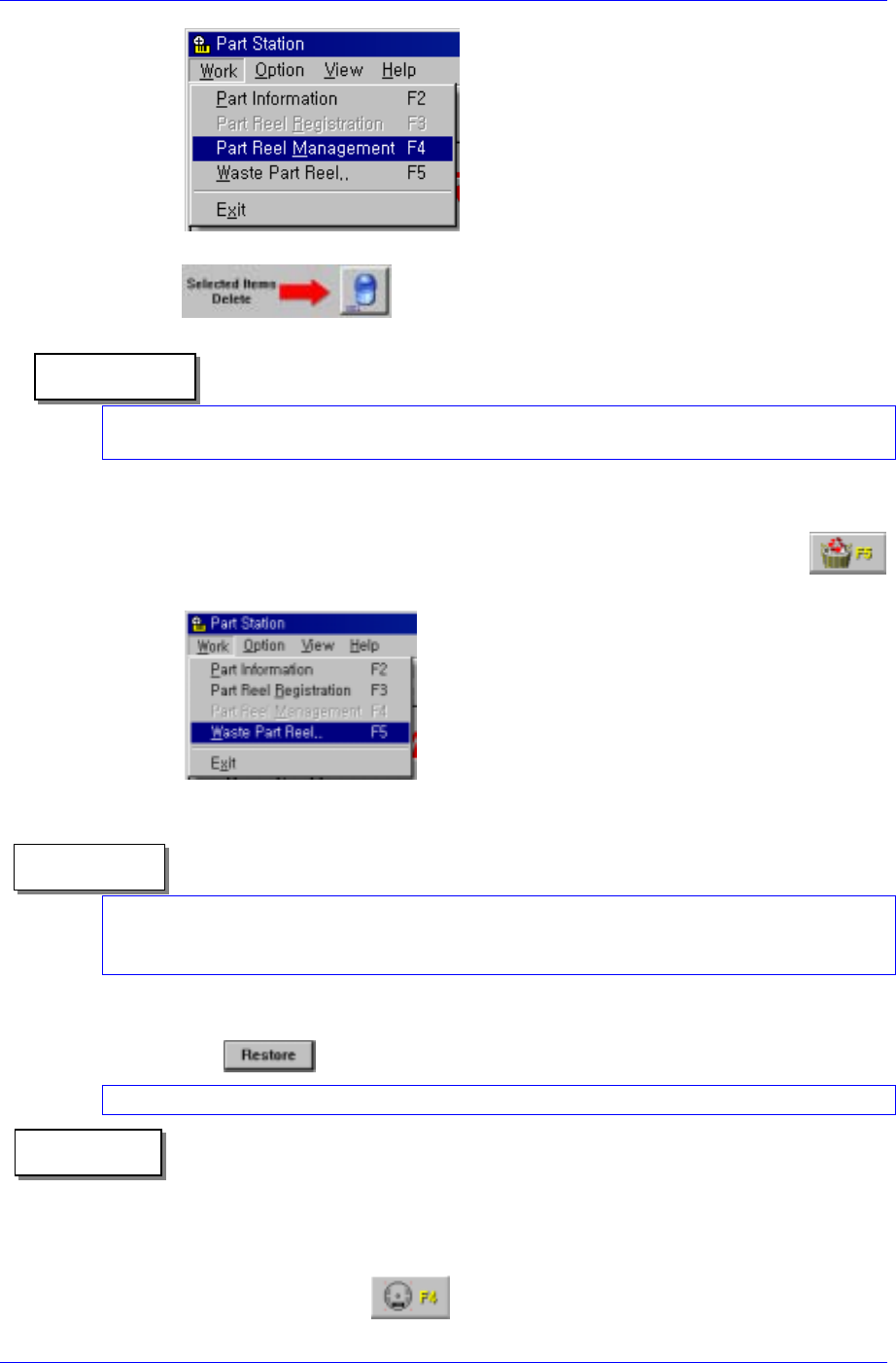
② Select the reel to be deleted and delete the registered reel using the
DEL button at the bottom right.
In case the reel to be deleted is registered in the Feeder, it cannot be deleted. When
deleting the spliced 2
nd
reel, delete the 1
st
reel as well.
Reference
2. Deletion/restoration in the Waste Part-Reel
① Select the Waste Part Reel (F5) submenu in the Work menu or click the
button of the tool bar.
② Enter the reel code to be deleted using the keyboard or barcode reader.
In the Waste Part-Reel both the Users and Administrator accounts can be deleted. The reel
cannot be deleted in the Feeder. When deleting the spliced 2
nd
reel, delete the 1
st
reel as
well.
Reference
③ Select the reel to be restored in the Waste Part Reel (F5) and restore it by pressing
the
button.
In case the reel to be restored is spliced, restore the 2
nd
reel when deleting the 1
st
reel.
Reference
2.7.4. Changing Reel Information and Splicing / Undo Splicing
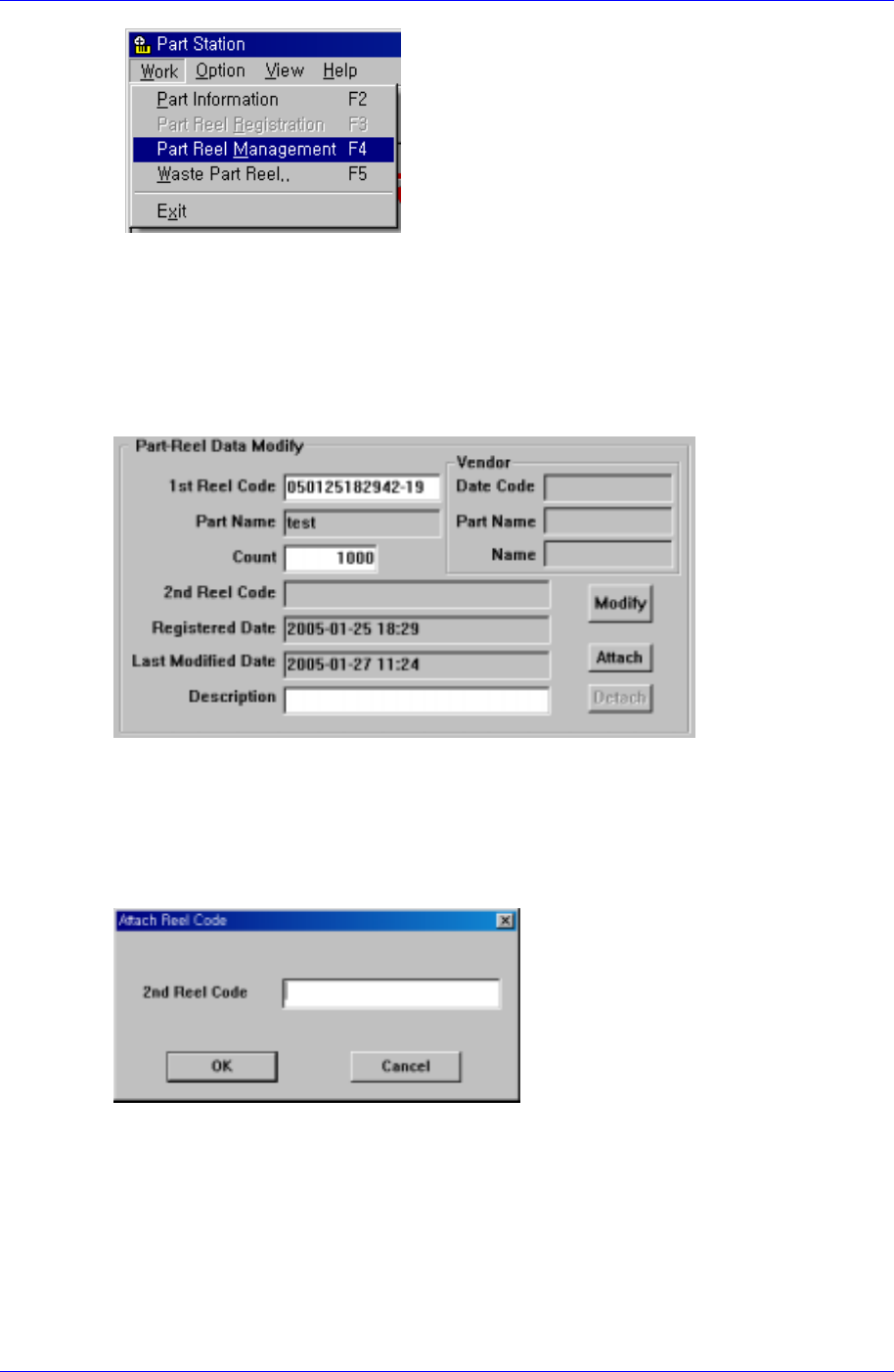
1. As indicated in the following figure, select the Part Reel Management (F4) submenu in
the Work menu and click the
button in the tool bar.
Samsung Intelligent Feeder System
2. Select the Query Condition with the reel code and enter the reel to be modified using the
keyboard or barcode reader.
3. If the reel code to be entered exists, it is indicated in the list contents and the <Count>
edit box and <Description> edit box are enabled so that the reel code can be entered.
4. When the reel is not spliced, the <Attach> button is enabled. When the reel is spliced and
when the 1
st
reel is searched, the <Attach> and <Detach> buttons are disenabled. When
searching the 2
nd
reel, the <Detach> button is enabled.
5. When changing the Count and Description, enter the modified contents in the
Count>Description>Edit windows and press the <Modify> button. Then the Count
description is modified and the Last Modified Date is modified to the time of the latest
change.
6. When splicing the reel, if the <Attach> button is pressed, the following dialog box
appears. Then enter the 2
nd
reel code for splicing.
2-28

Part Station
2-29
When the part information of the 2
nd
reel is identical and it is spliced with another reel, it
cannot be spliced.
Reference
7. When unsplicing the reel, click the <Detach> button after searching the 1
st
reel.