YS100_Ope_E.pdf - 第52页
1-17 1 Part names and functions 4.2.2 sA TS main unit Major part names and their functions of sA TS are explained below . sA TS main unit Pallet insertion side 1. Magazine door 2. Emergency stop button 3. DOOR switch 4. …
1-16
1
Part names and functions
7. Pallet indicator lamp
The indicator lamp for the pallet No. set in the parts information is lit up. When the tray components on a pallet are used
up, the indicator lamp for that pallet No. flashes (see below). A total of 60 indicator lamps are provided since 15
indicator lamps are used for each magazine.
After you set new pallets in the magazines, press the flashing indicator buttons to reset them.
n
Relation between pallet indicator numbers and magazines
Pallet indicator number Magazine
1 to 15 Magazine 1 for stage 1
16 to 30 Magazine 2 for stage 1
101 to 115 Magazine 1 for stage 2
116 to 130 Magazine 2 for stage 2
n
Pallet indicator lighting pattern
Pallet condition Component condition Indicator status
One component type on one pallet
Components have been supplied. ON
Used up all components. Flashing
Components are currently being used. ON
Two or more components types on
one pallet
All components on pallet have been supplied. ON
Used up all components. Flashing
Used up at least one type of component. Flashing
Components to be used are not specified in board data. OFF
8. Conveyor operation switch
AUTO/MANUAL : Switches the conveyor operation mode between AUTO and MANUAL.
CHECK : Use this switch to make a visual check of boards when the conveyor operation is in MANUAL mode.
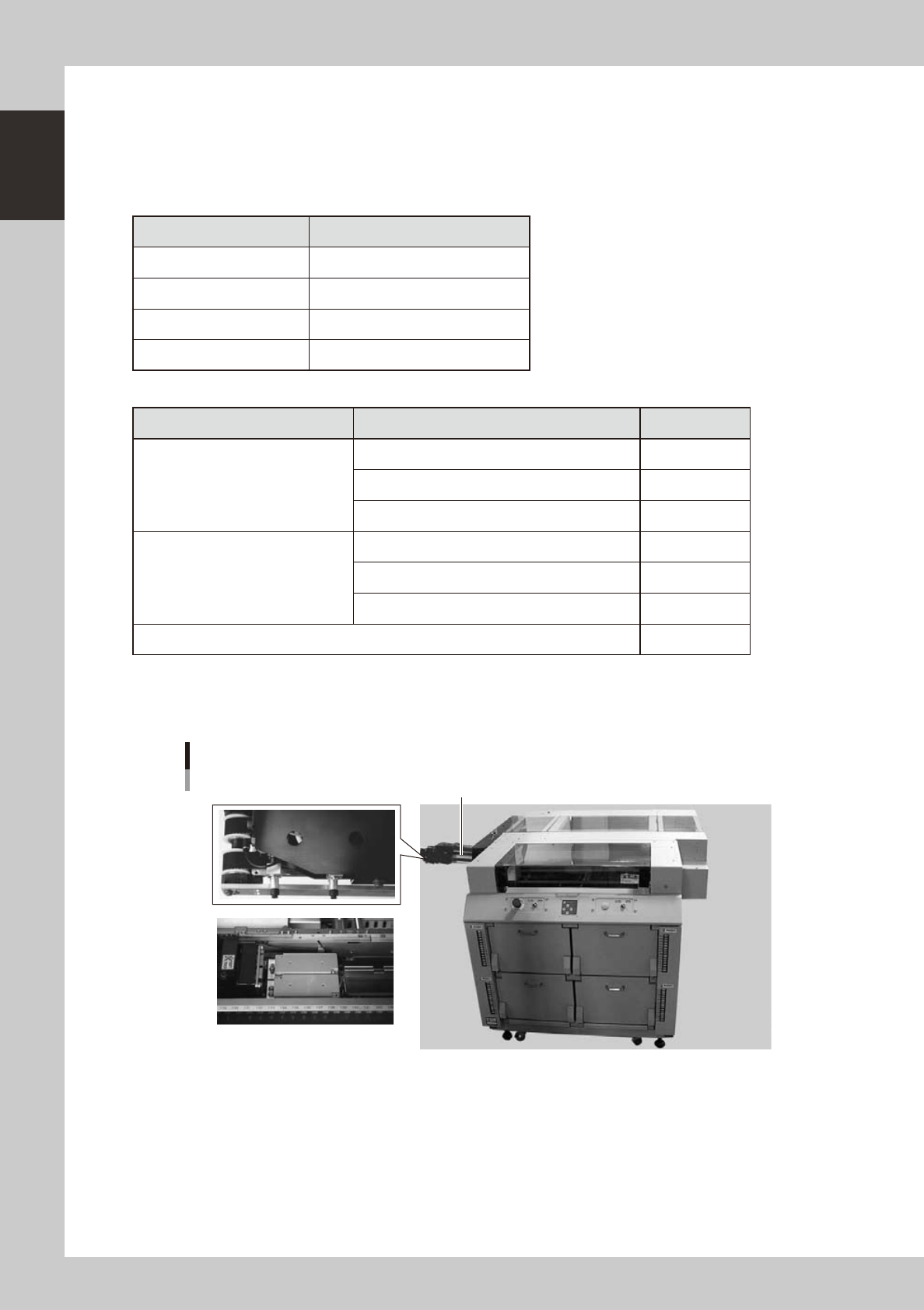
Pick & place head, relay station
3. Relay station (mounter side)
2. DX axis1. Pick & place head
23122-L1-00
1. Pick & place head
The dYTF has two dual pick & place heads. Each head picks up a tray component on the pallet and places it on the relay
station.
2. DX axis
Along this DX axis, the pick & place heads repeatedly travels between the dYTF and the mounter.
3. Relay station (mounter side)
Receives components from the pick & place heads of the dYTF. Two relay stations are provided, each having dual
receive points. This relay station moves up when the mounter heads pick up the components on the relay station.
1-17
1
Part names and functions
4.2.2 sATS main unit
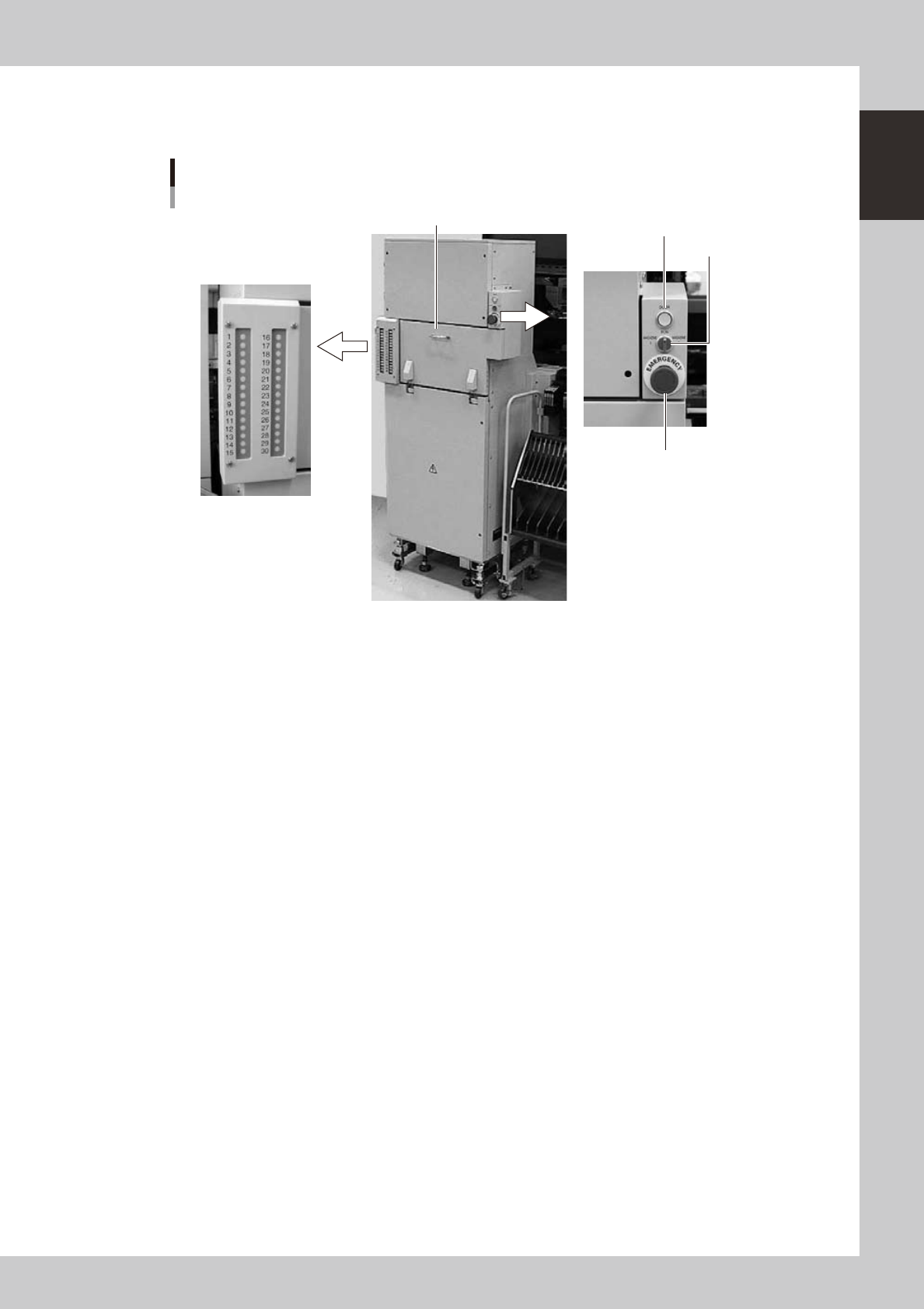
Major part names and their functions of sATS are explained below.
sATS main unit
Pallet insertion side
1. Magazine door
2. Emergency stop button
3. DOOR switch
4. DOOR indicator lamp
5. Pallet indicator lamp
23125-L1-00
1. Magazine door
Open this door when exchanging a pallet or a magazine. Two magazines (Magazine 1, Magazine 2) can be
accommodated vertically.
2. Emergency stop button
Pressing this button triggers emergency stop, the same as the emergency stop buttons on the mounter.
3. DOOR switch
Placing this switch in "MAGAZINE 1" or "MAGAZINE 2" unlocks the magazine door, so you can open it. When this
switch is in the RUN position, the door is locked and you cannot open it.
Place this switch in "MAGAZINE 1" when exchanging Magazine 1, and in "MAGAZINE 2" when exchanging Magazine 2.
4. DOOR indicator lamp
This indicator lamp lights up when the magazine door is locked and turns off when unlocked.
1-18
1
Part names and functions
5. Pallet indicator lamp
The indicator lamp for the pallet No. set in the parts information is lit up. When the tray components on a pallet are used
up, the indicator lamp for that pallet No. flashes (see below). Pallet indicator lamps No. 1 to No. 15 are for Magazine 1.
Pallet indicator lamps No. 16 to No. 30 are for Magazine 2.
After you set new pallets in the magazines, press the flashing indicator buttons to reset them.
n
Relation between pallet indicator numbers and magazines
Pallet indicator number Magazine
1 to 15 Magazine 1 for stage 1
16 to 30 Magazine 2 for stage 1
n
Pallet indicator lighting pattern
Pallet condition Component condition Indicator status
One component type on one pallet
Components have been supplied. ON
Used up all components. Flashing
Components are currently being used. ON
Two or more components types on
one pallet
All components on pallet have been supplied. ON
Used up all components. Flashing
Used up at least one type of component. Flashing
Components to be used are not specified in board data. OFF