00197193-02_IM_SIPLACE_EDM_2.1_EN.pdf - 第16页
EDM V2.1 / I nstallat ion Ma nual Ausgabe 11/2012 E dition 16 4.2.3 EDM M aster (M aster Serv er) Figure 4-5: Configuri ng the EDM databas e The instal lation proc edure i s identica l for both opt ions. ► S elect th e s…
EDM V2.1 / Installation Manual Ausgabe 11/2012 Edition
15
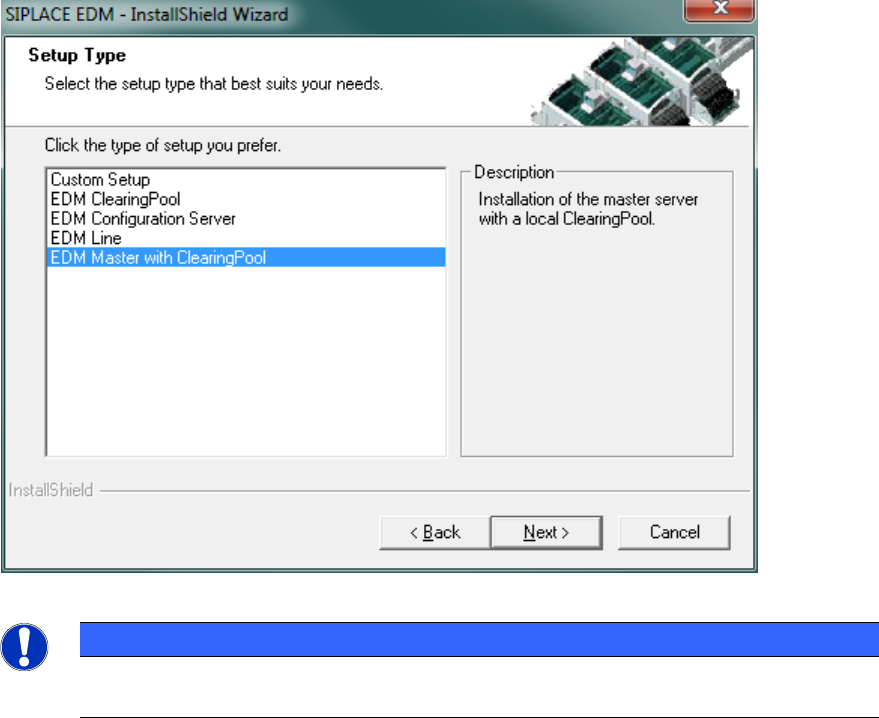
Since SIPLACE EDM comprises several applications whose installation procedure depends on the
role of the workstation, you must select the type of installation you want to perform.
Figure 4-4: EDM installation – setup type selection
NOTICE
For a basic installation scenario, it may be sufficient to consider the “EDM Master with
Clearing Pool” and “EDM Line” setup types.
The setup program provides these setup types as options:
● Clearing Pool
Installs the Clearing Pool GUI, the EDM Data Transfer Manager and the EDM Tool. Use this
option if you want to grant a data preparation engineer access to the Clearing Pool database
and push mode from his workstation.
● EDM Configuration Server
Installs a dedicated EDM Configuration Server without any other EDM functionality.
● EDM Line (Line Server)
Installs an EDM Line Server including the EDM Client. Use this option if you want to insert a
local SIPLACE Pro installation into a line in your EDM system.
● EDM Master (Master Server)
Installs an EDM Configuration Server, the Master Server, the Clearing Pool database, a
Clearing Pool GUI and the EDM tool. Use this option to install EDM on your central SIPLACE
Pro server. There should only be one Master Server per EDM system.
● Custom Setup
This option lets you choose between all possible combinations of EDM applications on a
computer.
The following subsections provide a deeper insight into the different setup procedures.
EDM V2.1 / Installation Manual Ausgabe 11/2012 Edition
16
4.2.3 EDM Master (Master Server)
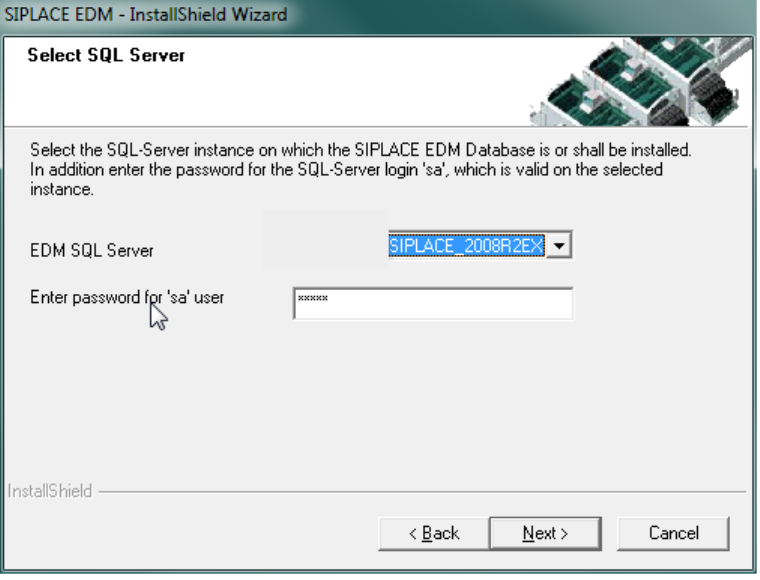
Figure 4-5: Configuring the EDM database
The installation procedure is identical for both options.
► Select the server for the Clearing Pool database.
► Enter the password for the database user 'sa'.
Only SQL server instances on the local host are available for selection.
If no EDM database yet exists:
► Confirm the creation of the new database.
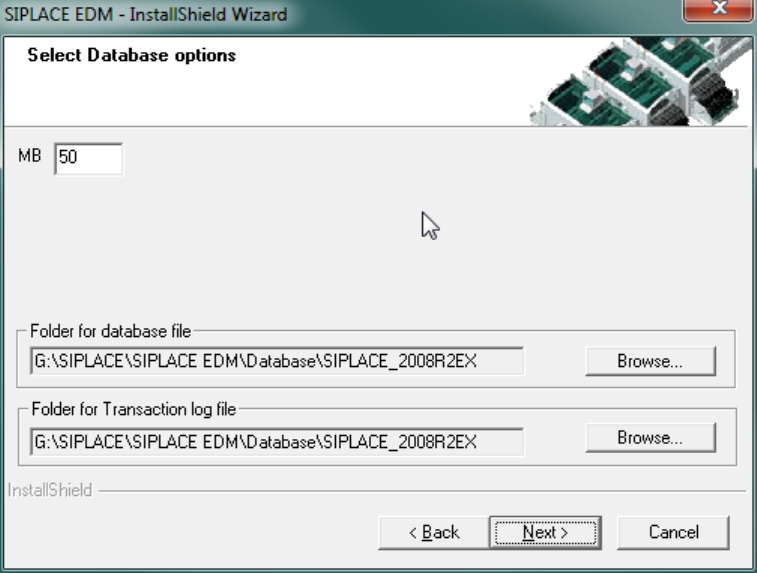
► Enter the database options in the following screen
The default settings are generally sufficient.
► Confirm your entries with Next.
EDM V2.1 / Installation Manual Ausgabe 11/2012 Edition
17
Figure 4-6: EDM database options
If a compatible EDM database has already been detected, this is taken over and converted to the
current version. Otherwise you are asked whether you want to replace the database or select a
different server.
► Confirm your selection with Next.
► Use the Basic EDM Configuration Dialog (cf. section 5.2.1 on page 24), which is presented
now, to edit the fundamental settings.