00197193-02_IM_SIPLACE_EDM_2.1_EN.pdf - 第30页
EDM V2.1 / I nstallat ion Ma nual Ausgabe 11/2012 E dition 30 Figure 5-1: General s ettings for application templates The genera l settings include: ● T y pe of data t ransfer. Cur rently, you can onl y select P ull Mode…
EDM V2.1 / Installation Manual Ausgabe 11/2012 Edition
29
The “Default” role entry as the last entry in the Roles grid applies to all EDM Clients that do not
match the conditions of any previous entry.
NOTICE
By default, EDM 2.1 contains a role entry that ensures that EDM Computers running
EDM version 2.0 will receive a valid, compatible configuration set. To be effective, this
role definition should always stay on the top of the list.
5.3.5 Comment Categories
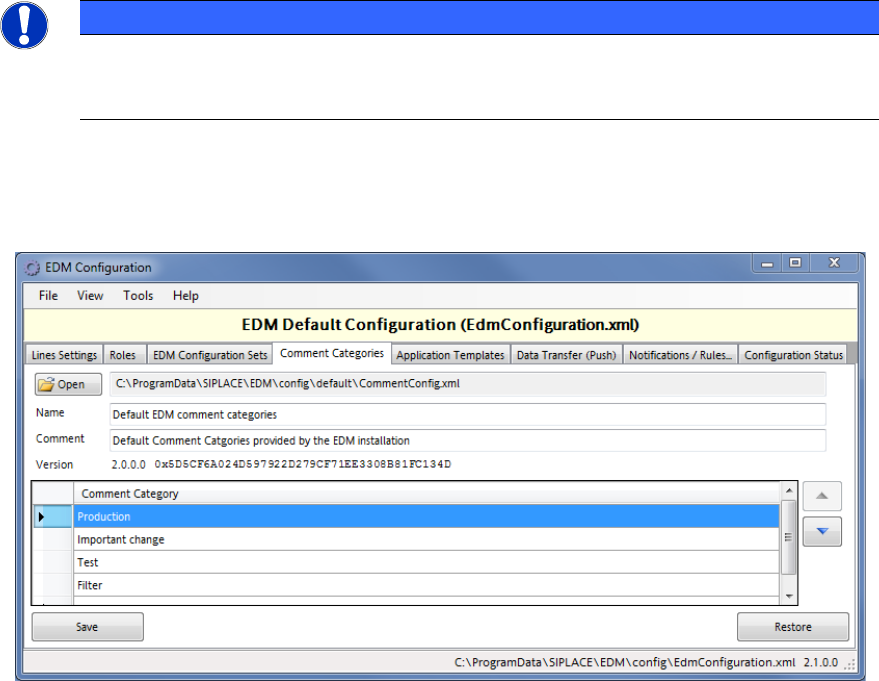
These comment categories are presented to a user on the EDM Clients in the comment dialog that
appears due to changes of SIPLACE Pro data.
► Double-click on an existing entry to change the category name.
► Double-click on the last line of the grid to add a new category.
► Select a line and press <DEL> to remove the selected entry.
► Change the order of the categories with the help of the arrow buttons next to the grid.
5.3.6 Application templates
The application templates depict the static part of the customer process that is related to the data.
They primarily define the object types to be transferred and whether or not they will be overwritten
on the EDM line during push or pull operation.
5.3.6.1 General settings
EDM V2.1 / Installation Manual Ausgabe 11/2012 Edition
30
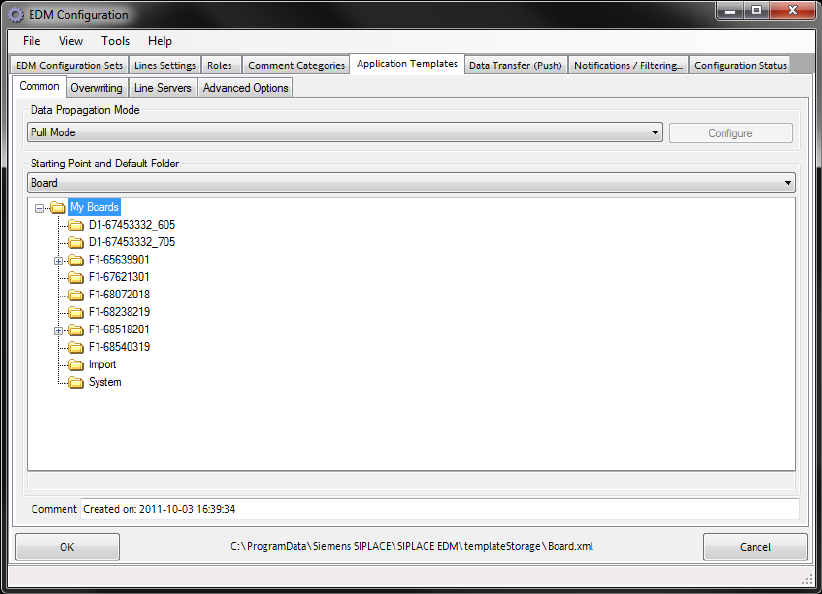
Figure 5-1: General settings for application templates
The general settings include:
● Type of data transfer. Currently, you can only select Pull Mode, Push Mode or Forced Pull
Mode.
● Starting Point specifies the object type for which this template can be valid. A template can
only be valid for one object type at a time. However, it is possible to define more than one
template for an object type.
● Objects found in the Default folder and all its subfolders can be subsequently specified by the
line engineer for pulling and pushing from the master.
● An optional comment.
Pull mode and push mode
No additional settings can be specified for these types of data transfer between the Master Server
and Client computers.
EDM V2.1 / Installation Manual Ausgabe 11/2012 Edition
31
Forced pull mode
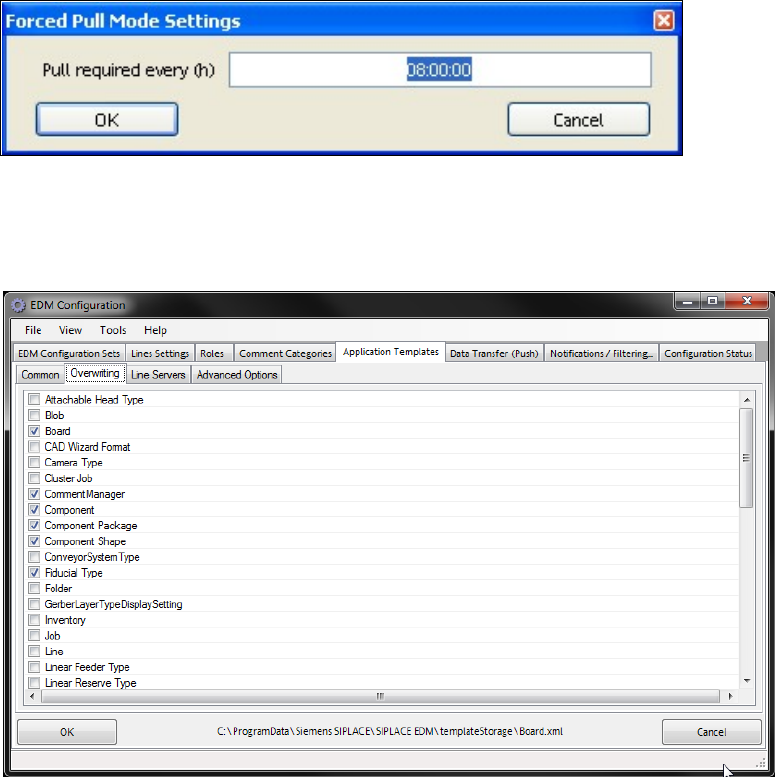
For this type of data transfer, the time after which the data preparation engineer will be notified that
no new data has been pulled for the line must be specified via Configure. The time is specified in
hours.
Figure 5-2: Forced pull mode configuration
5.3.6.2 Overwriting
Figure 5-3: Settings for overwriting object types
You can select the object types to be overwritten when the data is imported to the line here.
5.3.6.3 Line server