00191021-02.pdf - 第42页
1 General Functions User’s Manual Test P rogram SITEST 1.2 Setting the Access Level Software Version 403.xx Edition 12/97 1 - 6
User’s Manual Test Program SITEST 1 General Functions
Software Version 403.xx Edition 12/97 1.2 Setting the Access Level
1 - 5
1.2 Setting the Access Level
Some functions of the test program can be protected from unqualified operation by setting the access level
and assigning a password.
Functions that are not accessible in an access level cannot be carried out since the associated buttons, radio
buttons or menu commands are inactive or blanked.
●
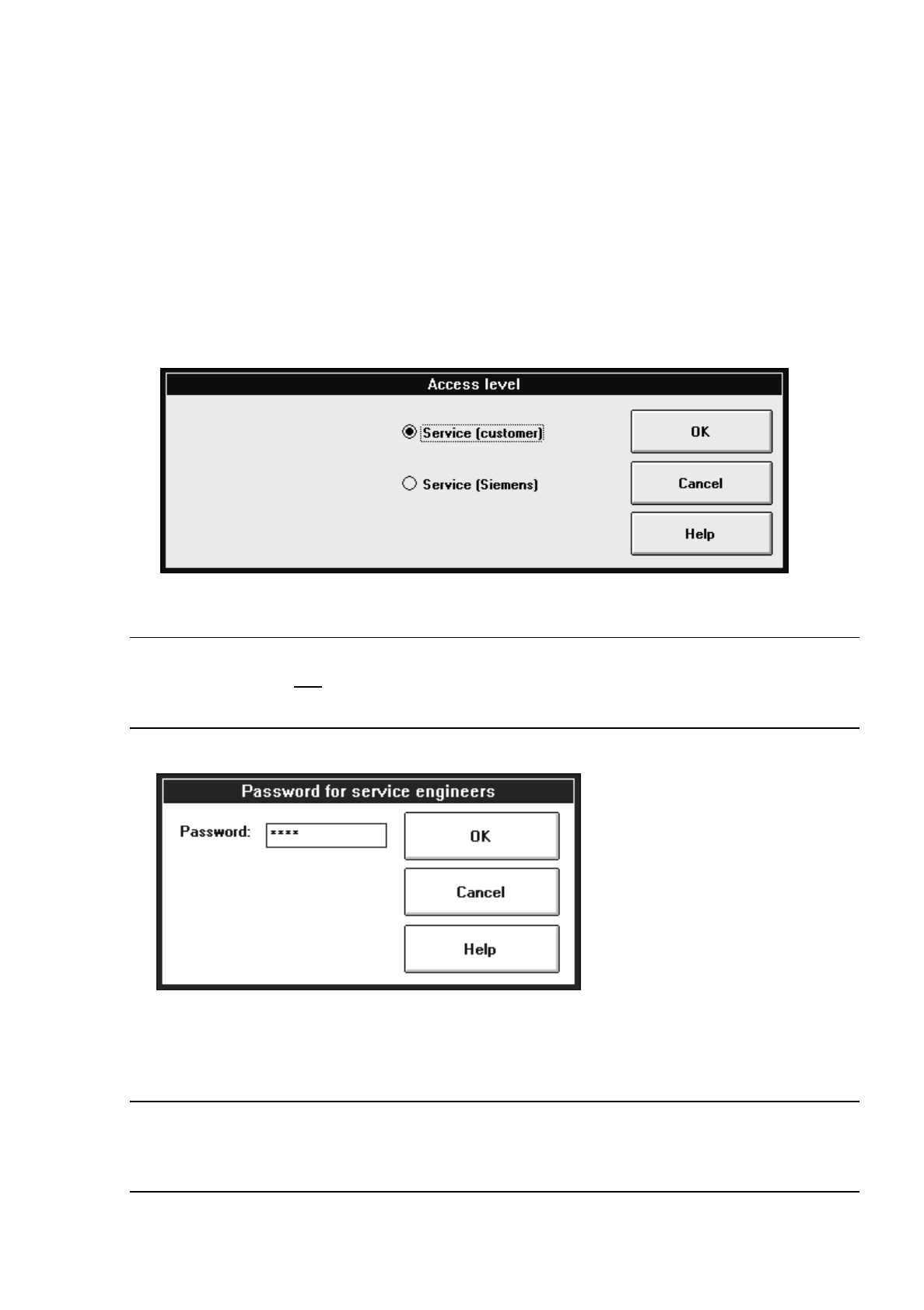
Click on the Settings menu and select the Access level option.
The "Access level" settings box opens.
●
Activate the radio button for the appropriate access level.
NOTE
The input box below is only
displayed if the radio button for the "Service (Siemens)" access level is
activated.
●
Click on the "Password" editing field and enter the password assigned by "SIEMENS AUT".
●
Click on the OK button to confirm the password.
NOTE
At present, no particular functions exist for whose execution it is necessary that the service technician’s
password be entered.

1 General Functions User’s Manual Test Program SITEST
1.2 Setting the Access Level Software Version 403.xx Edition 12/97
1 - 6
User’s Manual Test Program SITEST 1 General Functions
Software Version 403.xx Edition 12/97 1.3 Machine Configuration
1 - 7
1.3 Machine Configuration
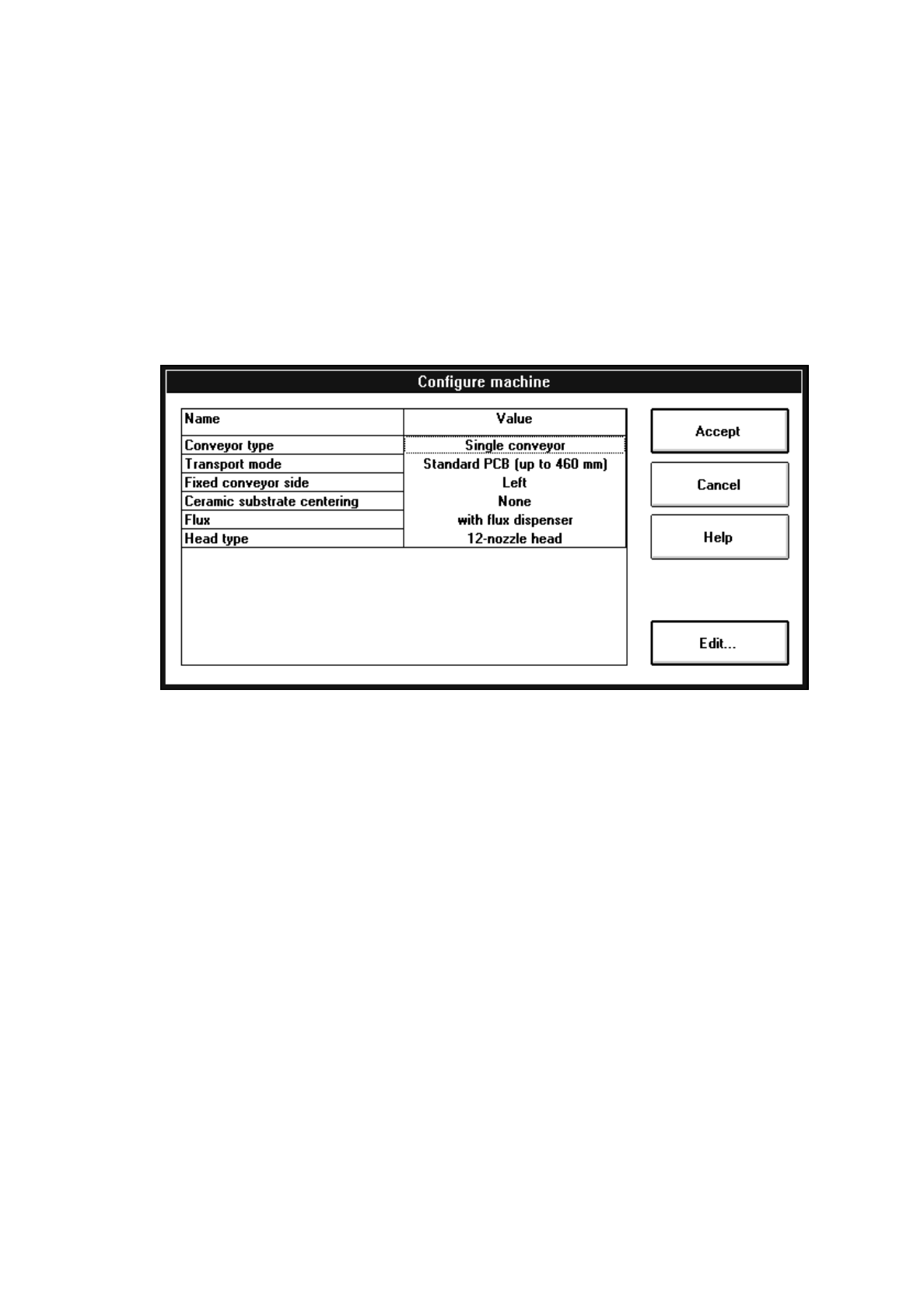
The configuration of the current machine is set in the "Settings" menu with the aid of the "Machine
configuration..." option.
For example, if a flux dispenser is installed on the machine, it must also be entered in the "Machine configura-
tion" so that the functions of the flux dispenser can be activated in the test program.
●
Click on the
Settings
menu and select the
Machine configuration...
option. The setting box
"Configure machine" opens.
The following configurations can be selected from:
–
Conveyor type
Single conveyor The calibration tool pocket with integrated measuring hole for
the MA zero point is located on the fixed conveyor side.
Synchronous dual conveyor On each conveyor track of the dual conveyor it is possible to
convey simultaneously a PCB of the same size to the center
conveyor.
The PCBs on the two conveyor tracks are processed as one
cluster.
The calibration tool pocket with integrated measuring hole for
the MA zero point is located on the fixed side of the conveyor.
Asynchronous dual conveyor PCBs loaded on any of the input conveyors are conveyed to the
unoccupied center conveyor at any given time during the place-
ment operation whereafter the assembly process is started.
The components to be placed and the width of the PCBs on
the two conveyor tracks must be identical. The PCBs are
assembled one after the other.
The calibration tool pocket with integrated measuring hole for
the MA zero point is located on the fixed side of the conveyor.