00191021-02.pdf - 第67页
User’s Manual Test Program SITEST 2 Functions for t he Adjustment of the Machine Software Version 403.xx Edition 12/97 2.1 Axis Functions 2 - 3 2.1 Axis Functi ons The ax is function s are required f or the adj ustme nt …

2 Functions for the Adjustment of the Machine User’s Manual Test Program SITEST
Software Version 403.xx Edition 12/97
2 - 2
User’s Manual Test Program SITEST 2 Functions for the Adjustment of the Machine
Software Version 403.xx Edition 12/97 2.1 Axis Functions
2 - 3
2.1 Axis Functions
The axis functions are required for the adjustment of the dynamic behavior of the axes.
NOTE
Prior
to the start of the adjustment operations a reference run must be performed for all axes (see
section 1.4).
2.1.1 Gantry Axis Functions
●
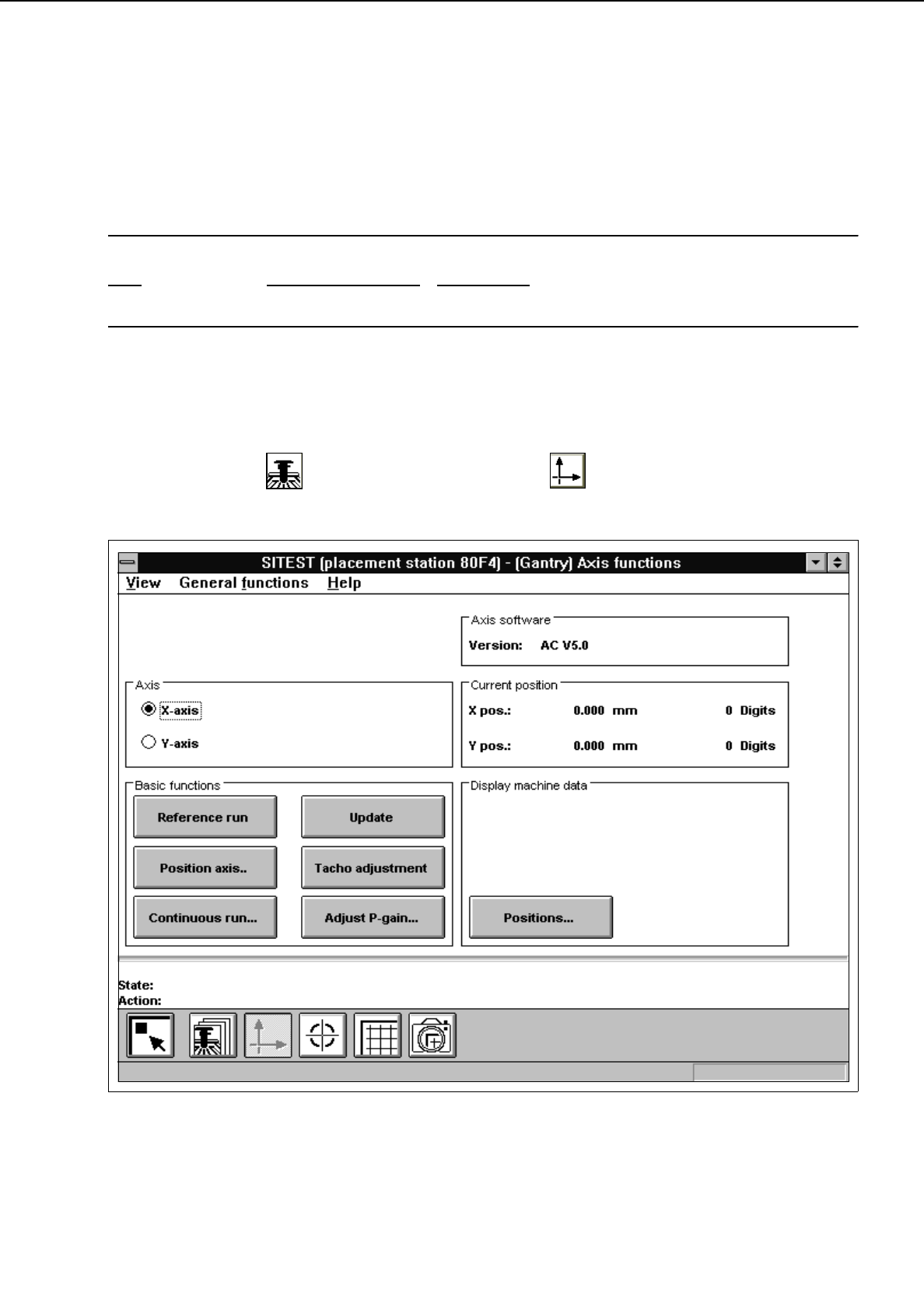
In the "Gantry" display (see Fig. 0.3.4) click on the icon to switch to the "Gantry axis
functions" display.
Fig. 2.1.1 "Gantry axis functions" Display
2 Functions for the Adjustment of the Machine User’s Manual Test Program SITEST
2.1 Axis Functions Software Version 403.xx Edition 12/97
2 - 4
To perform the individual functions, proceed as follows:
●
In the "Axis" field activate the radio button for the axis to be adjusted ("x-axis" or "y-axis")
●
Select the
Reference run
function if the axis has not been referenced yet.
●
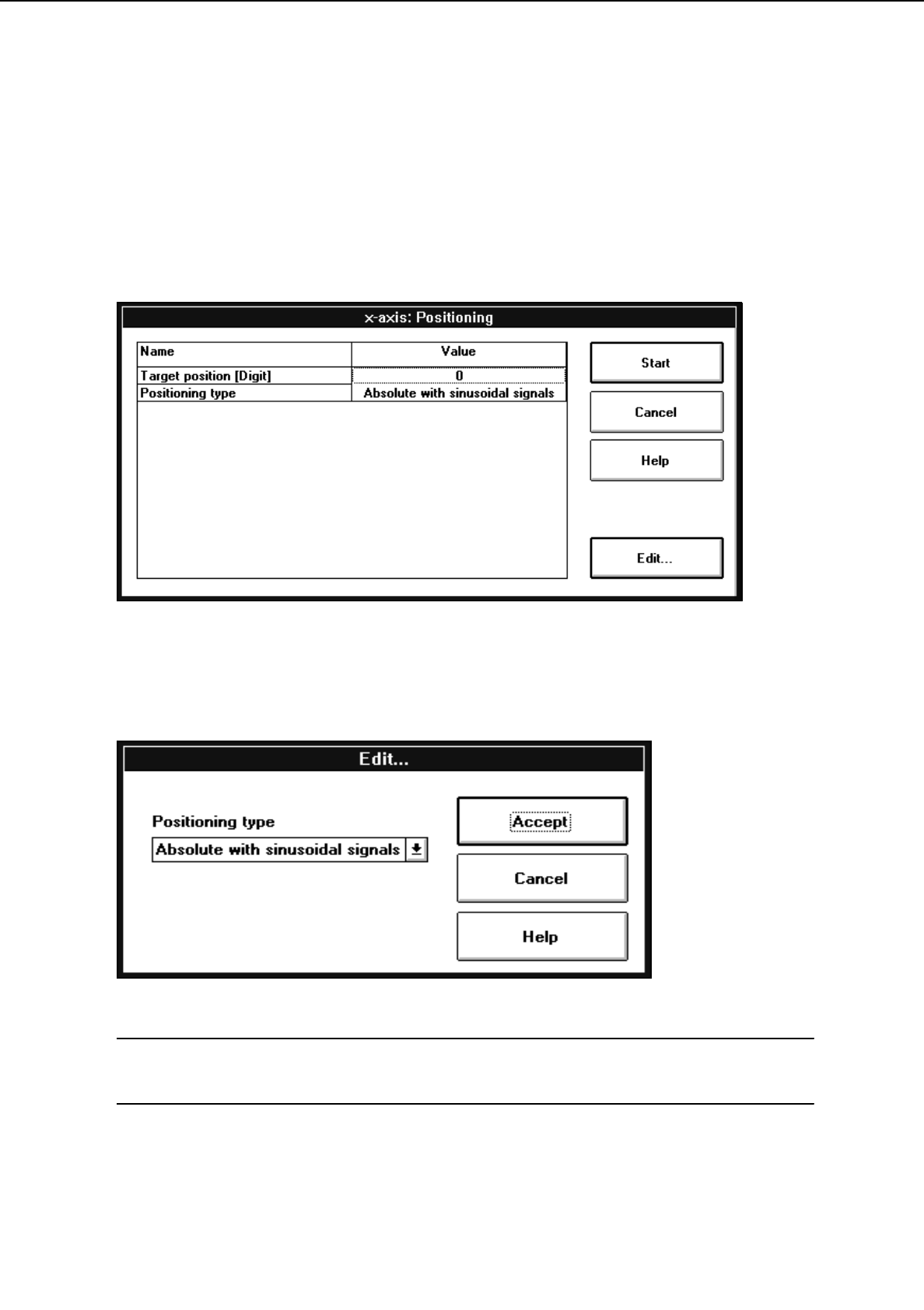
To move the axis to a given position in one operation, click on the
Position axis..
button. The setting
box below opens.
●
Select the
Target position [DIGIT]
line by double-clicking to enter the desired target position. An
input box opens.
●
Enter the target position and confirm your entry by clicking on
Accept
.
●
Select the
Positioning type
line by double-clicking to choose the desired positioning type. The setting
box below opens.
NOTE
In this present software version only one positioning type is available for both the x- and y-axis.
●
Confirm the selected positioning type by clicking on
Accept
.