00191021-02.pdf - 第49页
User’s Manual Test Program S ITEST 1 General Functions Software Version 403.xx Edition 12/97 1.6 Gantry Teaching 1 - 13 1.6 Gantry Teach ing ● Click, for exam ple, on th e Teach button in the "G antry f unctions &qu…

1 General Functions User’s Manual Test Program SITEST
1.5 Toggling Cycle Mode On/Off Software Version 403.xx Edition 12/97
1 - 12
User’s Manual Test Program SITEST 1 General Functions
Software Version 403.xx Edition 12/97 1.6 Gantry Teaching
1 - 13
1.6 Gantry Teaching
●
Click, for example, on the
Teach
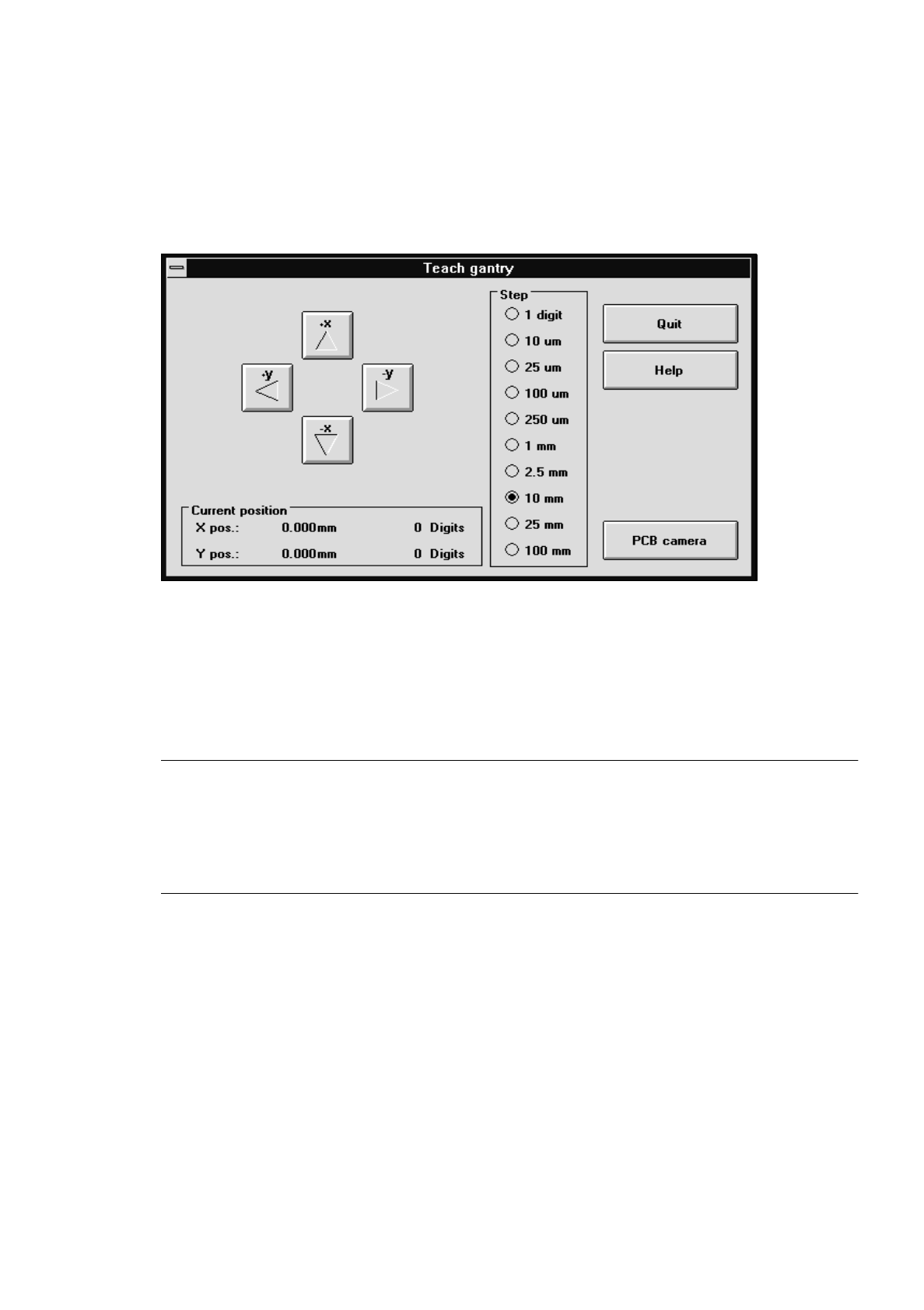
button in the "Gantry functions" (see Fig. 0.3.4) display.
The teach functions are automatically activated if the setting box below is displayed.
●
If you wish to set the step size for traversing the gantry, activate the corresponding radio button for the
desired step size in the "Step" field, or press the corresponding number key on the keyboard ("1" rep-
resenting the smallest, "0" the largest step size).
●
To move the gantry, actuate the
+x
,
-x
,
+y
or
-y
buttons in the setting box, or the cursor keys
↑ ↓ ← →
on the keyboard.
NOTE
From a position in front of the machine looking in the direction of travel, the arrows on the buttons and
cursor keys correspond the gantry’s direction of travel. Every time a button or cursor key is ac-
tuated, the gantry will be traversed by one step in the step size selected. The current gantry position
at any given time is displayed in the setting box in the "Current position" field.
●
Click on the PCB camera button. The screen display switches to the PCB camera at the gantry.
●
Actuate the cursor keys
↑ ↓ ← →
on the keyboard to teach, for example, the PCB reference corner
position.
●
When teaching has been completed, press
ESC
to switch the monitor back to the normal program
mode.
●
Click on the Quit button in the setting box.

1 General Functions User’s Manual Test Program SITEST
1.6 Gantry Teaching Software Version 403.xx Edition 12/97
1 - 14