00191021-02.pdf - 第8页
0 Introduction to the User Interface of the Test Program User’s M anual Test Program SITEST 0.1 Starting/Terminating the Test Program Software Version 403.xx Edition 12/97 0 - 4 ● Click on the Yes button in the dial og b…
User’s Manual Test Program SITEST 0 Introduction to the User Interface of the Test Program
Software Version 403.xx Edition 12/97 0.1 Starting/Terminating the Test Program
0 - 3
0.1 Starting/Terminating the Test Program
0.1.1 Starting
●
On the user interface for the station, click on the icon (see User’s Manual SIPLACE 80S-20/F
4
).
The test program is started.
The main view of the user interface of the test program will appear on the screen shortly afterwards
(see section 0.2, Figs. 0.2.1 and 0.2.2).
●
Select the desired language (for the procedure, see chapt. 1, section 1.1).
0.1.2 Terminating
There are three ways of properly terminating the test program, i.e. either
–
from the main view via the Mode menu, by selecting the menu command Exit (see section 0.2.1.1),
–
using the key combination
A
LT
+
F4
–
or by proceeding as described in the following.
NOTE
Only the key combination
A
LT
+
F4
permits the test program to be terminated from any display.
●
In the main view, click on the icon.
NOTE
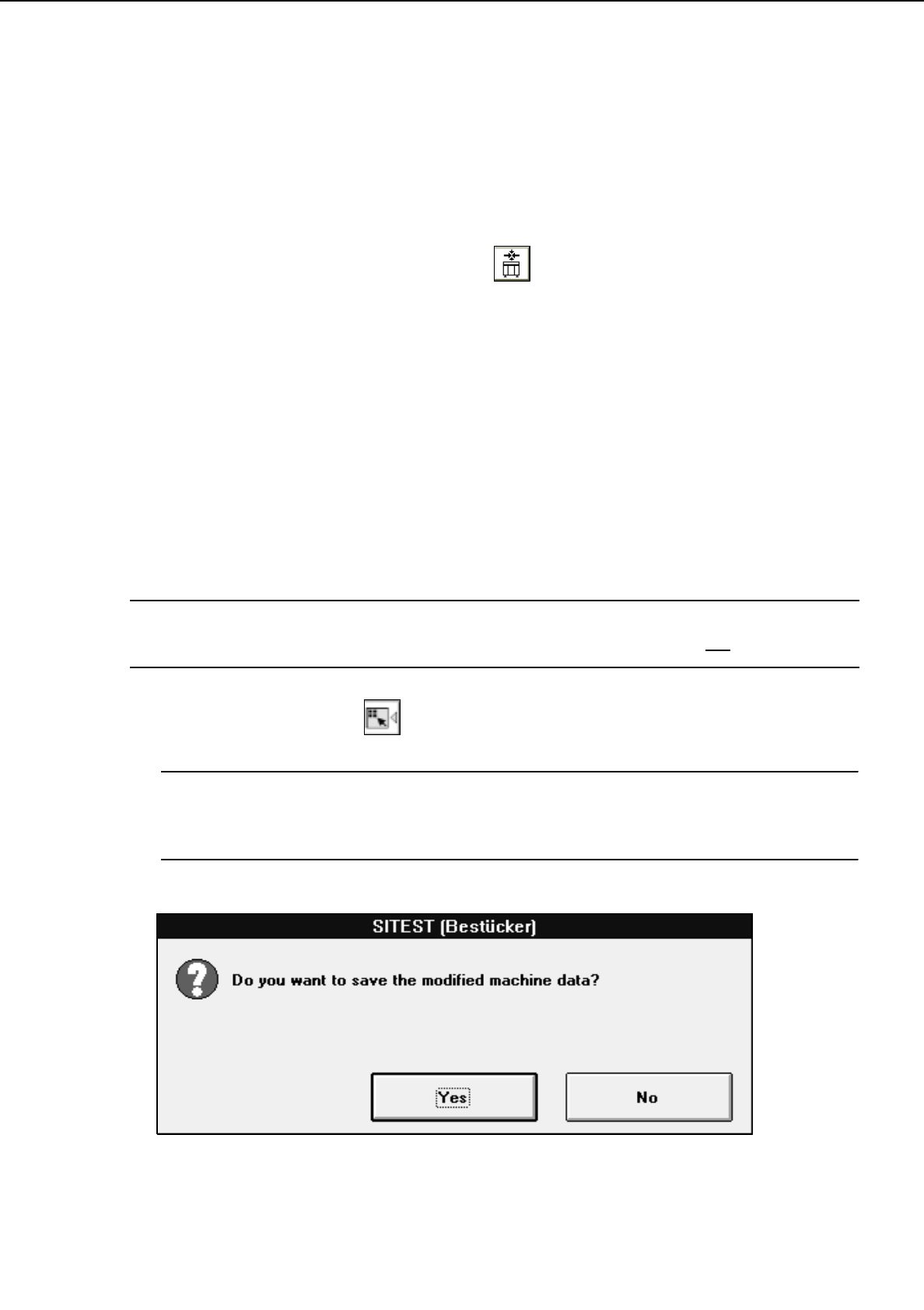
If newly determined or edited machine data have not been saved yet, an appropriate message will be
displayed before exiting the program prompting you to save the data (see examples below).
0 Introduction to the User Interface of the Test Program User’s Manual Test Program SITEST
0.1 Starting/Terminating the Test Program Software Version 403.xx Edition 12/97
0 - 4
●
Click on the
Yes
button in the dialog box if you wish to save the data on terminating the test program,
or click on
No
if you do not wish to save the data.
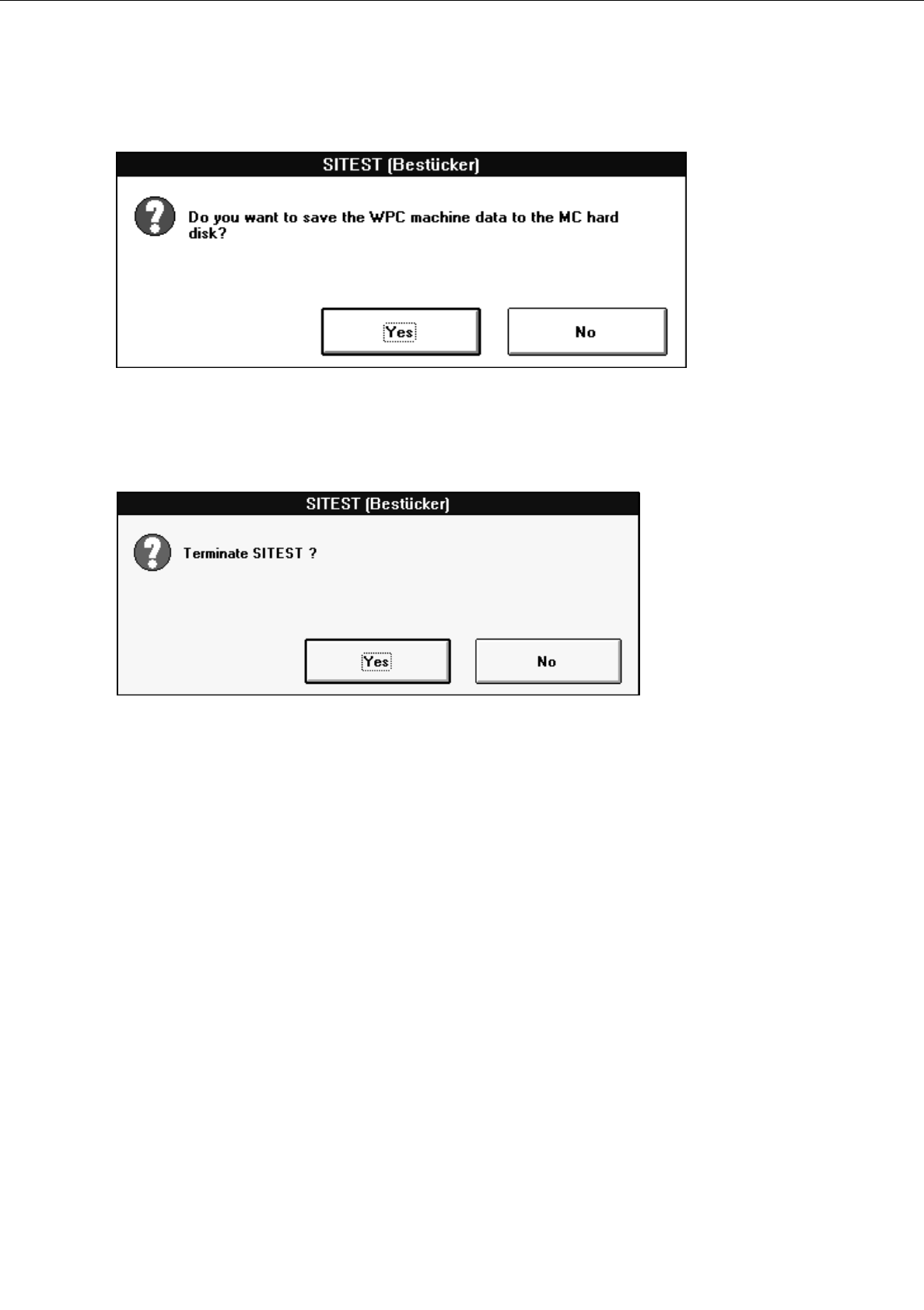
The following dialog box opens.
●
Click on the
Yes
button. The test program is terminated.
User’s Manual Test Program SITEST 0 Introduction to the User Interface of the Test Program
Software Version 403.xx Edition 12/97 0.2 Components of the User Interface
0 - 5
0.2 Components of the User Interface
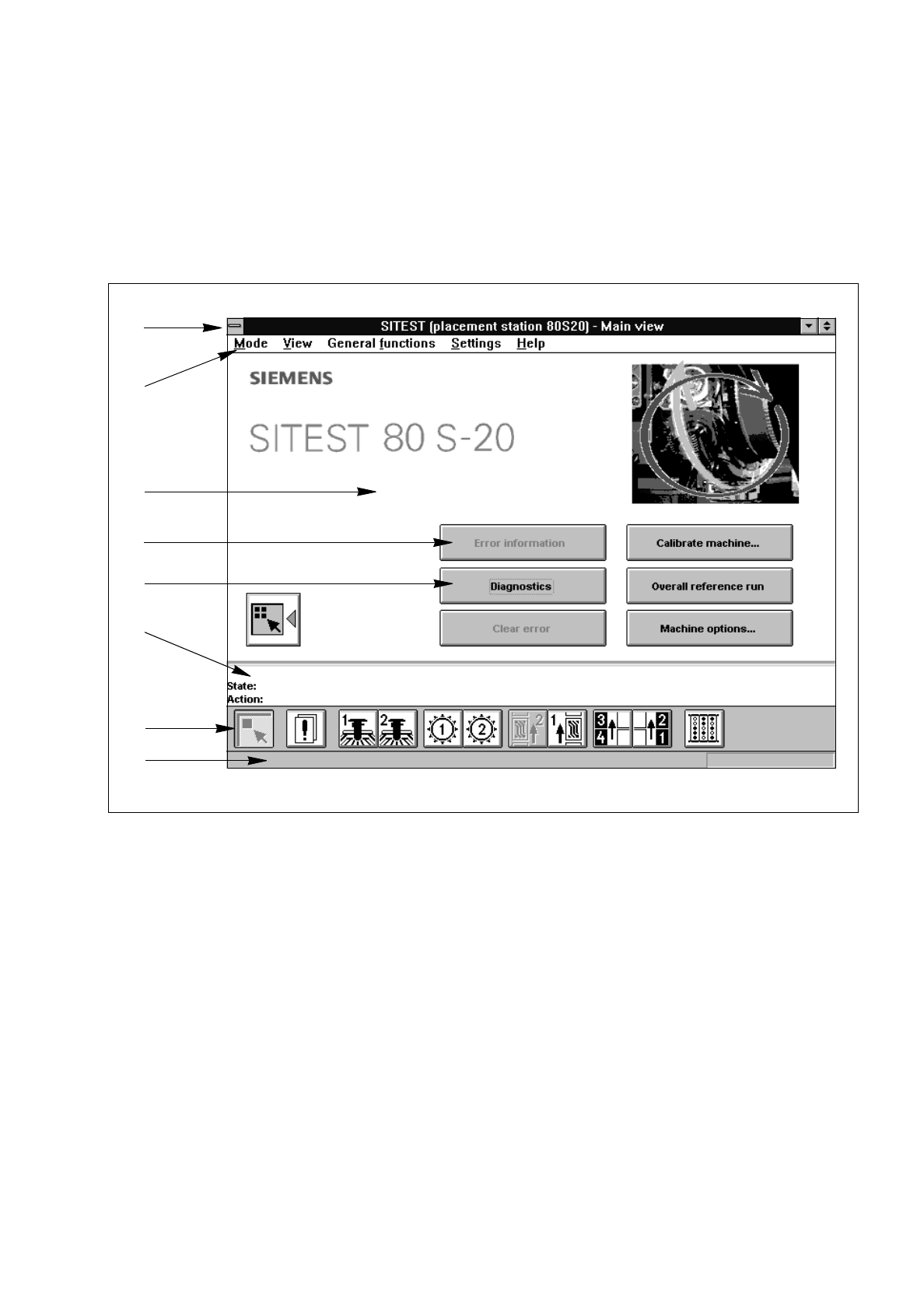
After starting the SITEST test program, the main view of the user interface will be displayed (see Figs. 0.2.1
and 0.2.2). The operator can control the basic functions of the program from this display. He can return to the
main view from all the other displays (see sections 0.3.2 through 0.3.10).
Fig. 0.2.1 "Main View", Machine Type 80S-20
Legend pertaining to
Fig. 0.2.1
➀
Title bar
➁
Menu bar
➂
Work area
➃
Inactive button
➄
Active button
➅
Status bar
➆
Toolbar
➇
Info bar
➀
➁
➂
➃
➄
➅
➆
➇