Printer 600 Paste Dispenser System.pdf - 第13页
3$67(' ,63(16(56 <67(0 $'-8670 (176$1 '6(77,1* 6 Chapter Issue 2 Jul 02 Technical Reference Manual 10.13 Cartridge V ertical (Down) Hard St op and Sensor Setting Cartri dge V ertical (Down) Hard S t…
3$67(',63(16(56<67(0
$'-8670(176$1'6(77,1*6
10.12 Technical Reference Manual Chapter Issue 2 Jul 02
ADJUSTMENTS AND SETTINGS
Paste Carriage
Home Sensor
1. In Diagnostics select Paste Dispense System.
2. Select Carriage Home.
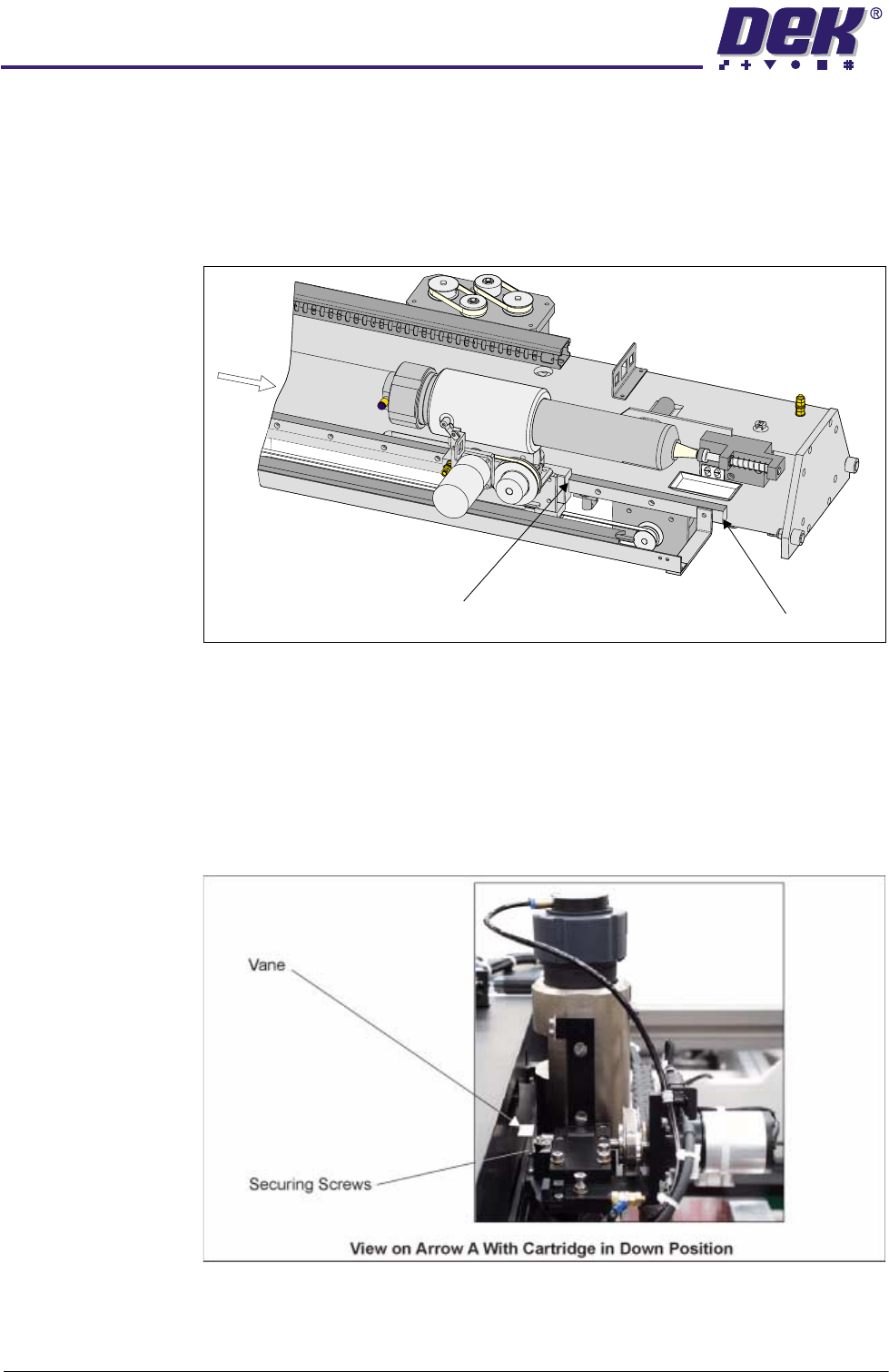
3. Check that the distance from the edge of the paste carriage bearing block
to the end of the paste carriage THK rail is 175mm -177mm.
4. If adjustment is necessary, select Drive Cartridge Down.
5. Slacken the two paste carriage home Hall effect vane securing screws,
using a 2.5mm Allen key and adjust the vane. Tighten the two securing
screws.
6. Repeat Steps 2 - 5 until the setting is achieved.
7. Ensure that the vane does not foul the sensor as it passes through the Hall
effect.
A
Edge of
Bearing Block
End of THK Rail
3$67(',63(16(56<67(0
$'-8670(176$1'6(77,1*6
Chapter Issue 2 Jul 02 Technical Reference Manual 10.13
Cartridge Vertical (Down) Hard Stop and Sensor
Setting Cartridge
Vertical (Down)
Hard Stop
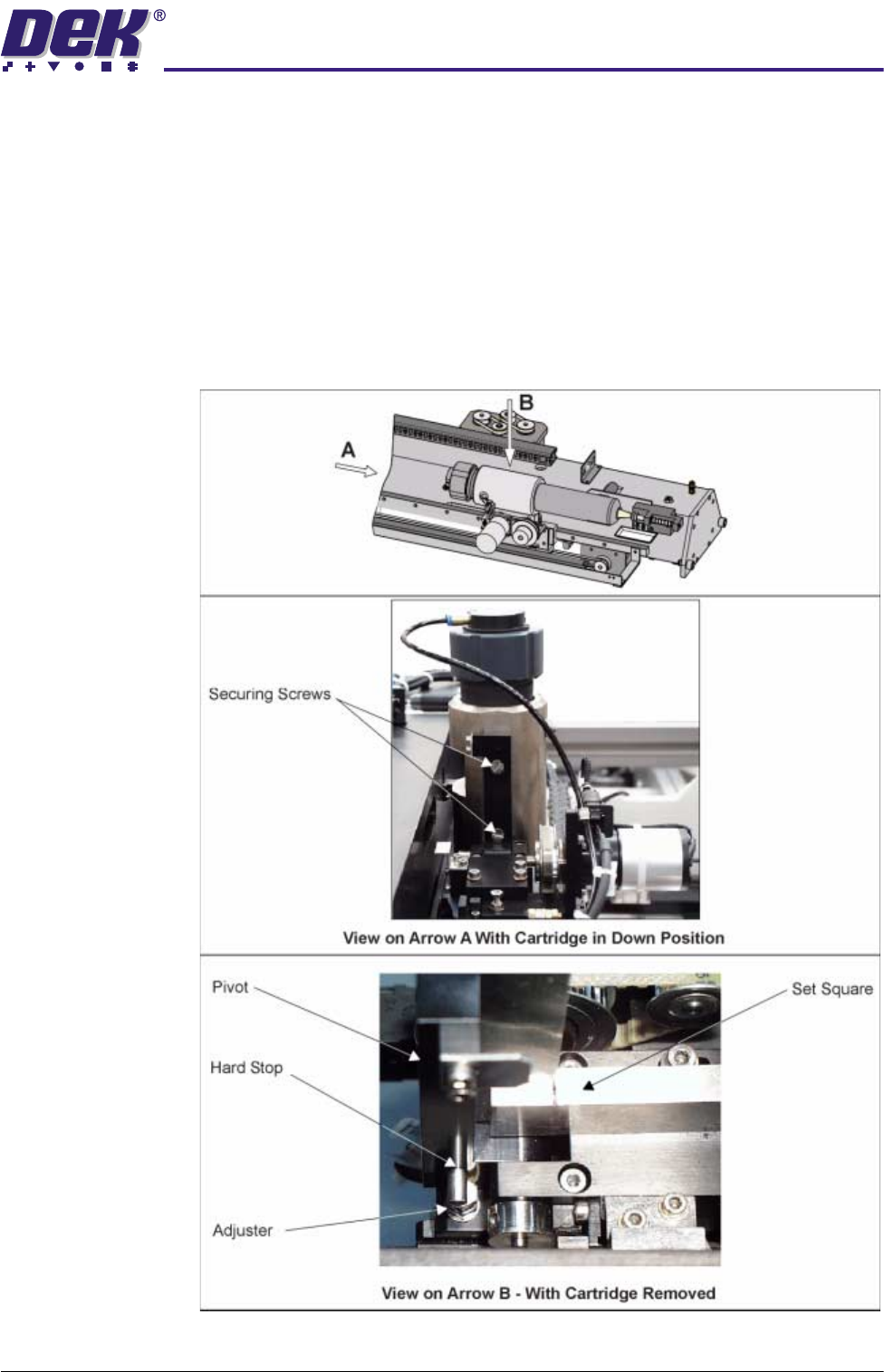
1. In Diagnostics select Paste Dispense System.
2. Select Drive Cartridge Down.
3. Using a set square, check that the paste cartridge is vertical.
4. If adjustment is necessary, remove the two countersunk securing screws
and lift the paste dispenser clear, to gain access to the adjuster.
5. Set the adjuster so that the pivot is vertical.
6. Before refitting the paste dispenser carry out the Setting Cartridge Vertical
(Down) Sensor procedure.
3$67(',63(16(56<67(0
$'-8670(176$1'6(77,1*6
10.14 Technical Reference Manual Chapter Issue 2 Jul 02
Setting Cartridge
Vertical (Down)
Sensor
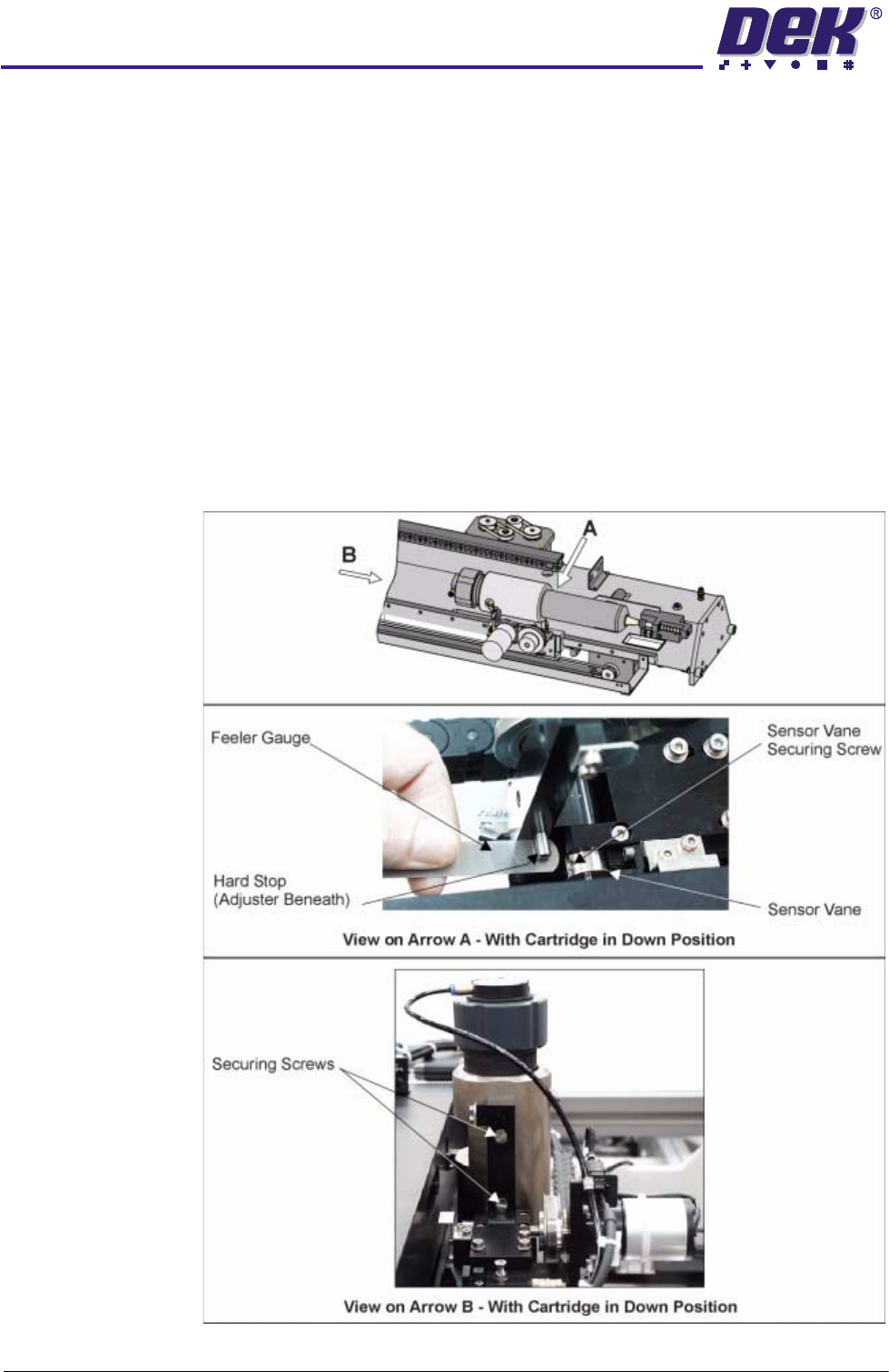
1. If not already carried out remove the paste dispenser, Setting Cartridge
Vertical (Down) Hard Stop refers, (see previous page).
2. In Diagnostics select Paste Dispense System.
3. Place a 0.5mm feeler gauge onto the top of the adjuster.
4. Select Drive Cartridge Down. Check in Diagnostics that the sensor has
switched on.
5. Select Drive Cartridge Up. Place a 0.7mm feeler gauge onto the top of the
adjuster.
6. Select Drive Cartridge Down. Check in Diagnostics that the sensor is
switched off.
7. If the sensor needs adjusting, using a 2.5mm Allen key slacken the sensor
vane securing screw. Adjust the vane to achieve Steps 3 - 6. Tighten the
sensor vane securing screw.
8. Refit the paste dispenser using the two countersunk securing screws.