Printer 600 Paste Dispenser System.pdf - 第8页
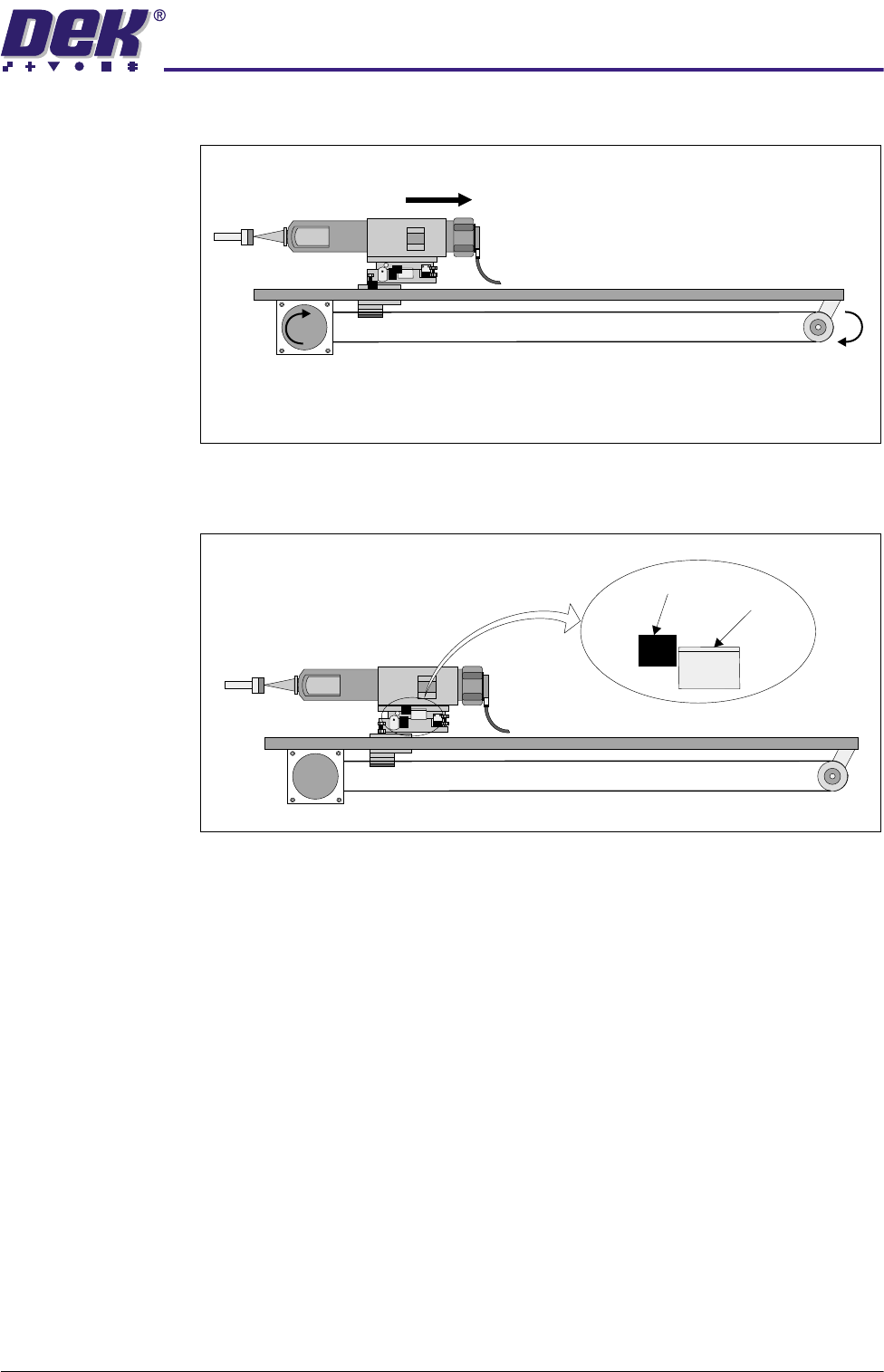
3$67(',6 3(16(56< 67(0 6(48(1&(6 10.8 Technical Reference Manual Chapter I ssue 2 Jul 02 1. The p aste dispenser is driven to the centr e by the p aste carriage st epper motor . 2. The dis pensing unit is r…
3$67(',63(16(56<67(0
6(48(1&(6
Chapter Issue 2 Jul 02 Technical Reference Manual 10.7
3. The paste dispenser is driven in the opposite direction.
4. The home vane clears the home sensor, the paste dispenser is halted. The
paste dispenser system is now in the home position.
Operation Sequence
Two modes of operation are available for paste dispense applications:
• Automatic - the frequency of paste dispense can be programmed into the
product file
• Manual - by selection at the control screen of the MMI
The sequence of operation is carried out in the following steps:
Sensor
Vane
3$67(',63(16(56<67(0
6(48(1&(6
10.8 Technical Reference Manual Chapter Issue 2 Jul 02
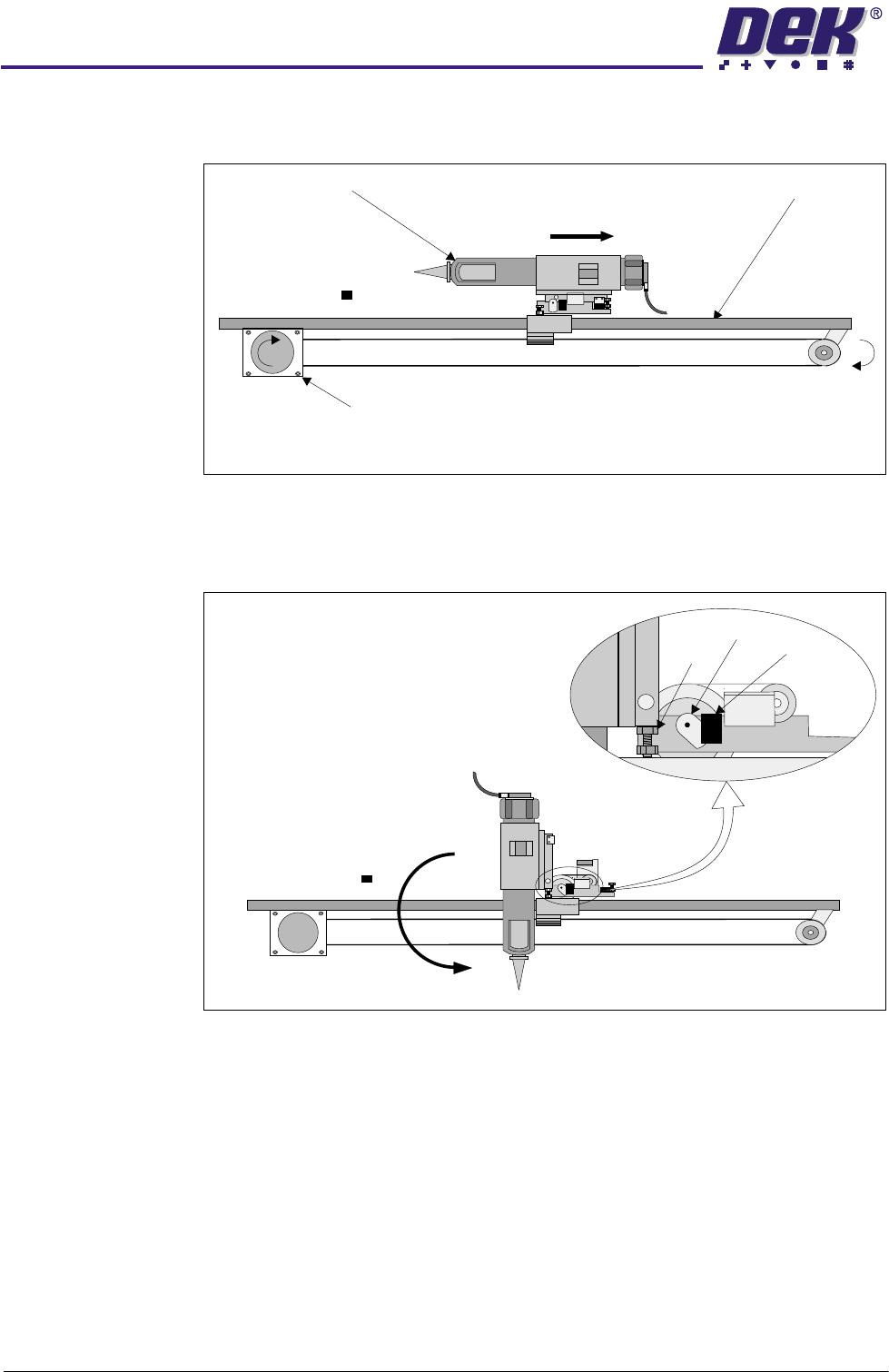
1. The paste dispenser is driven to the centre by the paste carriage stepper
motor.
2. The dispensing unit is rotated to the vertical position by the tilt motor, via a
slipping clutch. The vertical position is set by the down adjustable hard stop.
The vane enters the sensor stopping the tilt motor.
Paste Carriage (Viewed from Front of machine)
Paste Carriage Stepper Motor
Paste Dispenser Paste Carriage Rail
Vane
Hard
Stop
Sensor
3$67(',63(16(56<67(0
6(48(1&(6
Chapter Issue 2 Jul 02 Technical Reference Manual 10.9
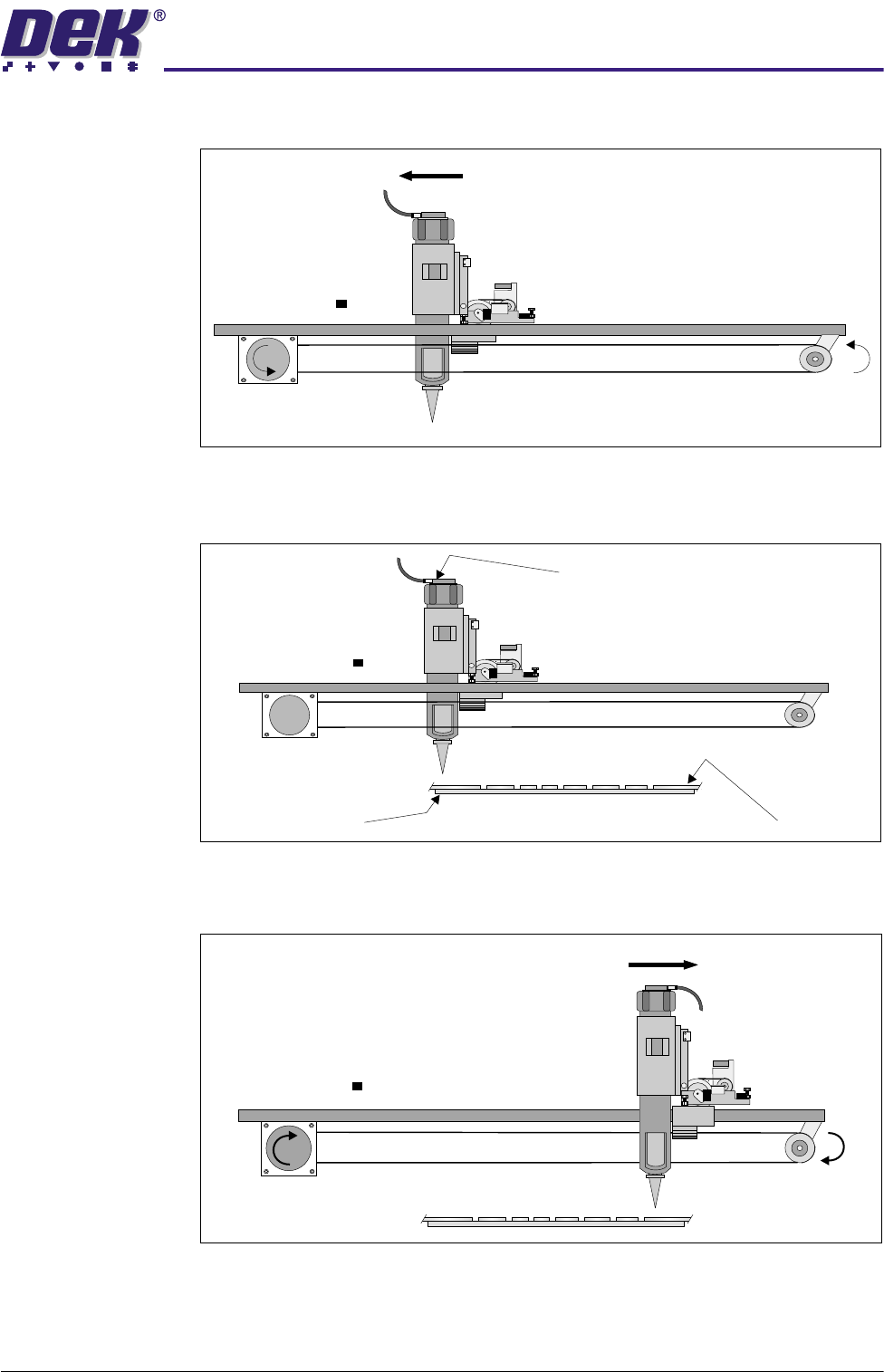
3. The paste dispenser is driven to the paste start position.
4. Pneumatic pressure is applied to the paste dispenser cartridge. Paste is
applied to the stencil.
5. The paste dispenser is driven across the screen to the paste stop position,
dispenser movement is halted and pneumatic pressure is removed.
Board
Stencil
Pneumatic Connection