00193730-04.pdf - 第28页
Retrofit instructions Splice Detection Basic Package + Tab le Controller SIPLACE HF-series 08/2005 Edition 28 : Connect the communication interface and table cont roller (TC) to one an other . The screws that protrude fr…
Retrofit instructions Splice Detection Basic Package + Table Controller SIPLACE HF-series
08/2005 Edition
27
2.7 Installation
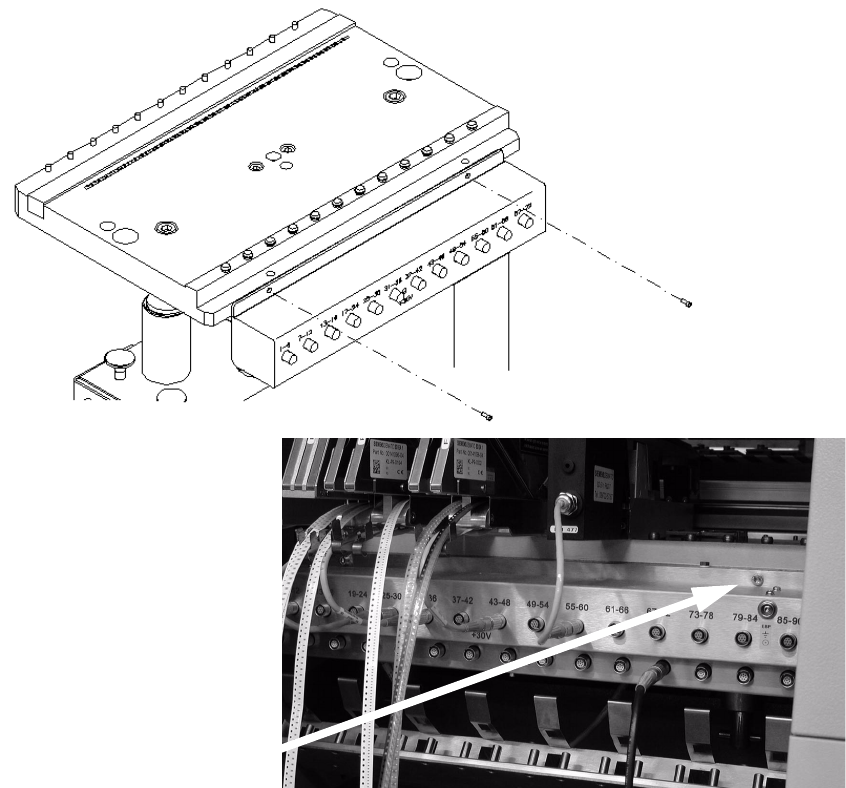
: Remove the communication interface by loosening the screws that fix the device to the chan-
geover table (Fig. 6 - 1), and unplugging the power and communication cables at the back.
2
Abb. 2.10 - 1 HF changeover table with communication interface
2
2
2
2
2
2
Retrofit instructions Splice Detection Basic Package + Table Controller SIPLACE HF-series
08/2005 Edition
28
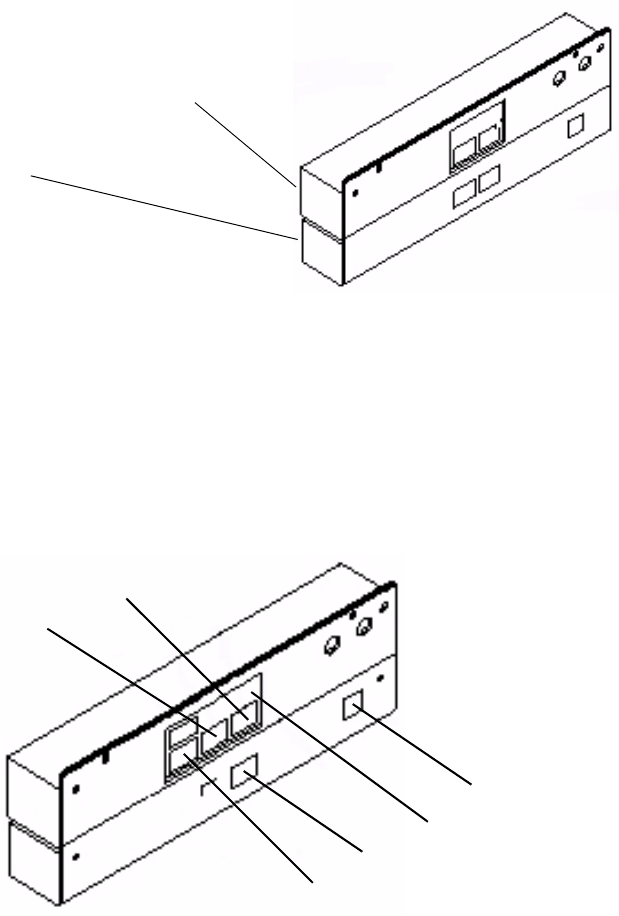
: Connect the communication interface and table controller (TC) to one another. The screws that
protrude from the communication interface should fit into the recesses in the table controller
case. If necessary, loosen the screws on the back of the table controller slightly (Fig. 6 - 2), fit
the communication interface and then tighten the screws once more.
2
Abb. 2.10 - 2 Communication interface and table controller (TC) connected to one another
: Plug in and secure the connectors that you removed when dismantling the communication in-
terface (Fig. 6 - 3).
: Plug the communication connector (9-pin) into socket #1 and the power supply connector (3-
pin) into socket #3. Screw the green/yellow grounding cable to the back panel of the TC using
a hexagon socket head screw.
2
Abb. 2.10 - 3 Whole unit showing the connector and ground positions
2
2
2
Communication unit
TC
#5
GND
#4
#3
#2
#1
Retrofit instructions Splice Detection Basic Package + Table Controller SIPLACE HF-series
08/2005 Edition
29
: Connect sockets #2 and #4 using the cable provided (03006409-01) (Fig. above).
: Now refit the complete device to the bed of the changeover table.
2
2
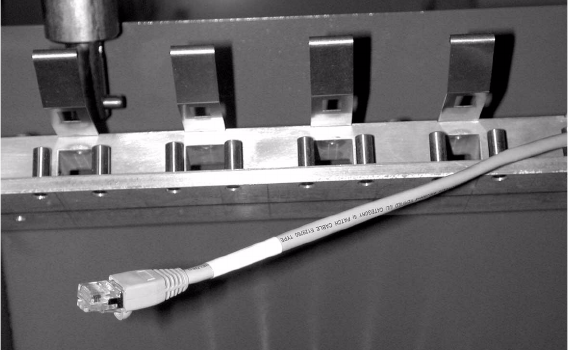
The CAT5 data cable, part no.: 03001303-01 (see picture), is fixed inside the machine using cable
ties. 2
: Plug the existing CAT5 data cable into socket #5. Then fix it to the bottom of the case using
cable clips.
: Push the component feeder table back into the machine.
2