TP1865.P-Tool for Dual Lane Machine.pdf - 第17页
SMT Software Eng ineering Group IM Operations Y AMAHA MOTOR CO., L TD. MDOC-SOFT50069 17/24 is active f or all lanes as f ixed board data. (5)[Detail] setting is extended. 2 [Create]-[ Det ail]-[Sta ge] is c ha nged to […
SMT Software Engineering Group
IM Operations YAMAHA MOTOR CO., LTD.
MDOC-SOFT50069
16/24
2.5. Optimizer
(1)Optimize of single combined program.
Each parts is used by all lane just after single program is combined. They are divided to all
lane automatically if it is optimized. Do optimize if the single combined program is used with
[Parallel Lanes].
(2)Optimize with same kind parts.
The parts that its name and feeder type is same on different lane on the lane with dual lane
machine are called as same kind parts. There are some cases that they are unified to one parts
in optimization.
If same kind parts have different parts group number, they are changed to same number. But
magnitude relation is kept. If they have contradiction, the error of optimization occurs.
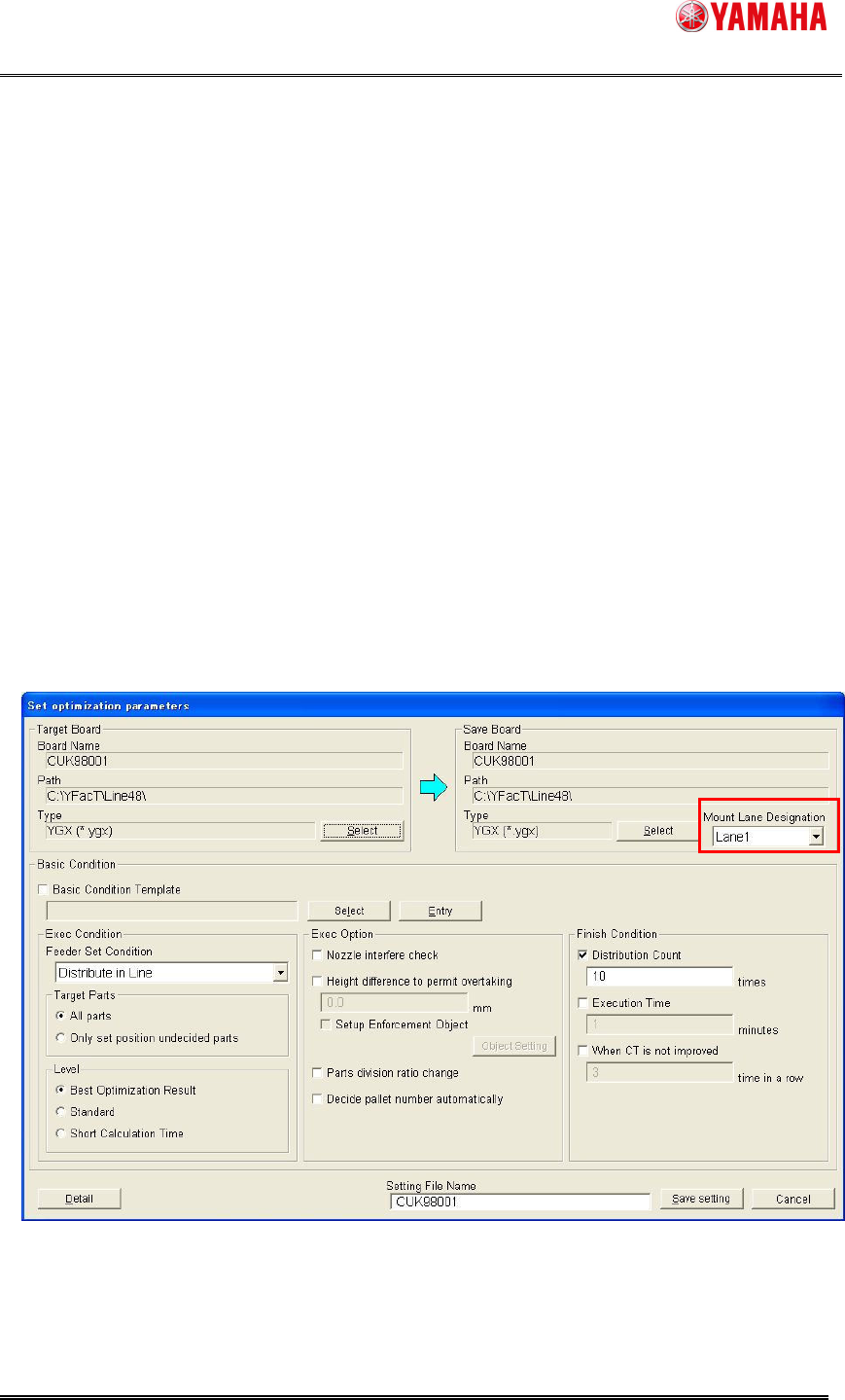
(3)[Set optimization parameters] dialog is extended.
[Mount Lane Designation] is added. It is added only with single board data and not displayed
with combined board data. It is able to decide to optimize the single board data for which lane.
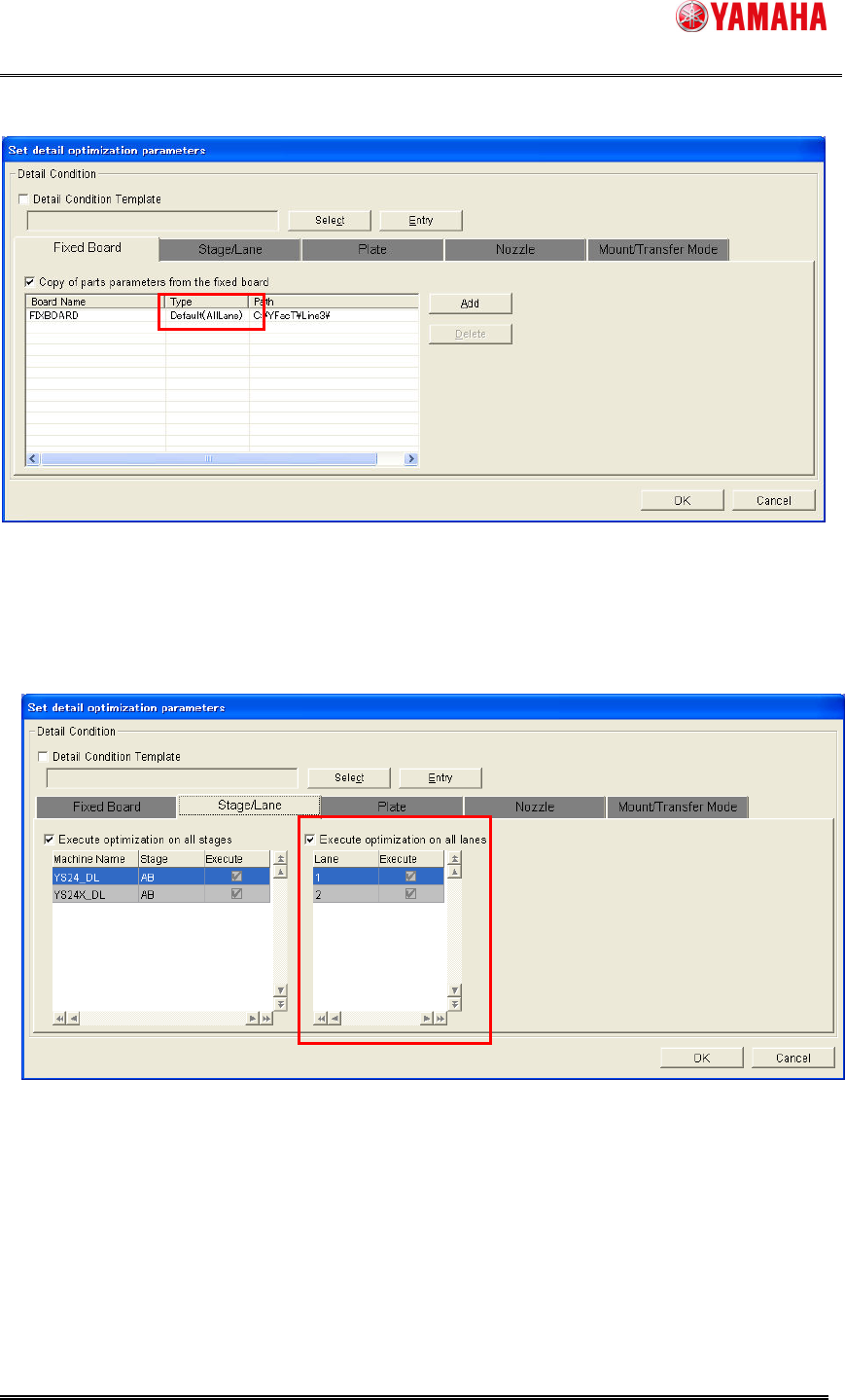
(4)[Detail] setting is extended. 1
[Create]-[Detail]-[Fixed Board] is extended for combined board data. The combined board data
SMT Software Engineering Group
IM Operations YAMAHA MOTOR CO., LTD.
MDOC-SOFT50069
17/24
is active for all lanes as fixed board data.
(5)[Detail] setting is extended. 2
[Create]-[Detail]-[Stage] is changed to [Stage/Lane]. It is able to select the optimized lane.
Normally it is recommended to optimize with all lane. If it is necessary to optimize with only one
lane, change this setting.
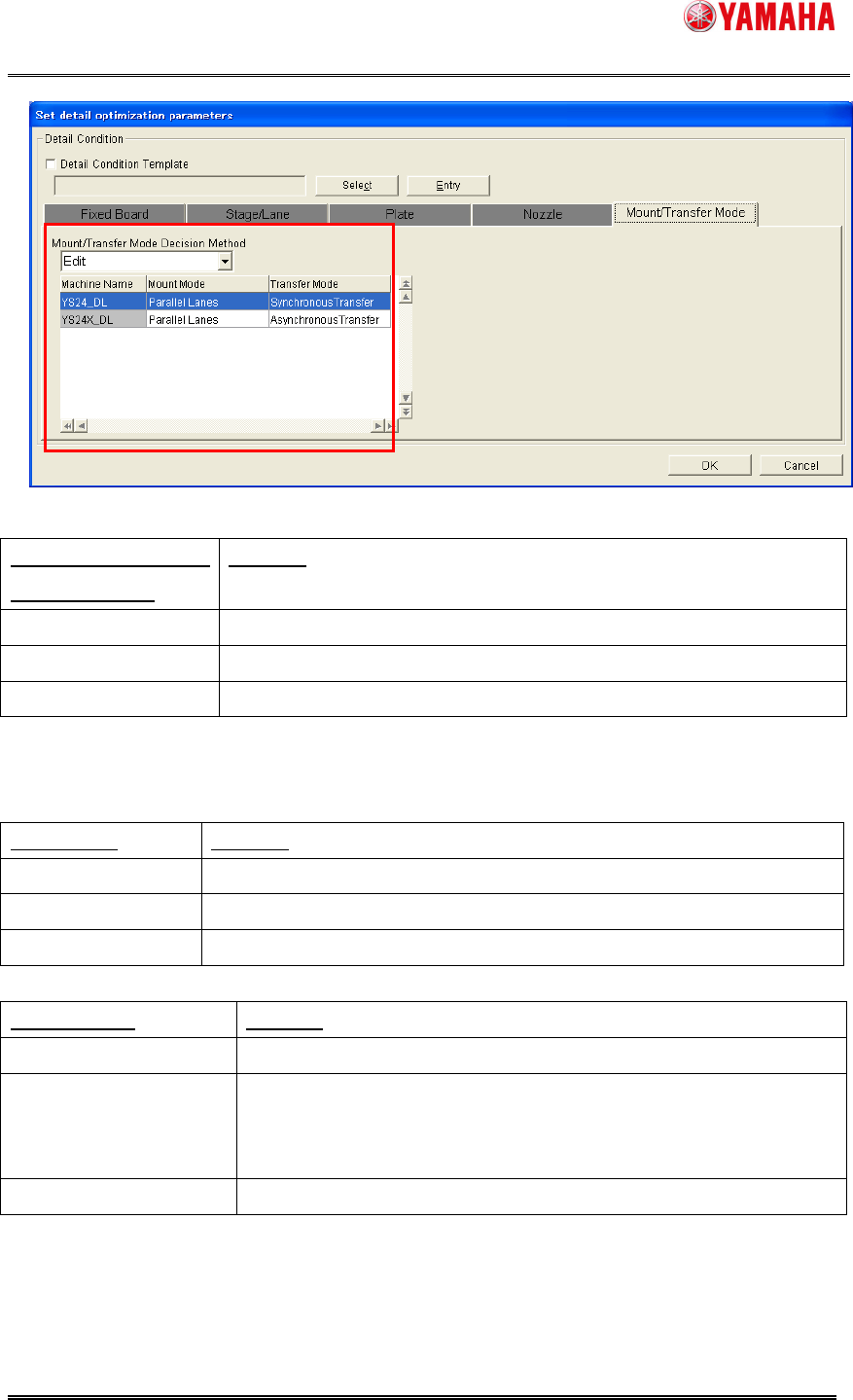
(6)[Detail] setting is extended. 3
[Create]-[Detail]-[Mount/Transfer Mode] is added. Normally it is recommended to set [Auto].
When it is set to [Auto], optimizer automatically decides proper “Mount Mode” and ”Transfer
Mode”.
SMT Software Engineering Group
IM Operations YAMAHA MOTOR CO., LTD.
MDOC-SOFT50069
18/24
Mount/Transfer Mode
Decision Method
Contents
Auto (Default) Optimizer decides mount and transfer mode automatically.
Edit Select mount and transfer mode manually.
Current Keep current mode of the board data.
[Mount Mode] and [Transfer Mode] below is editable only when [Mount/Transfer Mode Decision
Method] is [Edit].
Mount Mode Contents
Auto (Default) Optimizer decides mount mode automatically.
Parallel Lanes Optimizer outputs the result with [Parallel Lanes].
Alternate Lanes Optimizer outputs the result with [Alternate Lanes].
Transfer Mode Contents
Auto (Default) Optimizer decides transfer mode automatically.
Synchronous Transfer Optimizer outputs the result with [Synchronous Transfer].
* When [Mount Mode] is [Alternate Lanes], asynchronous transfer
result is outputted even if this is selected.
Asynchronous Transfer Optimizer outputs the result with [Asynchronous Transfer].