TP1865.P-Tool for Dual Lane Machine.pdf - 第9页
SMT Software Eng ineering Group IM Operations Y AMAHA MOTOR CO., L TD. MDOC-SOFT50069 9/24 2.3. Board Editor (1)Board data select dialog is exten ded . [Lane 1 B oard N ame] [Lane 1 Board Comm ent] [Lane 2 Bo ard Nam e] …
SMT Software Engineering Group
IM Operations YAMAHA MOTOR CO., LTD.
MDOC-SOFT50069
8/24
SMT Software Engineering Group
IM Operations YAMAHA MOTOR CO., LTD.
MDOC-SOFT50069
9/24
2.3. Board Editor
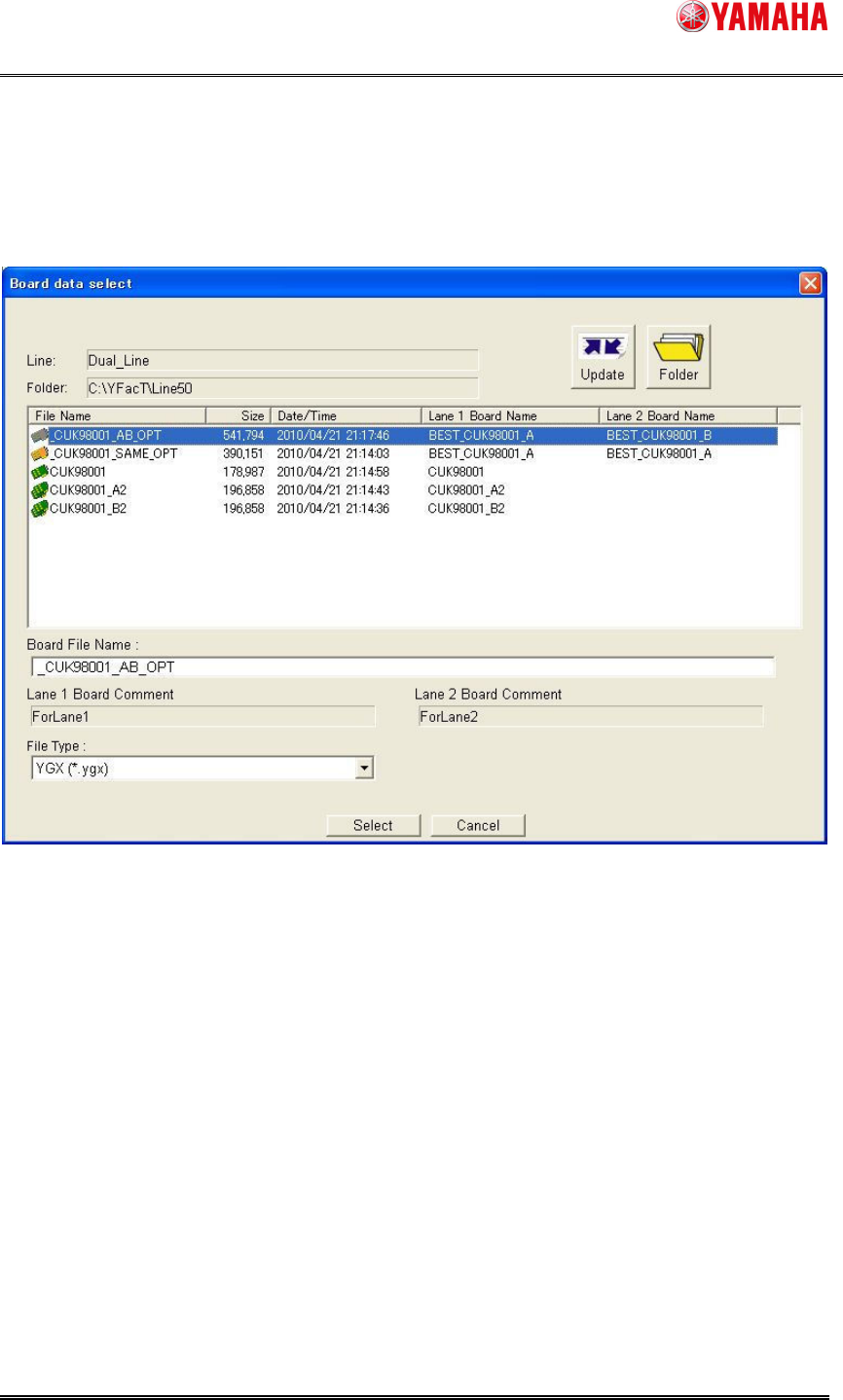
(1)Board data select dialog is extended.
[Lane 1 Board Name] [Lane 1 Board Comment] [Lane 2 Board Name] [Lane 2 Board Comment]
are added. On the line without dual lane machine, the former dialog is displayed.
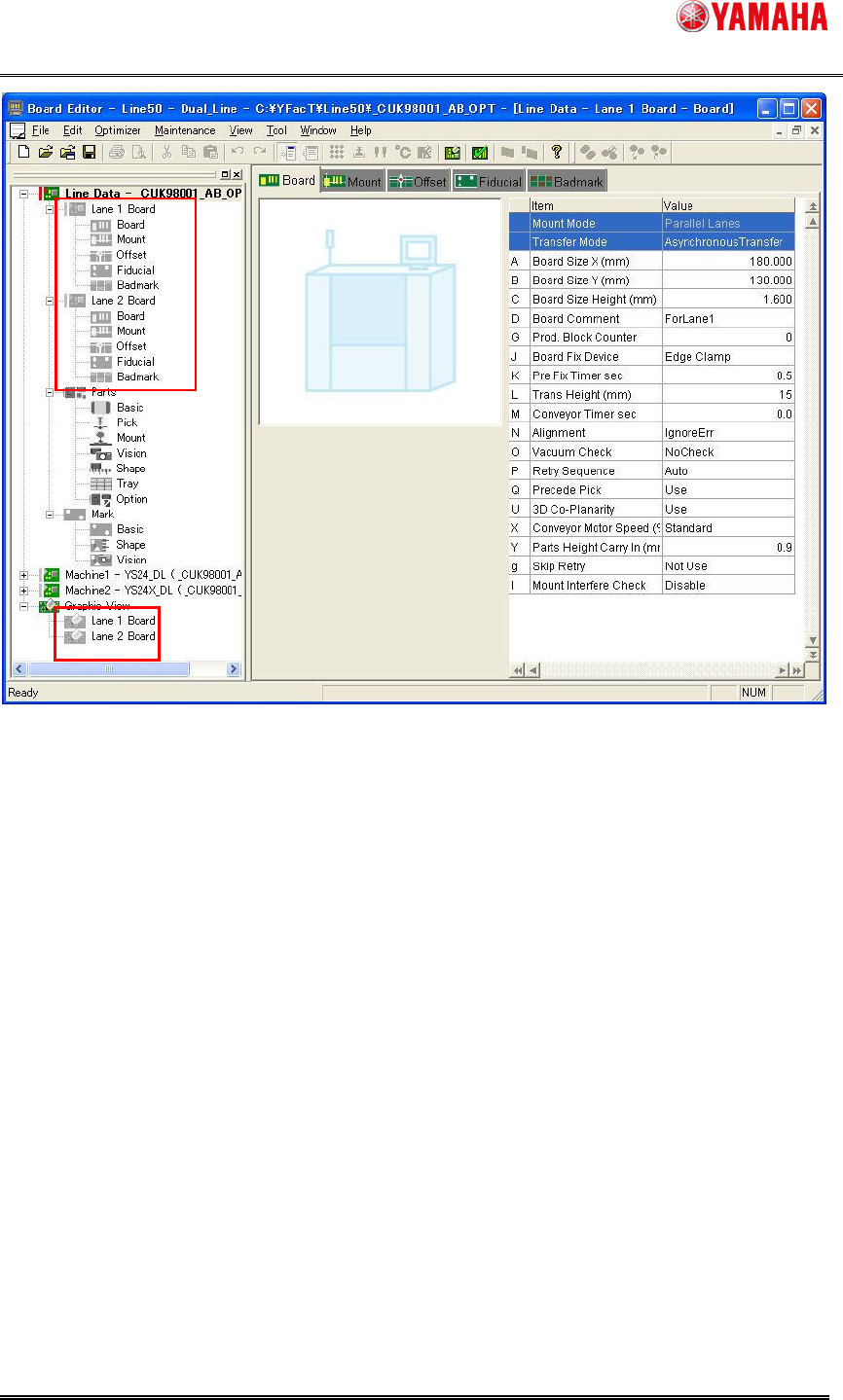
(2)The tree view is extended.
Reading YGX(Combined) board data, [Lane 1 Board][Lane 2 Board] are displayed on board data
and graphic view. When it is selected, the information for each lane is displayed.
SMT Software Engineering Group
IM Operations YAMAHA MOTOR CO., LTD.
MDOC-SOFT50069
10/24
(3)[Lane] column is added on [Mount] information.
It shows which lane each mount data.on YGX(Combined) board data, when mount information
for each lane is opened, [Mount] column is filtered by selected lane.