TP1865.P-Tool for Dual Lane Machine.pdf - 第4页
SMT Software Eng ineering Group IM Operations Y AMAHA MOTOR CO., L TD. MDOC-SOFT50069 4/24 2.2. Board Explorer (1)[Menu] - [View] – [M ulti Lane View] is added. The following point s are ch anged when it i s checked O N.…
SMT Software Engineering Group
IM Operations YAMAHA MOTOR CO., LTD.
MDOC-SOFT50069
3/24
2.1.2. Mount Mode
Dual Lane Machine can product with following mount mode.
Mount Mode Feature
Parallel Each head mounts only for each lane.
Alternate Front lane and rear lane are mounted in order.
It is set automatically when created by combining some single board data according to the
parts arrangement.
It is added to Board Information, but it is not able to edit. It is changed only by optimizer.
2.1.3. Transfer Mode
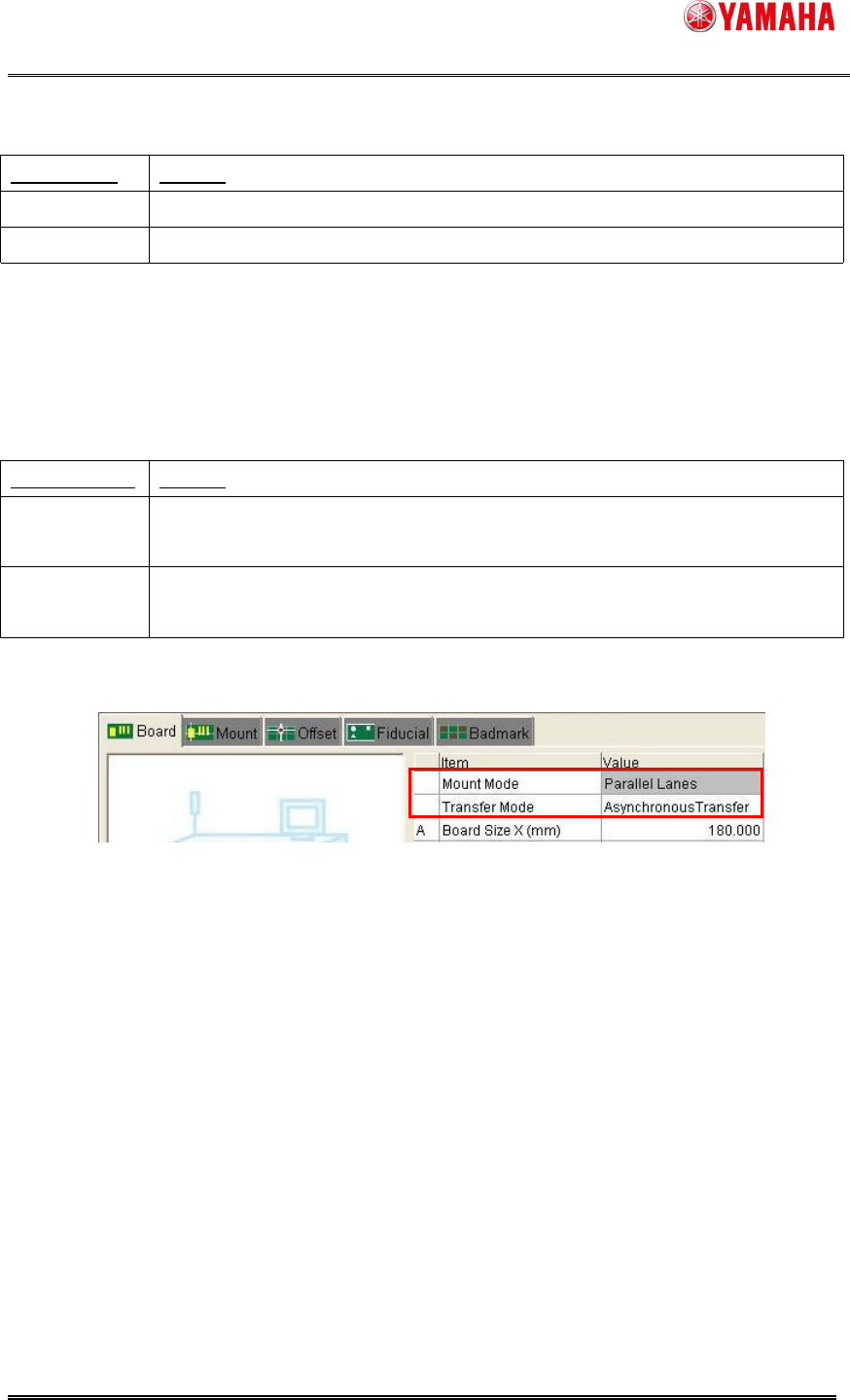
Dual Lane Machine can product with following transfer mode.
Transfer Mode
Feature
Asynchronous
Transfer
Each lane decides the timing to start or finish to transfer.
Synchronous
Transfer
Both lane synchronize the timing to start or finish to transfer.
It is not used with [Parallel Lanes]. Data check error occurs with both setting.
It is added to Board Information, it is able to edit.
SMT Software Engineering Group
IM Operations YAMAHA MOTOR CO., LTD.
MDOC-SOFT50069
4/24
2.2. Board Explorer
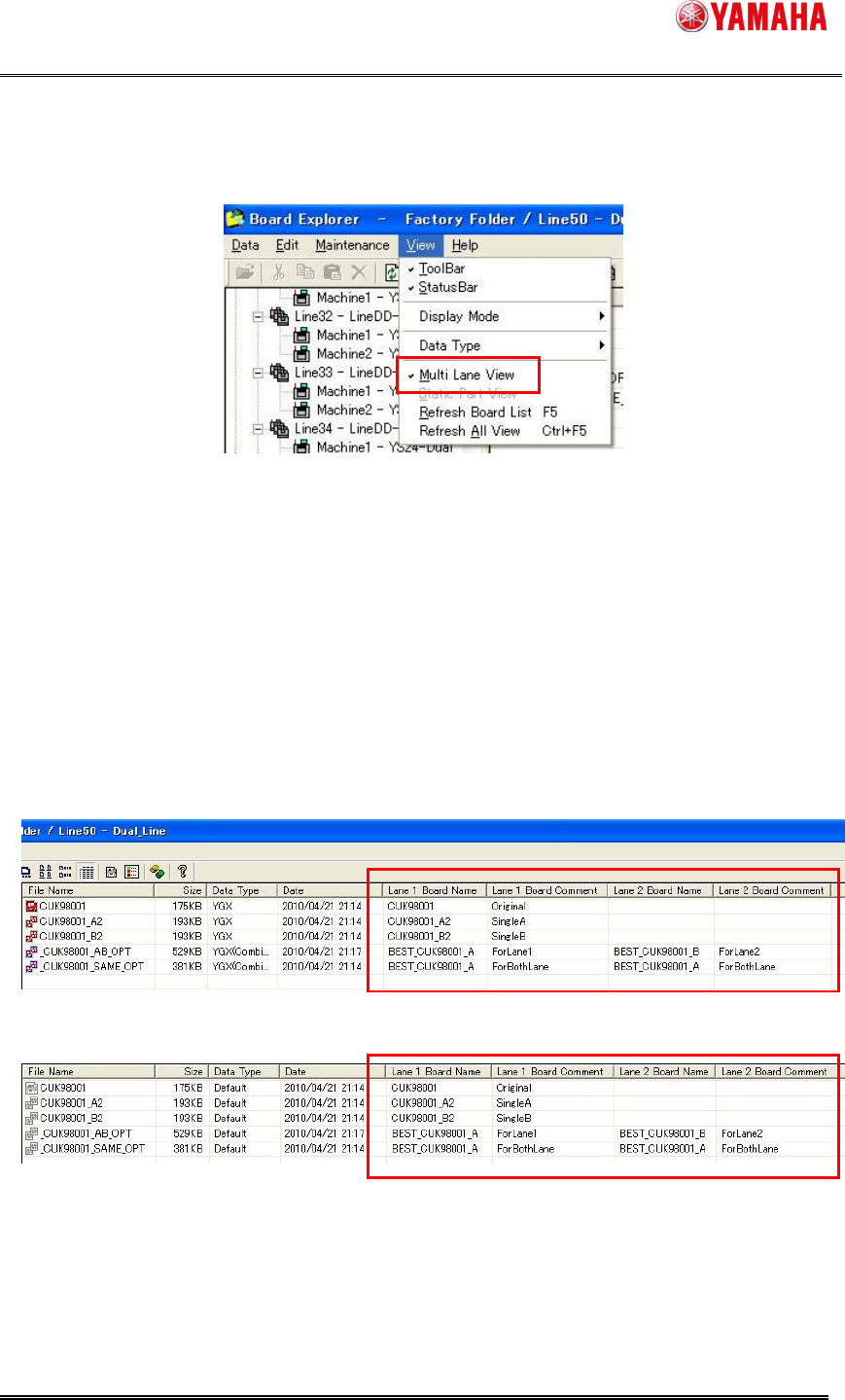
(1)[Menu] - [View] – [Multi Lane View] is added.
The following points are changed when it is checked ON.
[Lane 1 Board Name] [Lane 1 Board Comment] [Lane 2 Board Name] [Lane 2 Board
Comment] columns are added on main view.
In case of combined board data, the board name and comment of each lane can be
checked.
In case of YGX on Dual Lane Machine, the position of lane is changed according to
lane setting.
In case of other data type, VIOS, VIOS-TEXT, etc. the position is always on lane 1.
[Normal Mode]
[Default Mode]
Multi Lane Utility can be used. Refer [2.1.1. Multi Lane Utility] about details of Multi Lane
Utility.
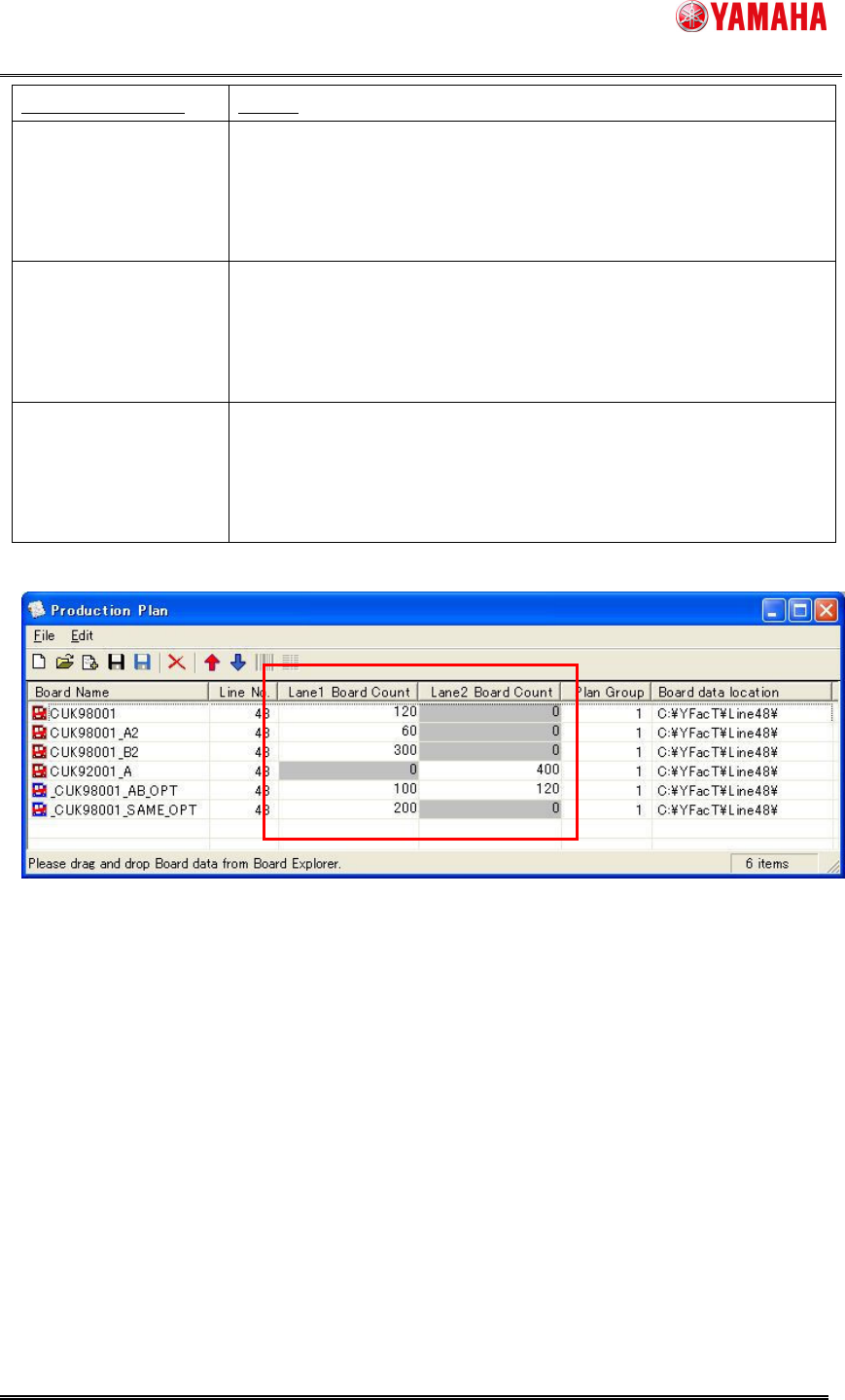
Production Plan dialog is extended for board count of dual lane.
SMT Software Engineering Group
IM Operations YAMAHA MOTOR CO., LTD.
MDOC-SOFT50069
5/24
Kind of Board Data Setting
Single Board Data
YGX
Only the board count of single lane of internal setting is able to edit.
As following sample, [CUK98001][CUK98001_A2][CUK98001_B2]
are produced only on lane 1, and [CUK92001_A] is done only on
lane 2.
Combined Board Data
YGX(Combined)
Same Board Same
Side
Only lane 1 is able to edit. Enter the total count produced by all
lanes. As following sample, [_CUK98001_SAME_OPT] is set (200,
0), it is produced 200 board the total sum on machine.
Combined Board Data
YGX(Combined)
Same Board Both Side
It is able to edit for both lane. Enter the board count for each lane. As
following sample, [_CUK98001_AB_OPT], the board on lane 1 are
produced 100 board, and the board on lane 2 are produced 120
board.
(2)The icon for YGX(Combined) is added. Check on Board Type & Icon.