TP1865.P-Tool for Dual Lane Machine.pdf - 第5页
SMT Software Eng ineering Group IM Operations Y AMAHA MOTOR CO., L TD. MDOC-SOFT50069 5/24 Kind of B oard Data Setting Single Board Data YGX Only the board c ount of single lane of i nternal sett ing is able to edit. As …
SMT Software Engineering Group
IM Operations YAMAHA MOTOR CO., LTD.
MDOC-SOFT50069
4/24
2.2. Board Explorer
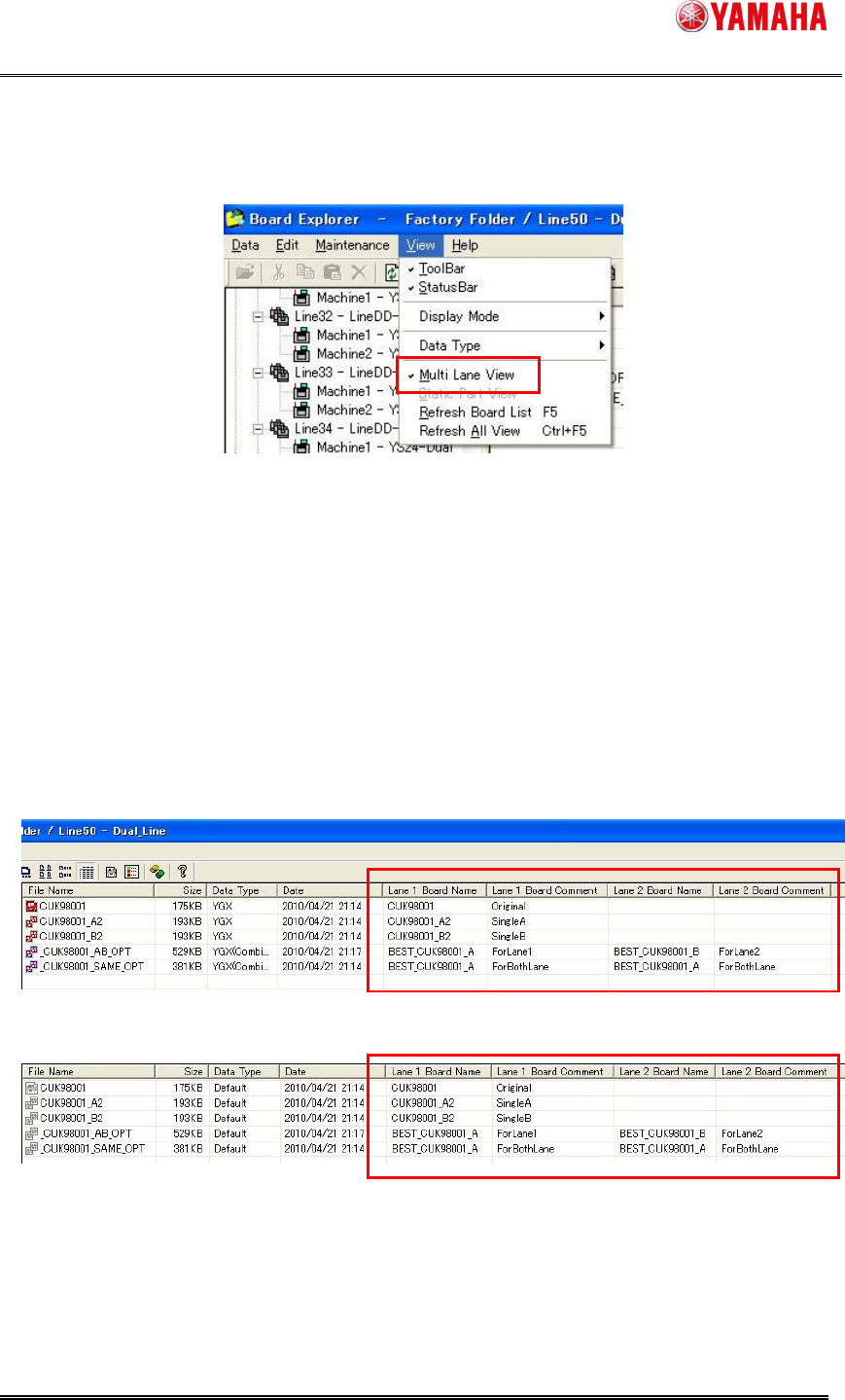
(1)[Menu] - [View] – [Multi Lane View] is added.
The following points are changed when it is checked ON.
[Lane 1 Board Name] [Lane 1 Board Comment] [Lane 2 Board Name] [Lane 2 Board
Comment] columns are added on main view.
In case of combined board data, the board name and comment of each lane can be
checked.
In case of YGX on Dual Lane Machine, the position of lane is changed according to
lane setting.
In case of other data type, VIOS, VIOS-TEXT, etc. the position is always on lane 1.
[Normal Mode]
[Default Mode]
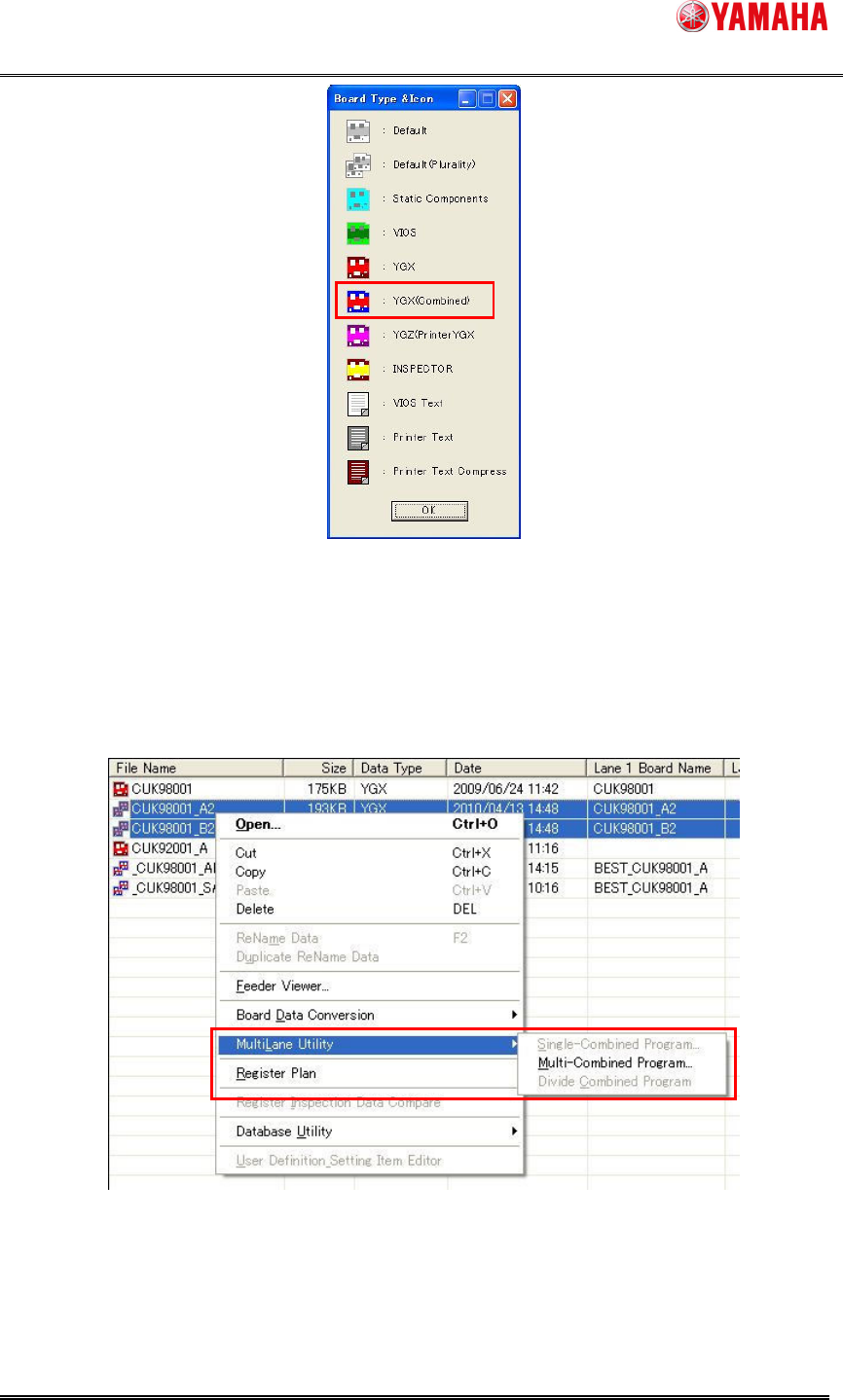
Multi Lane Utility can be used. Refer [2.1.1. Multi Lane Utility] about details of Multi Lane
Utility.
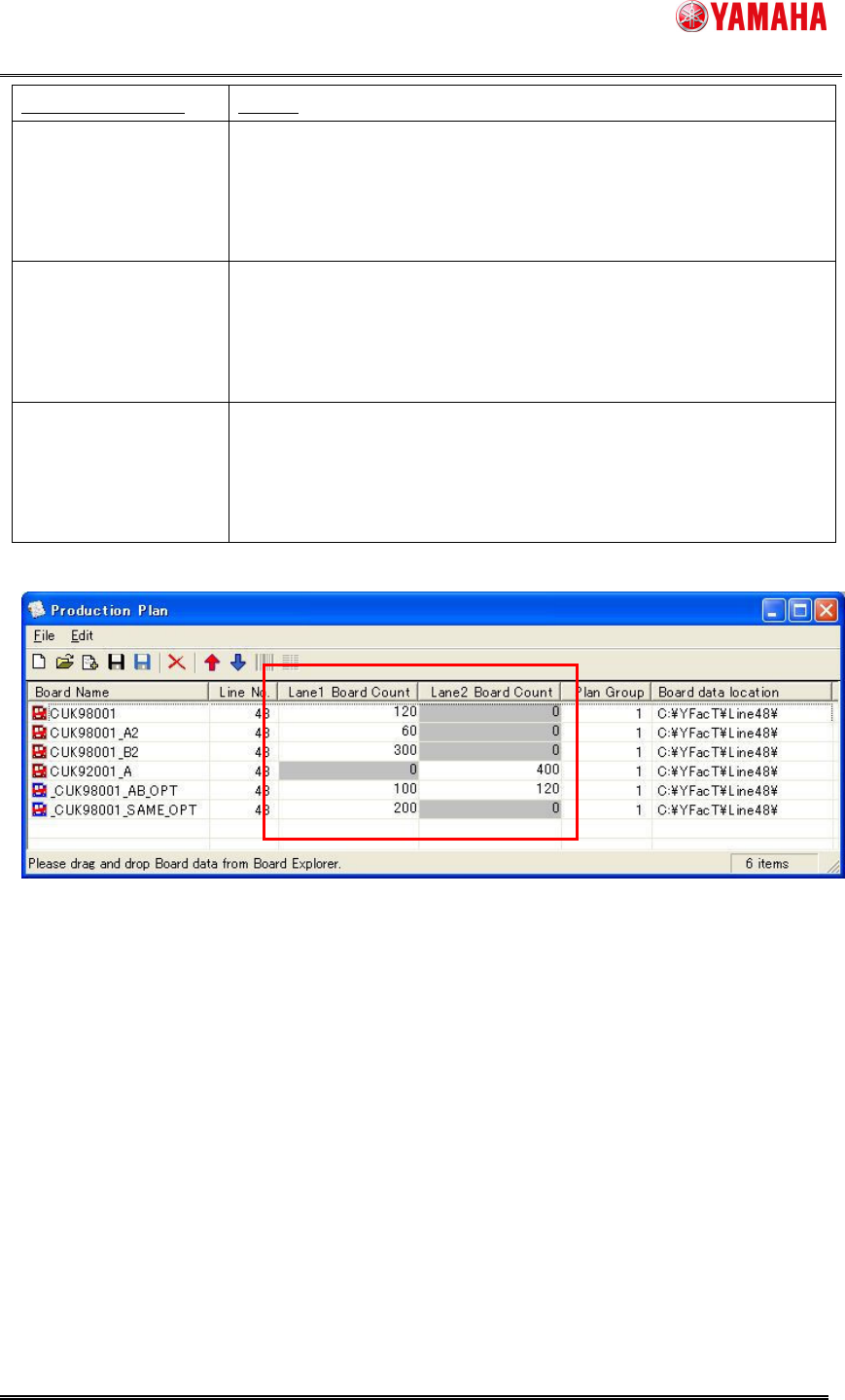
Production Plan dialog is extended for board count of dual lane.
SMT Software Engineering Group
IM Operations YAMAHA MOTOR CO., LTD.
MDOC-SOFT50069
5/24
Kind of Board Data Setting
Single Board Data
YGX
Only the board count of single lane of internal setting is able to edit.
As following sample, [CUK98001][CUK98001_A2][CUK98001_B2]
are produced only on lane 1, and [CUK92001_A] is done only on
lane 2.
Combined Board Data
YGX(Combined)
Same Board Same
Side
Only lane 1 is able to edit. Enter the total count produced by all
lanes. As following sample, [_CUK98001_SAME_OPT] is set (200,
0), it is produced 200 board the total sum on machine.
Combined Board Data
YGX(Combined)
Same Board Both Side
It is able to edit for both lane. Enter the board count for each lane. As
following sample, [_CUK98001_AB_OPT], the board on lane 1 are
produced 100 board, and the board on lane 2 are produced 120
board.
(2)The icon for YGX(Combined) is added. Check on Board Type & Icon.
SMT Software Engineering Group
IM Operations YAMAHA MOTOR CO., LTD.
MDOC-SOFT50069
6/24
2.2.1. Multi Lane Utility
Multi Lane Utility is tool to combine the single board data or divide the combined board data.
It is able to use by selecting the board data and clicking the right mouse button. Attention that It
is active with [Menu] – [View] – [Multi Lane View] is ON, and only on line data. It is not active
on the board data of each machine.
1. Single-Combined Program
It is able to combine to the board data for same board and same side. It is active only on line
with dual lane machine and one single board data is selected on main view. On the following
dialog, enter the combined board name and push [Combine] button.