TP1865.P-Tool for Dual Lane Machine.pdf - 第8页
SMT Software Eng ineering Group IM Operations Y AMAHA MOTOR CO., L TD. MDOC-SOFT50069 8/24
SMT Software Engineering Group
IM Operations YAMAHA MOTOR CO., LTD.
MDOC-SOFT50069
7/24
2. Multi-Combined Program
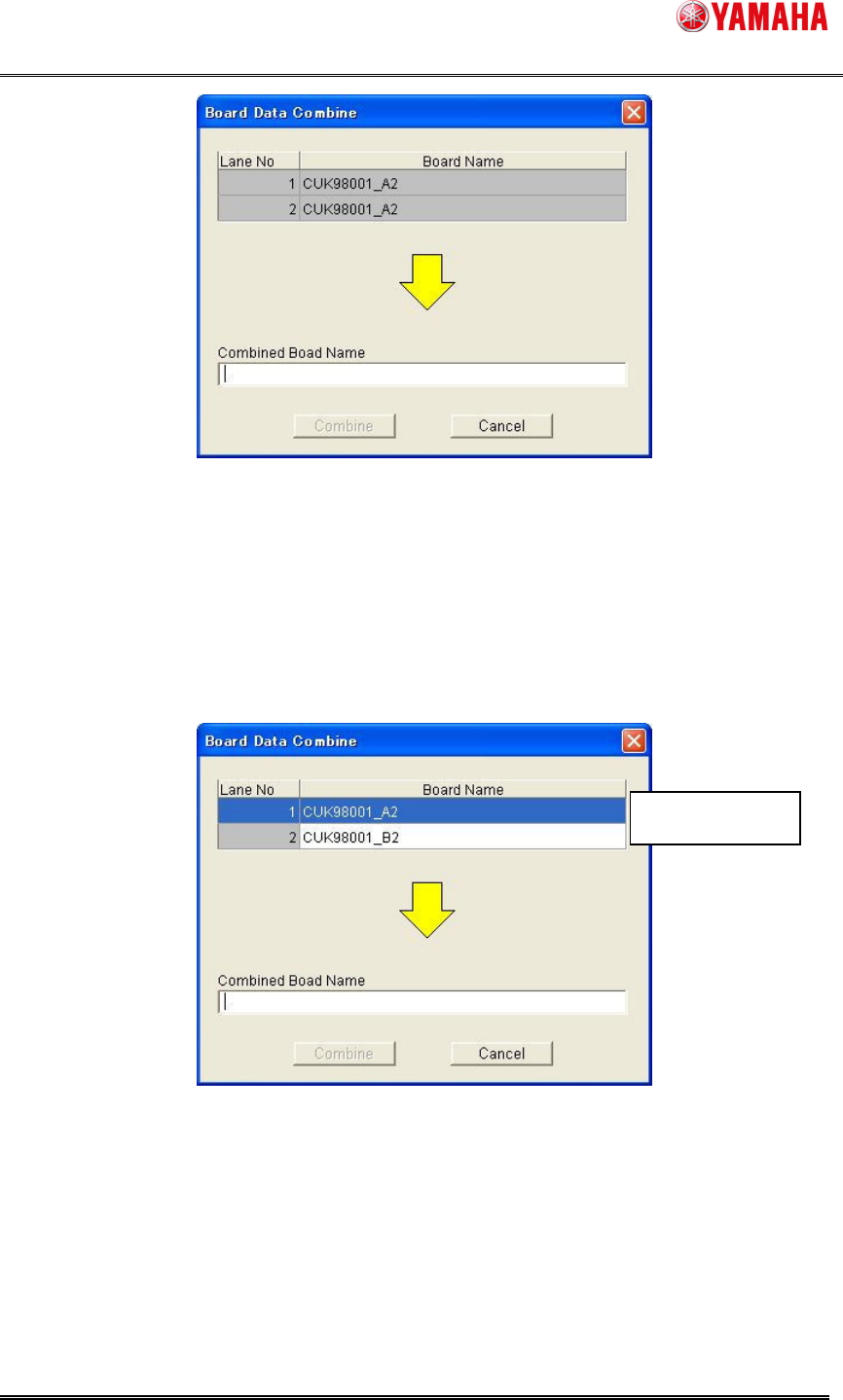
It is able to combine the board data for same board and both side. It is active only on line with
dual lane machine and some single board data are selected on main view. On the following
dialog, it is able to select the combination of lane number and board data. Enter the combined
board name and push [Combine] button. The mount mode (Parallel or Alternate) is set
automatically from the parts arrangement.
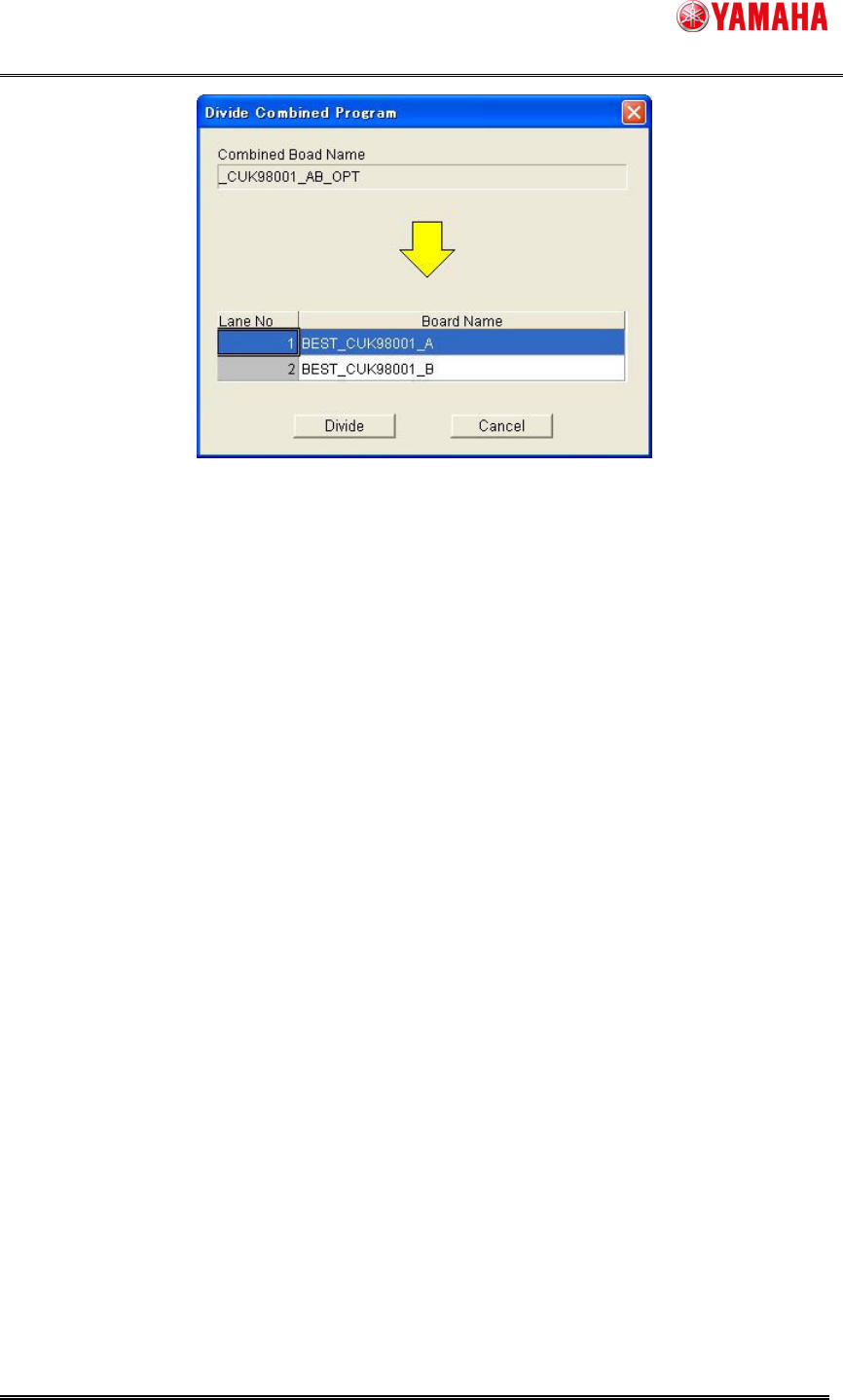
3. Divide Combined Program
It is able to divide the combined board data. It is active only when the combined board data is
elected on main view. On the following dialog, enter the divided board name and push [Divide]
button.
←Changeable
SMT Software Engineering Group
IM Operations YAMAHA MOTOR CO., LTD.
MDOC-SOFT50069
8/24
SMT Software Engineering Group
IM Operations YAMAHA MOTOR CO., LTD.
MDOC-SOFT50069
9/24
2.3. Board Editor
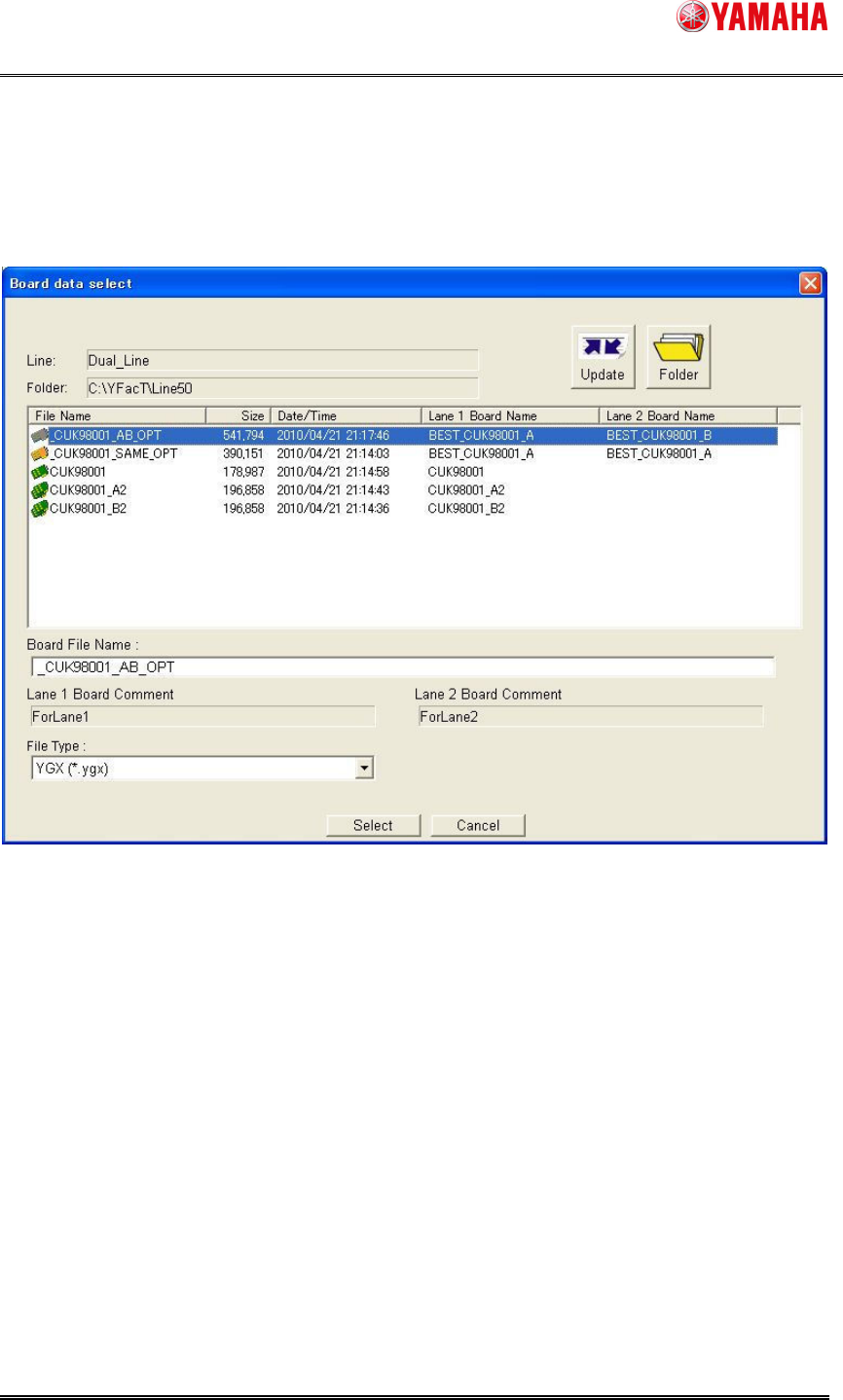
(1)Board data select dialog is extended.
[Lane 1 Board Name] [Lane 1 Board Comment] [Lane 2 Board Name] [Lane 2 Board Comment]
are added. On the line without dual lane machine, the former dialog is displayed.
(2)The tree view is extended.
Reading YGX(Combined) board data, [Lane 1 Board][Lane 2 Board] are displayed on board data
and graphic view. When it is selected, the information for each lane is displayed.