00198351-01_AI_Location 2 Upgrade Kit_E by SIPLACE_en.pdf - 第25页
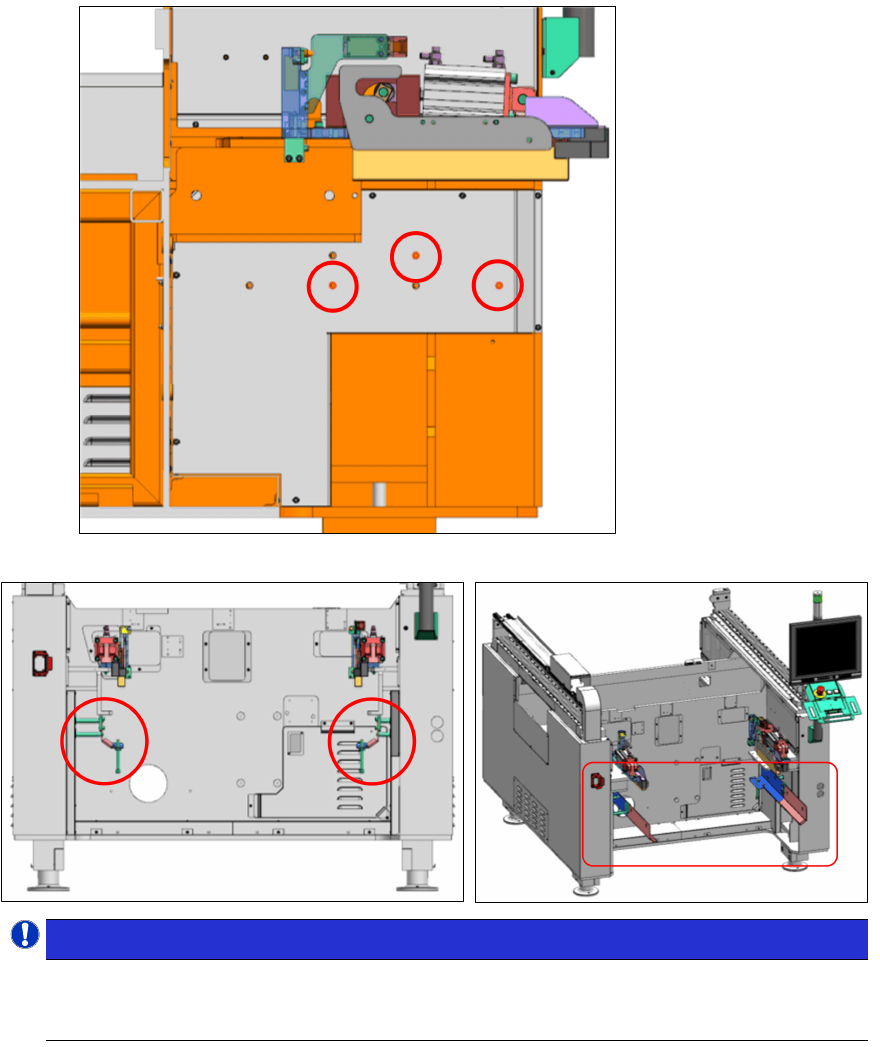
Assembly Instructions E by SIPLACE Location 2 Upgrade Kit 04/2017 2 Installation of Location 2 Upgrade Kit 2.3 Recommended Installation Steps 25 Twin / Flex: NOTICE! Standoffs used on location 2 The longer standoffs M8…
2 Installation of Location 2 Upgrade Kit
2.3 Recommended Installation Steps
Assembly Instructions E by SIPLACE
Location 2 Upgrade Kit 04/2017
24
► Mount the side panel covers back in
place onto the machine frame.
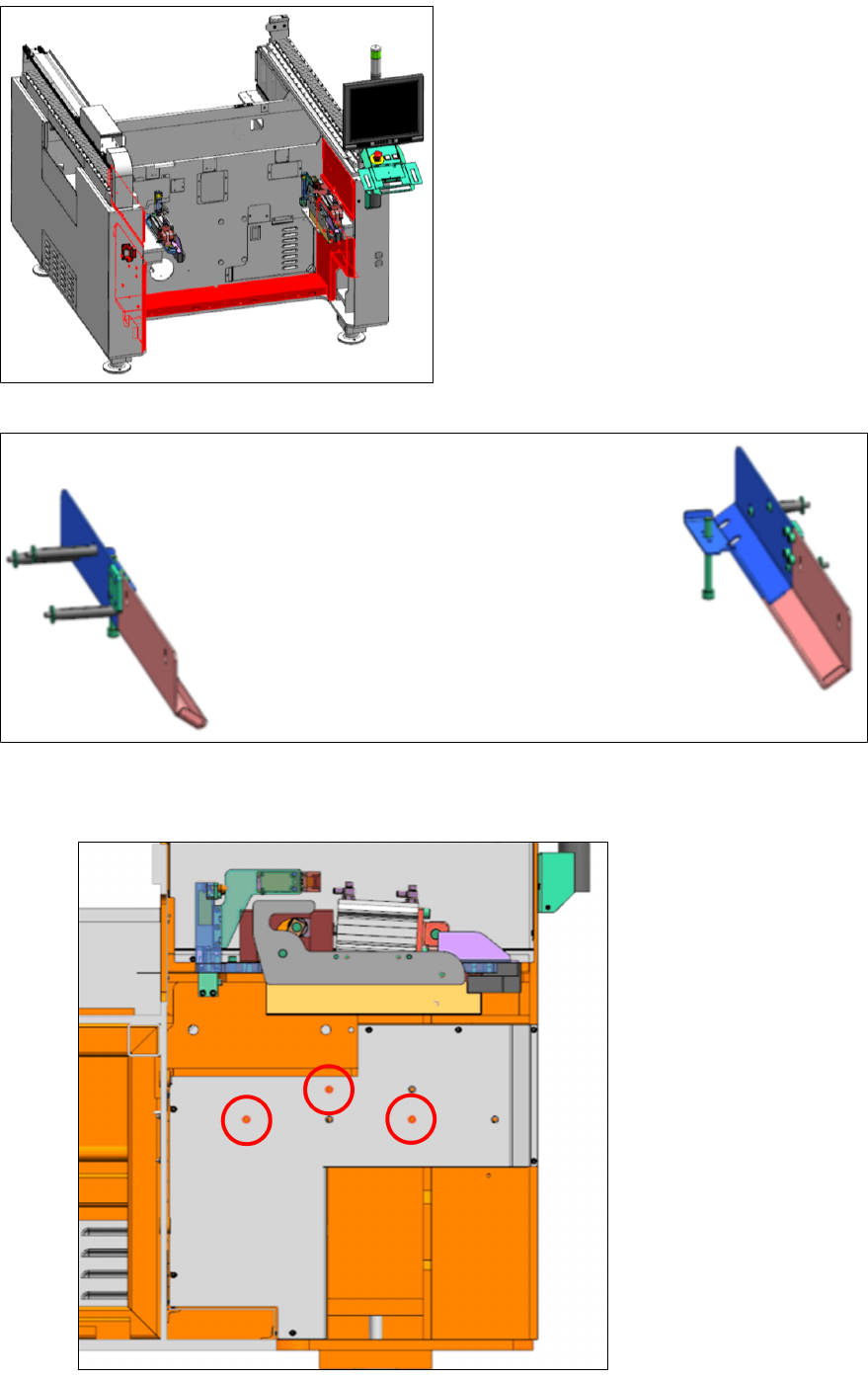
► Install the Tape cutter mount assy [03106702-xx]. Depending on your machine type use the
indicated holes to mount the tape cutter side brackets as shown below. Pay attention that
there are different standoffs (see below).
Speed:
Assembly Instructions E by SIPLACE
Location 2 Upgrade Kit 04/2017
2 Installation of Location 2 Upgrade Kit
2.3 Recommended Installation Steps
25
Twin /
Flex:
NOTICE!
Standoffs used on location 2
The longer standoffs M8x84 [03106718-xx] are on the left.
The shorter standoffs M8x38 [03106776- xx] are on the right.
.
2 Installation of Location 2 Upgrade Kit
2.4 Installing the E-series Tape Cutter [03105585-xx]
Assembly Instructions E by SIPLACE
Location 2 Upgrade Kit 04/2017
26
2.4 Installing the E-series Tape Cutter [03105585-xx]
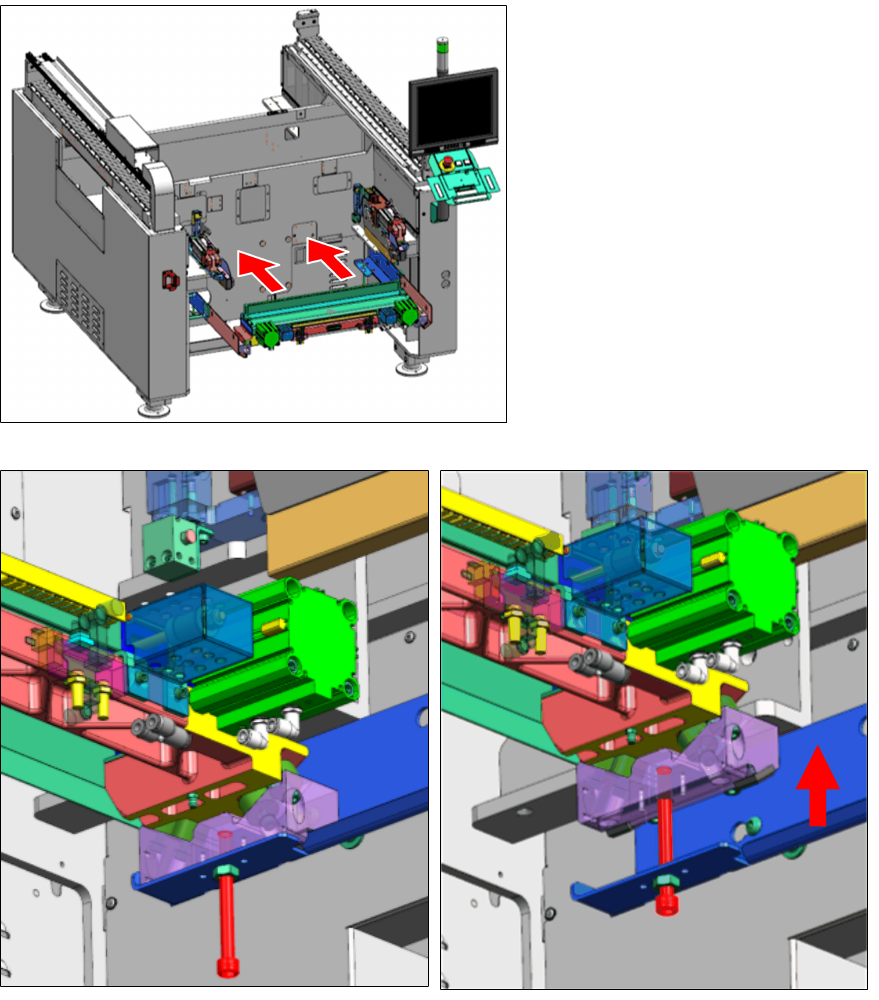
► Place the tape cutter onto the
brackets and slide it into the ma-
chine.
► Align the side holder block blind
hole with the lifting screw hole.
► Fasten the M10x100 screw (1 piece) on each side (left & right) synchronously to lift up the
tape cutter.