TK55253.FeederMaintenanceNotice.pdf - 第12页
Product Engineering Division SMT Sect ion Robotics Operations Y AMAHA MOTOR CO., L TD. MDOC-SOFT50282 12/ 21 3.5 Production Monitor On [Monitor]-[Production] screen, fe eders of stop level are displayed in Red. Only the …
Product Engineering Division
SMT Section
Robotics Operations
YAMAHA MOTOR CO., LTD.
MDOC-SOFT50282
11/21
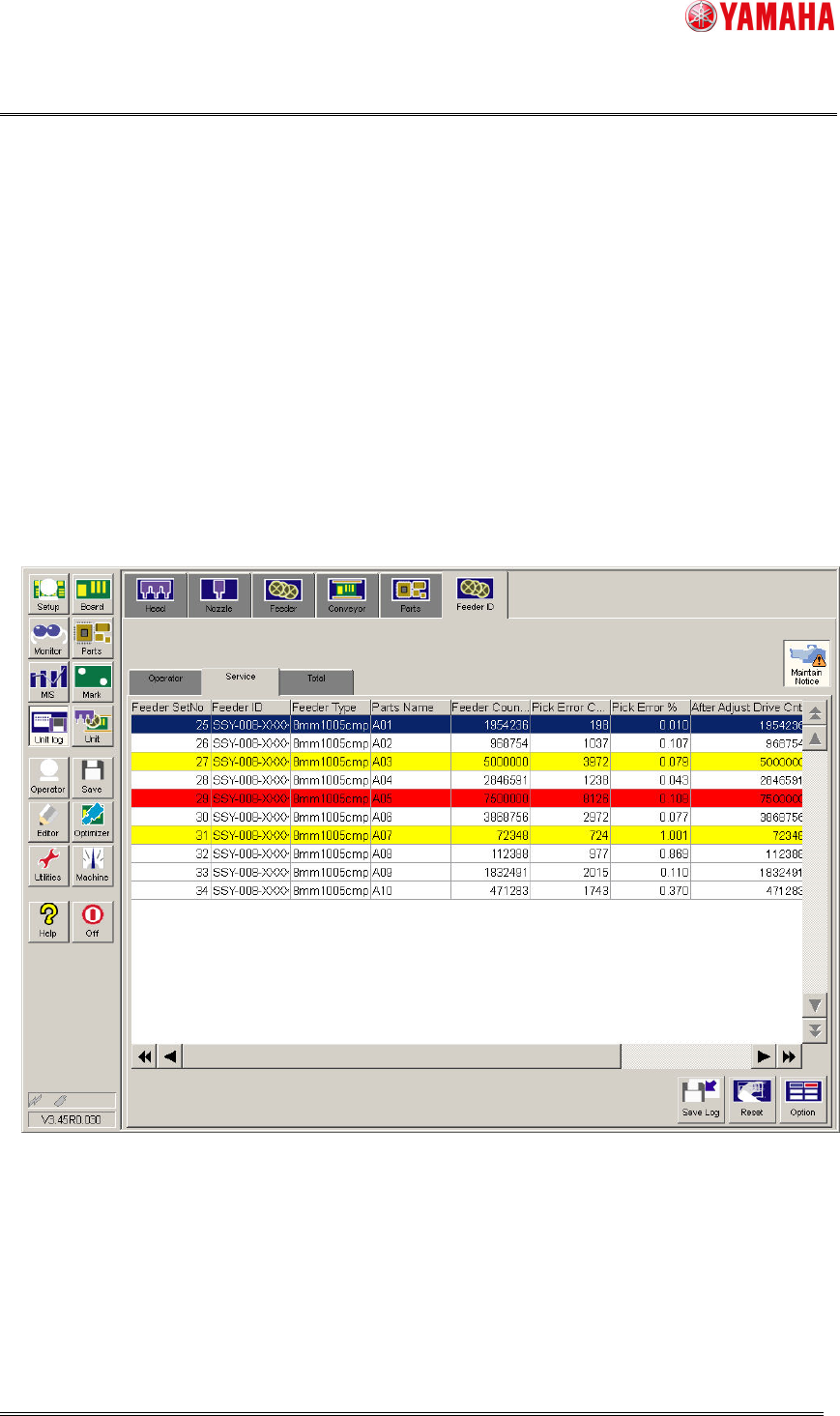
3.4 Notification on [Feeder ID Log] screen
On [Unit log]-[Feeder ID] screen ([Operator] tab and [Service] tab), feeders of the
maintenance level are displayed in different colors.
・ Yellow means that the feeder has reached “Notice Cnt”, “Notice Correct X”, “Notice
Correct Y”, “Notice Err Rate”, and “Notice Drive Cnt After Tape Guide
Maintenance”
▲3
.
・ Red means that the feeder has reached “Stop Cnt”, “Stop Correct X”, “Stop Correct
Y”, “Stop Err Rate”, and “Stop Drive Cnt After Tape Guide Maintenance”
▲3
.
If you do not need the notification, release [Maintain Notice] button, so that the feeder
maintenance notice is not displayed. However, feeder maintenance stop is still displayed.
- This function refers to the pickup error rate only on [Service] tab.
Fig 3.7 The [Unit log]-[Feeder ID] screen
“After Adjust Drive Cnt”, “After Adjust Drive Cnt”, “Feeder MACS Correct” and “Drive Cnt
After Tape Guide Maintenance”
▲3
are not initialized by [RESET] button on
[Operator]/[Service] tab.
Product Engineering Division
SMT Section
Robotics Operations
YAMAHA MOTOR CO., LTD.
MDOC-SOFT50282
12/21
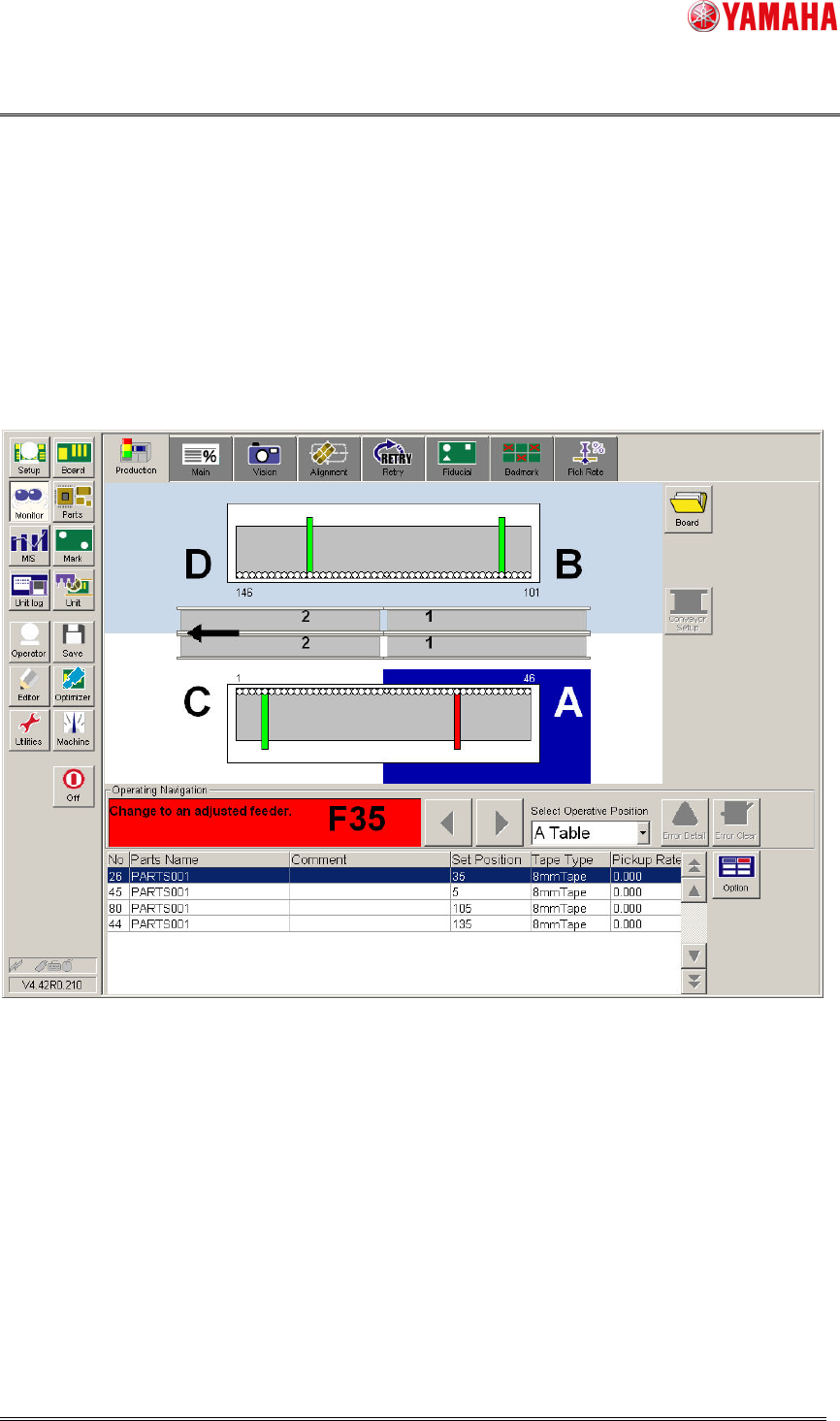
3.5 Production Monitor
On [Monitor]-[Production] screen, feeders of stop level are displayed in Red. Only the
feeders attached and used for production are displayed. The maintenance stop function
can be enabled on Machine Setting (4.2 Machine Setting). It is disabled by default. Also, if
there is a feeder that satisfies the maintenance stop conditions, auto-running cannot start.
▲1
In that case, change the feeder or adjust it on SS Tune-up Station.
Fig 3.8 The [Monitor]-[Production] screen
Product Engineering Division
SMT Section
Robotics Operations
YAMAHA MOTOR CO., LTD.
MDOC-SOFT50282
13/21
4. Setting Method
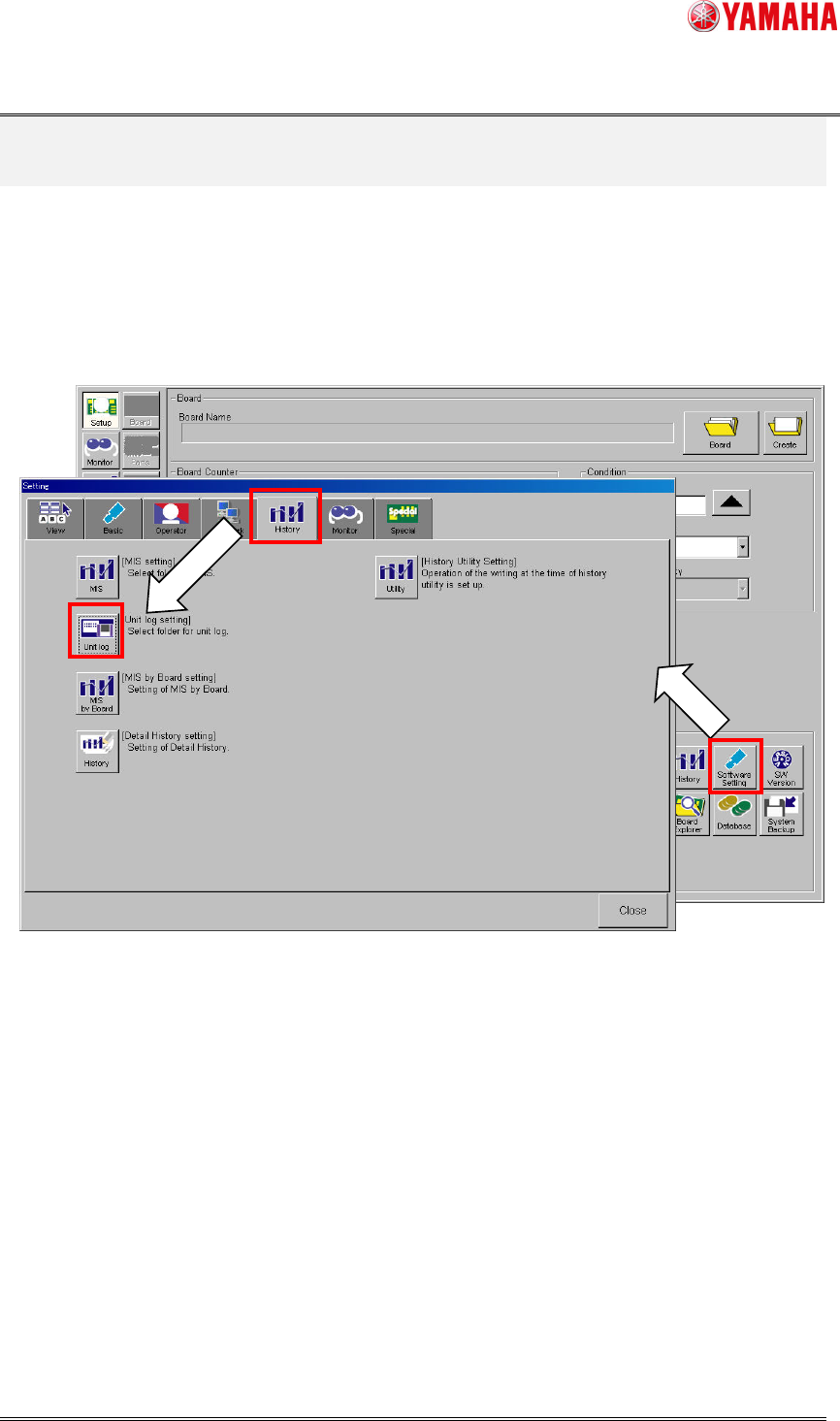
4.1 Software Setting
To enable this function, open [Software Setting]-[History]-[Unit log]-[Log Setting]-
[Management of ID log] screen, and check [Maintenance Notice] check box. When this item
is unchecked, this function does not work.
Fig 4.1 [Software Setting]-[History]