00197702-04_VD_SIPLACE-OIB-4.3_EN.pdf - 第32页
Version Descript ion SIPLAC E OIB 4 . 3 05/201 6 E dition 32 → The re - index ing inf orm ation is stor ed in the dat abase and can be ex ported at any tim e. T his can be done via Progra ms - >SIPLAC E Pro -> Admi…
Version Description
SIPLACE OIB 4.3 05/2016 Edition
31
→
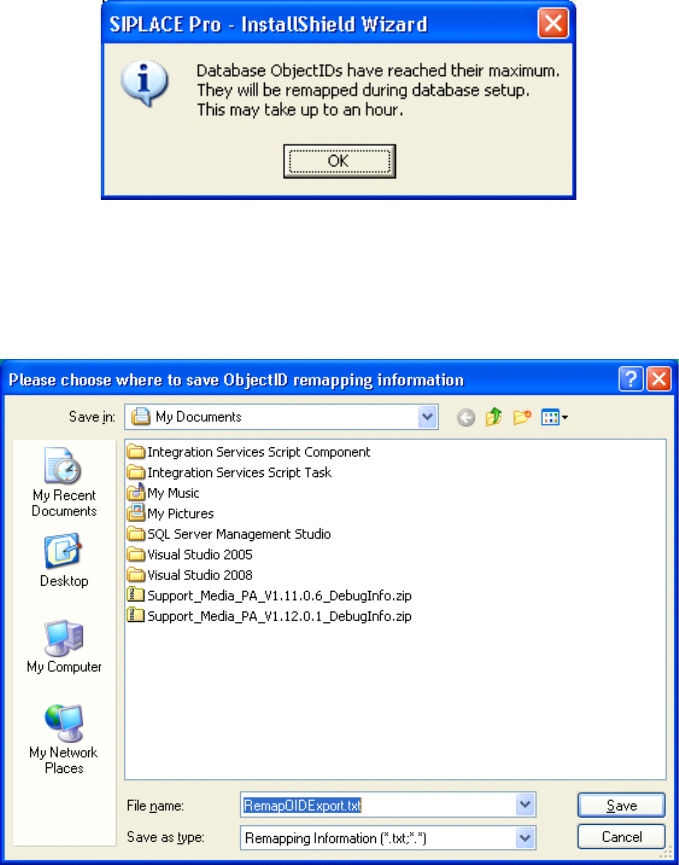
If the SIPLACE Pro database allocates over 80% of the available indices the re-indexing is required
and the customer will be informed with the above dialog.
→
The installation will ask for a filename and path where you want to save the remapping information.
After that the installation will continue and perform the re-indexing, which might take some time.
Version Description
SIPLACE OIB 4.3 05/2016 Edition
32
→
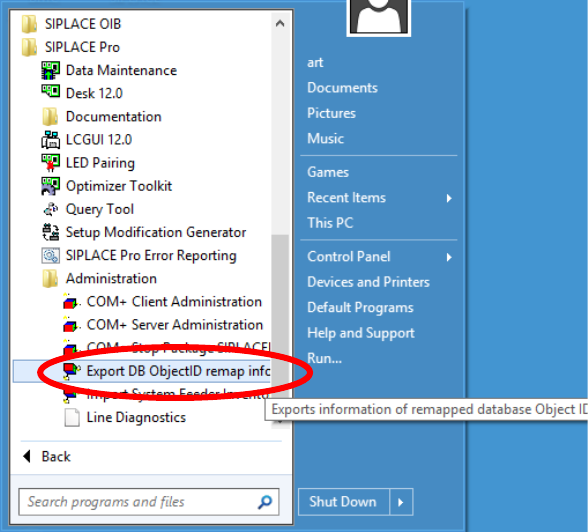
The re-indexing information is stored in the database and can be exported at any time. This can be
done via Programs->SIPLACE Pro->Administration->Export DB ObjectID remap info.
Adjust the Indices in OIB
The adjustments of the re-indexing will be performed on the computer where the SIPLACE OIB Core is
installed.
→
Ensure that SIPLACE OIB 3.0 or higher is installed on the computer.
→
Navigate to the folder „C:\Program Files\SIPLACE\SIPLACE OIB\Tools\ID Remapper“.
→
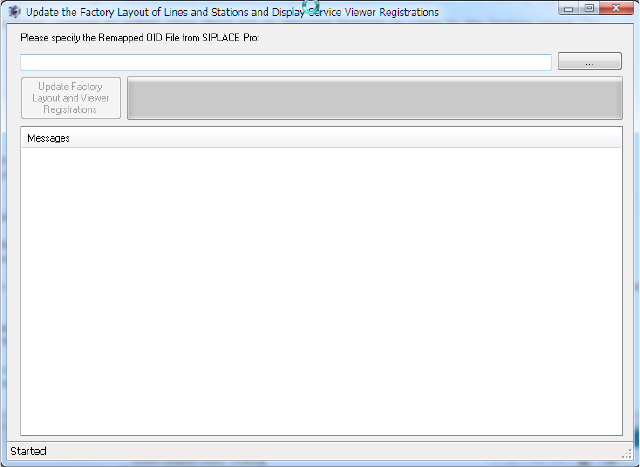
Start the program “UpdateFactoryLayoutFromRemappedSIPLACEProOids.exe”
Version Description
SIPLACE OIB 4.3 05/2016 Edition
33
→
Select the browse button and select the file in the file selection dialog. You will find the file under the
location where the SIPLACE Pro re-indexing procedure has stored it.