00197702-04_VD_SIPLACE-OIB-4.3_EN.pdf - 第33页
Version Descript ion SIPLAC E OIB 4 . 3 05/201 6 E dition 33 → Select the br owse button and sel ect th e file in the file selecti on dialo g. You will fin d the f ile under the location where the SIPL ACE Pro re - index…
Version Description
SIPLACE OIB 4.3 05/2016 Edition
32
→
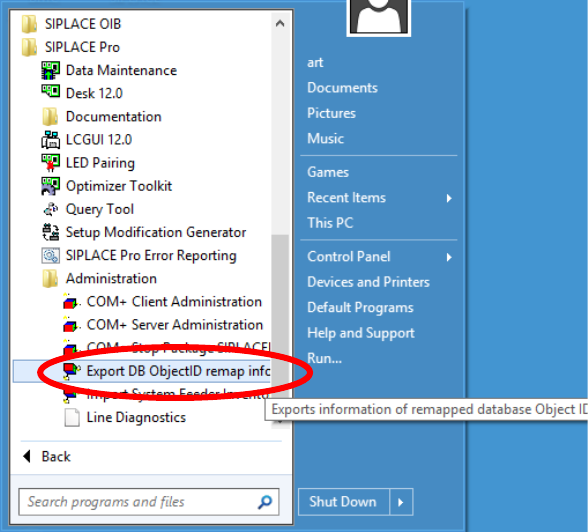
The re-indexing information is stored in the database and can be exported at any time. This can be
done via Programs->SIPLACE Pro->Administration->Export DB ObjectID remap info.
Adjust the Indices in OIB
The adjustments of the re-indexing will be performed on the computer where the SIPLACE OIB Core is
installed.
→
Ensure that SIPLACE OIB 3.0 or higher is installed on the computer.
→
Navigate to the folder „C:\Program Files\SIPLACE\SIPLACE OIB\Tools\ID Remapper“.
→
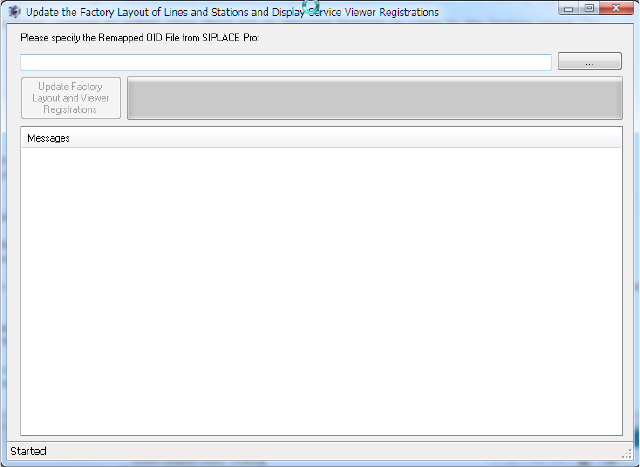
Start the program “UpdateFactoryLayoutFromRemappedSIPLACEProOids.exe”
Version Description
SIPLACE OIB 4.3 05/2016 Edition
33
→
Select the browse button and select the file in the file selection dialog. You will find the file under the
location where the SIPLACE Pro re-indexing procedure has stored it.
Version Description
SIPLACE OIB 4.3 05/2016 Edition
34
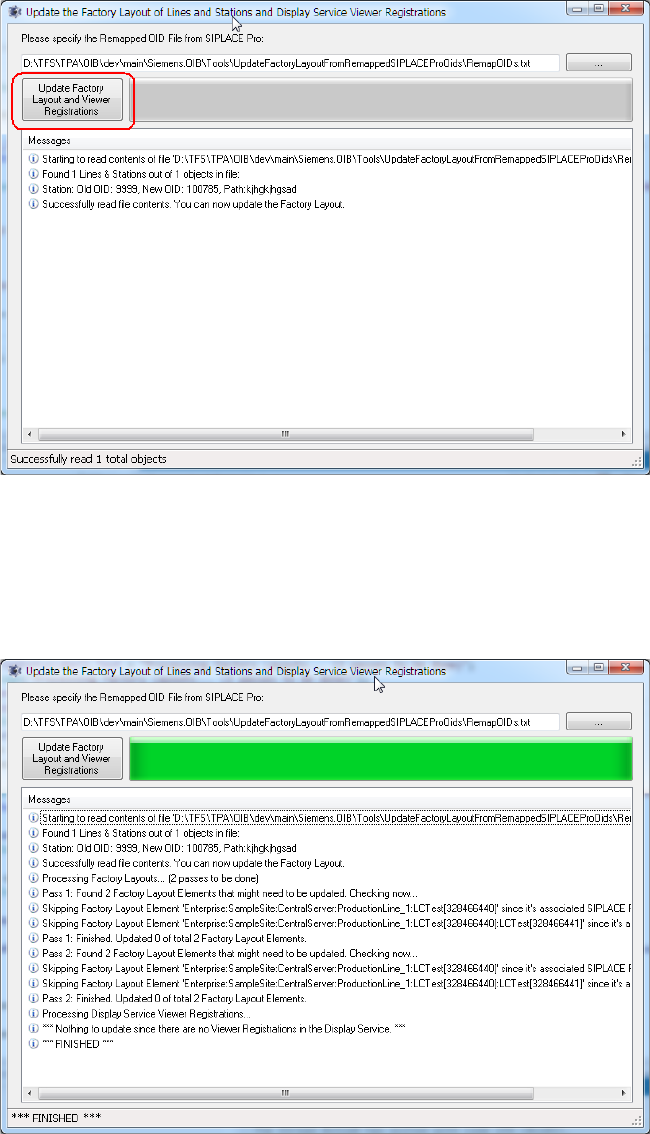
The file will be read. If reading was successful, you can update the Factory Layout data.
→
Select the “Update Factory Layout” button to update the data in the SIPLACE OIB Configuration
Manager and Display Service Viewer Registrations. The tool will provide feedback which data has
been updated.