MUMA-Hardware-manual-20120717.pdf - 第12页
- 12 - USB la mp driver is on pro cess. Click “finis h” to co mplete the i nst allation. 3.3.4 Simple key dri ver inst allation A prompt, “ Welc ome to the Found New Hardware W izard ” will appear , choose “install…
- 11 -
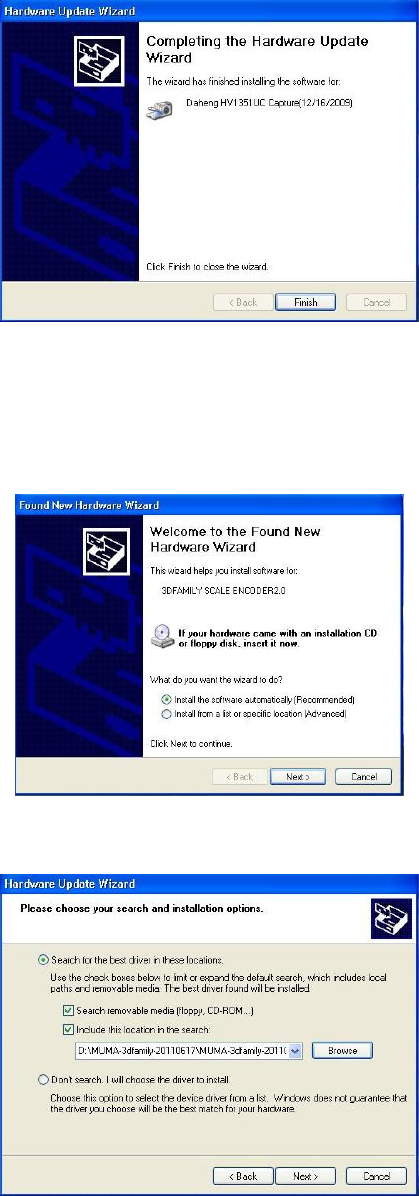
3.3.3 USB lamp driver installation
A prompt, “Welcome to the Found New Hardware Wizard” will appear, choose “installing the
software automatically (Recommended)” and click “next” to continue.
Choose”Include this location in the search”, click “Browse” to find “USB Lamp” and click “next” to
continue.
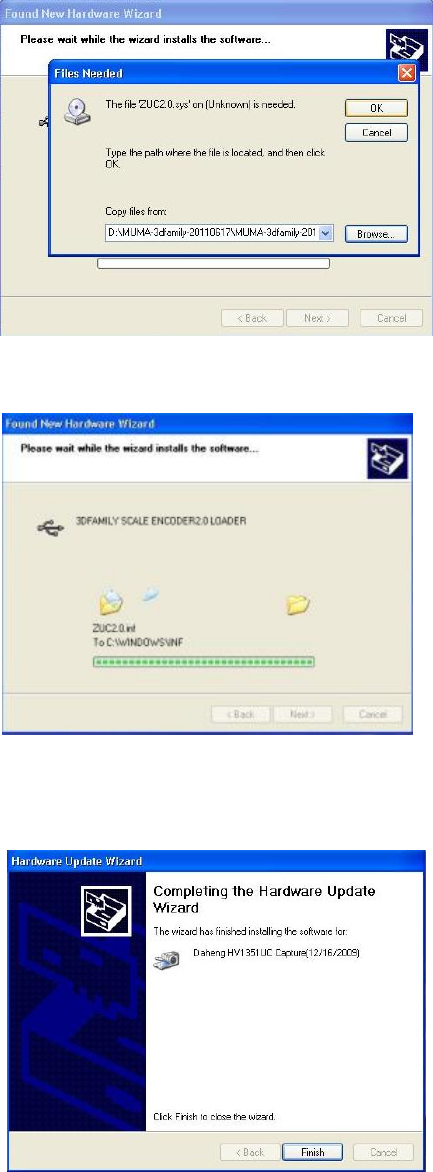
If the following message appears, click “Browse” to find USB Lamp file in CD, choose
“MumaLampUsb” and then click “Next’’ to process.
- 12 -
USB lamp driver is on process.
Click “finish” to complete the installation.
3.3.4 Simple key driver installation
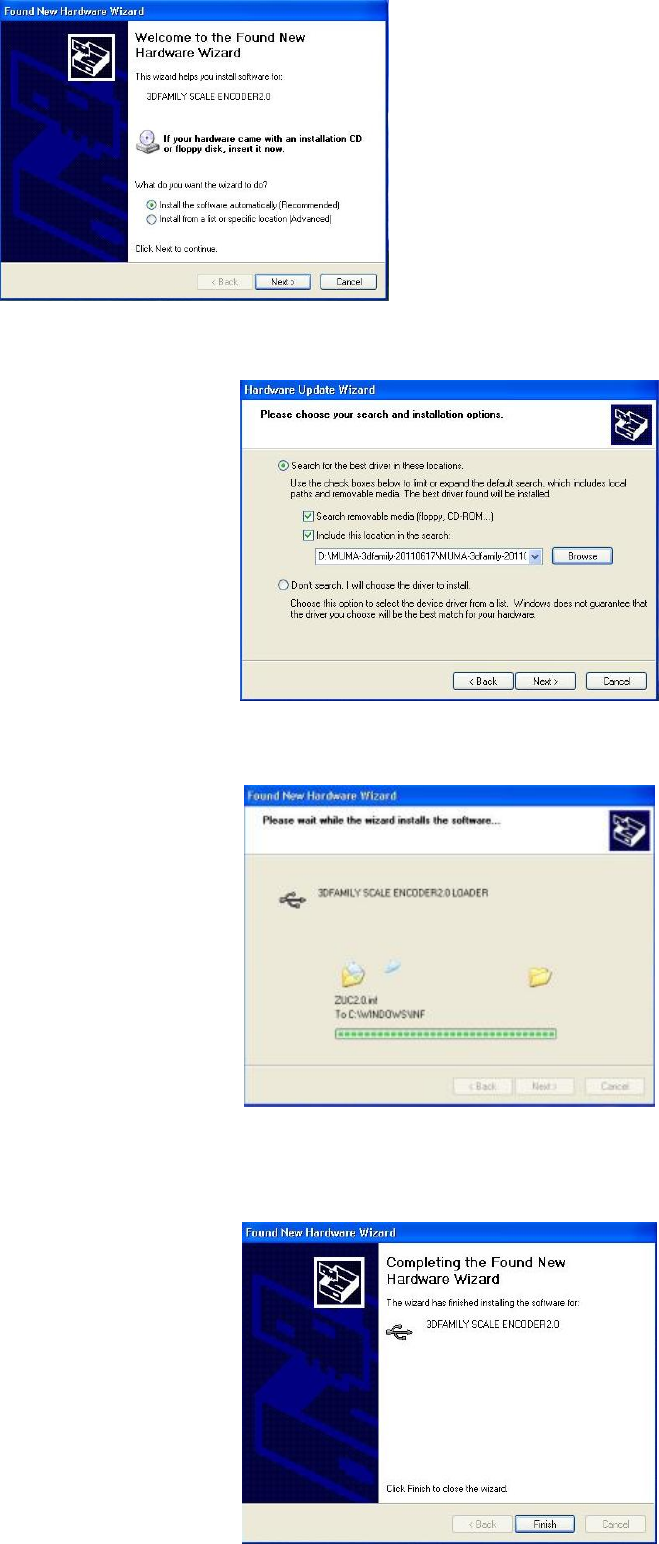
A prompt, “Welcome to the Found New Hardware Wizard” will appear, choose “installing the
software automatically (Recommended)” and click “next” to continue.
- 13 -
Choose”Include this location in the search”, click “Browse” to find “simple key” and click “next” to
continue.
Simple key driver is on process.
Click “finish” to complete the installation.