MUMA-Hardware-manual-20120717.pdf - 第9页
- 9 - C lick” Fi nish” to co mplete t he instal lation. In the “D evice Manager ” you will find following in st all result s . 3.3.2 USB Counter card driv er inst allation A prompt, “ Welco me to t he Found New Har…
- 8 -
Lockdog
3.3 Driver Installation
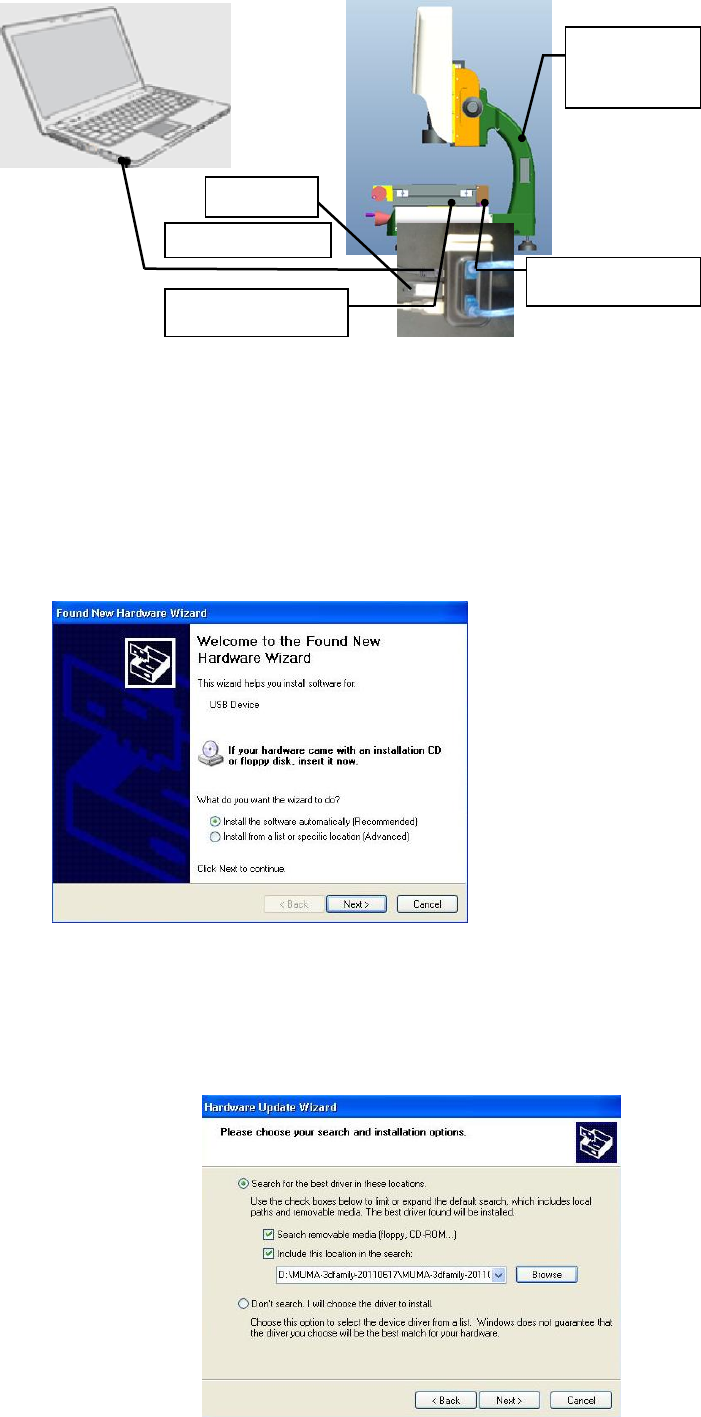
Check all the cables connection, and then open computer and installation CD.
3.3.1 Camera installation
Start the computer.
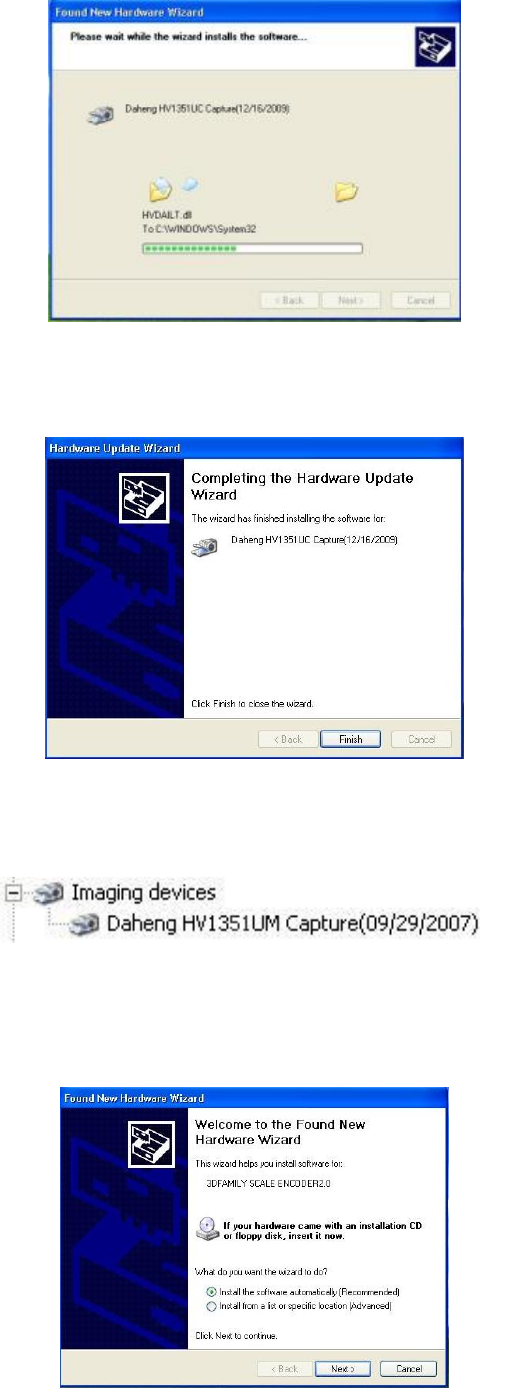
A prompt, “Welcome to the Found New Hardware Wizard” will appear, choose “Install the
software automatically (Recommended)” and click “’next” to continue.
Choose “Include this location in the search”, click “Browse” to find “CCD-Driver”, and click “next”
to continue.
Camera driver installation is on progress.
USB power cable
External
power cable
Lockdog
USB signal cable
USB signal cable
External
power cable
- 9 -
Click” Finish” to complete the installation.
In the “Device Manager” you will find following install results.
3.3.2 USB Counter card driver installation
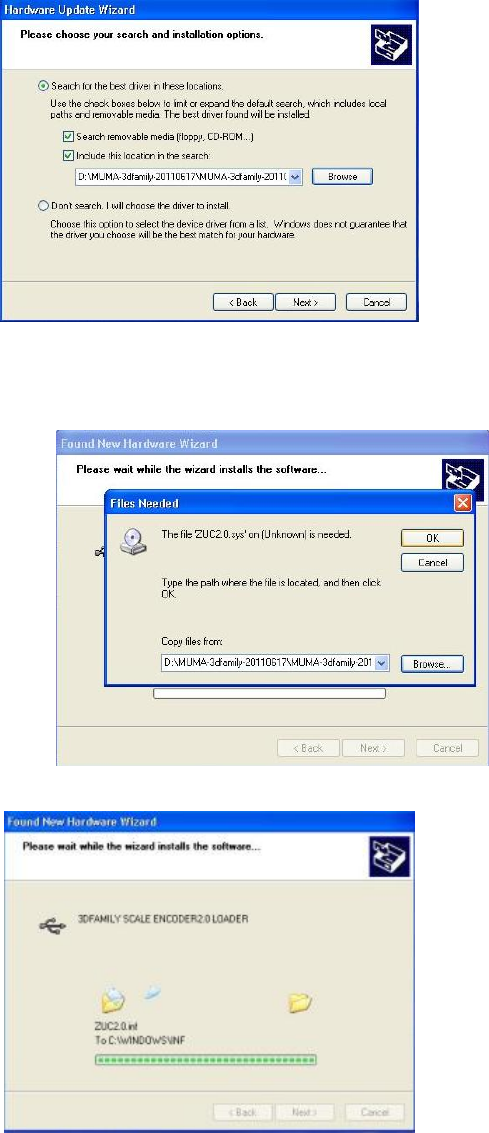
A prompt, “Welcome to the Found New Hardware Wizard” will appear, choose “installing the
software automatically (Recommended)” and click “next” to continue.
Choose”Include this location in the search”, click “Browse” to find “USB 2.0 Counter Card” and
click “next” to continue.
- 10 -
If the following message appears, click “Browse” to find USB 2.0 counter card driver file in CD,
choose “ZUC2.0” and then click “Next’’ to process.
USB counter card driver is on process.
Click “finish” to complete the installation.