MUMA-Hardware-manual-20120717.pdf - 第14页
- 14 - 3.4 Sof tware Inst alling 3.4.1 Inst alling MUMA Pro sof tware Put the inst alling disk into the ROM, find and do uble click “ MUM A-Pro .exe” t o instal l. The syste m will inst all the softw are automat ical…
- 13 -
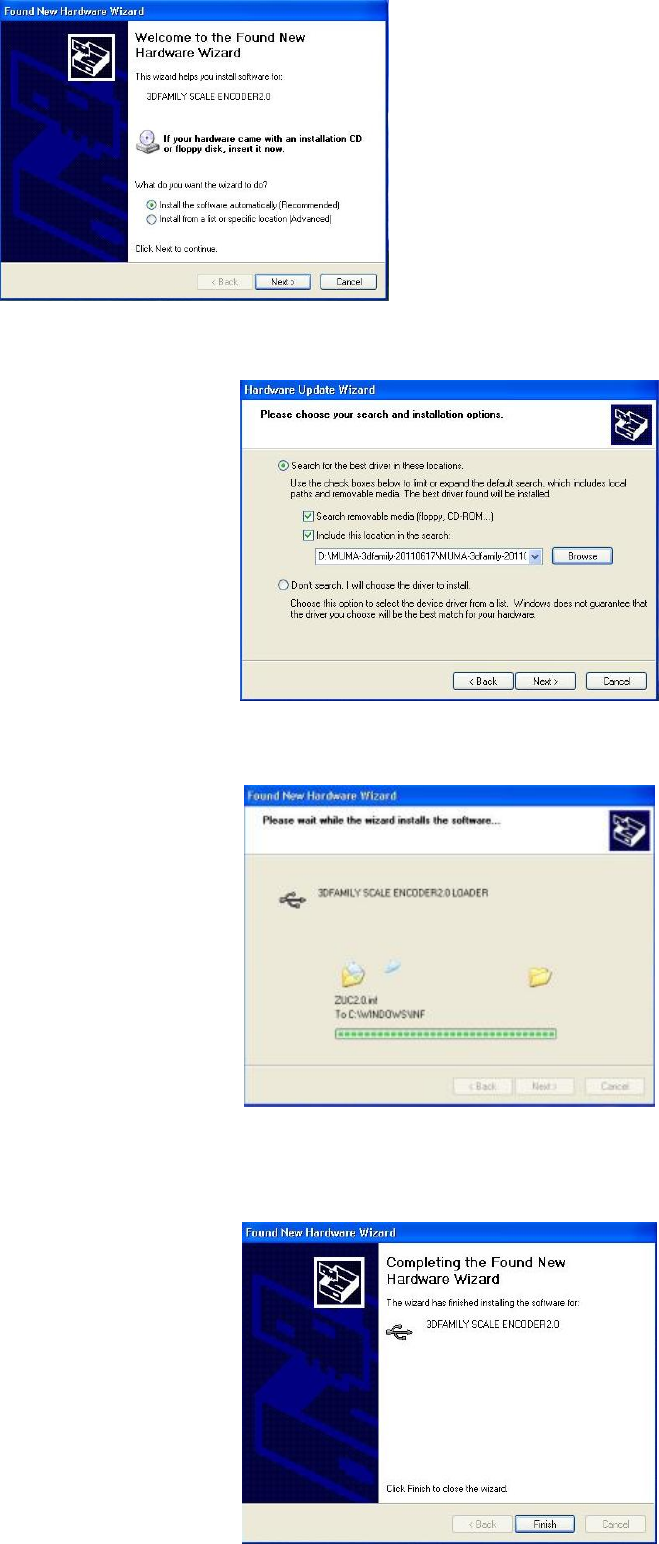
Choose”Include this location in the search”, click “Browse” to find “simple key” and click “next” to
continue.
Simple key driver is on process.
Click “finish” to complete the installation.
- 14 -
3.4 Software Installing
3.4.1 Installing MUMA Pro software
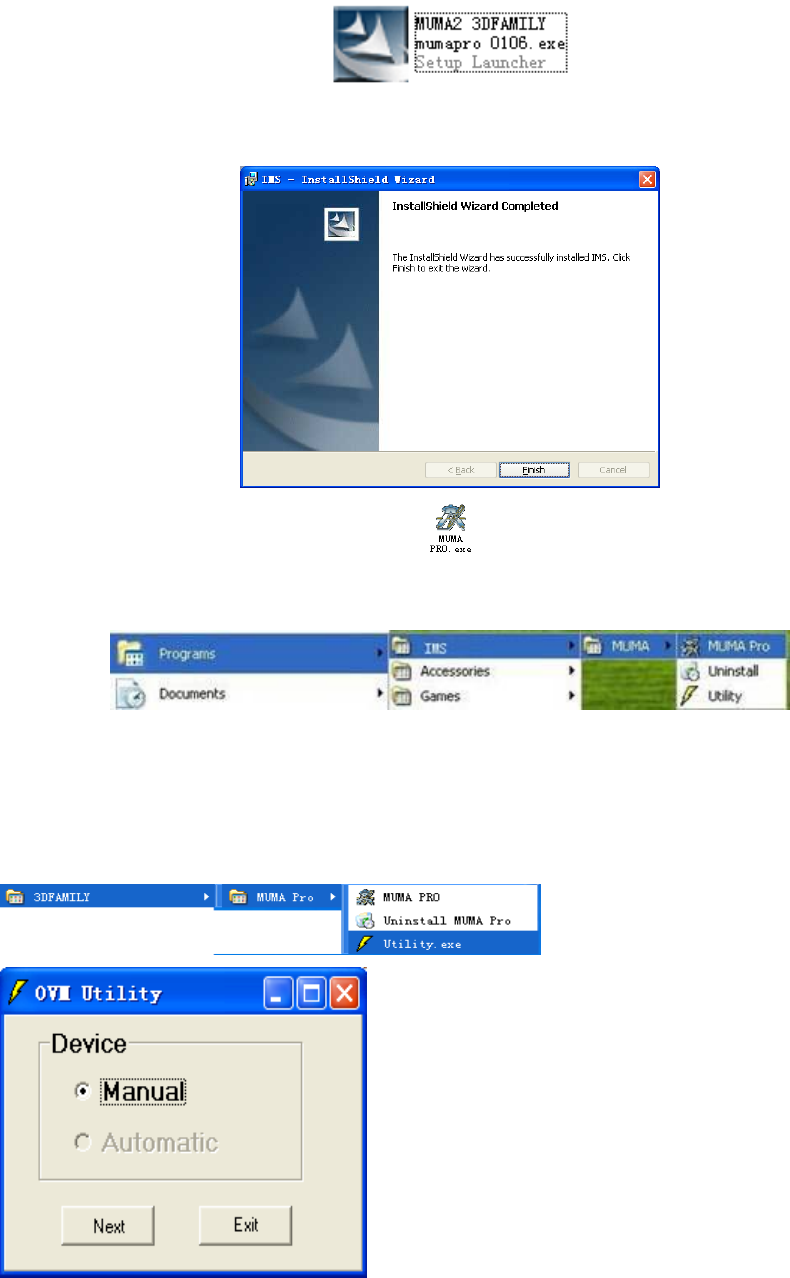
Put the installing disk into the ROM, find and double click “MUMA-Pro.exe” to install.
The system will install the software automatically.
Click “finish” to complete the installation.
When you finish the installation, a shortcut will be displayed on your screen. Double click
the shortcut to run the program; you can also run by following directory:
『start | Programs|IMS|MUMA|Pro』
3.4.2 Utility Setting
After installation, to configure hardware in Utility. Utility is a small program of hardware
configuration which can set image card, counter card, scale ruler resolution and lamp types and so
on.
Before open the software, test the utility setting. Open the “Utility” in “Start” menu.
Choose “Manual” , then click “Next” to continue.
- 15 -
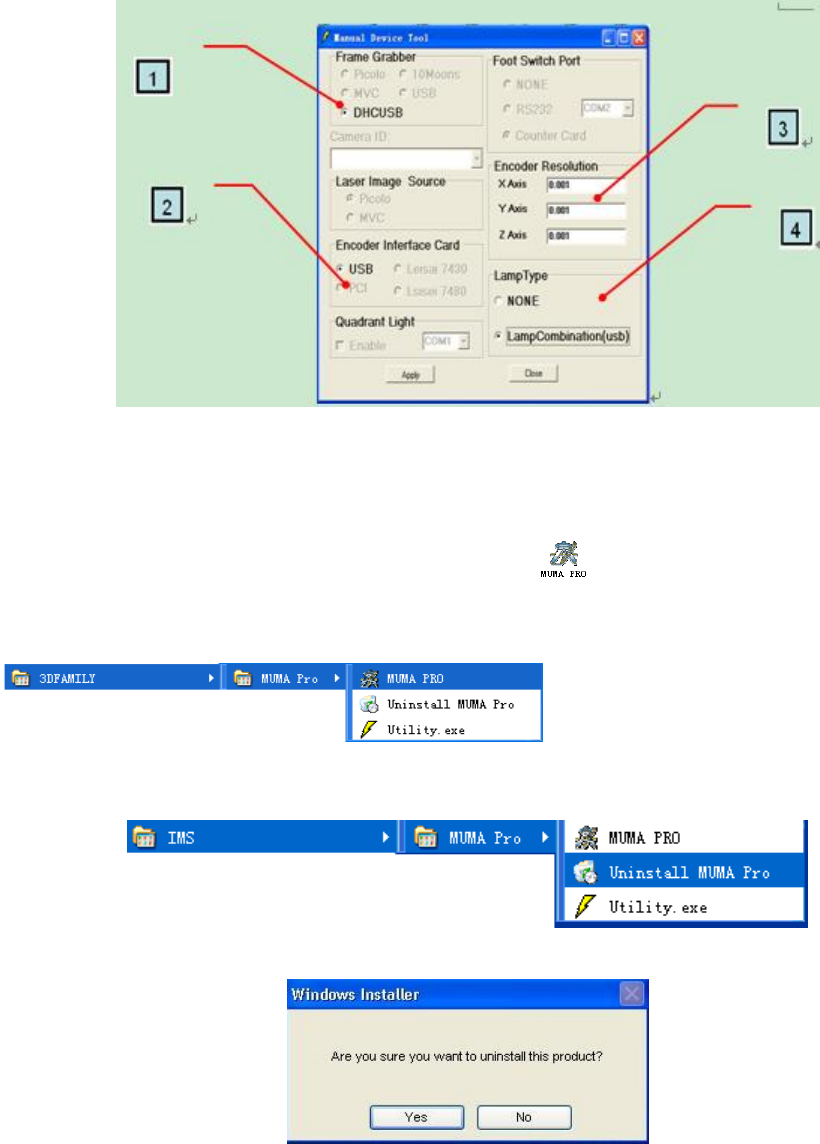
1: Choose image card “DHCUSB”.
2: Choose counter card.
3: Scale ruler resolution setting.
4: Choose lamp type.
After setting, click “Apply” . Double click the shortcut to run the program; you can also run
by following directory:
『start | Programs|IMS|MUMA|Pro』
3.4.3 Uninstall the System
Select in turn 『start | Programs | IMS|MUMA|Uninstall』
Choose “Yes” to uninstall the system.
*When you finish all above installation, you can use MUMA200 machine directly.
4. MUMA200 safety, usage and maintain
For the safety use of MUMA200, please read this chapter carefully.
4.1 Safety notice
Do not locate MUMA200 near the place which temperature is too hot,
which is not higher than 60 ℃, in order not to spoil internal electric circuit.
Do not put sharp object in MUMA200 work stage which may will damage the glass.
Do not strike or drop MUMA200.
Take off power supply if not use MUMA200 for a long time.
Do not pour any liquid to MUMA200.
Do not disassemble MUMA200 by yourself. For your safety, ask help from professional engineer.
If we move MUMA200 during the environment with big difference of temperature and humidity,