SOM-1623-002.pdf - 第7页
Tg0594-PM-SO 3. Data Setting 0402-002 5 3.2 Camera Offset Data The gain and level data can be set for each of P .C.B. recognition lighting modes (PEC Light #1/PEC Light #2). (1) When the [Camera Of fset] tab is pressed o…
Tg0594-PM-SO
3. Data Setting
0402-002 4
3. Data Setting
3.1 Operation Data
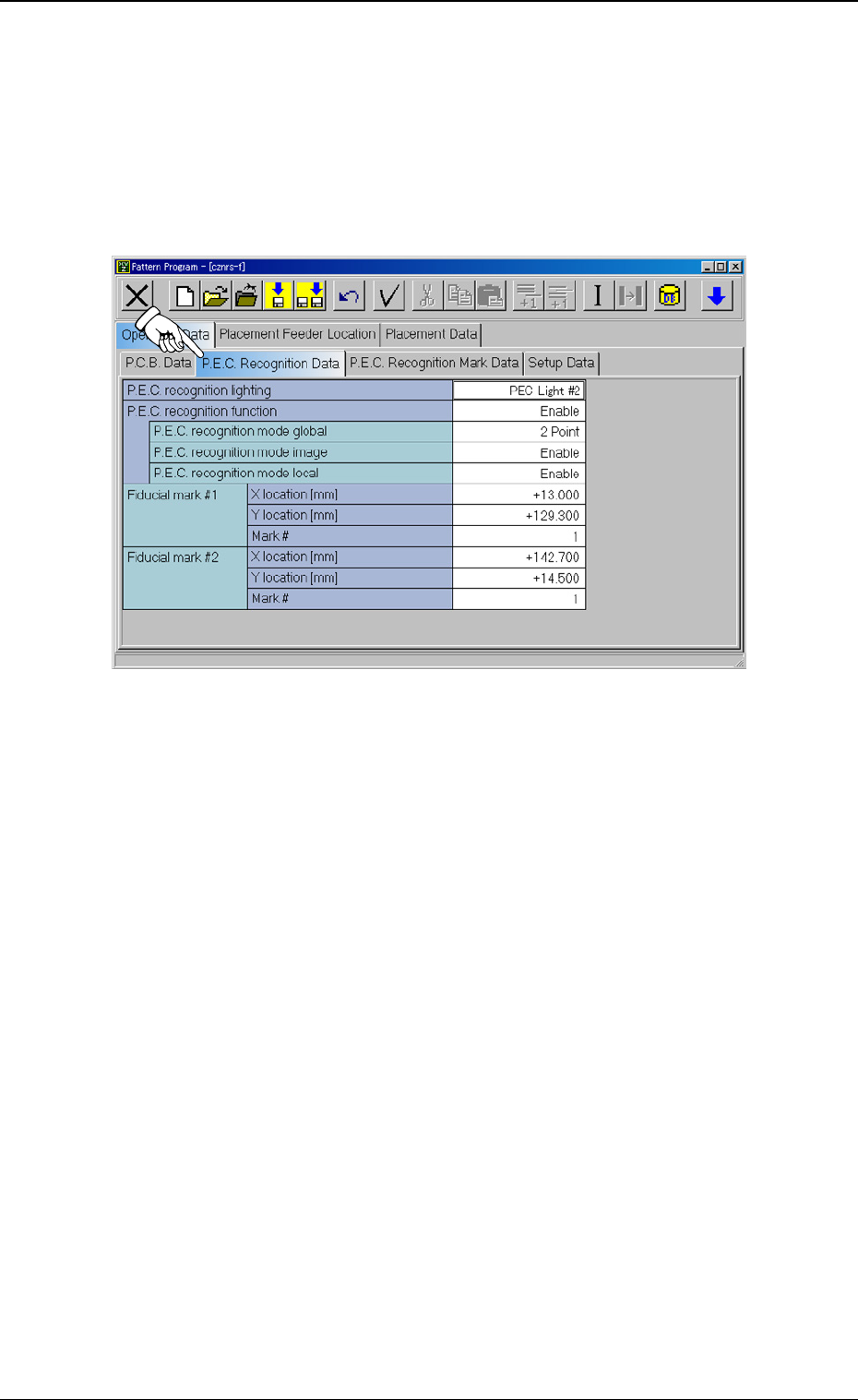
(1) When the [P.C.B. Recognition Data] tab is pressed at the “Opera-
tion Data” tab sheet, the following tab sheet appears.
Fig. 1
(2) Set “PEC Light #2” in the “P.C.B. recognition lighting” text box.
(3) The above setting turns on the black light when a P.C.B. is recog-
nized.
When it is set to “PEC Light #1”, the standard lamp is turned on.
Tg0594-PM-SO
3. Data Setting
0402-002 5
3.2 Camera Offset Data
The gain and level data can be set for each of P.C.B. recognition
lighting modes (PEC Light #1/PEC Light #2).
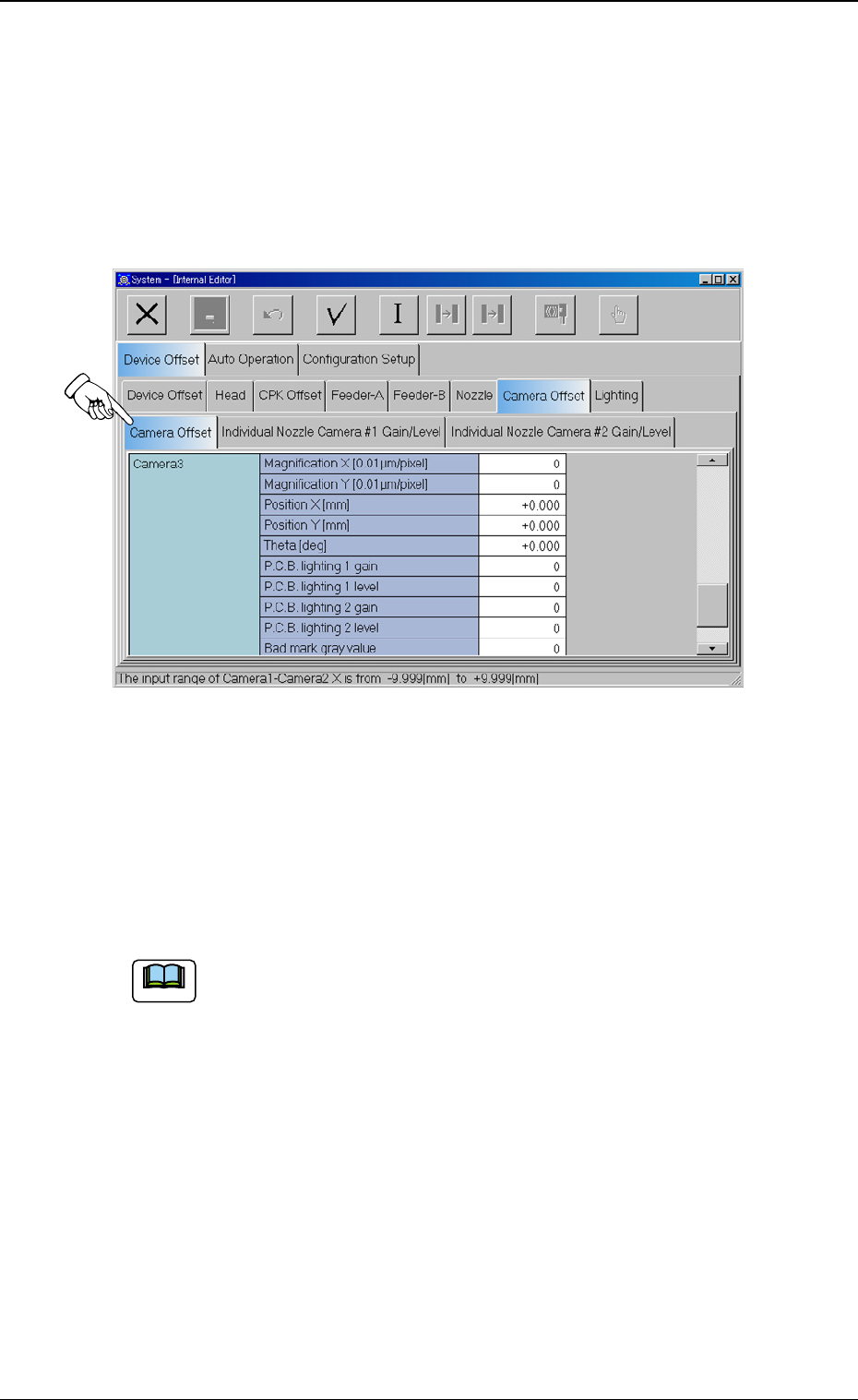
(1) When the [Camera Offset] tab is pressed on the “Device Offset”
tab sheet, the following tab sheet appears.
Fig. 2
(2) Set the gain and level data for P.C.B. recognition lighting.
For “Camera 3”, the gain and level data items for standard light-
ing are “P.C.B lighting 1 gain” and “P.C.B. lighting 1 level”.
For “Camera 3”, the gain and level data items for the lighting for
ceramic are “P.C.B. lighting 2 gain” and “P.C.B. lighting 2 level”.
(a) When the gain value is decreased, the contrast becomes
larger.
(b) When the level value is decreased, the entire brightness
becomes higher.
Note
Tg0594-PM-SO
4. Settings for P.C.B. Recognition Test
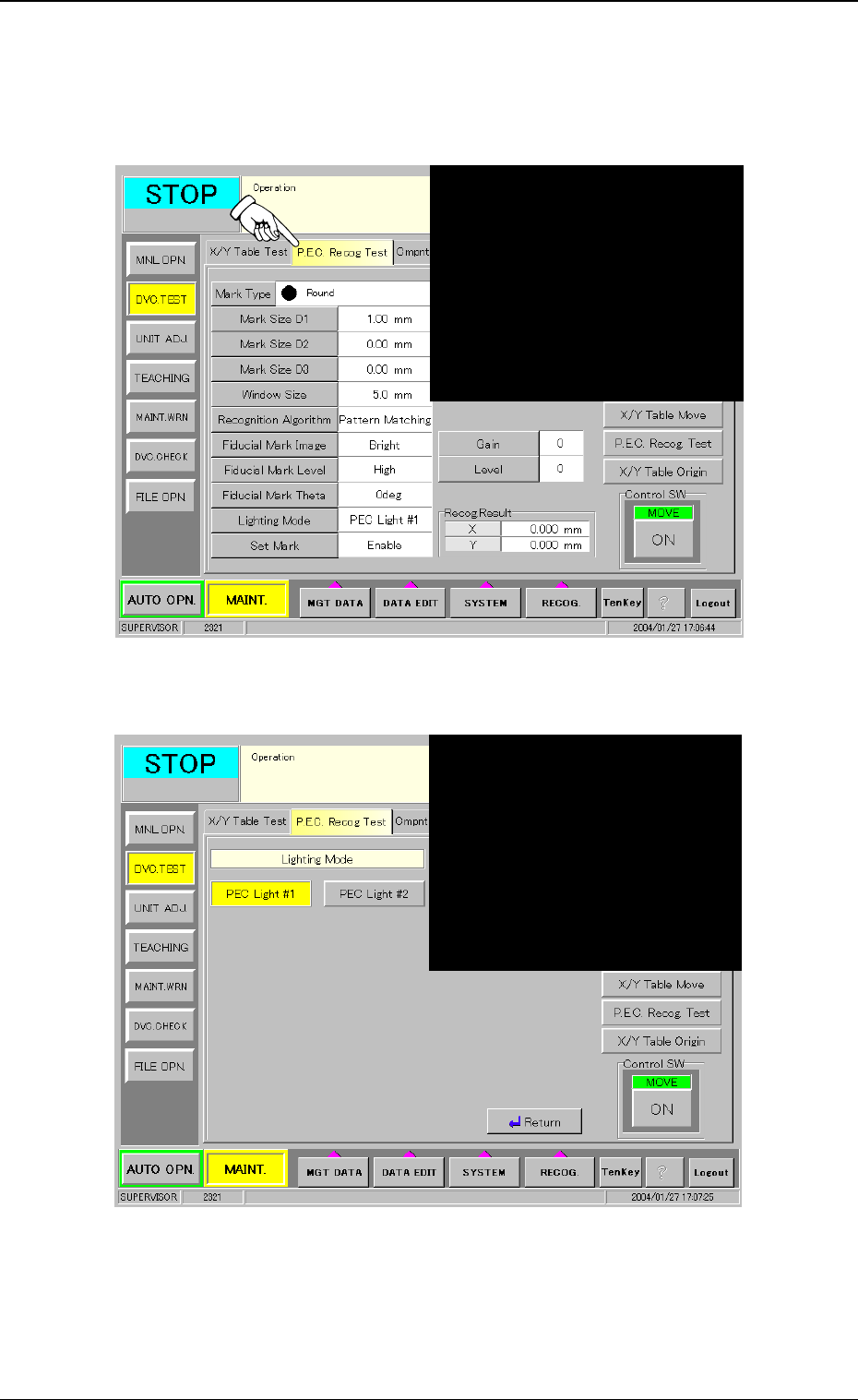
(1) When the [P.E.C. Recog Test] tab is pressed at the “DVC. TEST”
sub menu window, the following tab sheet appears.
Fig. 3
(2) When the [Lighting Mode] button is pressed, the following display
appears.
Fig. 4
(3) When the [PEC Light #2] button is pressed, the color of the
button is turned to be yellow and the lighting for black light is
selected.
(4) When the [Return] button is pressed, the [P.E.C. Recog Test] tab
sheet is returned.
4. Settings for P.C.B. Recognition Test
0402-002 6