FUJI CP6 Bulk F3.0 Feeder手册.pdf.pdf - 第16页
Cleaning and Lubrication Cleaning After long periods of use, the operation of the feeder may be adversely affected by dust and by minute metal particles resulting from friction between the parts in the hopper. The parts …
7. Manually operate the feed lever and make sure the chips are correctly aligned on
the belt.
8. Continue operating the feed lever until the first chip is at the pickup position.
Unloading Procedure
1. To return the parts in the bulk feeder’s hopper to the EIAJ case, reattach the empty
case and hold the feeder upside down until the hopper is empty of parts.
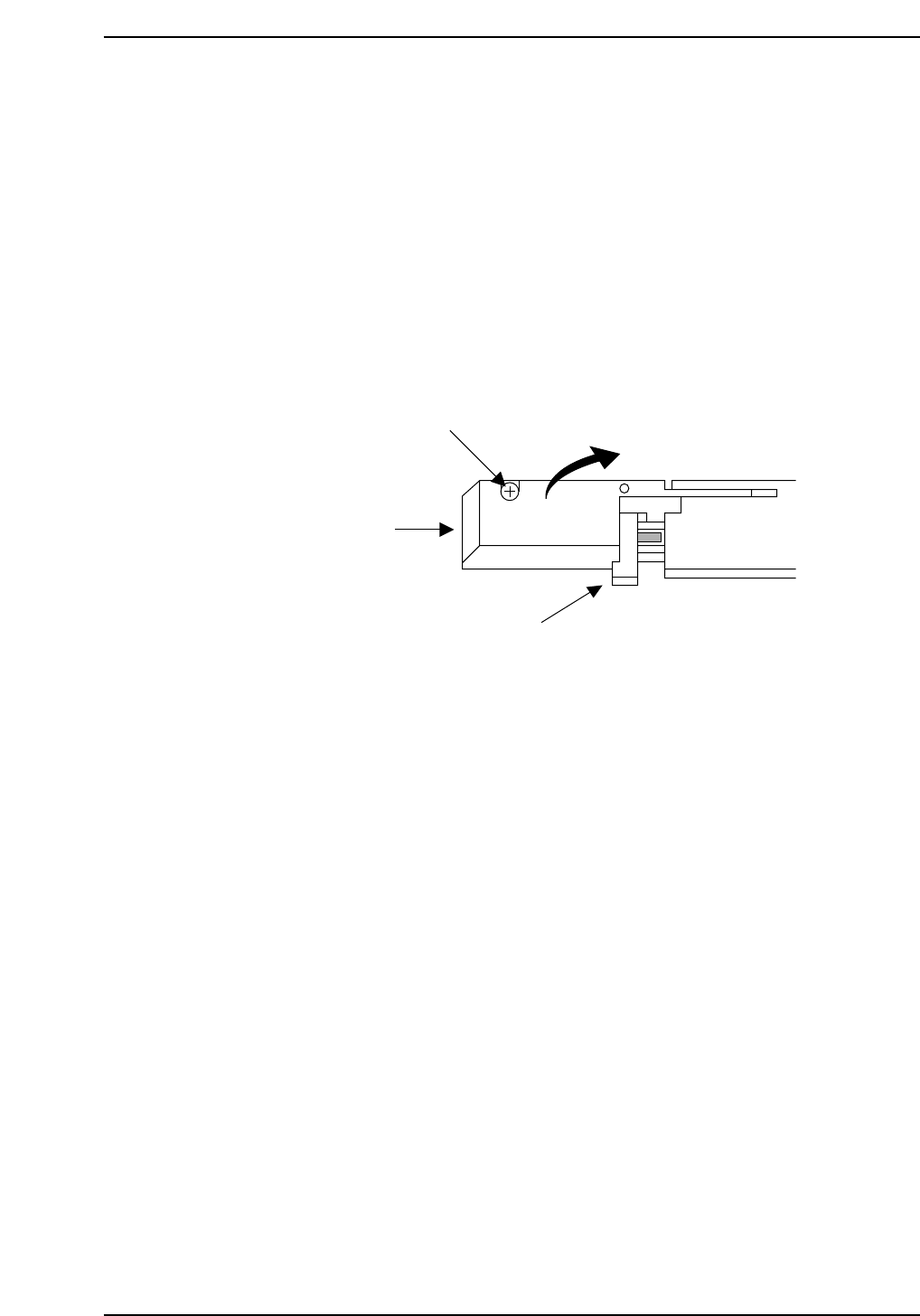
2. Remove the bolt that secures the pickup area cover on the front of the feeder, then
lift the cover open. If there is a chip attached to the magnetic lever, remove it.
3. Keeping the cover open, manually operate the feed lever and remove any parts
that are indexed forward on the belt.
4. When you are satisfied there are no more chips under the pickup area cover, close
the cover and secure it with the bolt. Be careful not to force the cover shut, or it
may be damaged.
Note: When replacing chips with parts made by a different manufacturer, make sure that all the
previous parts have been removed from the hopper, belt, and pickup area before supplying
new parts.
Lift open.
Cover
Cover bolt
Lever
BF004
Loading and Removing Parts
Version 3.0 3 CP-6 Bulk Feeder Instruction
Cleaning and Lubrication
Cleaning
After long periods of use, the operation of the feeder may be adversely affected by dust
and by minute metal particles resulting from friction between the parts in the hopper.
The parts listed below should therefore be cleaned every month or after the supply of
500,000 parts, whichever comes first. Perform the following procedure to clean the bulk
feeder.
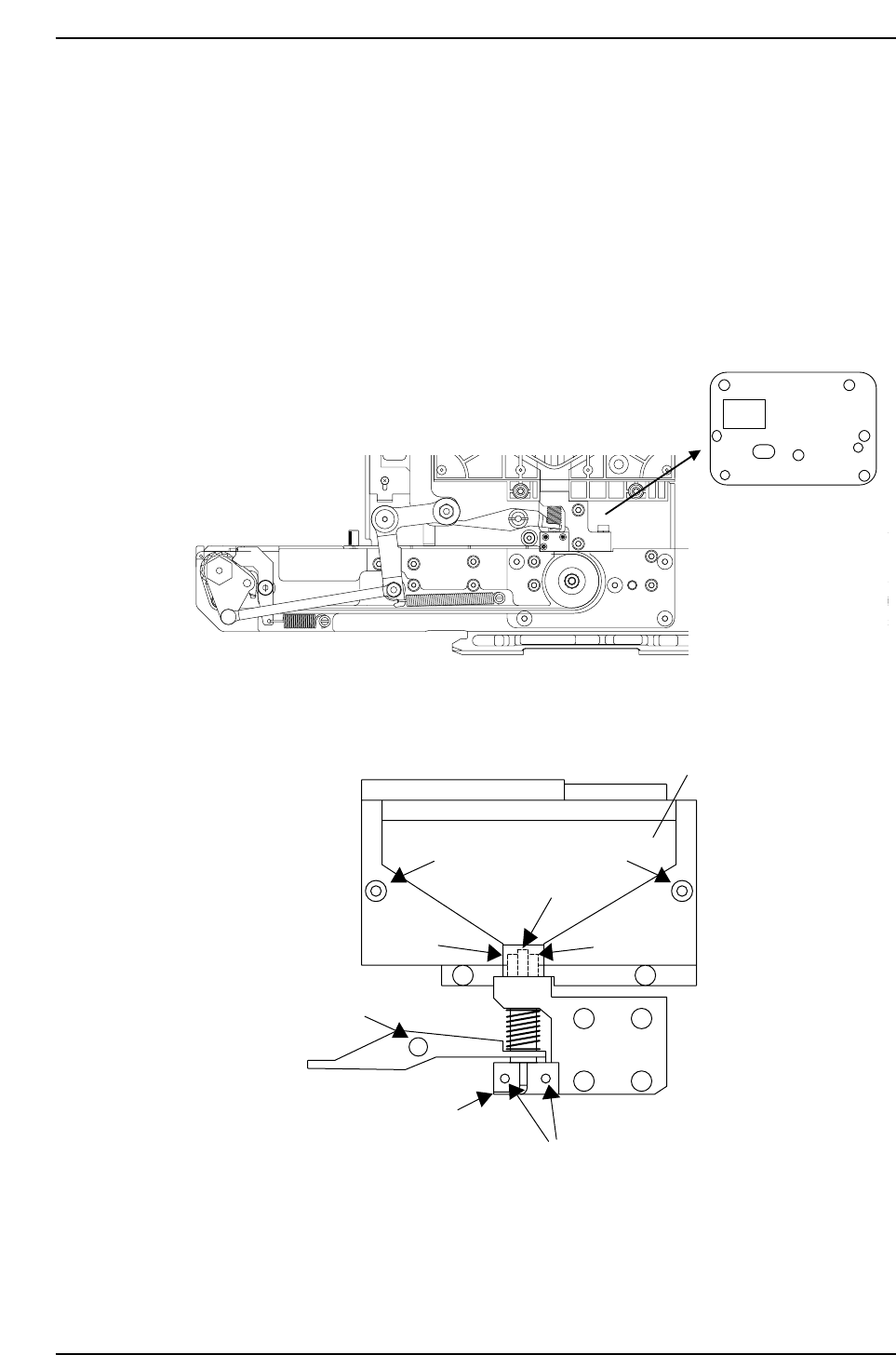
• Begin by removing the seven bolts securing the stainless steel plate on the side of
the bulk feeder, then remove the plate.
1. Clean the bushing.
• Remove the two bolts (A), then pull the hopper upward to remove it. (Be careful
not to lose the spring when removing the hopper.)
• Pull the bushing out from the bottom of the hopper.
• Apply fine compound (#240 or higher) to a cotton swab and carefully remove any
black metal particles from the inside of the bushing.
Outer pipe
Pipe retainer
Bolt A
Hopper
Bolt A
Inner pipe
Bushing
Bolt B
Bolt C
BF006
Stainless steel plate
BF005
Cleaning and Lubrication
Version 3.0 4 CP-6 Bulk Feeder Instruction
2. Clean the outer pipe.
• Remove the bolt (B) from the rear surface of the feeder, then remove the lever and
pull the outer pipe upward to remove it. (Be careful not to lose the spring or bend
the small inner pipe when performing this operation.)
• Apply fine compound (#240 or higher) to a cotton swab and carefully remove any
black metal particles.
3. Clean the inner pipe.
• Loosen the two bolts (C), remove the pipe retainer, and pull the inner pipe up to
remove it.
• Apply fine compound (#240 or higher) to a cloth and carefully wipe off any black
metal particles that have accumulated in the area (about 5 mm) around the end of
the pipe. The pipe is fragile, and should be handled with care. The bulk feeder will
no longer be able to supply chips if the inner pipe is bent or the pipe end is
otherwise damaged. Check to make sure the pipe has not been damaged when
cleaning is complete.
4. Clean the pipe retainer.
• Use a neutral cleaning fluid to remove any dust or grease from the pipe retainer
that was removed in the preceding step.
5. Clean the belt covers.
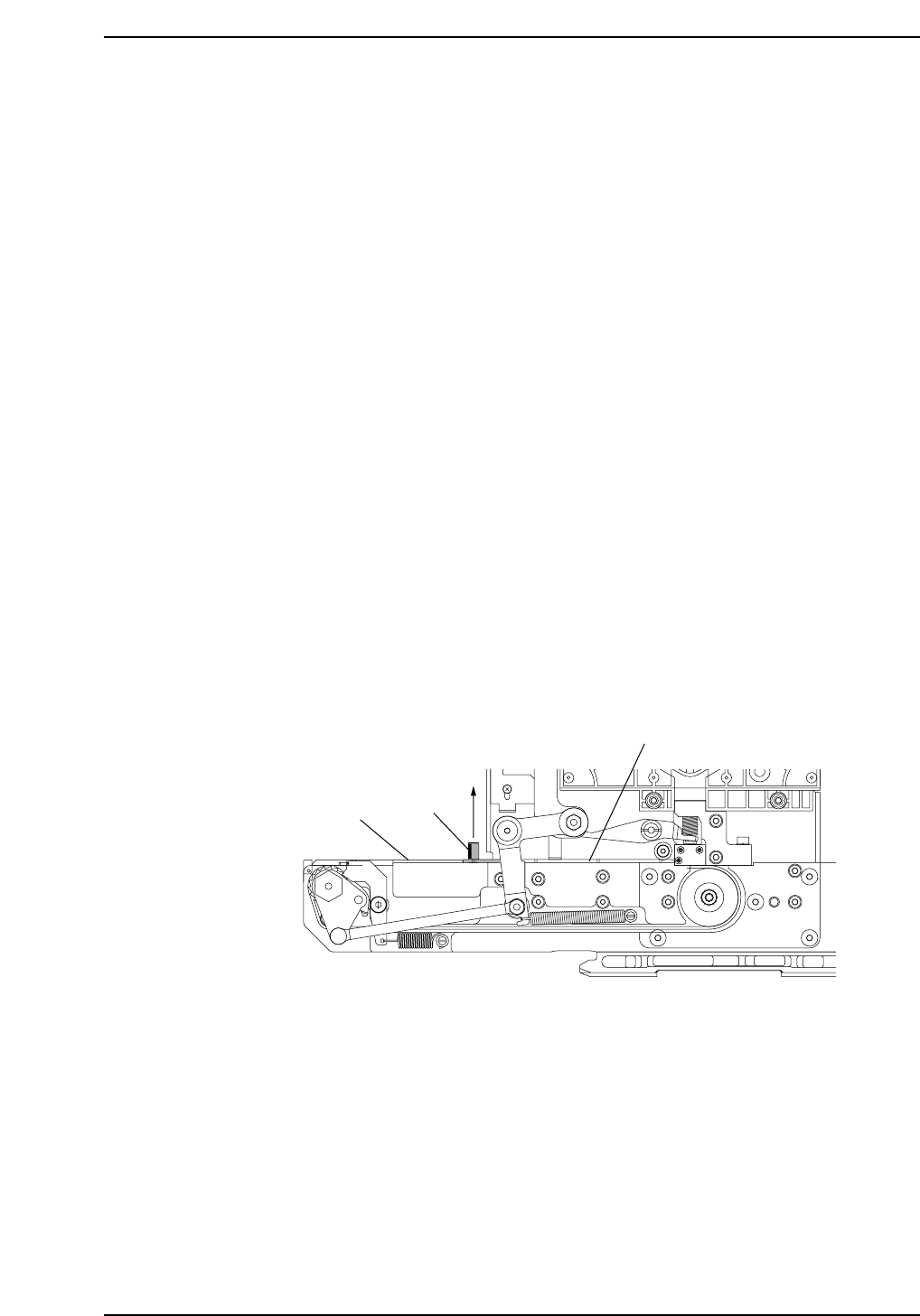
• Manually loosen the bolt (D) that secures the front cover, then pull the bolt
upward to remove front cover.
• Remove the three bolts that secure the rear cover, then remove the cover.
• Use a neutral cleaning fluid to remove any dust or foreign matter from the channel
on the lower surface of each cover. Also, check those surfaces for scratches.
Bolt D
Guide
Belt cover (rear)
Belt cover (front)
Lift to remove.
BF007
Cleaning and Lubrication
Version 3.0 5 CP-6 Bulk Feeder Instruction