TS580R-USER-GUIDE.pdf - 第17页
20 5.7 To Change Password Note: The default password is “0000”. To change password, follow the instructions below. 1. Touch the Login icon to enter the login screen 2. Touch the change “Password” icon 3. Enter the old Pa…
16
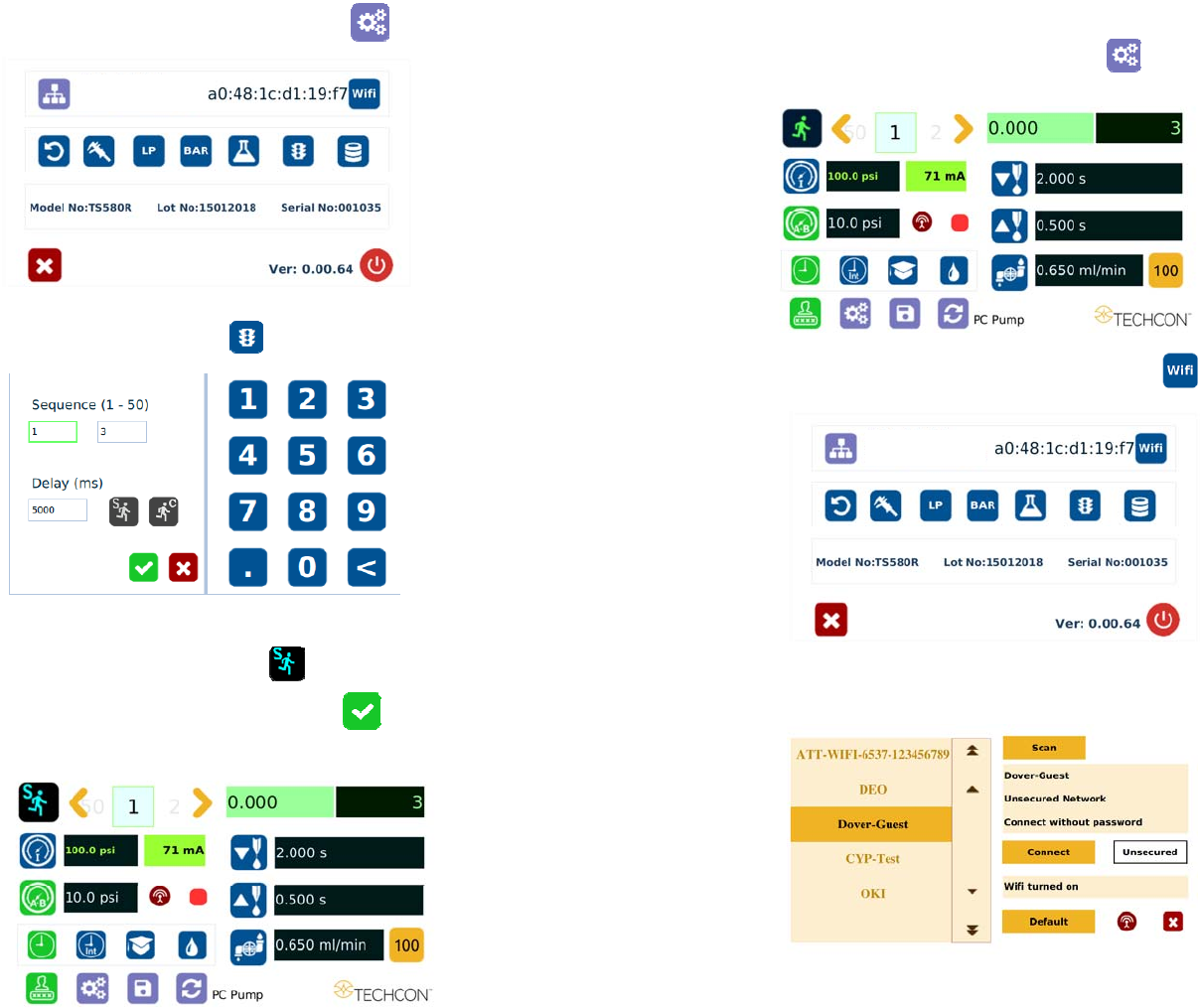
5.4.2 To run in Single Sequence Mode
1. Touch the Setup icon to enter the setup screen
2. Touch the Run Method icon
3. Enter number of memory to be run in sequence (ex. 1 to 3)
4. Touch the “Sequence Mode” icon
5. Touch the Check Mark icon to save and exit
The screen will look similarly to the screen below:
21
5.8 To Connect to Wi-Fi network.
1. Connect the antenna to the Wi-Fi connector located in the back of the unit
2. Touch the Setup icon to enter the setup screen
3. Touch the Wi-Fi icon to enter the network setup screen
4. Touch the “Scan” tab to scan for all available networks
5. Touch the Up and Down arrows to select the desired network
20
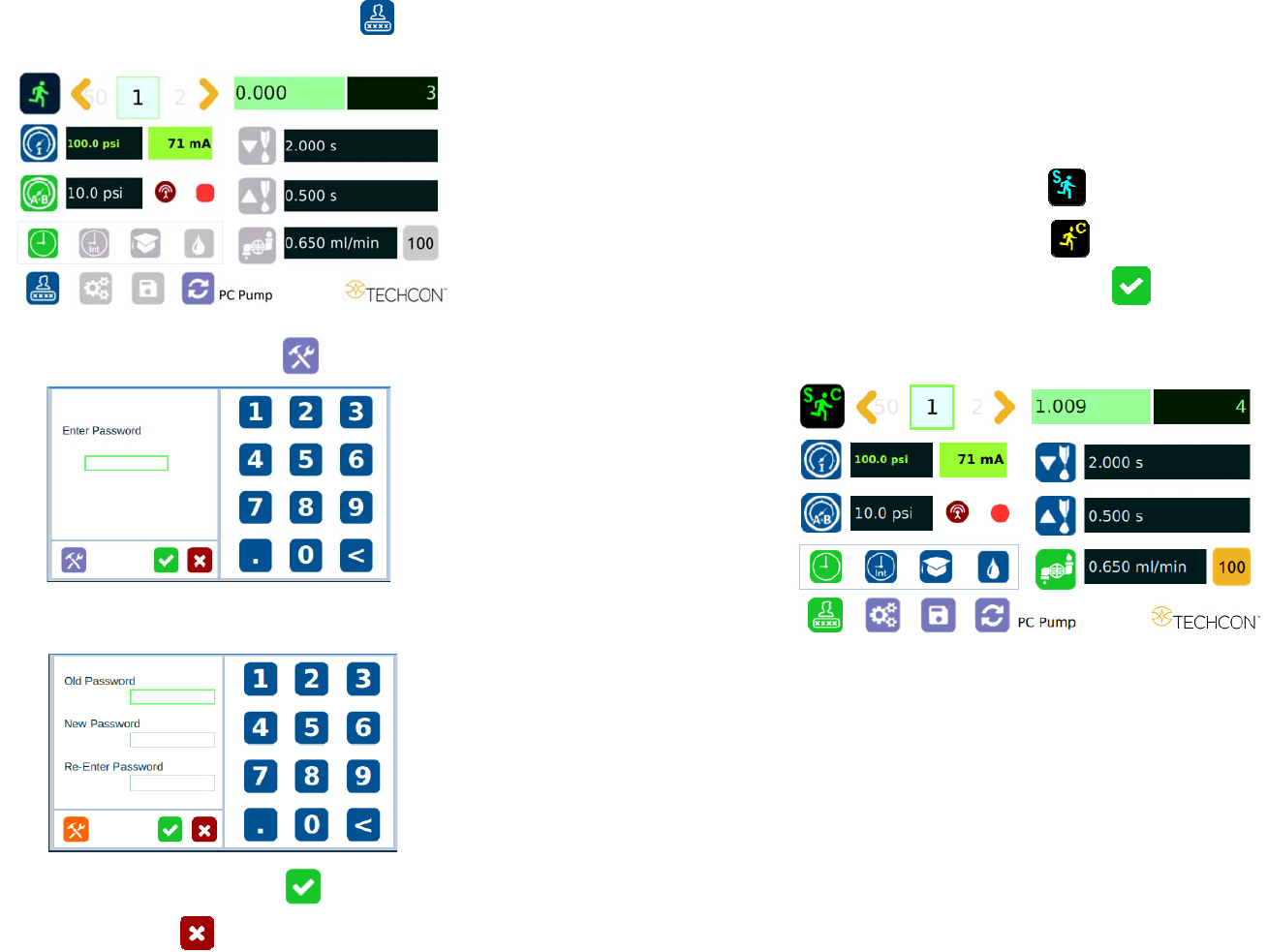
5.7 To Change Password
Note: The default password is “0000”. To change password, follow the
instructions below.
1. Touch the Login icon to enter the login screen
2. Touch the change “Password” icon
3. Enter the old Password, then enter the new password
4. Touch the Check Mark icon to save
5. Touch X icon to exit
17
Notes:
A. If there is no delay time entered in the setting, the operator has
to press the foot switch after each memory cell is completed to
activatte the next memory cell.
B. If delay time is entered in the setting, the controller will activate
the next memory cell in sequence automatically.
5.4.3 To run in Continuous Sequence Mode
1. Follow step 1 to 2 above and enter the waiting time “delay time” between
each activation.
2. Touch the “Sequence Mode” icon
3. Touch the “Continuous Mode” icon
4. Touch the Check Mark icon to save and exit
The screen will look similarly to the screen below:
Note: If the sequence mode is set to activate memory cell 1 – 3, and the
delay time is set at 5000 ms, the controller will activate memory 1 to 3
continuously with 5000 ms delay between each activation.
18
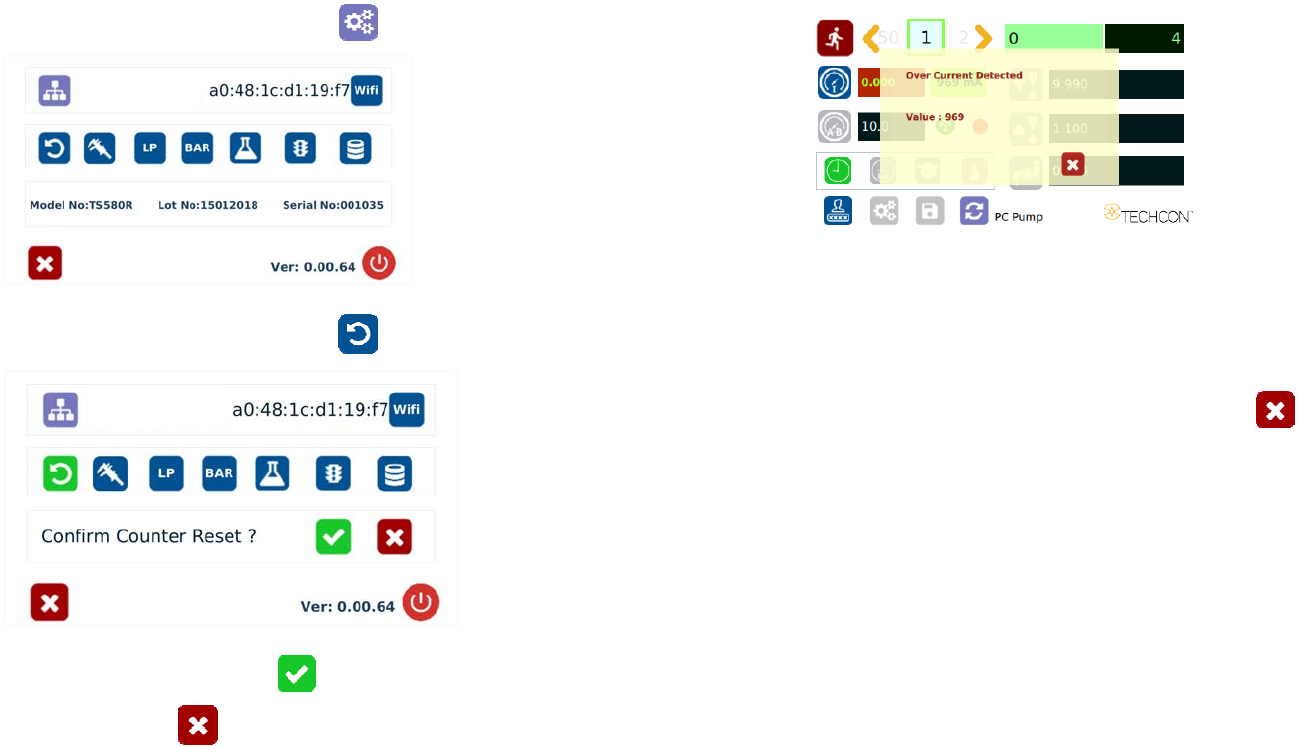
5.5 Cycle Counter
The cycle counter records the numbers of automatic dispense cycle being
activated. Up to 999,999 cycles can be recorded. To reset the counter, follow
steps below:
1. Touch the Setup icon to enter the setup screen
2. Touch the Counter Reset icon to reset counter
3. Press the check mark icon to confirm
4. Press the X icon to exit
19
5.6 Over Current Protection
This controller is equipped with the over current protection for motor. If the
motor current is over 800 mA, the “Over Current Detected” message will apprear
on the screen and the unit will be disabled.
When this issue happened, check the valve to for clogging. Clean the valve
thoroughtly if necessary.
If after the valve has been cleaned and the over current is still occurred then it is
time to replace the motor.
Touch the X icon to clear the over current message and reset the unit.