24B2n2200G.pdf - 第5页
3 1.3 产品和包装材料的废弃 废旧电气和电子设备 - WEEE This marking on the product or on its packaging illustrates that, under European Dir ective 2012/19/ EU governing used electrical and electronic appliances, this pr oduct may not be disp…
2
有机溶剂(如酒精)或含氨水的液体清
洁显示器。
• 为避免电击或本机永久性损坏,不要在
多尘、下雨、水附近或过分潮湿的环境
中使用显示器。
• 如果显示器被弄湿了,应尽快用软布擦
拭干净。
• 如果异物或水进入显示器,请立即关闭
电源,并拔掉电源线。然后,取出异物
或擦干水,并送到维修中心进行检修。
• 请勿在炎热、阳光直接照射或严寒的地
方存放或使用显示器。
• 为了保持显示器的最佳性能并延长使用
寿命,请在符合下列温度和湿度条件的
地方使用显示器。
• 温度:0ºC-40ºC 32ºF-104ºF
• 湿度:20%-80% RH
关于图像烙印/重影的重要信息
• 显示器无人看管时务必启动移动的屏幕
保护程序。如果显示器将显示静止不变
的内容,请务必启用屏幕定期刷新应用
程序。长时间不间断显示静止或静态图
像可能会在屏幕上造成“烙印”,也称“
残像”或“重影”。
• “烙印”、“残像”或“重影”是液晶面板技
术的一种常见现象。多数情况下,关掉
电源一定时间后,“烙印”、“残像”或“
重影”会逐渐消失。
警告
若不激活屏幕保护程序或者屏幕定期刷新
应用程序,可能导致严重的“烙印”、“残
像”或“重影”现象,这些现象可能不会消
失,也无法修复。上面提到的损坏不在保
修范围内。
维修
• 只有专业的维修人士可以打开机壳盖。
• 如果在维修或集成时需要任何文档,请
与您当地的服务中心联系。(请参阅
重要信息手册中所列的服务联系人信
息。)
• 关于运输信息,请参见“技术规格”。
• 不要将显示器放在阳光直接照射的车
内。
注
如果显示器工作不正常,或者当您参照本
手册中的操作说明而不知道应执行哪个步
骤时,请与服务技术人员联系。
1.2 标志说明
以下分节描述使用于此文件的标志惯例。
注、注意、警告
在此指南中,文字段落配有图标并以黑体
或斜体书写。这些段落含有注、注意或警
告字句。其使用如下:
注
此图标显示重要信息和提示,以助你更好
地使用你的电脑系统。
注意
此图标显示的信息提醒你如何避免硬体的
潜在损害或数据丢失。
警告
此图标显示对身体伤害的可能性,并警告
你如何避免此问题。
某些小心警告可能以不同格式出现,也可
能不带任何图标。在此类情况下,小心警
告的具体显示由管理机关规定。
3
1.3 产品和包装材料的废弃
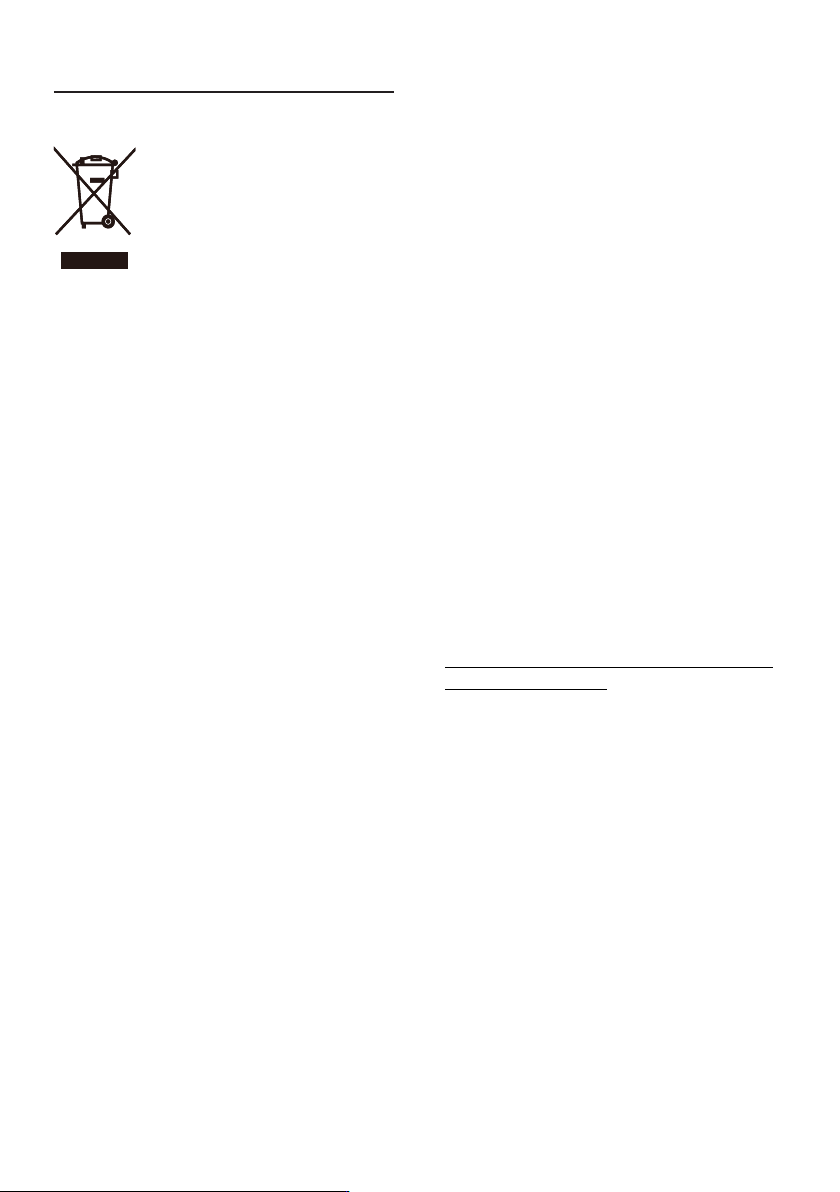
废旧电气和电子设备 - WEEE
This marking on the product or
on its packaging illustrates that,
under European Directive 2012/19/
EU governing used electrical and
electronic appliances, this product
may not be disposed of with normal
household waste. You are responsible
for disposal of this equipment
through a designated waste electrical
and electronic equipment collection.
To determine the locations for
dropping off such waste electrical
and electronic, contact your local
government office, the waste
disposal organization that serves your
household or the store at which you
purchased the product.
Your new monitor contains materials
that can be recycled and reused.
Specialized companies can recycle
your product to increase the amount
of reusable materials and to minimize
the amount to be disposed of.
All redundant packing material has
been omitted. We have done our
utmost to make the packaging easily
separable into mono materials.
Please find out about the local
regulations on how to dispose of your
old monitor and packing from your
sales representative.
Taking back/Recycling Information for
Customers
Philips establishes technically and
economically viable objectives
to optimize the environmental
performance of the organization's
product, service and activities.
From the planning, design and
production stages, Philips emphasizes
the important of making products
that can easily be recycled. At Philips,
end-of-life management primarily
entails participation in national take-
back initiatives and recycling programs
whenever possible, preferably in
cooperation with competitors,
which recycle all materials (products
and related packaging material) in
accordance with all Environmental
Laws and taking back program with
the contractor company.
Your display is manufactured
with high quality materials and
components which can be recycled
and reused.
To learn more about our recycling
program please visit
http://www.philips.com/a-w/about/
sustainability.html
4
2. 设置显示器
2.1 安装
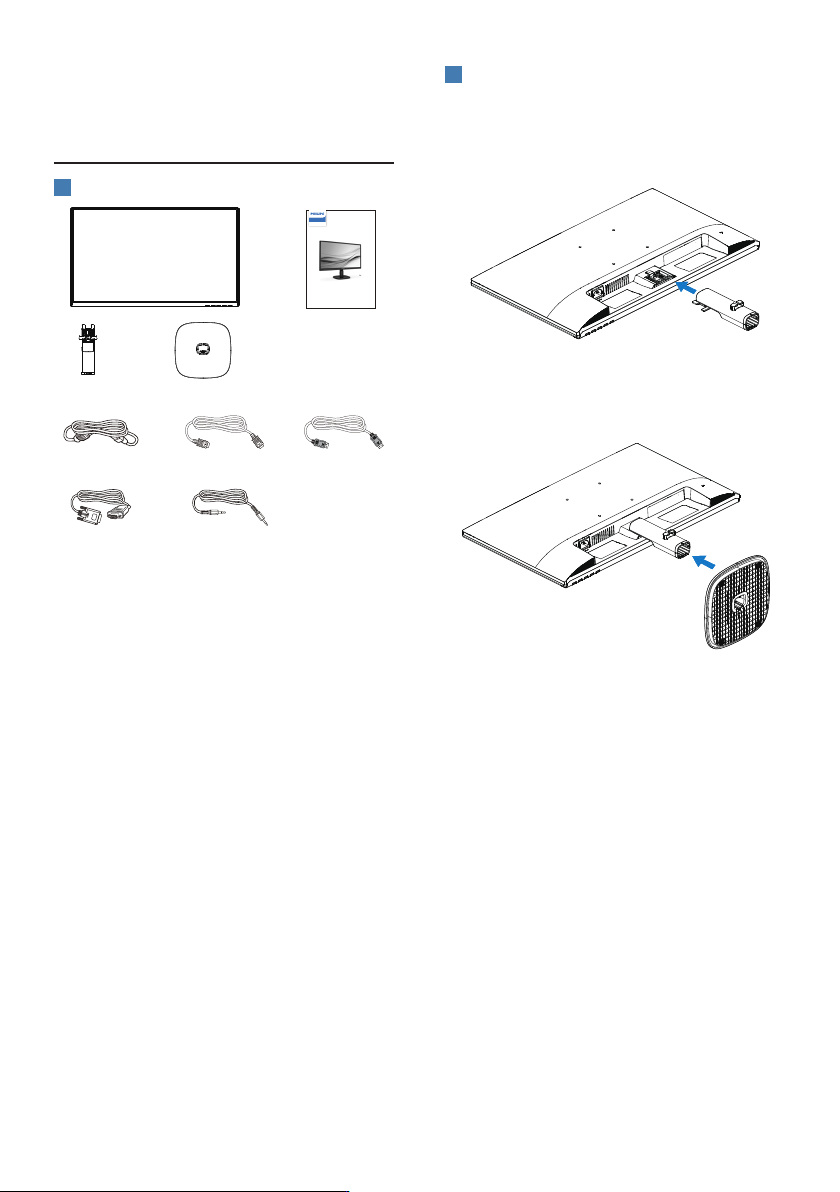
1
包装箱内物品
Quick Start
Register your product and get support at www.philips.com/welcome
24B2N2200
Business
Monitor
2000 Series
Power *HDMI
*VGA
*Audio cable
*DP
*视国家(地区)而定
2
安装底座
1. 将显示器正面朝下放在平滑柔软的表面
上,注意不要刮擦或损坏屏幕。连接/
滑动显示器的底座支柱,直至将其卡入
到位。
2. 用双手拿住显示器底座支撑臂,用力将
底座支撑臂插入底座支撑柱。