German Added as Machine Languages.pdf - 第11页
SMT Software Engineering Group IMOperation sYAMAHAMOT ORCO.,LTD. 11 /15 3. The fo llowin g screen is displa yed. Cli ck the [Ba ckup] but ton. Figure 6. 1.3 Syst em back up Scr een 4. The fo llowin g message is …
SMT Software Engineering Group
IMOperationsYAMAHAMOTORCO.,LTD.
10/15
6. Method of System Backup /Restore
Please acquire a system backup after you change the language on [Machine (VmSpec)] -
[Option Setting] – [Message].
If there is a change in the language setting between before and after system backup
restoration, the machine will not start.
6.1. System backup acquisition method
Please acquire system backup after changing the language according to the
following procedure.
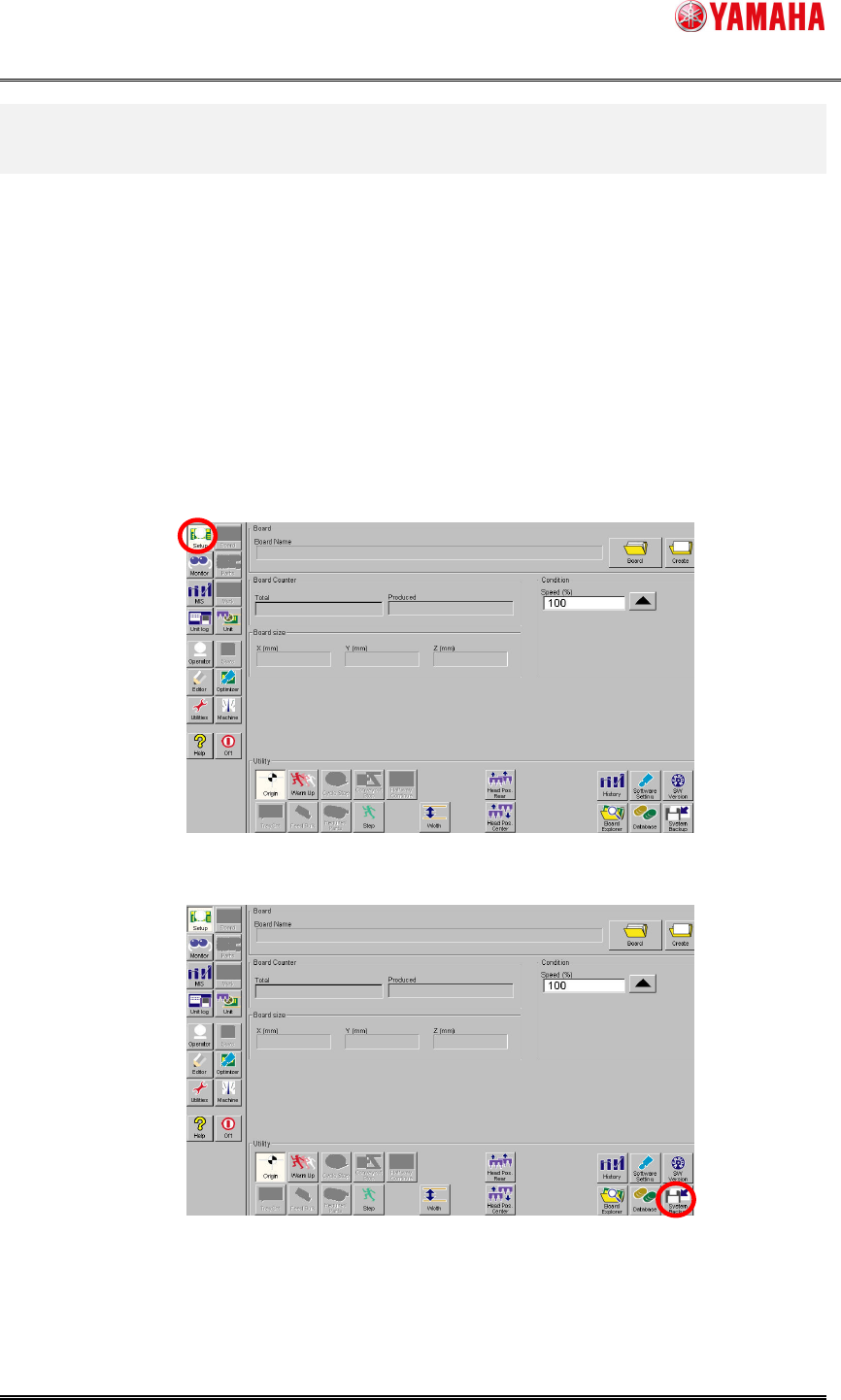
1. Click the [Setup] button.
Figure 6.1.1 Setup Screen
2. Click the [System Backup] button.
Figure 6.1.2 System backup Button
SMT Software Engineering Group
IMOperationsYAMAHAMOTORCO.,LTD.
11/15
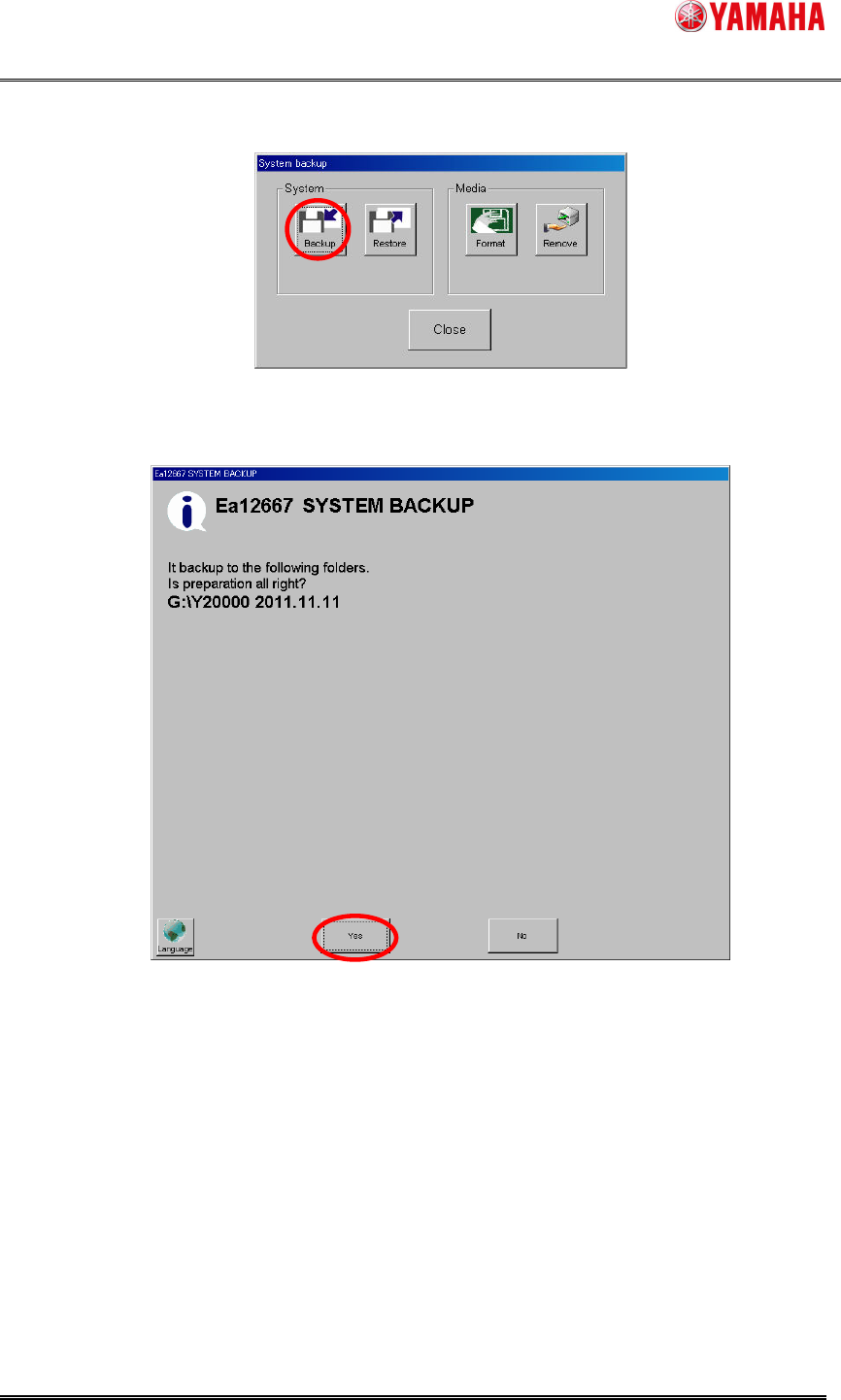
3. The following screen is displayed. Click the [Backup] button.
Figure 6.1.3 System backup Screen
4. The following message is displayed. Click the [yes] button.
Figure 6.1.4 Ea12667 Message Screen
SMT Software Engineering Group
IMOperationsYAMAHAMOTORCO.,LTD.
12/15
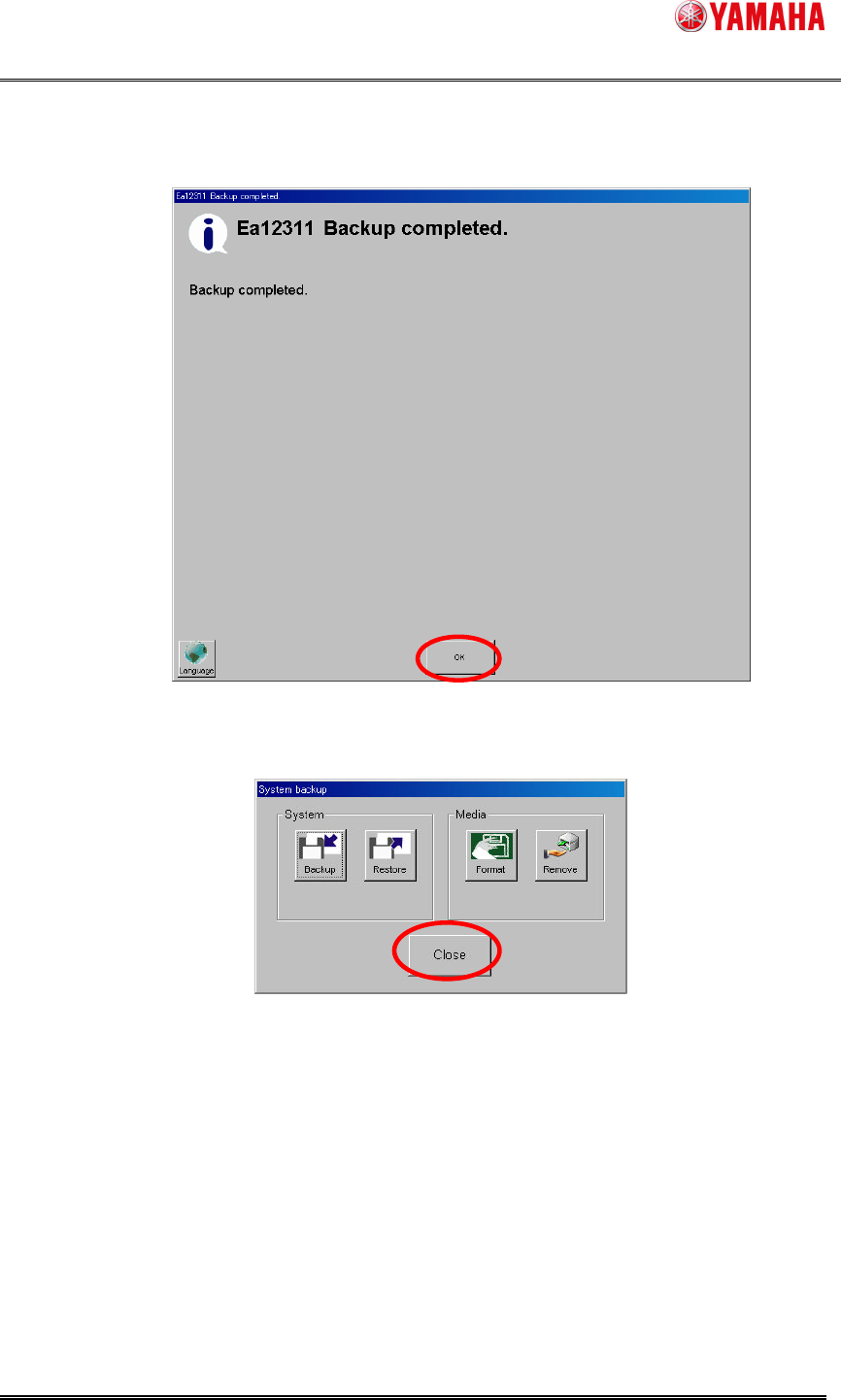
5. The following message is displayed when the backup is completed. Click the
[OK] button.
Figure 6.1.5 Ea12311 Message Screen
6. Click the [Close] button.
Figure 6.1.6 System backup Button