German Added as Machine Languages.pdf - 第6页
SMT Software Engineering Group IMOperation sYAMAHAMOT ORCO.,LTD. 6/15 3. The languag e switch scre en is displ ayed. Select E nglish (U nited S tates ) and cl ick the "OK" butto n. Figure 4.2. 3 Langua…
SMT Software Engineering Group
IMOperationsYAMAHAMOTORCO.,LTD.
5/15
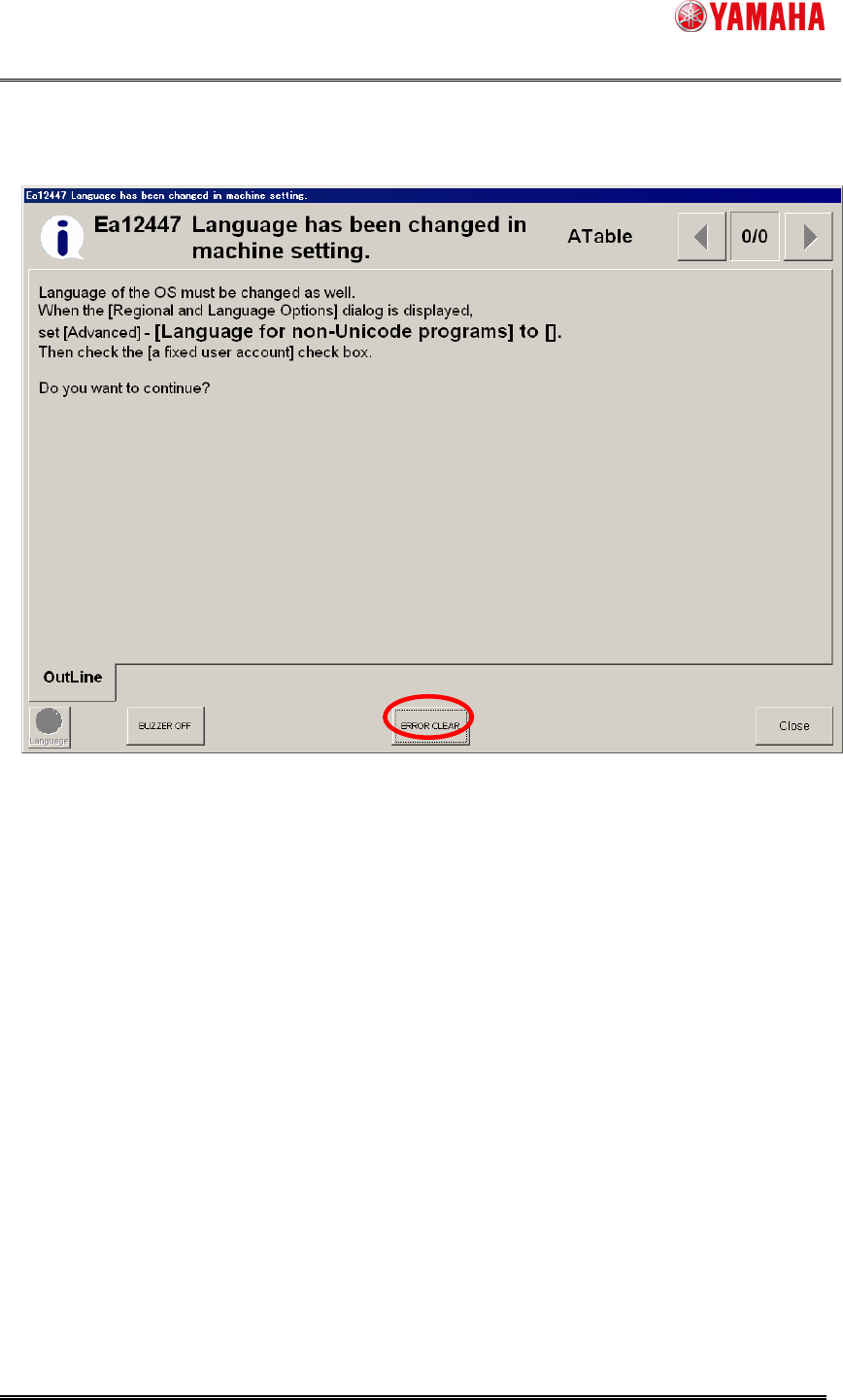
2. The following message is displayed. Click the "OK" button, and Windows is automatically
reactivated.
Figure 4.2.2 Ea12447 message
SMT Software Engineering Group
IMOperationsYAMAHAMOTORCO.,LTD.
6/15
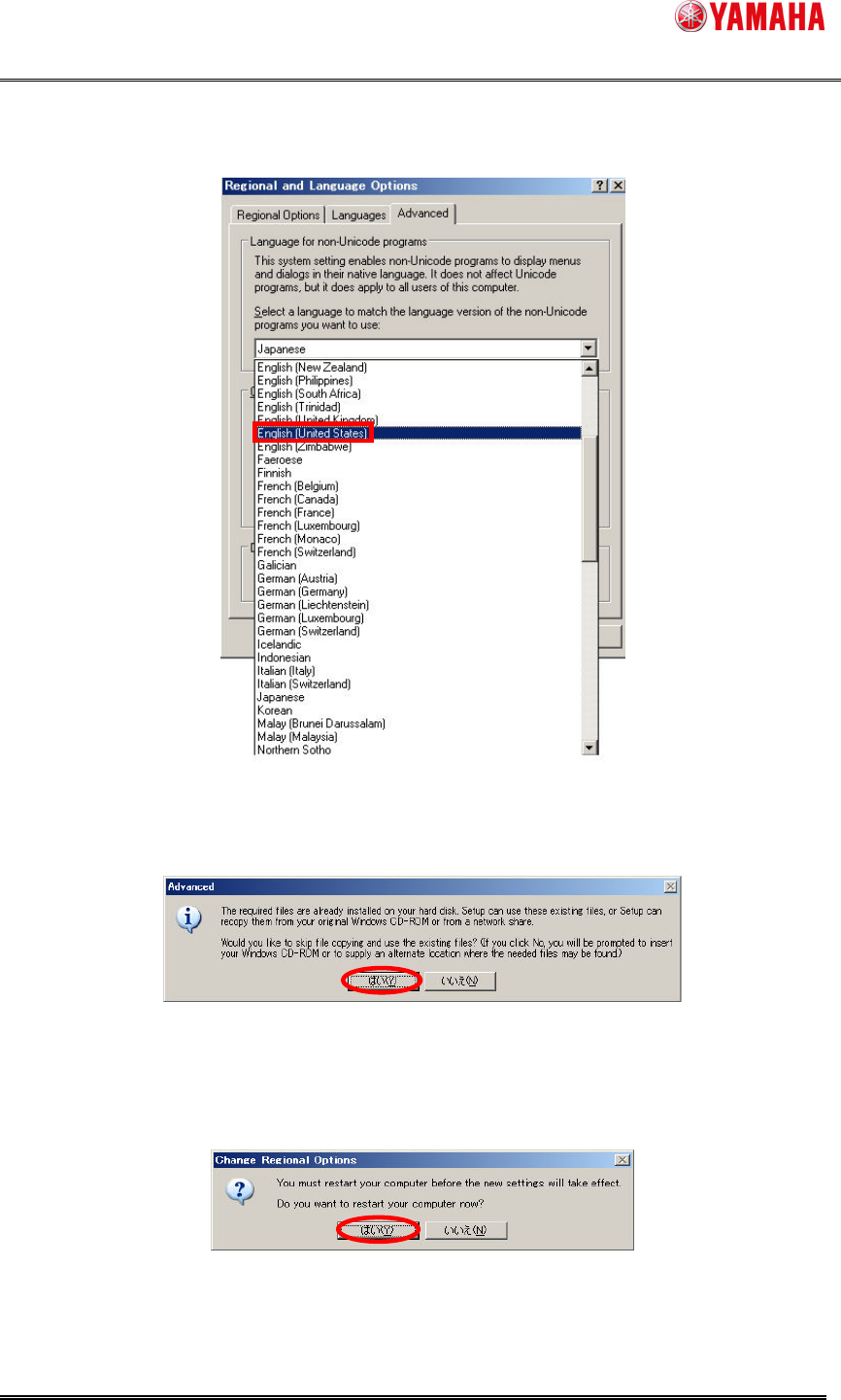
3. The language switch screen is displayed. Select English (United States) and click the
"OK" button.
Figure 4.2.3 Language switch screen
4. The following message is displayed. Click "yes".
Figure 4.2.4 Installation language confirmation message
5. The following message is displayed. It doesn't become effective until Windows is
reactivated; click "yes". Then Windows is reactivated automatically.
Figure 4.2.5 Reactivation message
SMT Software Engineering Group
IMOperationsYAMAHAMOTORCO.,LTD.
7/15
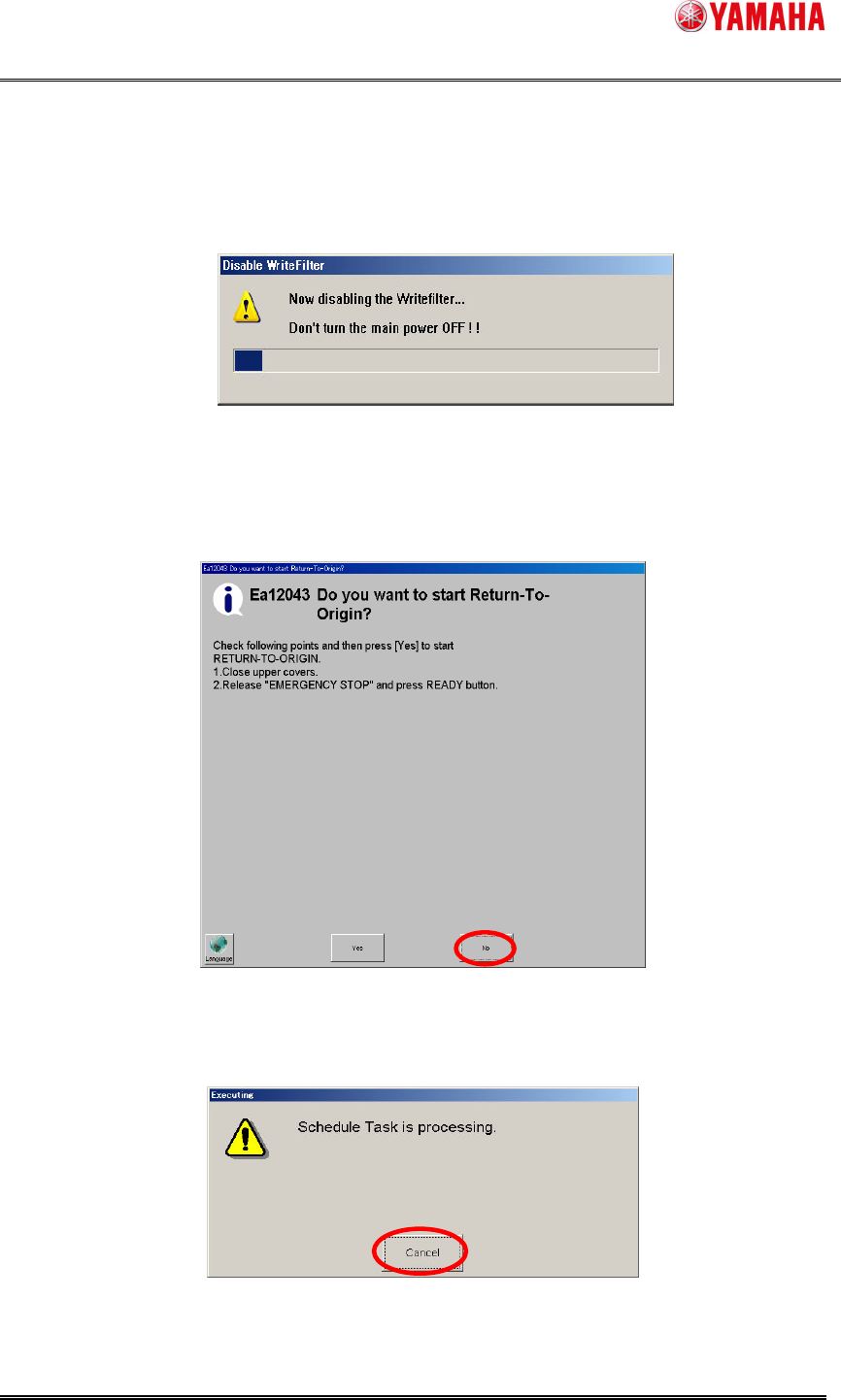
6. WriteFilter is automatically released after Windows rebooted.
Do not turn off a machine in the meantime.
Figure 4.2.6 Release WriteFilter
7. The machine starts and then, message Ea12043 is displayed. Click "No."
Es00099: When the I/F board memory access error occurs, clear the error.
Figure 4.2.7 Ea12043 message
8. After clicking “No”, the following message can be displayed. Click “Cancel”.
Figure 4.2.8 Schedule Task Screen