German Added as Machine Languages.pdf - 第4页
SMT Software Engineering Group IMOperation sYAMAHAMOT ORCO.,LTD. 4/15 4.2. 4.2. 4.2. 4.2. Sw itching language to German Please st art fr om the operation 1 when t he language is Jap a nese or Chinese…
SMT Software Engineering Group
IMOperationsYAMAHAMOTORCO.,LTD.
3/15
3. Limitations
If you want to downgrade to earlier than V3.27STDR1.000, please change the language to
English on the machine setting before that. (Refer to "5. Method of version down ").
The machine doesn't start if downgraded with German selected.
4. Method of Switching Language
To display the new language on the machine, please install your language, and select it on the
machine setting (VmSpec).
4.1.
4.1.4.1.
4.1.Installation of Language
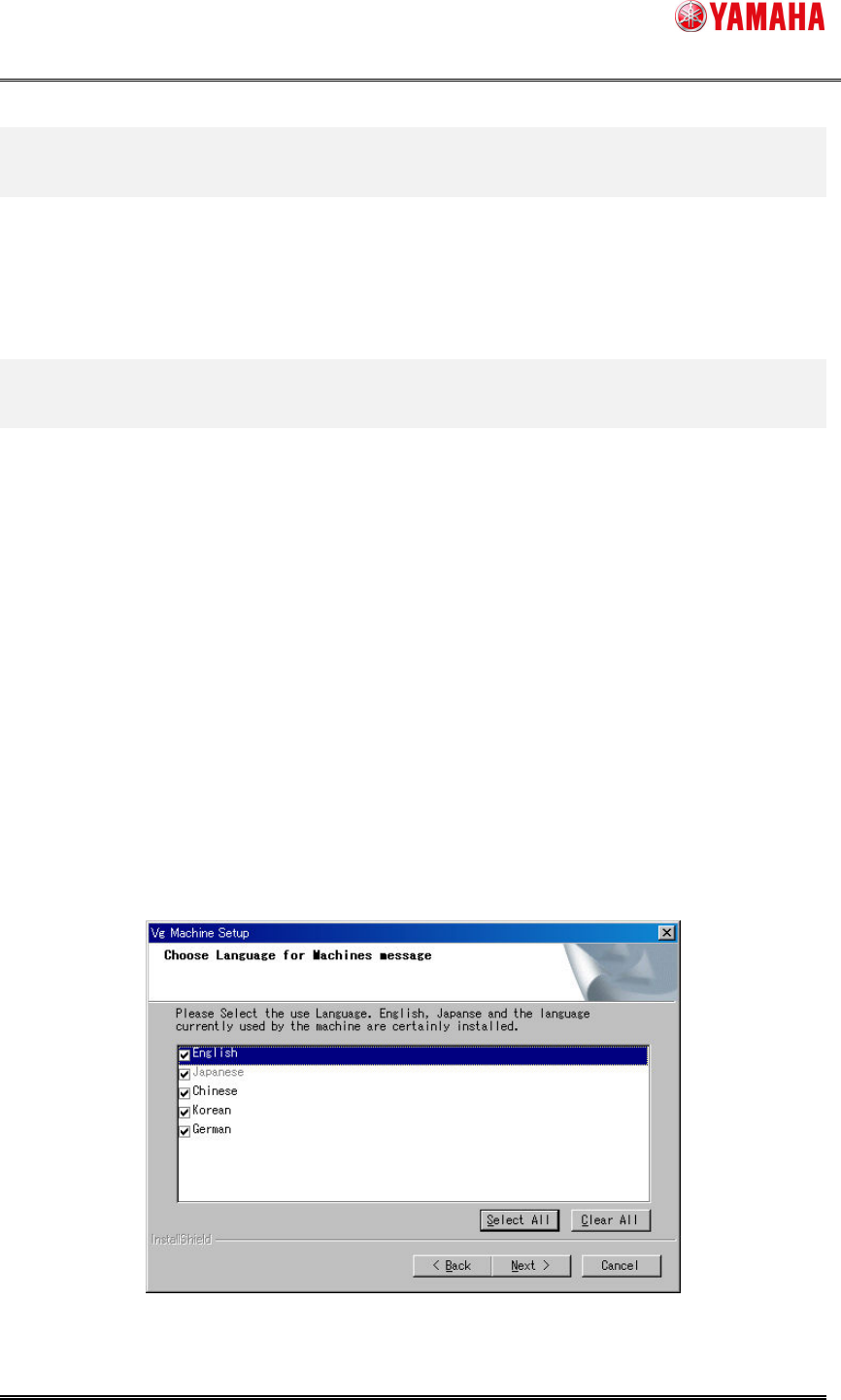
Check the box of your language on the screen displayed during the installation or an upgrade.
Unchecked languages are not installed.
Japanese, English, and a language selected on the machine setting must be installed. You can’t
uncheck the languages indicated in gray.
At the initial installation, the check boxes are displayed with English, Japanese, Chinese, and
Korean checked.
At a version upgrade, the check boxes are displayed with only the languages checked which
have been selected at the initial installation or the last upgrade.
Figure 4.1.1
Language selection screen
SMT Software Engineering Group
IMOperationsYAMAHAMOTORCO.,LTD.
4/15
4.2.
4.2.4.2.
4.2.Switching language to German
Please start from the operation 1 when the language is Japanese or Chinese or Korean.
Please start from the operation 9 when the language is English.
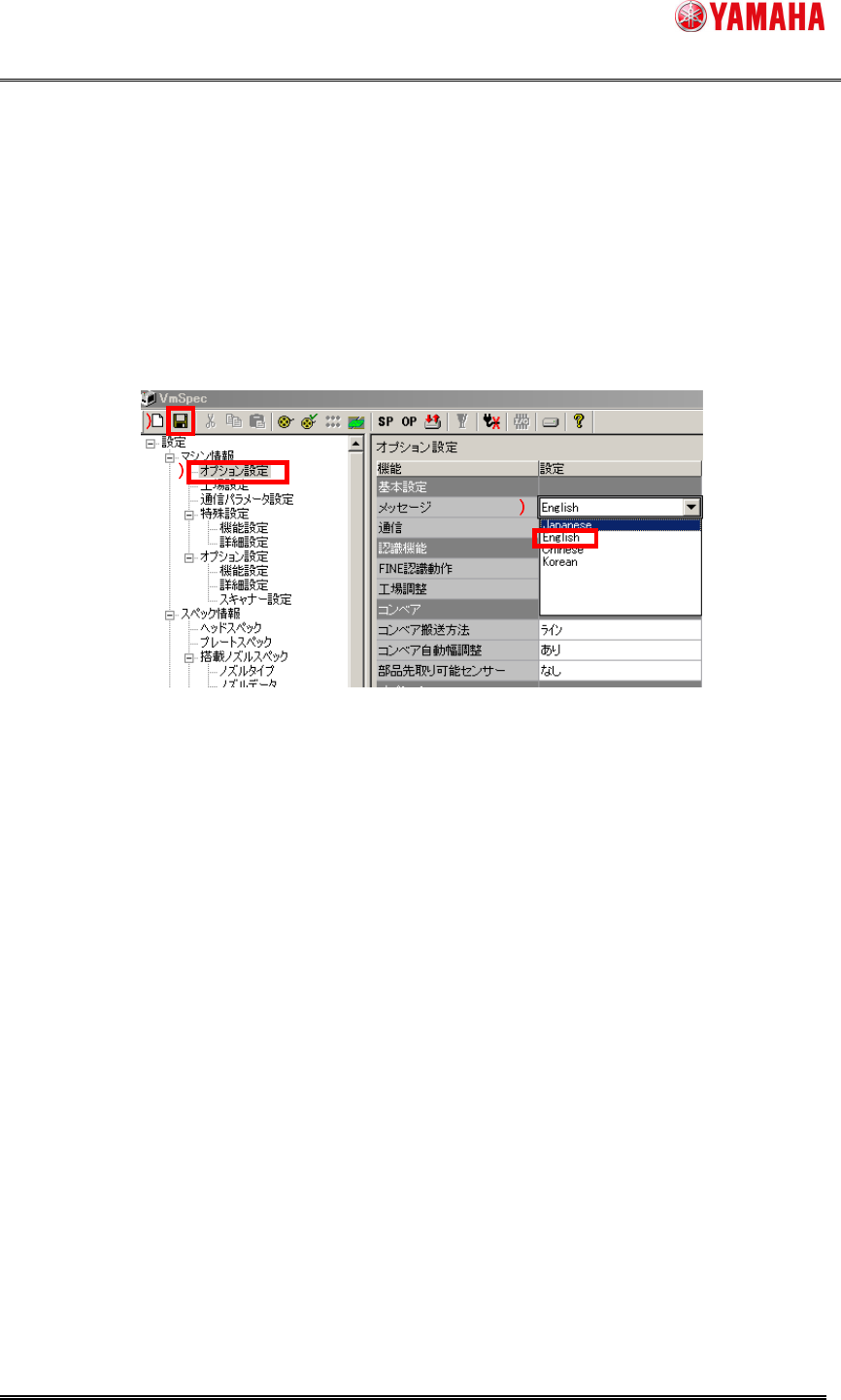
1. Start the machine, and the machine setting (VmSpec).
Click 1), double click 2), and the installed language list is displayed.
Select English and click 3) to save the setting.
After saving, machine setting (VmSpec) is finished.
Figure 4.2.1 VmSpec screen
If the current language is Japanese, German is not displayed here. Moreover, the
language unchecked at the initial installation or an upgrade is not displayed.
3
33
3
1
11
1
2
22
2
SMT Software Engineering Group
IMOperationsYAMAHAMOTORCO.,LTD.
5/15
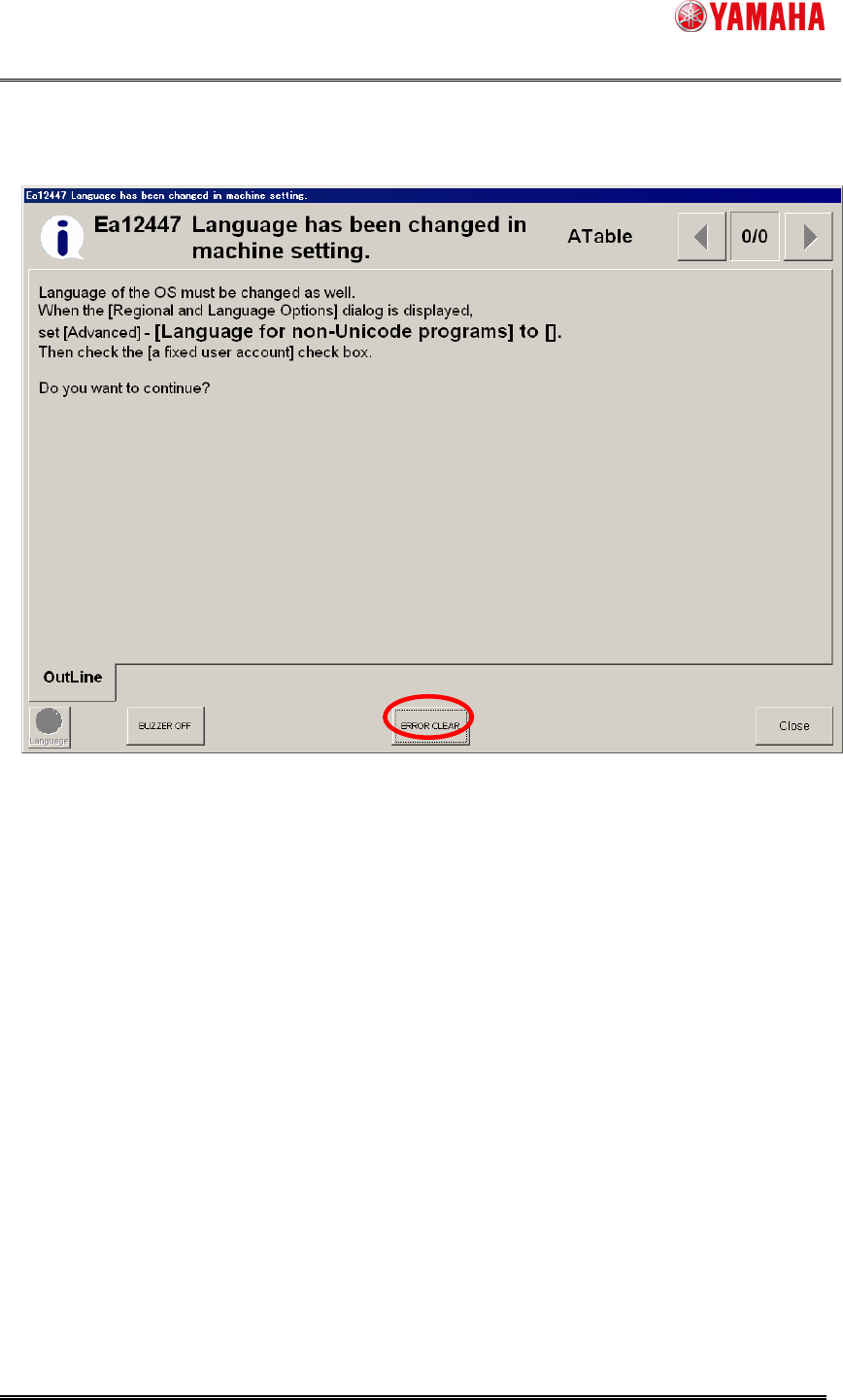
2. The following message is displayed. Click the "OK" button, and Windows is automatically
reactivated.
Figure 4.2.2 Ea12447 message