German Added as Machine Languages.pdf - 第8页
SMT Software Engineering Group IMOperation sYAMAHAMOT ORCO.,LTD. 8/15 9. At this po int, the l anguage is Eng lish. Clic k 1) to start the m achine sett ing (Vm S pec) . Then, Doub le clic k 2), and t he install…
SMT Software Engineering Group
IMOperationsYAMAHAMOTORCO.,LTD.
7/15
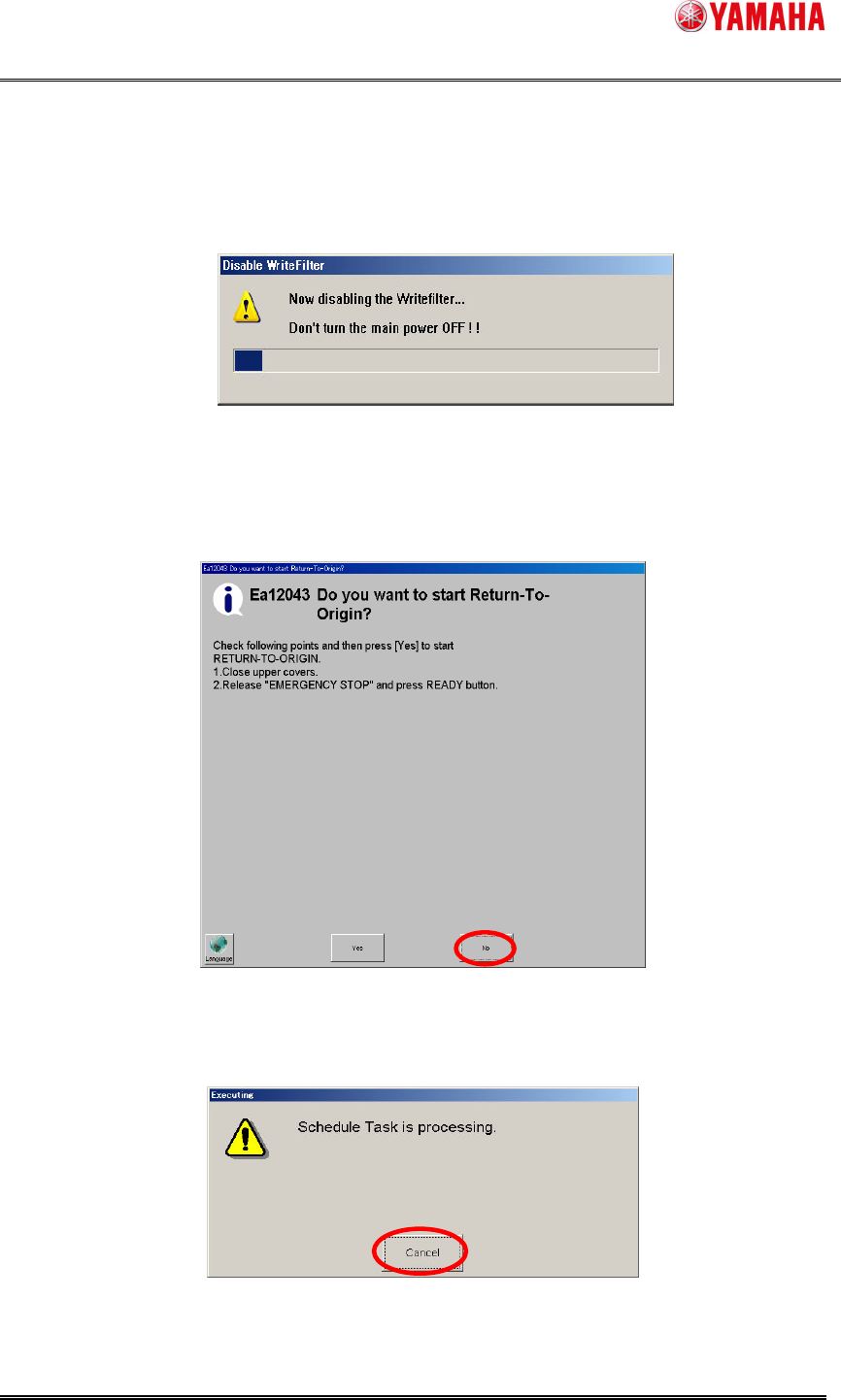
6. WriteFilter is automatically released after Windows rebooted.
Do not turn off a machine in the meantime.
Figure 4.2.6 Release WriteFilter
7. The machine starts and then, message Ea12043 is displayed. Click "No."
Es00099: When the I/F board memory access error occurs, clear the error.
Figure 4.2.7 Ea12043 message
8. After clicking “No”, the following message can be displayed. Click “Cancel”.
Figure 4.2.8 Schedule Task Screen
SMT Software Engineering Group
IMOperationsYAMAHAMOTORCO.,LTD.
8/15
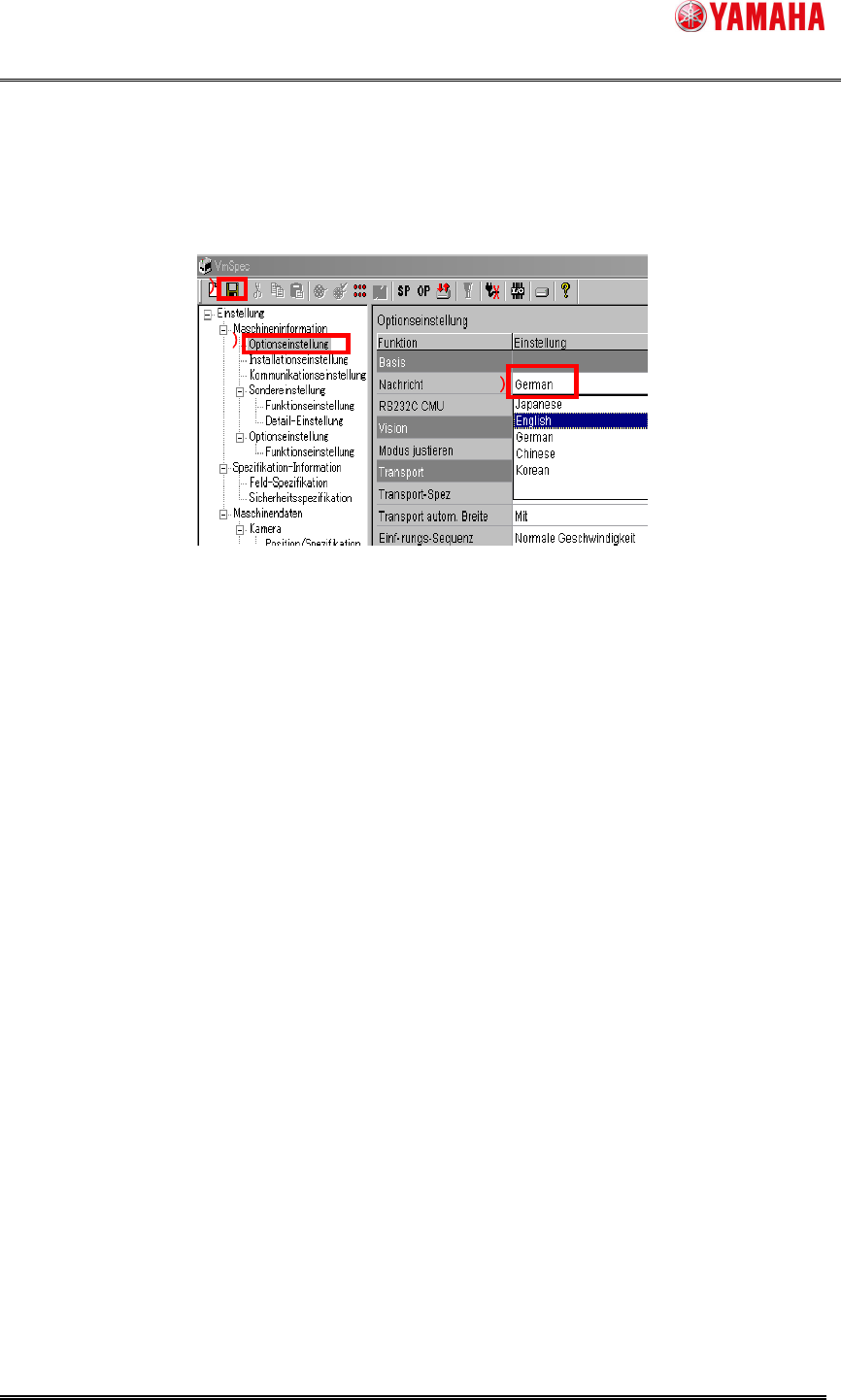
9. At this point, the language is English. Click 1) to start the machine setting (VmSpec).
Then, Double click 2), and the installed language list is displayed.
Select German.
Save the setting clicking 3) and end the machine setting (VmSpec).
Figure 4.2.9 VmSpec Screen
Languages unchecked the initial installation or a version upgrade are not displayed.
10. To activate the set up language, turn off the power of the machine and turn it on again.
1
11
1
2
22
2
3
33
3
SMT Software Engineering Group
IMOperationsYAMAHAMOTORCO.,LTD.
9/15
5. Method of Version Downgrade
Please execute the following procedure when you want to downgrade to earlier than this version.
Machine doesn't start normally with a wrong procedure.
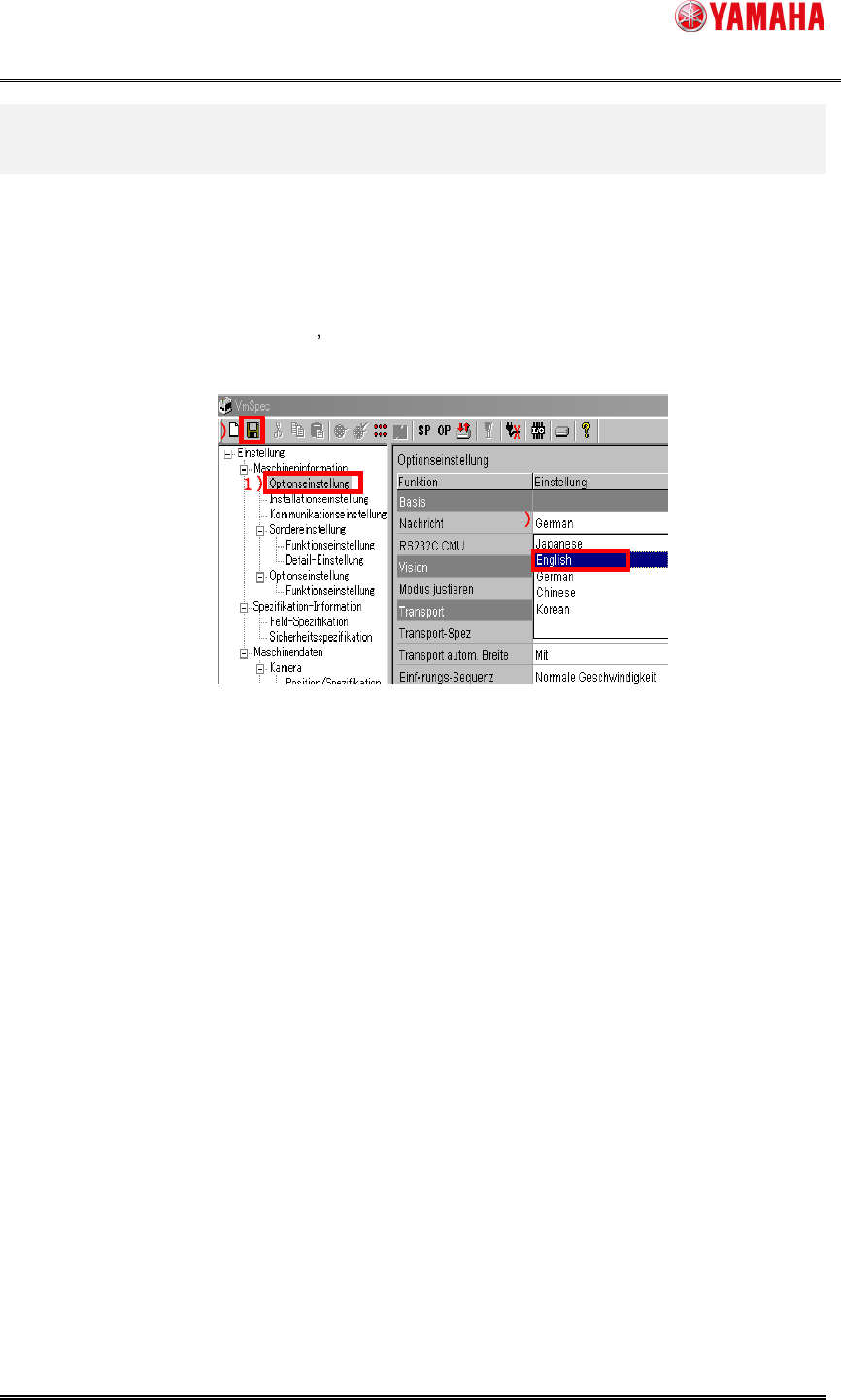
1. Start the machine, and the machine setting (VmSpec).
Click 1), and double click 2).
The language list is displayed and select English.
Save the setting clicking 3), and close the machine setting (VmSpec).
Figure 5.1.1 Machine setting language selection screen
2. Reboot the machine, and down the version.
If the version downgrade fails, and the machine doesn't work, please upgrade to
V3.27STD R1.000 or later, and execute the procedure this chapter.
3
33
3
2
22
2