German Added as Machine Languages.pdf - 第14页
SMT Software Engineering Group IMOperation sYAMAHAMOT ORCO.,LTD. 14 /15 4. The fo llow ing message i s d isplayed. Click the [yes] but ton. Figure 6. 2.4 Ea126 69 M essage Screen 5. The follow ing m essage is di…
SMT Software Engineering Group
IMOperationsYAMAHAMOTORCO.,LTD.
13/15
6.2. System Backup Restore Method
System backup restore method is explained.
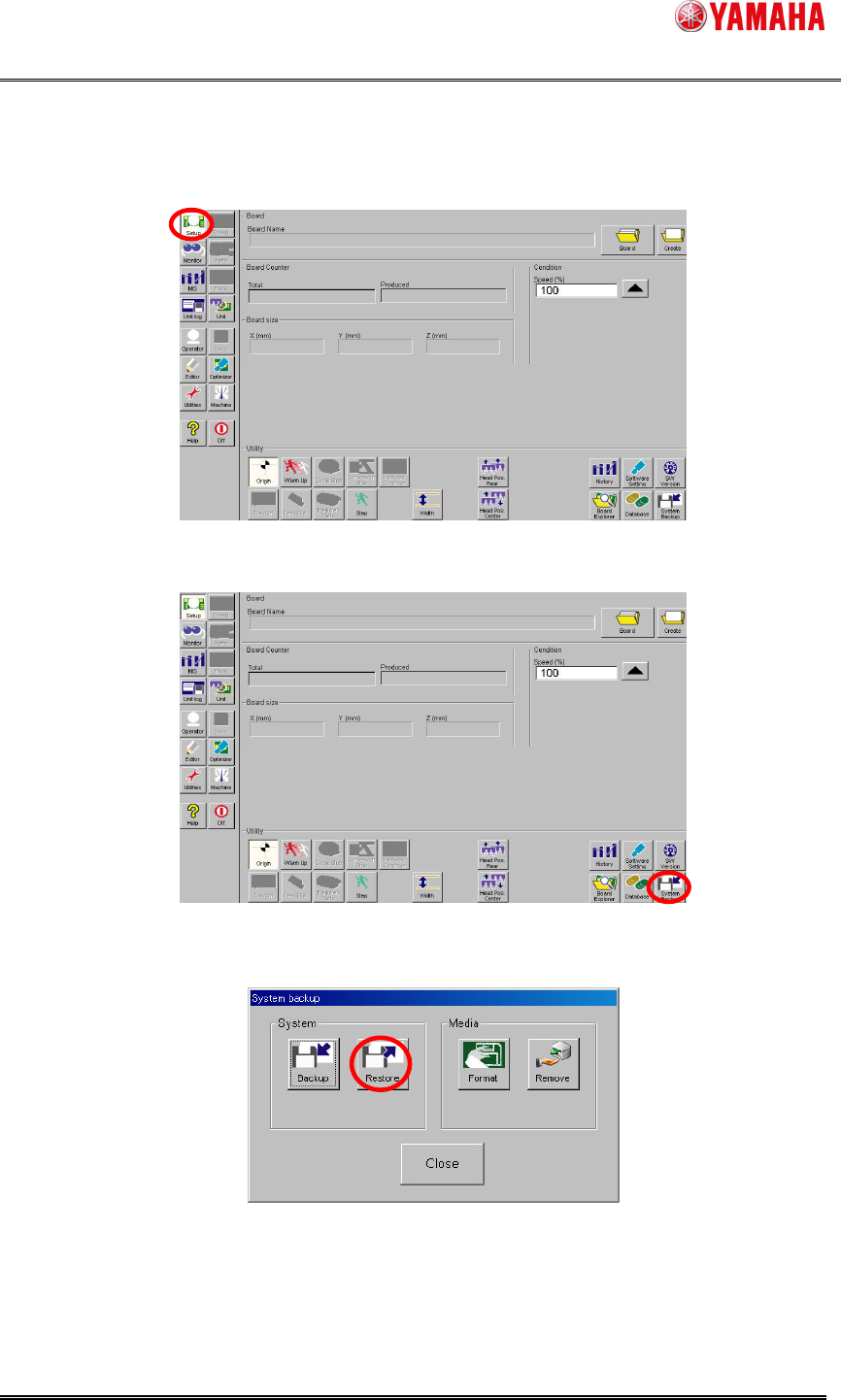
1. Click the [Setup] button.
Figure 6.2.1 Setup Screen
2. Click the [System Backup] button.
Figure 6.2.2 System backup Button
3. Click the [Restore] button.
Figure 6.2.3 System backup Screen
SMT Software Engineering Group
IMOperationsYAMAHAMOTORCO.,LTD.
14/15
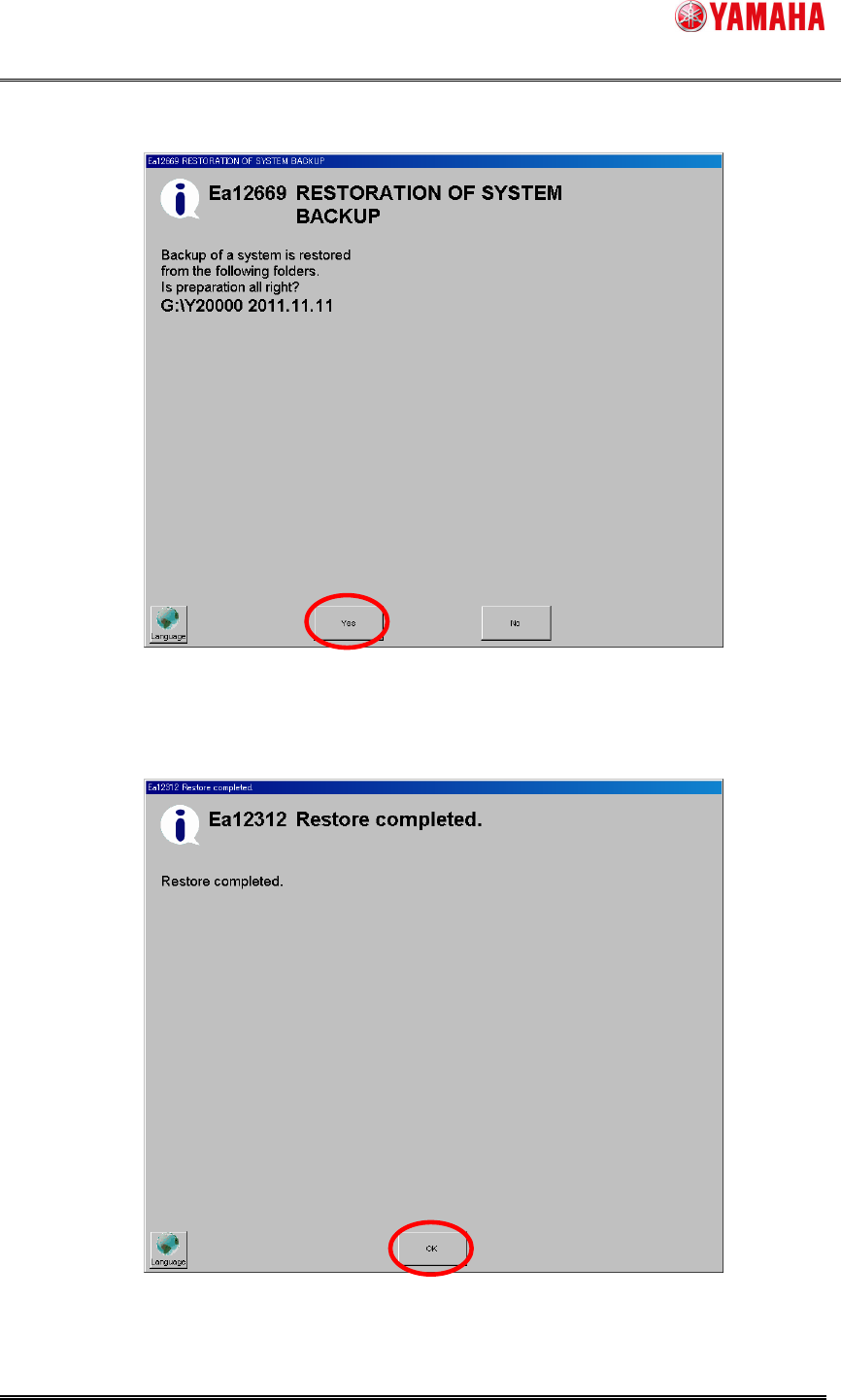
4. The following message is displayed. Click the [yes] button.
Figure 6.2.4 Ea12669 Message Screen
5. The following message is displayed when the backup is completed. Click the
[OK] button.
Figure 6.2.5 Ea12312 Message Screen
SMT Software Engineering Group
IMOperationsYAMAHAMOTORCO.,LTD.
15/15
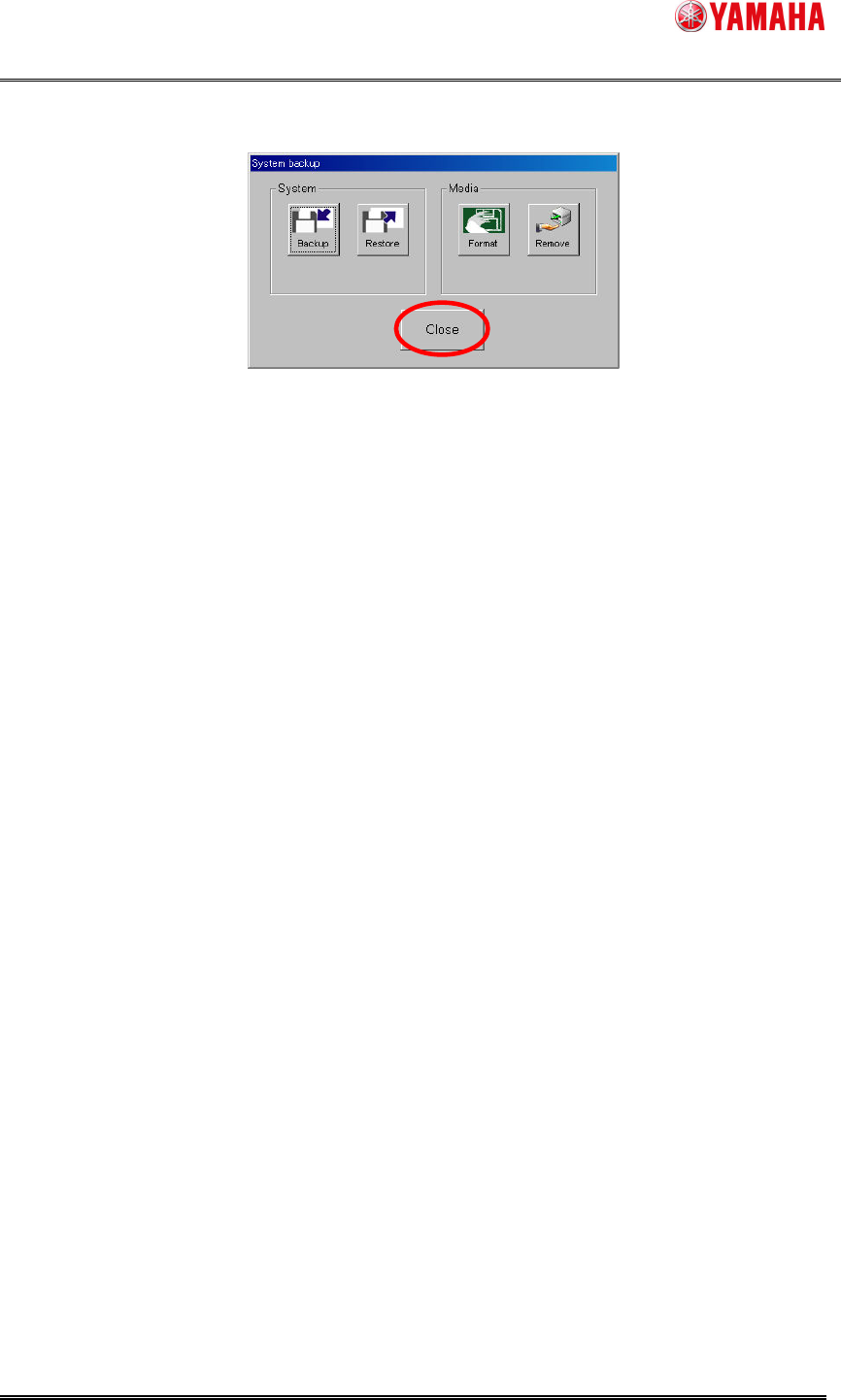
6. Click the [Close] button. Turn off the power of the machine and turn it on again.
Figure 6.2.6 System backup Screen
In case the machine doesn’t start after a system backup restoration, please
upgrade to V3.27STD R3.000.
And when you upgrade, please choose the language selected before the system
backup acquisition.
(Refer to 4.1 language installation)