German Added as Machine Languages.pdf - 第5页
SMT Software Engineering Group IMOperation sYAMAHAMOT ORCO.,LTD. 5/15 2. The following m essage i s d isplayed. Click the "O K" but ton, a nd W i ndo ws is autom atically react ivated. Figure 4.2.2 E…
SMT Software Engineering Group
IMOperationsYAMAHAMOTORCO.,LTD.
4/15
4.2.
4.2.4.2.
4.2.Switching language to German
Please start from the operation 1 when the language is Japanese or Chinese or Korean.
Please start from the operation 9 when the language is English.
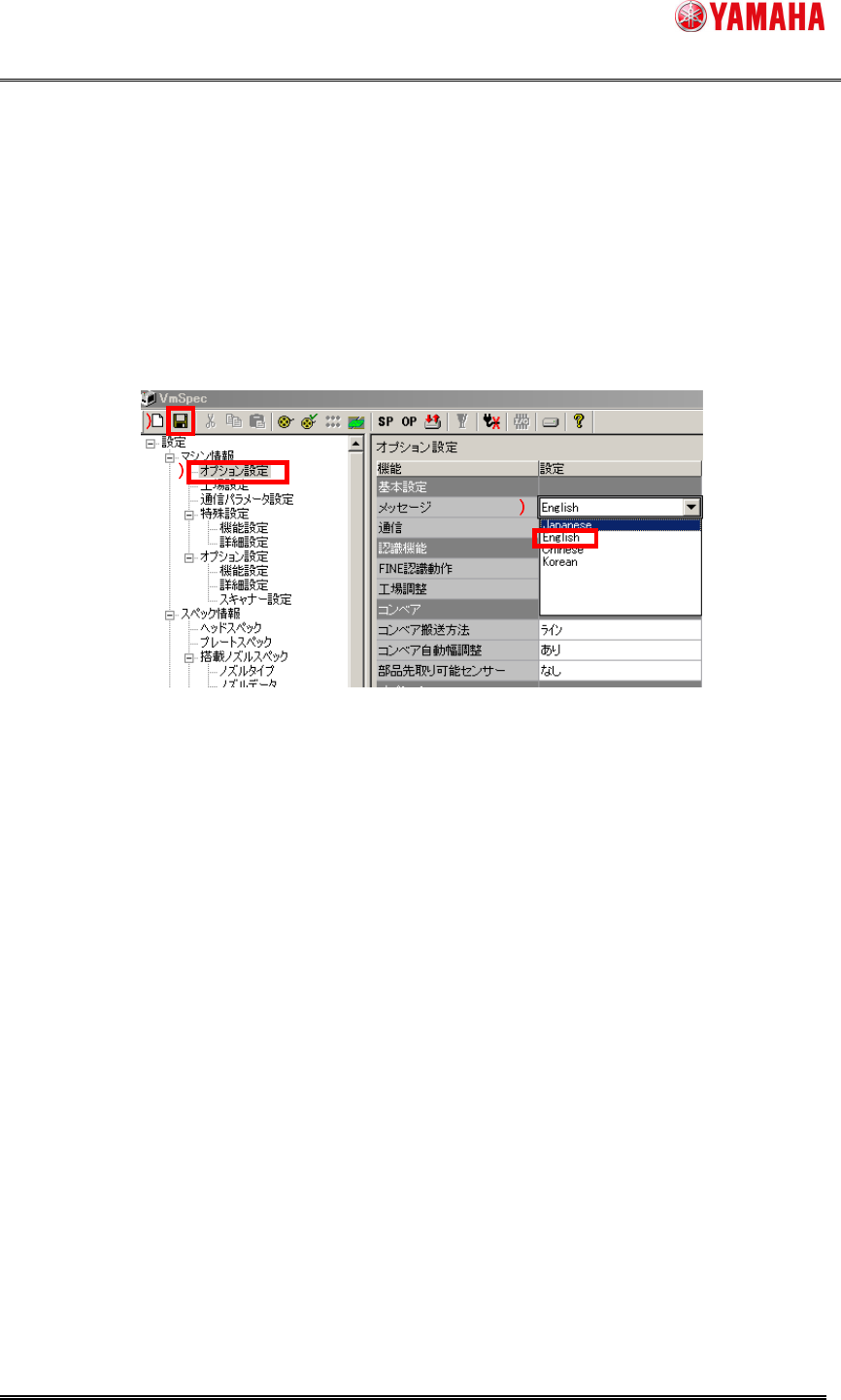
1. Start the machine, and the machine setting (VmSpec).
Click 1), double click 2), and the installed language list is displayed.
Select English and click 3) to save the setting.
After saving, machine setting (VmSpec) is finished.
Figure 4.2.1 VmSpec screen
If the current language is Japanese, German is not displayed here. Moreover, the
language unchecked at the initial installation or an upgrade is not displayed.
3
33
3
1
11
1
2
22
2
SMT Software Engineering Group
IMOperationsYAMAHAMOTORCO.,LTD.
5/15
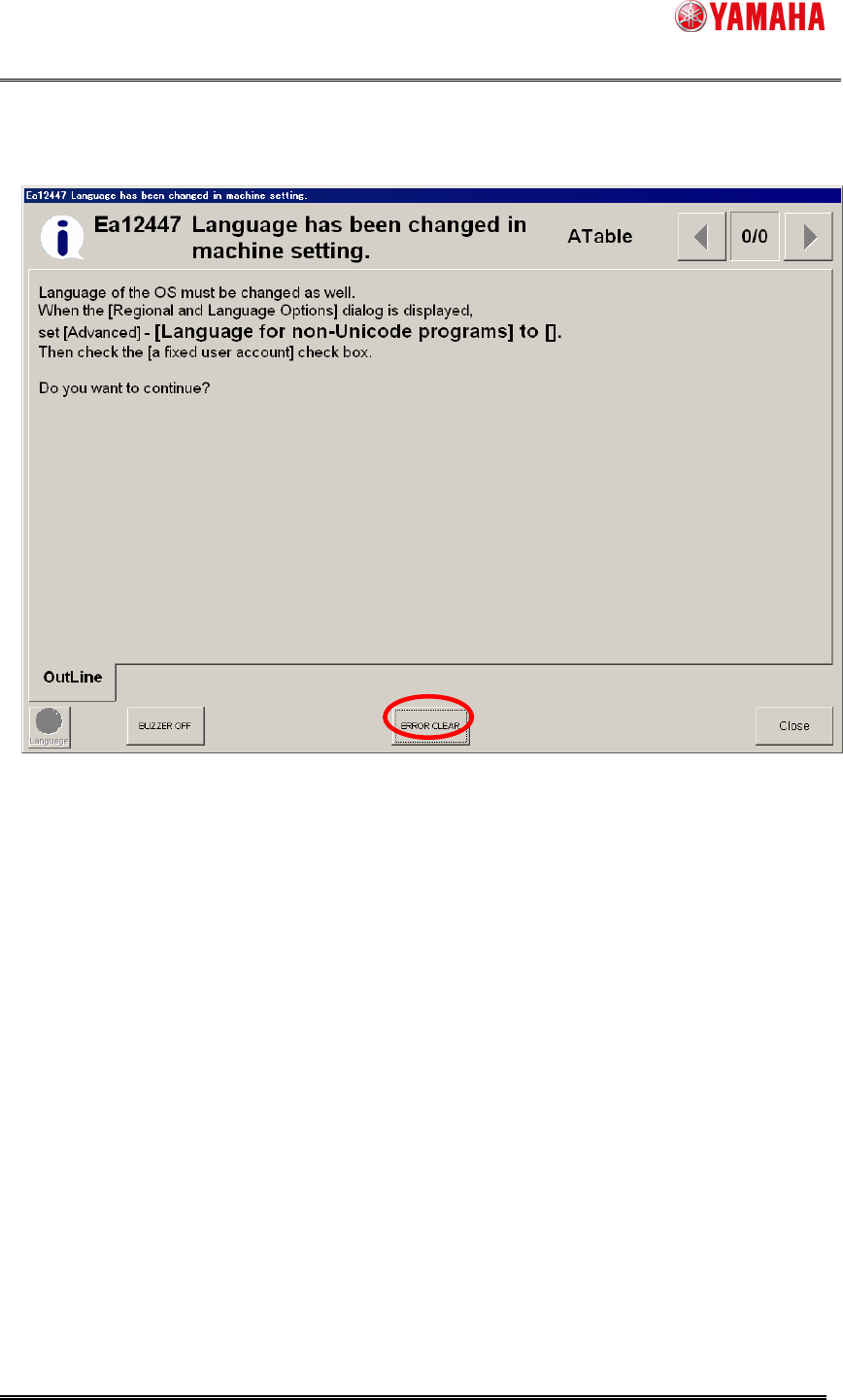
2. The following message is displayed. Click the "OK" button, and Windows is automatically
reactivated.
Figure 4.2.2 Ea12447 message
SMT Software Engineering Group
IMOperationsYAMAHAMOTORCO.,LTD.
6/15
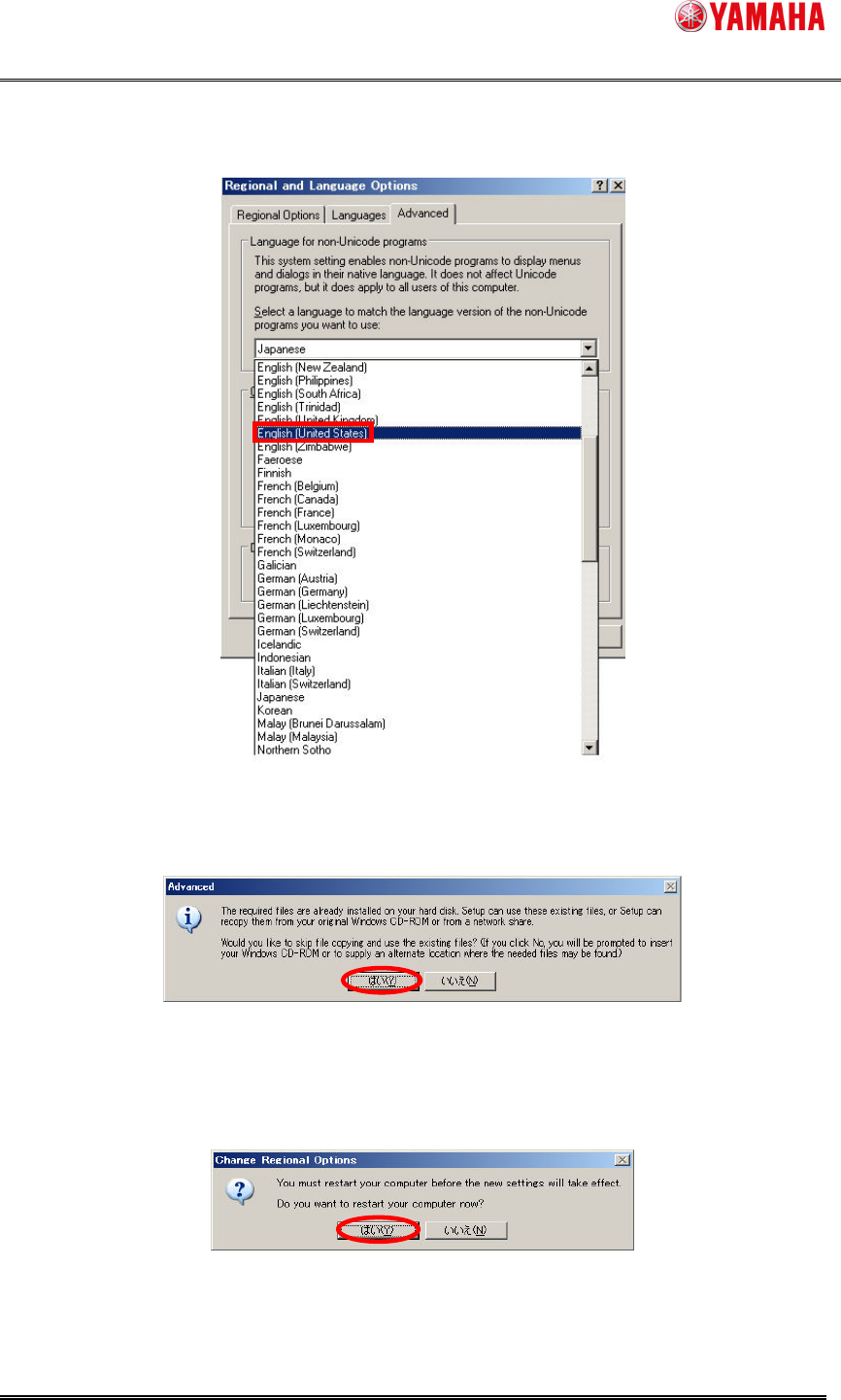
3. The language switch screen is displayed. Select English (United States) and click the
"OK" button.
Figure 4.2.3 Language switch screen
4. The following message is displayed. Click "yes".
Figure 4.2.4 Installation language confirmation message
5. The following message is displayed. It doesn't become effective until Windows is
reactivated; click "yes". Then Windows is reactivated automatically.
Figure 4.2.5 Reactivation message