German Added as Machine Languages.pdf - 第12页
SMT Software Engineering Group IMOperation sYAMAHAMOT ORCO.,LTD. 12 /15 5. The following message is disp layed when the ba ckup is com plet ed. Cli ck the [OK] bu tton. Figure 6. 1.5 Ea12311 Message Screen 6. Cl…
SMT Software Engineering Group
IMOperationsYAMAHAMOTORCO.,LTD.
11/15
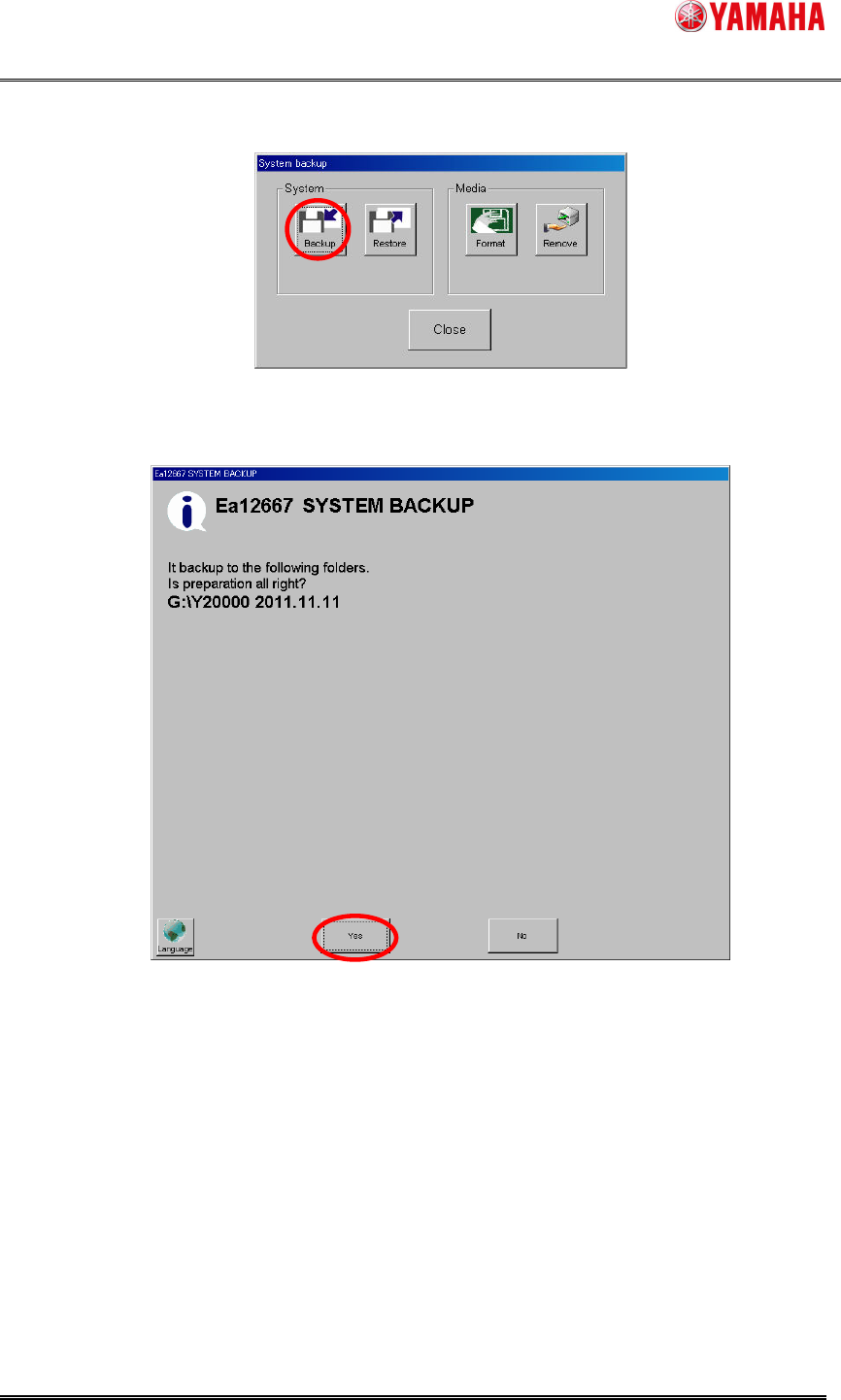
3. The following screen is displayed. Click the [Backup] button.
Figure 6.1.3 System backup Screen
4. The following message is displayed. Click the [yes] button.
Figure 6.1.4 Ea12667 Message Screen
SMT Software Engineering Group
IMOperationsYAMAHAMOTORCO.,LTD.
12/15
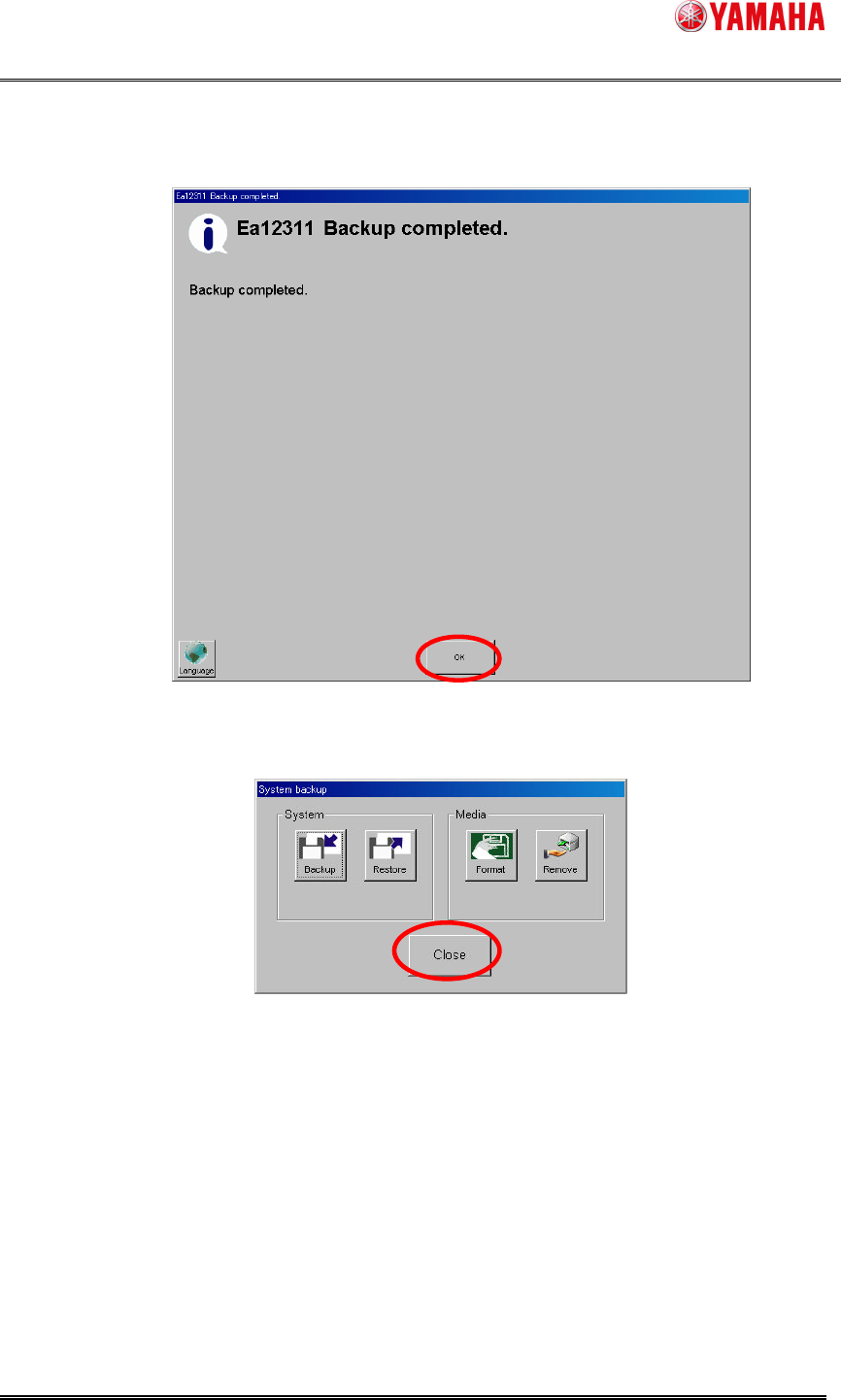
5. The following message is displayed when the backup is completed. Click the
[OK] button.
Figure 6.1.5 Ea12311 Message Screen
6. Click the [Close] button.
Figure 6.1.6 System backup Button
SMT Software Engineering Group
IMOperationsYAMAHAMOTORCO.,LTD.
13/15
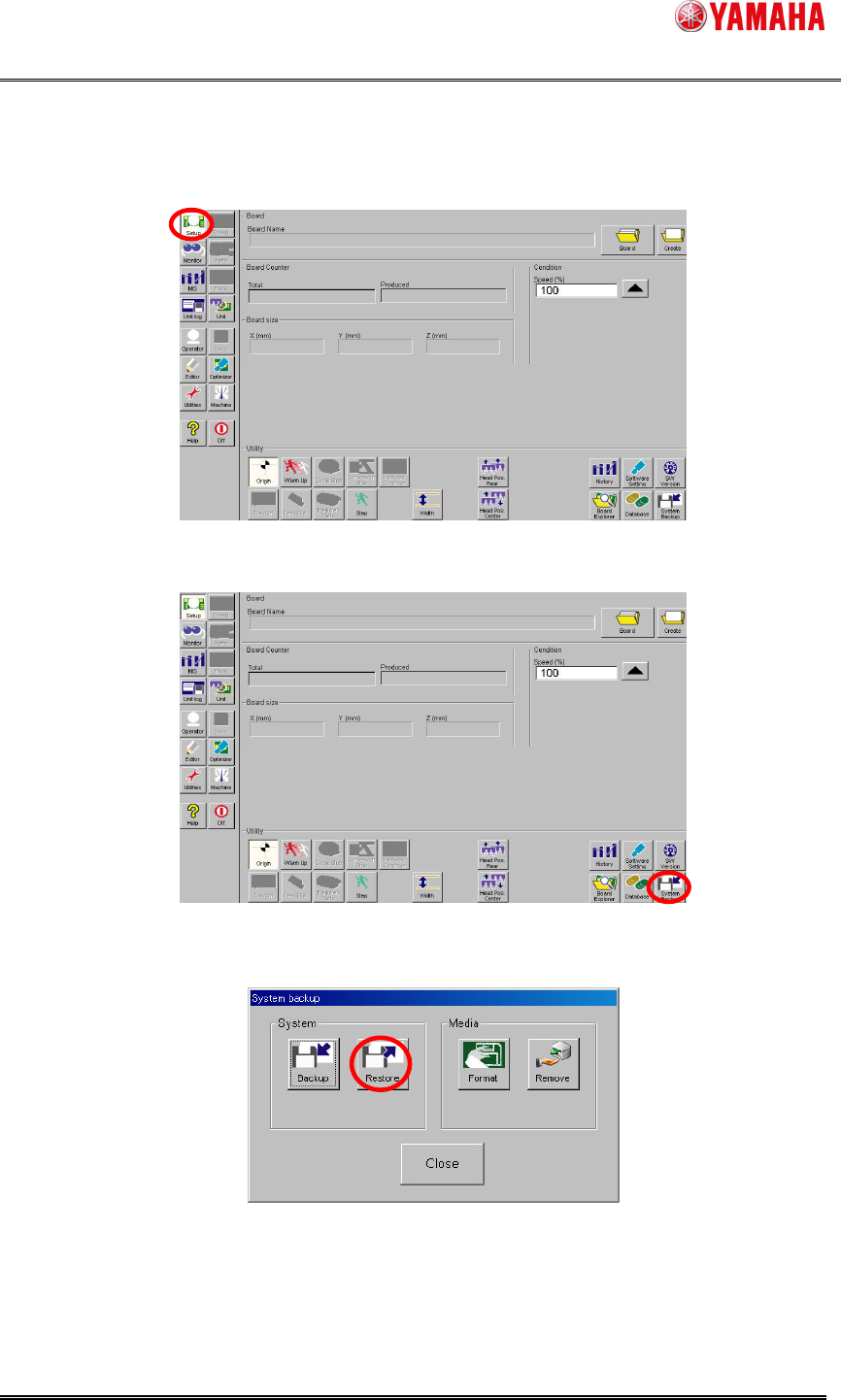
6.2. System Backup Restore Method
System backup restore method is explained.
1. Click the [Setup] button.
Figure 6.2.1 Setup Screen
2. Click the [System Backup] button.
Figure 6.2.2 System backup Button
3. Click the [Restore] button.
Figure 6.2.3 System backup Screen