Covers.pdf - 第10页
COVERS MACHINE COVERS 3.10 Technical Reference Manu al Chapter Issue 2 Sep 09 Locating Pins Side, corner , front and rear p anels are secured on location pins at the base of the machine. Plates mounted on e ach corner of…
COVERS
MACHINE COVERS
Chapter Issue 2 Sep 09 Technical Reference Manual 3.9
Cover Removal Before removing covers ensure that the supplies (air and electrical) have been
isolated from the machine.
Quarter-Turn Ring
Fasteners
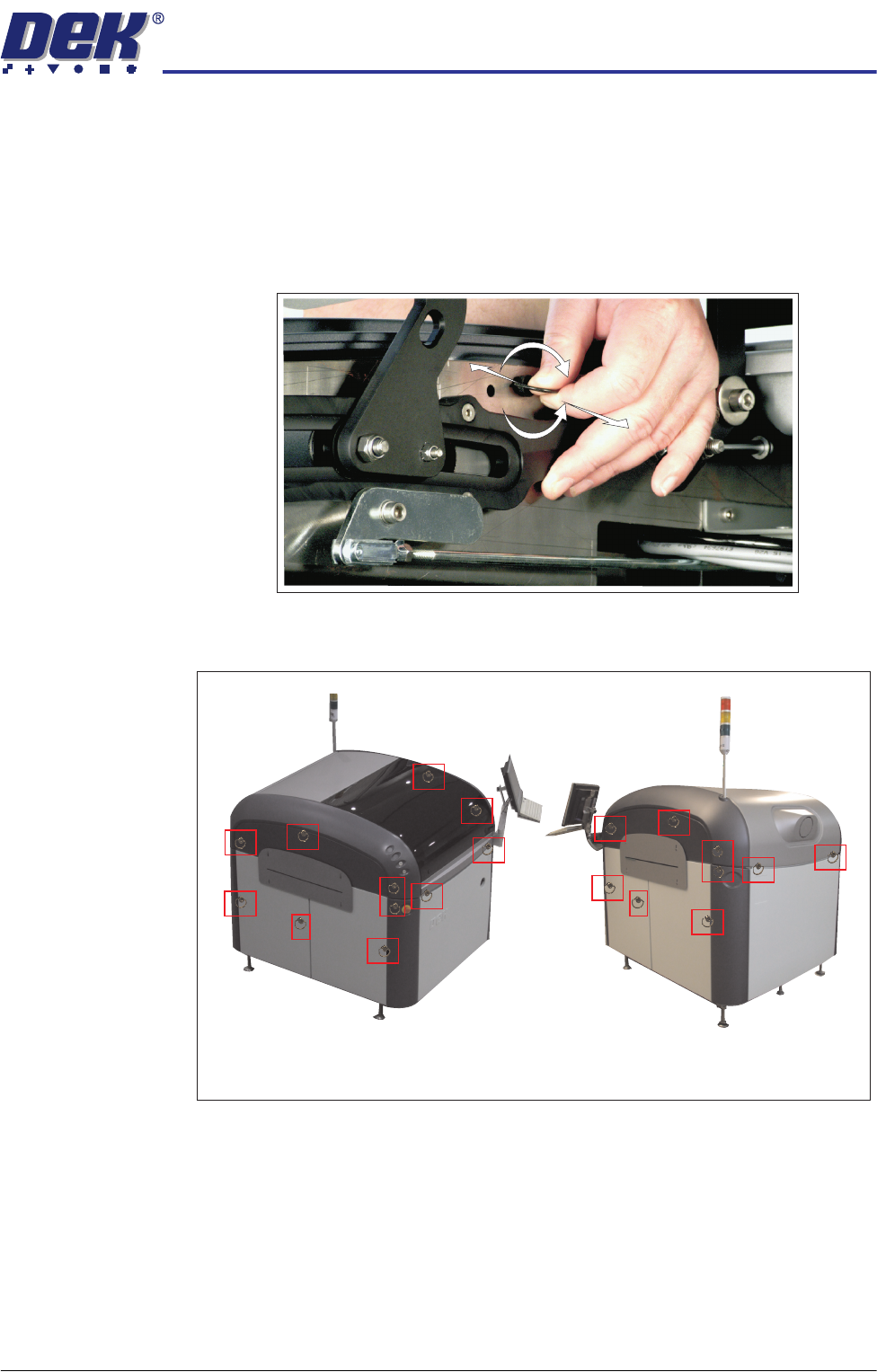
To remove a panel secured with quarter-turn ring fasteners, turn the fastener
ring anti-clockwise (-) by a quarter-turn and pull out. To refit a panel, locate the
fastener shaft into the fastener, push against the spring whilst turning the ring
clockwise a quarter turn to secure (+).
Figure 3-5 Quarter-Turn Ring Fastener
Figure 3-6 Fastener Locations
+
-
Locations (behind panels) of the Quarter Turn Ring Fasteners
COVERS
MACHINE COVERS
3.10 Technical Reference Manual Chapter Issue 2 Sep 09
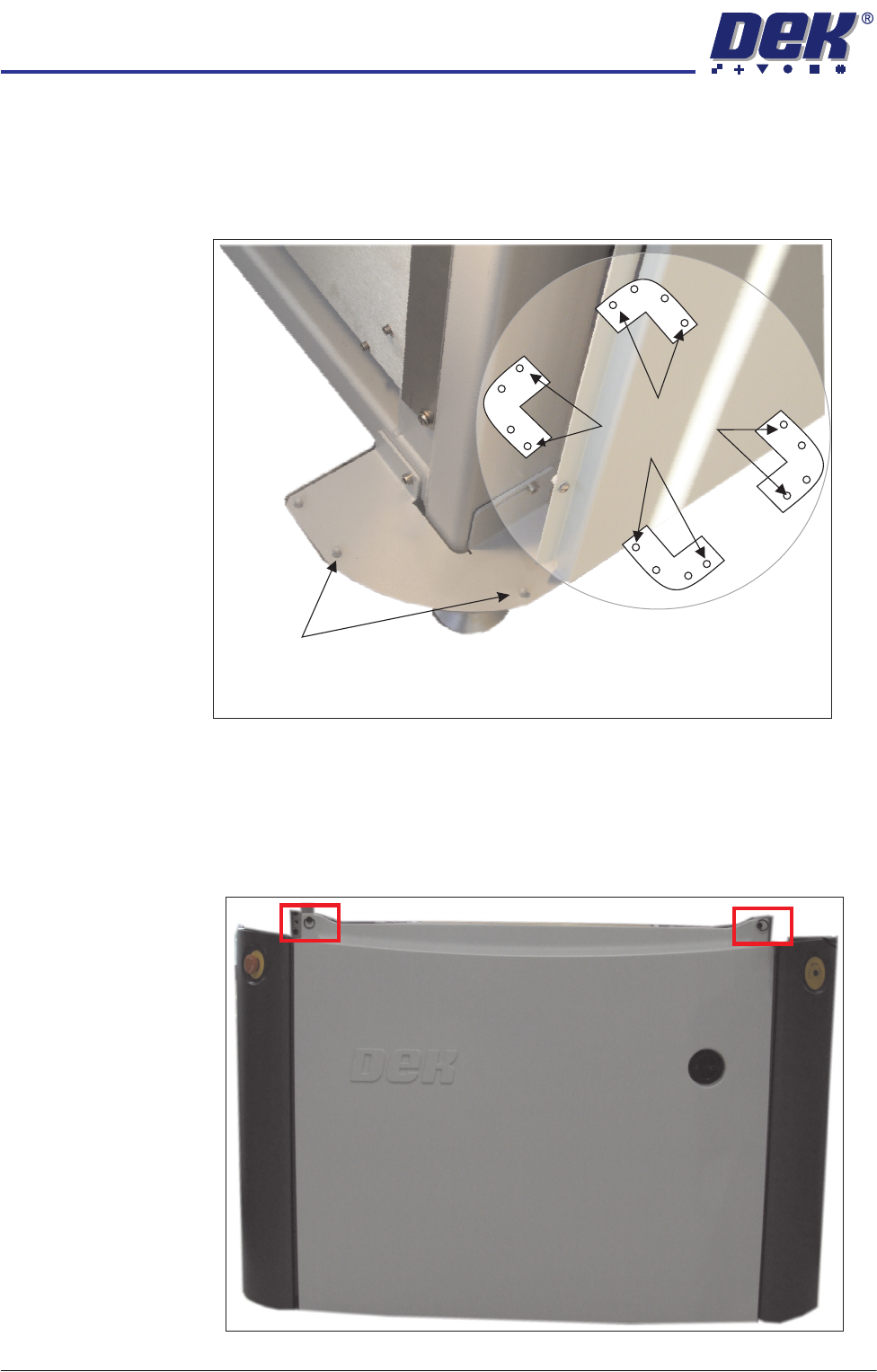
Locating Pins Side, corner, front and rear panels are secured on location pins at the base of
the machine. Plates mounted on each corner of the machine (see vignette
below) house the four pins; the two centre pins are for the corner panels and
two outer pins are for the side, front and rear panels.
Figure 3-7 Mounting Plates
Front Panel To remove the front panel, carry out the following:
1. Open the sliding glass cover.
2. Release the two quarter-turn ring fasteners located externally at the top
corners of the panel.
Corner Panel
Location Pins
View on Base of Machine
Location Pins
Side, Front &
Rear Panels
COVERS
MACHINE COVERS
Chapter Issue 2 Sep 09 Technical Reference Manual 3.11
3. Tilt the top of the panel away from the machine and lift the panel clear of the
location pins at the bottom.
Rear Panel To remove the rear panel, carry out the following:
1. Lift the rear printhead cover.
2. Release the two quarter-turn ring fasteners located externally at the top
corners of the panel.
3. Tilt the top of the panel away from the machine and lift the panel clear of the
location pins at the bottom.
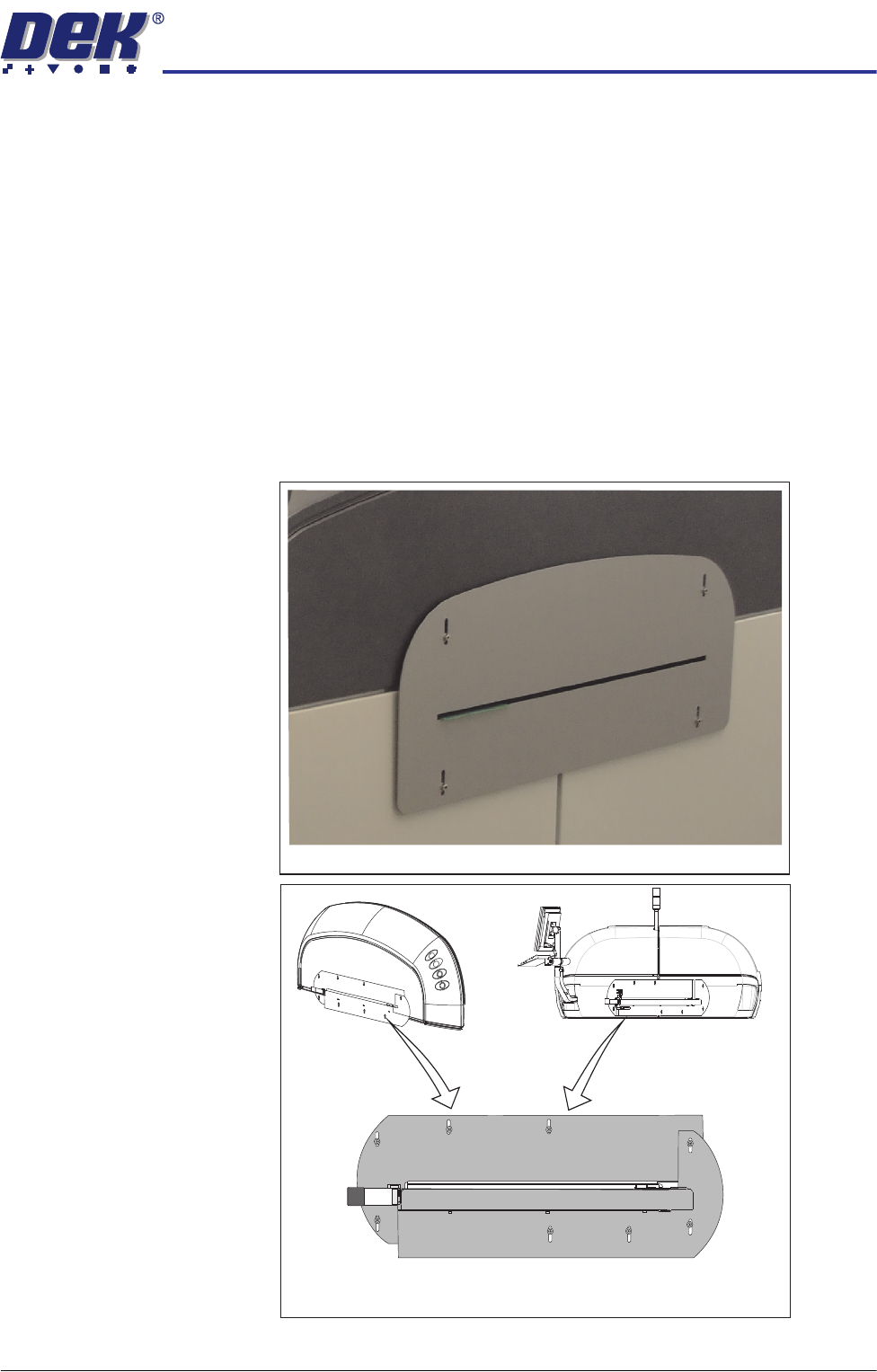
Safety Covers Safety covers are fitted to the side panels to protect personnel from inadvertent
access to the product entry/exit ports.
To remove the safety covers, remove the four securing screws, stand-offs and
washers; remove the cover.
Standard Safety Covers
HTC Safety Covers
(showing the two halves)