Covers.pdf - 第15页
COVERS MACHINE COVERS Chapter Issue 2 Sep 09 Technical Reference Manu al 3.15 The panel can be ’hinged’ away to rele ase the bottom tabs from the support rail. Lift the p anel out of position. NOTE When refitting the rig…
COVERS
MACHINE COVERS
3.14 Technical Reference Manual Chapter Issue 2 Sep 09
and rear corner panels respectively.
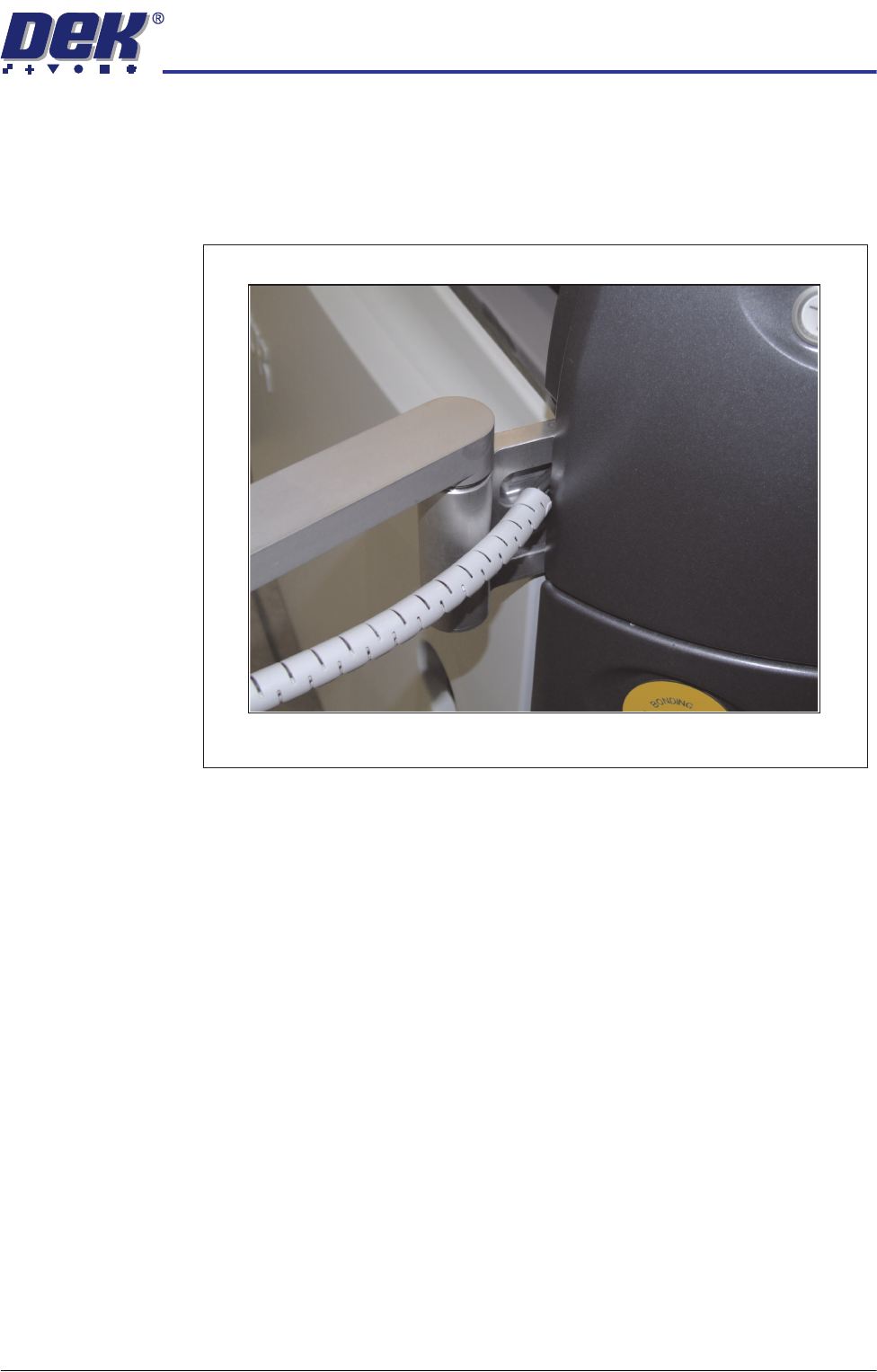
8. Pull the top edge of the cover out to release the locating tabs from the top
edge.
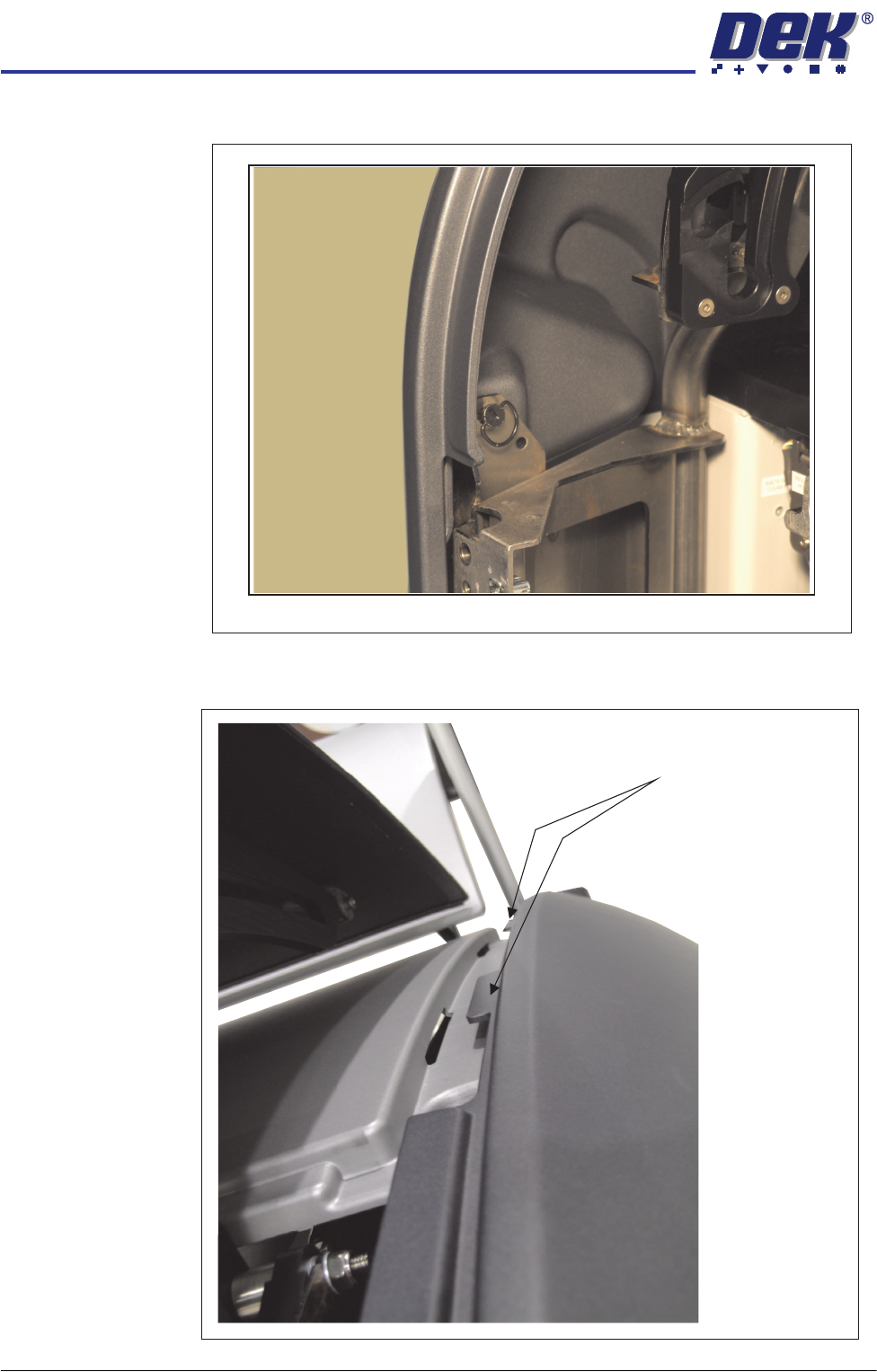
Quarter-Turn Ring Fastener
Panel Locating Tabs
COVERS
MACHINE COVERS
Chapter Issue 2 Sep 09 Technical Reference Manual 3.15
The panel can be ’hinged’ away to release the bottom tabs from the support
rail. Lift the panel out of position.
NOTE
When refitting the right hand panel, ensure that the cables from the MMI are
routed in the support arm groove.
Cable Routing
COVERS
MACHINE COVERS
3.16 Technical Reference Manual Chapter Issue 2 Sep 09
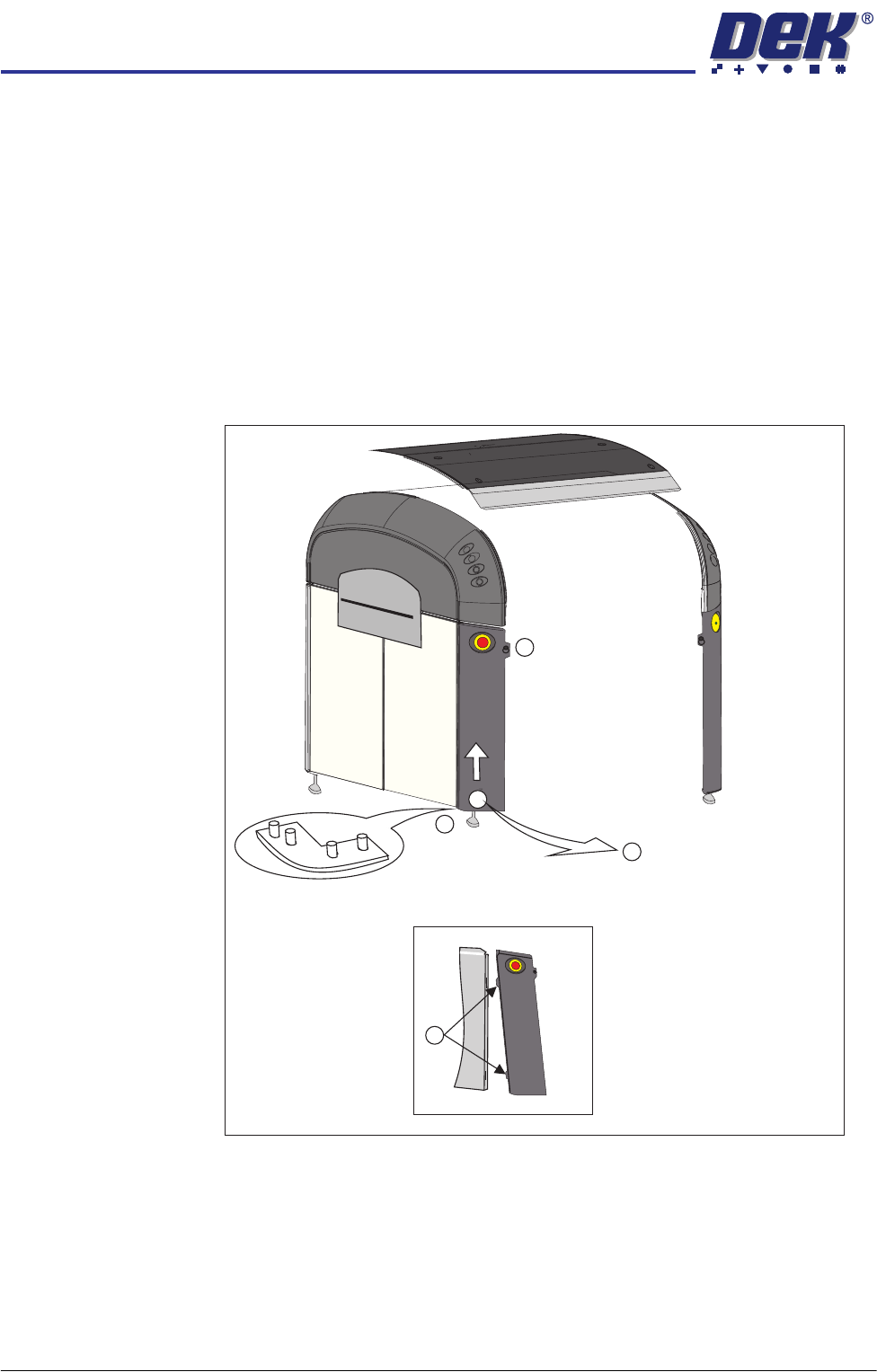
Corner Panels To remove a corner panel, carry out the following:
1. For the front corner panels, open the sliding glass cover; for the rear corner
panels, open the rear printhead cover.
2. Remove the respective Front/Rear Panel.
3. Locate and release the quarter-turn ring fastener that retains the corner
panel (1).
4. At the bottom of the corner panel, lift the panel up toward the upper side
panel (2), until it clears the locating pins at the base (3); tilt the panel out
away from the base plate (4).
5. Pull the corner panel away from the side panel to which it attached; all panels
are held together by interlocking panel locating tabs (5).
Front Left Quarter View
1
2
3
5
4