Covers.pdf - 第21页
COVERS MACHINE COVERS Chapter Issue 2 Sep 09 Technical Reference Manu al 3.21 Button Head Quarter-T urn Fasteners T o remove a pan el secured with button head quarter-turn f asteners, using a 4mm Allen key (maintenance k…
COVERS
MACHINE COVERS
3.20 Technical Reference Manual Chapter Issue 2 Sep 09
Metal Cover
Machine
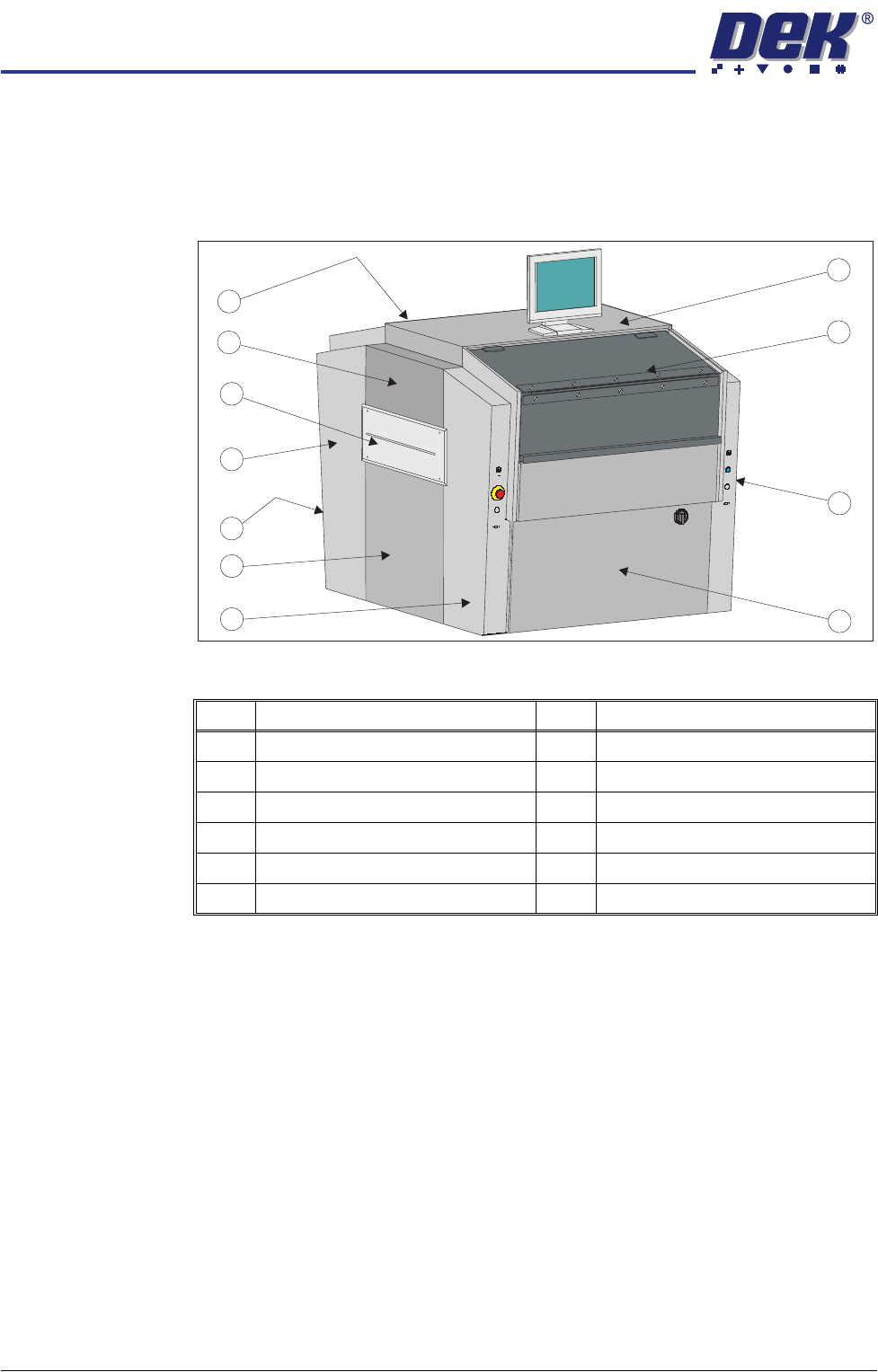
In order to protect personnel and prevent damage to the machine, eight panels
are fitted to the machine.
The upper part of the machine is protected by the front printhead cover, the rear
fixed printhead cover, the top panel and two upper side panels.
Figure 3-8 Metal Cover Machine
NOTE
Some of the covers can only be removed in a specific order due to the covers
interlocking with each other.
Item Description Item Description
1 Top Panel 7 Rear Panel (opposite front panel)
2 Front Printhead Cover 8 Rear Corner Panel (in 2 positions)
3 Front Right Hand Corner Panel 9 Safety Cover (in 2 positions)
4 Front Panel 10 Upper Side Panel (in 2 positions)
5 Front Left Hand Corner Panel 11 Rear Fixed Printhead Cover
6 Lower Side Panel (in 2 positions)
1
2
3
4
5
6
7
8
9
10
11
COVERS
MACHINE COVERS
Chapter Issue 2 Sep 09 Technical Reference Manual 3.21
Button Head
Quarter-Turn
Fasteners
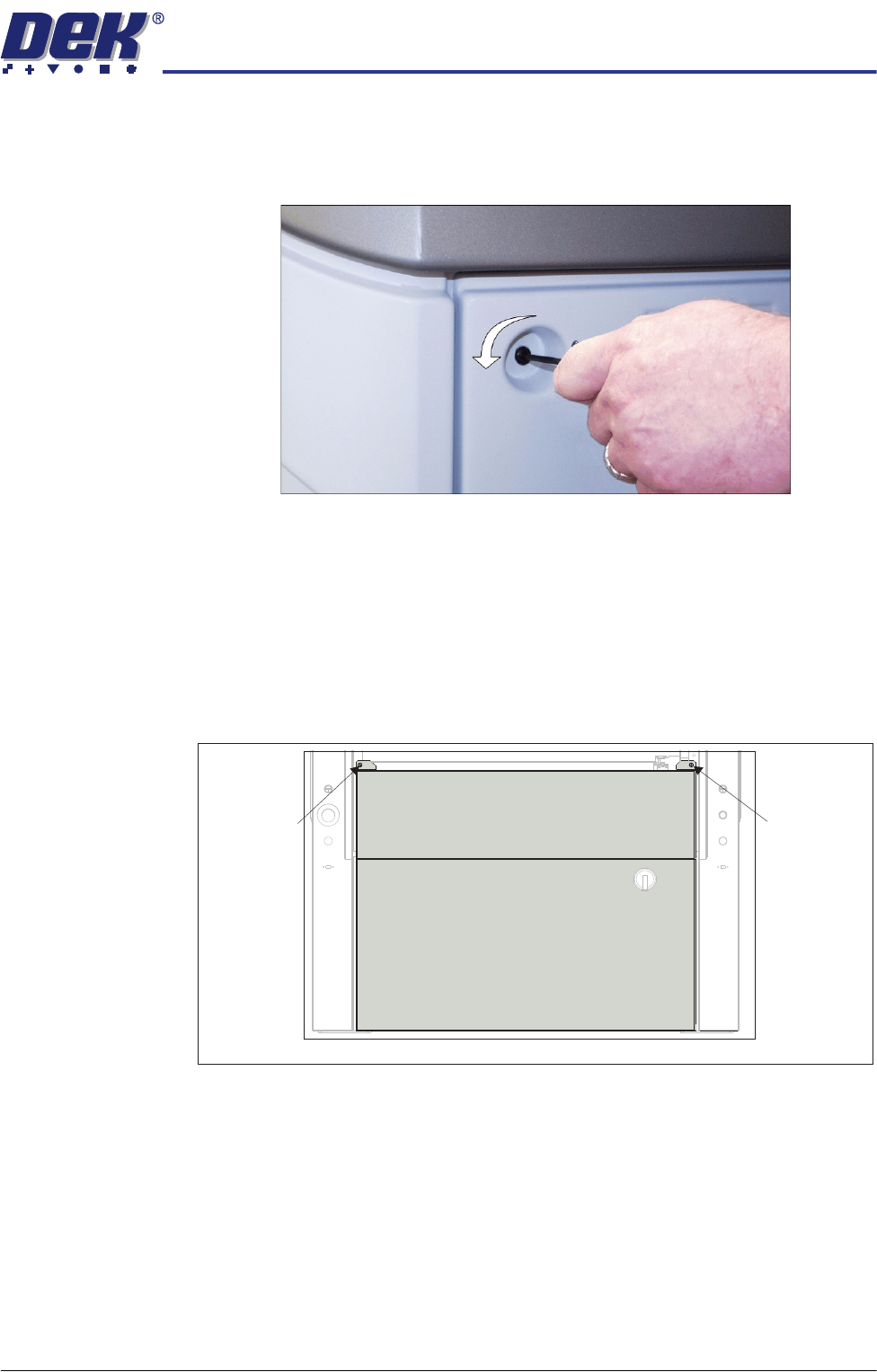
To remove a panel secured with button head quarter-turn fasteners, using a
4mm Allen key (maintenance key), turn the fastener anticlockwise by a quarter-
turn and pull out.
Figure 3-9 Button Head Quarter-Turn Fastener
Front Panel To remove the front panel, carry out the following:
1. Open the front printhead cover.
2. Remove the keyboard from its stowage.
3. Disconnect the keyboard from the 4 port USB hub.
4. Using a maintenance key, release the two button head quarter-turn fasten-
ers located at the top corners of the panel.
5. Tilt the top of the panel away from the machine and lift the panel clear.
View on Front of Machine
Button Head
Quarter-Turn
Fastener
Button Head
Quarter-Turn
Fastener
COVERS
MACHINE COVERS
3.22 Technical Reference Manual Chapter Issue 2 Sep 09
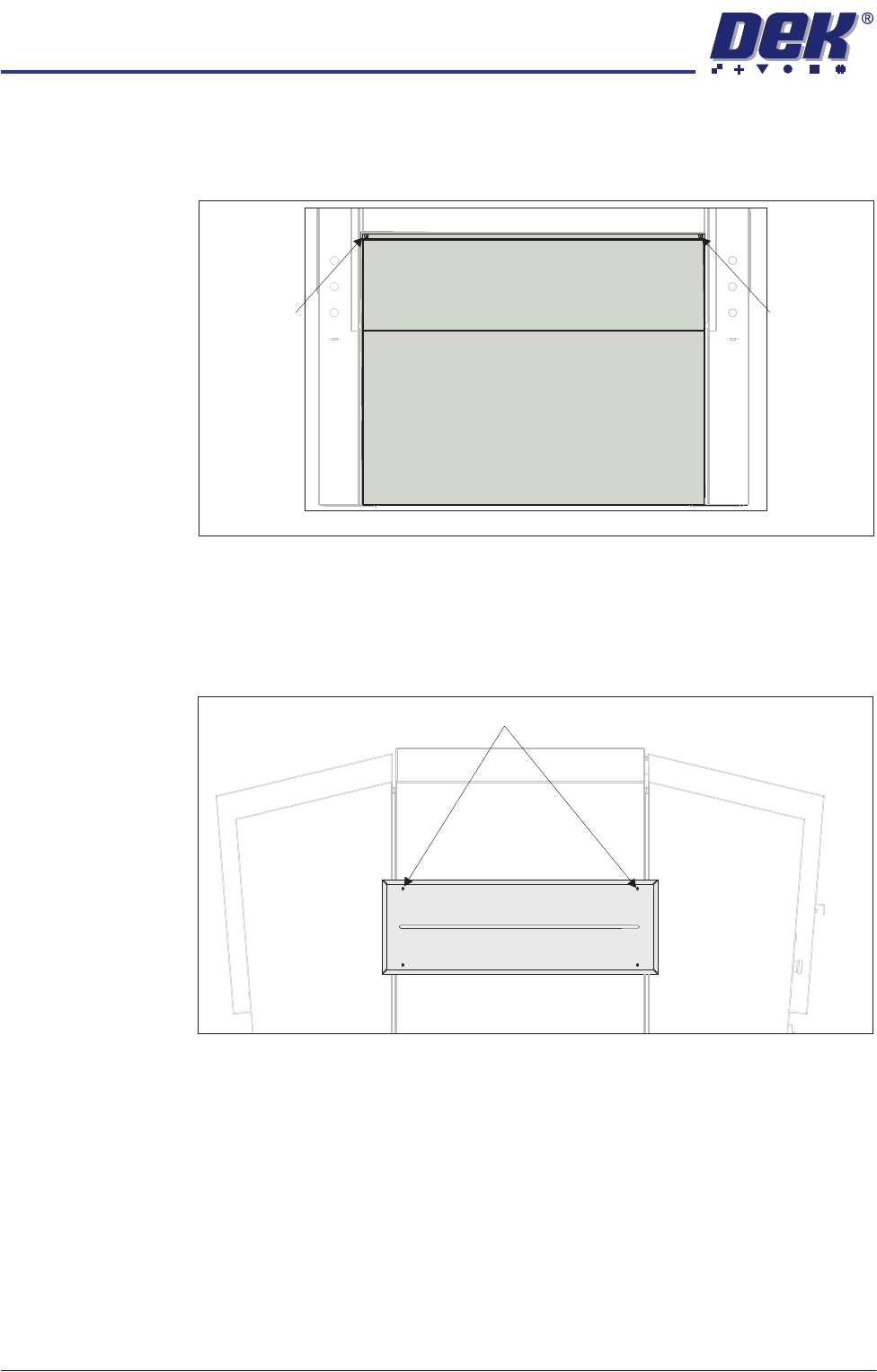
Rear Panel To remove the rear panel, carry out the following:
1. Using a maintenance key, release the two button head quarter-turn fasten-
ers located at the top corners of the panel.
2. Tilt the top of the panel away from the machine and lift the panel clear.
Safety Covers Safety covers are fitted to the side panels to protect personnel from inadvertent
access to the board entry/exit ports.
To remove the safety cover, remove the four safety cover securing screws.
Button Head
Quarter-Turn
Fastener
View on Rear of Machine
Button Head
Quarter-Turn
Fastener
Safety Cover Securing Screws (in 4 positions)